1. Giriş
Thank you for choosing the Mesqool CR1024 Projection Alarm Clock. This device combines a digital alarm clock with a time projector, displaying time on your wall or ceiling. It also features temperature and humidity monitoring, dual alarms, a night light, and USB charging ports. This manual will guide you through the setup, operation, and maintenance of your new alarm clock.
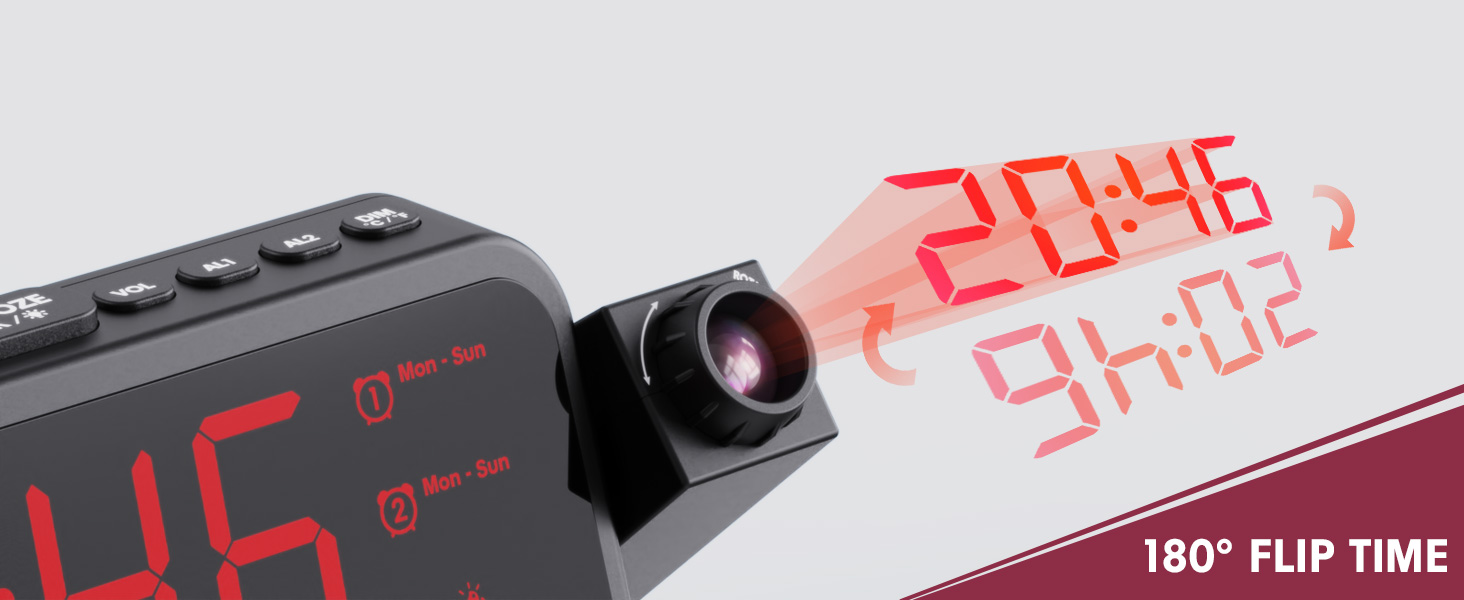
Image 1.1: Mesqool CR1024 Projection Alarm Clock with a smartphone connected for charging.
Temel Özellikler:
- 180° Swivel Projection with Adjustable Focus
- Large LED Display with Time, Date, Day, Temperature, and Humidity
- Dual Alarms with Weekday/Weekend/7-Day/One-time Modes
- 9-Minute Snooze Function
- Integrated Soft LED Night Light with Adjustable Brightness
- 7-Level Adjustable Alarm Volume
- 5 Seviyeli Ekran Dimmer
- Memory Function (requires 2x AAA batteries, not included)
- Dual USB Charging Ports (Type-C and USB-A)
2. Kurulum
2.1 Güç Bağlantısı
- Verilen güç adaptörünü çalar saatin arkasındaki DC IN portuna bağlayın.
- Güç adaptörünü standart bir elektrik prizine takın. Saat ekranı yanacaktır.
- Dış mekan kullanımı sırasında yedek güç kaynağı içintages, insert two AAA batteries (not included) into the battery compartment. This will preserve time and alarm settings.
2.2 İlk Saat ve Tarih Ayarı
- Basılı tutun SAAT AYARI Zaman ayar moduna girmek için düğmeye basın.
- Kullanın + or - Saati ayarlamak için düğmelere basın. SAAT AYARI onaylamak için.
- Aynı işlemi tekrarlayarak dakika, yıl, ay ve günü ayarlayın.
- Basmak SAAT AYARI Ayar modundan çıkmak için tekrar tuşuna basın.
2.3 12/24 Hour Format and DST
- 12 saatlik ve 24 saatlik zaman formatları arasında geçiş yapmak için tuşuna basın. 12/24H düğme.
- To activate or deactivate Daylight Saving Time (DST), press the Yaz saati uygulaması button. An indicator will appear on the display when DST is active.

Image 2.1: The clock displaying time in both 12-hour and 24-hour formats.
3. Kullanım Talimatları
3.1 Alarmları Ayarlama
The clock supports two independent alarms (AL1 and AL2).
- Basılı tutun AL1 or AL2 Alarm ayar moduna girmek için düğmeye basın.
- Kullanın + or - buttons to adjust the alarm hour. Press the respective alarm button (AL1 or AL2) onaylamak.
- Alarm dakikasını ayarlamak için işlemi tekrarlayın.
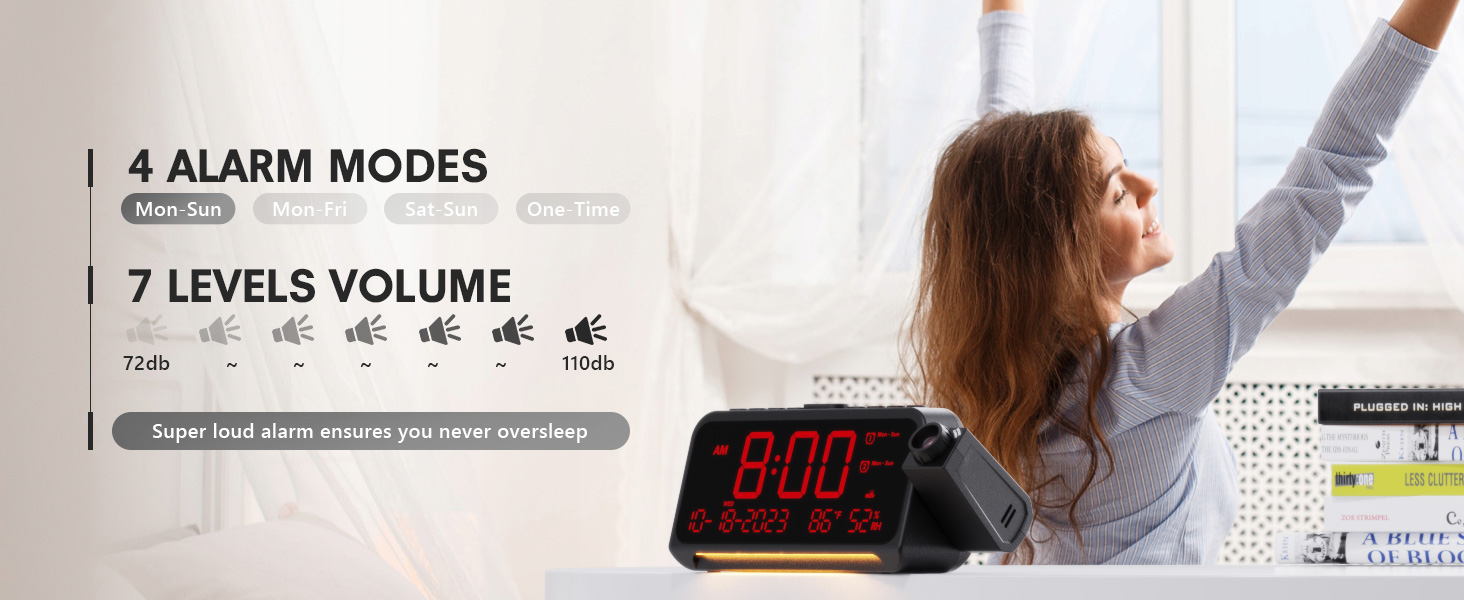
- After setting the minute, use + or - to select the alarm mode: Mon-Sun, Mon-Fri, Sat-Sun, or One-time.
- Press the alarm button again to confirm and exit.
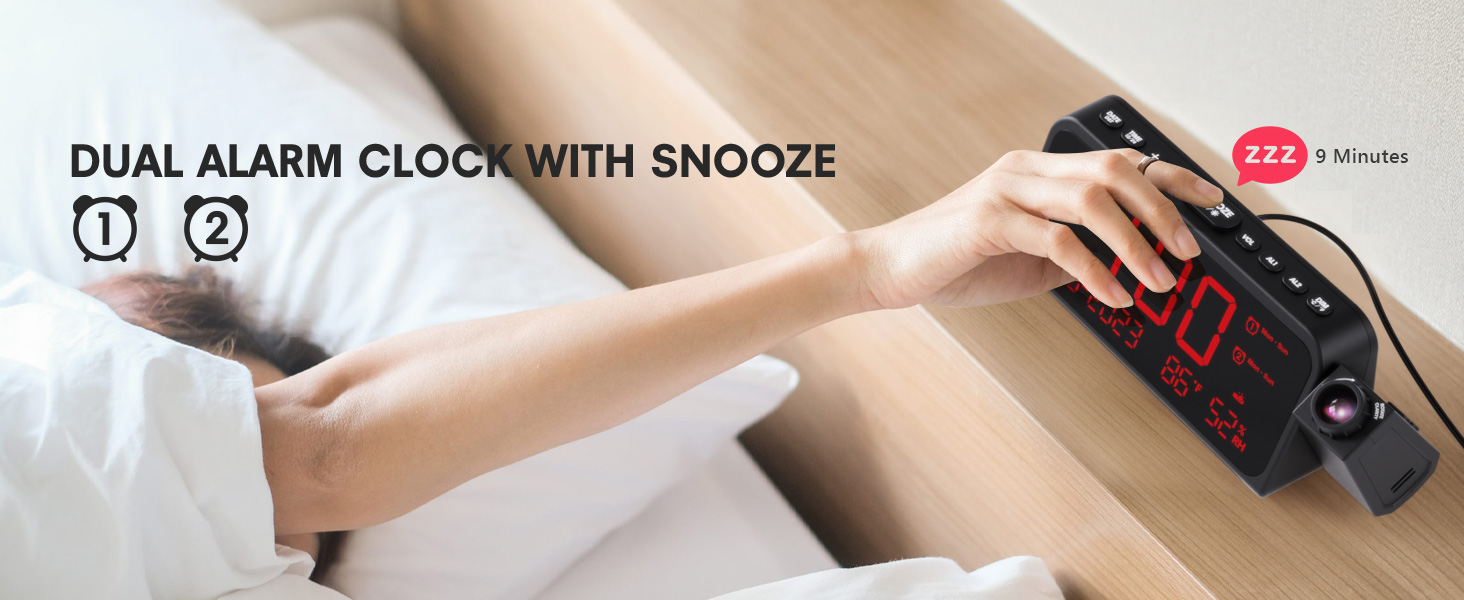
Image 3.1: The clock displaying dual alarm settings and snooze functionality.
3.2 Erteleme İşlevi
Alarm çaldığında, büyük düğmeye basın. SNOOZE/OK/* button to activate the snooze function. The alarm will pause for 9 minutes and then sound again.
3.3 Alarm Sesi Ayarı
Basın CİLT button to cycle through 7 levels of alarm volume. Adjust to your preferred loudness.

Image 3.2: Visual representation of the 4 alarm modes and 7 adjustable volume levels.
3.4 Projeksiyon Ayarları
- Projeksiyon AÇIK/KAPALI: Basın PROJEKSİYON Projeksiyonu açıp kapatmak için düğme.
- Projeksiyon Parlaklığı: Tekrar tekrar basın PROJEKSİYON button to cycle through 5 brightness levels (Dim, Low, Medium, High, Full).
- Projection Orientation: The projector arm can swivel 180 degrees. Rotate the arm to direct the time display to your desired surface (wall or ceiling).
- Odak Ayarı: Use the focus ring on the projector lens to sharpen the projected image.
Resim 3.3: Ayrıntılı view of the projection features, including distance, time flip, rotation, focus, and brightness levels.
3.5 Ekran Karartıcı
Basın DİMMER button to adjust the brightness of the main LED display. There are 5 levels of brightness to choose from, allowing you to customize it for comfort, especially at night.
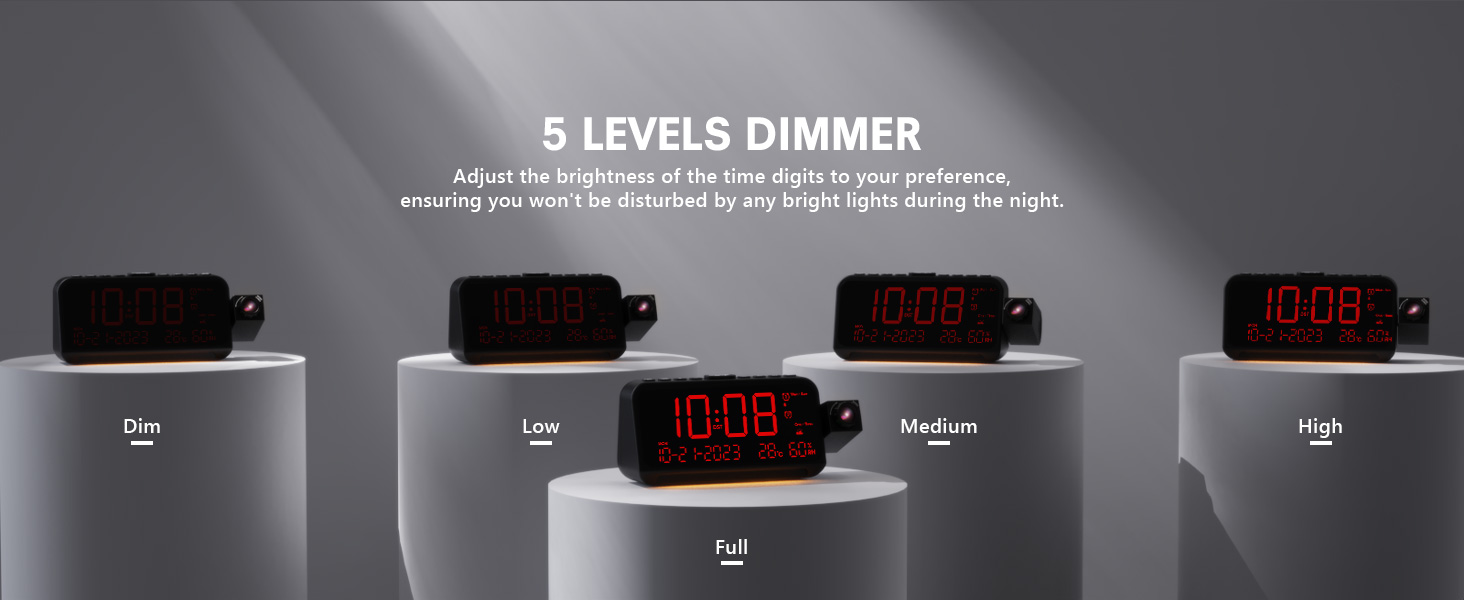
Image 3.4: The clock demonstrating its 5-level adjustable display dimmer.
3.6 Gece Lambası
The clock features a soft LED night light located at the bottom. Press the IŞIK button to cycle through Off, Medium, and Full brightness settings for the night light.
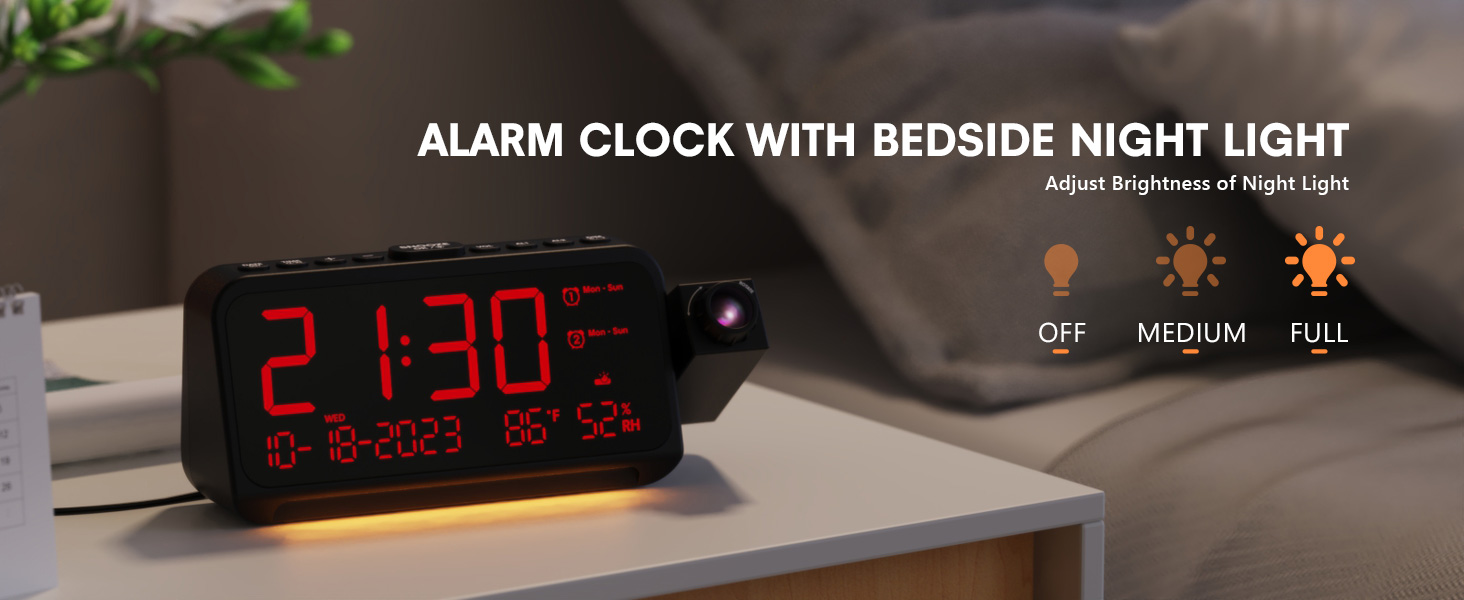
Image 3.5: The clock with its integrated night light, showing different brightness options.
3.7 USB Şarj Bağlantı Noktası
The clock is equipped with a Type-C and a standard USB-A charging port on the back. You can use these ports to charge your mobile devices while the clock is powered.

Image 3.6: The back of the clock showing the Type-C and USB-A charging ports in use.
4. Bakım
To ensure the longevity and optimal performance of your Mesqool CR1024 Projection Alarm Clock, follow these maintenance guidelines:
- Temizlik: Wipe the clock's surface with a soft, dry cloth. Avoid using abrasive cleaners, solvents, or chemical sprays, as these can damage the finish or electronic components.
- Çevre: Place the clock in a dry environment, away from direct sunlight, extreme temperatures, and high humidity.
- Havalandırma: Aşırı ısınmayı önlemek için havalandırma açıklıklarının engellenmediğinden emin olun.
- Pil Değişimi: If using AAA batteries for backup, replace them annually or when the low battery indicator appears to ensure settings are retained during power outagee.
5. Sorun Giderme
If you encounter issues with your Mesqool CR1024 Projection Alarm Clock, please refer to the following common problems and solutions:
| Sorun | Olası Neden | Çözüm |
|---|---|---|
| Projeksiyon bulanık veya net değil. | Yanlış odaklama veya projeksiyon mesafesi. | Adjust the focus ring on the projector lens. Ensure the clock is within the optimal projection distance (4.92-9.84 ft). |
| Alarm çalmıyor veya çok sessiz. | Alarm not activated or volume set too low. | Ensure the alarm is enabled (AL1/AL2 indicator on display). Press the CİLT button to increase the alarm volume. |
| Ekran çok parlak veya çok loş. | Display dimmer setting is not optimal. | Basın DİMMER 5 parlaklık seviyesi arasında geçiş yapmak için düğme. |
| Elektrik kesintisi sonrasında saat/ayarlar sıfırlanır.tage. | Yedek pil yok veya piller bitmiş durumda. | Install two fresh AAA batteries (not included) in the battery compartment for memory backup. |
| Cannot change time format from 24-hour to 12-hour. | Incorrect button press or temporary glitch. | Basın 12/24H button. If the issue persists, try unplugging the clock for a few minutes and then reconnecting power. |
6. Özellikler
| Özellik | Detay |
|---|---|
| Marka | meskûl |
| Model Numarası | CR1024 |
| Görüntü Türü | Dijital LED |
| Güç Kaynağı | Kablolu Elektrik |
| Pil Yedekleme | 2x AAA pil (dahil değildir) |
| Ürün Boyutları | 7.87"W x 3.4"H (7.87x2.36x3.43 inch) |
| Ürün Ağırlığı | 12 ons (0.34 Kilogram) |
| Malzeme | Akrilonitril Bütadien Stiren (ABS) |
| Özel Özellikler | Projection, Dual Alarms, Snooze, Night Light, Temperature, Humidity, Calendar, DST, USB Charging |

Image 6.1: Dimensions of the Mesqool CR1024 Projection Alarm Clock.
7. Garanti ve Destek
7.1 Garanti Bilgileri
This Mesqool CR1024 Projection Alarm Clock comes with a 24 ay garanti from the date of purchase. Mesqool also provides lifetime support for this product. Please retain your proof of purchase for warranty claims.
7.2 Müşteri Desteği
For any questions, technical assistance, or warranty inquiries, please contact Mesqool customer support through the retailer where you purchased the product or refer to the official Mesqool webiletişim bilgileri için site.


