1. Giriş
The LOVENSE Lapis is a flexible, double-ended vibrating strapless strap-on designed for shared experiences. It features multiple motors, app control capabilities, and a waterproof design for versatile use and easy maintenance. This manual provides essential information for the safe and effective use of your device.
2. Kutuda Neler Var?
Carefully unbox your LOVENSE Lapis and ensure all components are present:
- 1 x LOVENSE Lapis Device
- 1 x USB Şarj Kablosu
- 1 x Kullanım Kılavuzu
- 1 x Saklama Çantası
Video: Unboxing the LOVENSE Lapis. This video demonstrates the unboxing process, showing the device, charging cable, user manual, and storage bag included in the package.

Image: The LOVENSE Lapis device, USB charging cable, user manual, and storage bag laid out after unboxing.
3. Ürün Özellikleri
The LOVENSE Lapis offers a range of features for an enhanced experience:
- Çift Uçlu Tasarım: Features two insertable parts for simultaneous stimulation.
- Multiple Motors: Equipped with three motors that can be controlled individually or together for varied sensations.
- Esnek ve Rahat: Designed with a bendable neck and smooth silicone material for adaptability and comfort during use.
- Uygulama Kontrolü: Connects to the Lovense Remote App for customized patterns, long-distance control, and music synchronization.
- Su geçirmez (IPX7): Fully waterproof, making it suitable for use in water and easy to clean.
- Manyetik Şarj: Features a convenient and secure magnetic charging mechanism.

Resim: Bir overview of the LOVENSE Lapis highlighting its flexible design, dual ends, and app control capabilities.

Resim: Ayrıntılı view of the LOVENSE Lapis showing its dimensions and an example of the app interface for control.
4. Kurulum
4.1 Cihazı Şarj Etme
Fully charge the LOVENSE Lapis before its first use. Connect the magnetic USB charging cable to the charging port on the device and plug the USB end into a compatible power source (e.g., computer USB port, USB wall adapter). The device will indicate when it is charging and when it is fully charged (refer to the device's LED indicator for status).

Image: The LOVENSE Lapis device with its magnetic charging cable attached, illustrating the charging process.
4.2 Uygulama İndirme ve Eşleştirme
The LOVENSE Lapis is controlled via the Lovense Remote App.
- Uygulamayı indirin: Download the "Lovense Remote" app from your smartphone's app store (available for iOS and Android).
- Cihazı Aç: Press and hold the power button on your LOVENSE Lapis until it vibrates or the LED indicator lights up.
- Bluetooth'u etkinleştir: Akıllı telefonunuzda Bluetooth'un etkinleştirildiğinden emin olun.
- Eşleştirme Cihazı: Open the Lovense Remote app and follow the on-screen instructions to pair your LOVENSE Lapis. The serial number, located on the product box, can assist with app connection if needed.

Image: The Lovense Remote App interface displayed on a smartphone, showing various control options.
5. Operasyon
Once your LOVENSE Lapis is charged and paired with the Lovense Remote App, you can begin using it.
- Temel Kontrol: Use the app to adjust vibration intensity and patterns. The three motors can be controlled individually or simultaneously to customize your experience.
- Özel Desenler: Explore the app's extensive library for pre-designed vibration patterns or create and save up to 10 personalized patterns.
- Uzun Mesafe Kontrolü: The app allows for long-distance control, enabling a partner to control your device remotely, even from a different location.
- Müzik Senkronizasyonu: Synchronize the device's vibrations with your favorite music for an immersive and rhythmic experience.
Video: Demonstration of the LOVENSE Lapis in use, showcasing its flexible design, waterproof capabilities, and app-controlled vibrations.
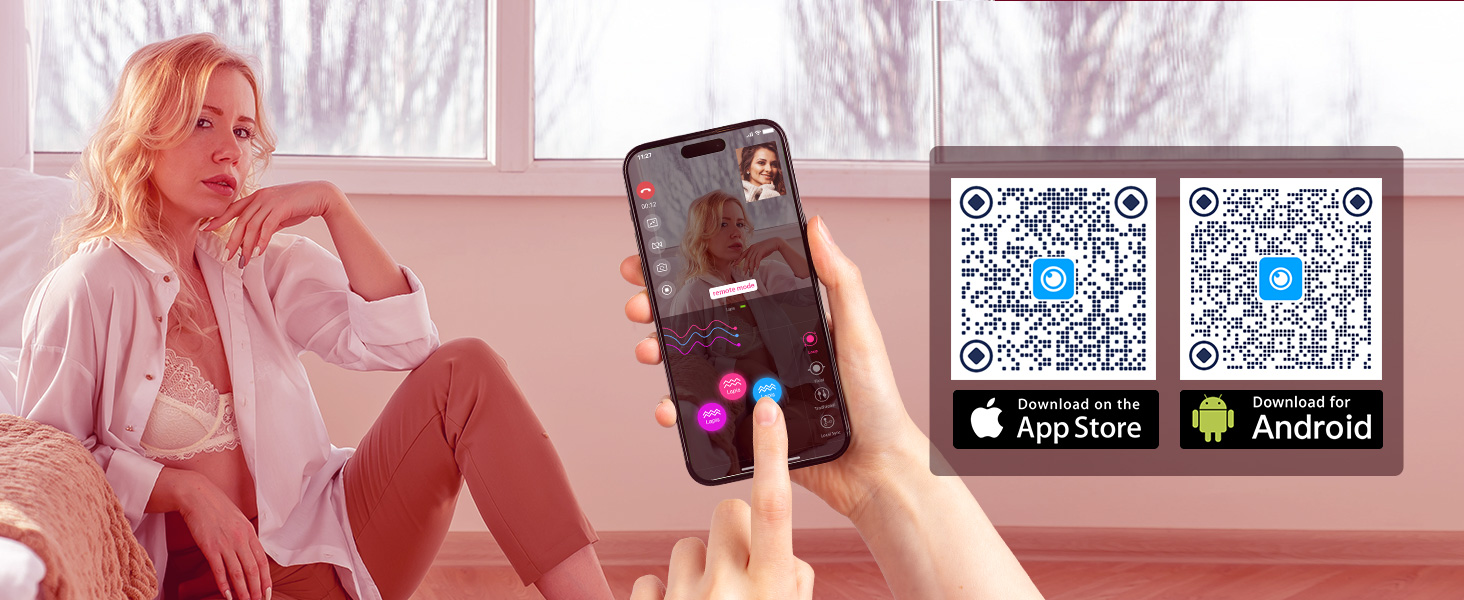
Image: A person using the Lovense Remote App to control the LOVENSE Lapis wirelessly, illustrating the remote control feature.
6. Bakım
Proper care and maintenance will ensure the longevity of your LOVENSE Lapis.
- Temizlik: The LOVENSE Lapis is IPX7 waterproof. Clean the device thoroughly after each use with warm water and a mild, toy-safe soap. Rinse completely to remove all soap residue.
- Kurutma: Allow the device to air dry completely before storing. Avoid using abrasive materials or harsh chemicals for cleaning.
- Depolamak: Store the device in the provided storage bag in a clean, dry place, away from direct sunlight and extreme temperatures.

Image: The LOVENSE Lapis submerged in water, illustrating its IPX7 waterproof capability for easy cleaning.
7. Sorun Giderme
If you encounter any issues with your LOVENSE Lapis, refer to the following troubleshooting tips:
- Cihaz Açılmıyor: Cihazın tamamen şarj olduğundan emin olun. Şarj cihazına bağlayın ve şarj göstergesinin güç aldığını onaylamasını bekleyin.
- Uygulama Bağlantı Sorunları:
- Akıllı telefonunuzda Bluetooth'un etkinleştirildiğinden emin olun.
- Make sure the device is turned on and within range of your phone.
- Close and reopen the Lovense Remote app.
- Akıllı telefonunuzu yeniden başlatın.
- Sorun devam ederse, uygulamadan cihazın eşleştirmesini kaldırıp yeniden eşleştirmeyi deneyin.
- Zayıf Titreşimler: Fully charge the device. If vibrations remain weak after a full charge, contact customer support for further assistance.
8. Özellikler
Below are the technical specifications for the LOVENSE Lapis:
| Bağlanmak | Detay |
|---|---|
| Model Numarası | Lapis |
| Marka | LOVENSE |
| Renk | Gül kırmızısı |
| Su Direnç Seviyesi | IPX7 Su Geçirmez |
| Ürün Bakım Talimatları | El Yıkama |
| Paket Boyutları | 10.31 x 5.31 x 2.24 inç |
| Ürün Ağırlığı | 1.3 Pound |
| Dil | İngilizce |
9. Garanti ve Destek
For any questions, concerns, or warranty inquiries regarding your LOVENSE Lapis, please do not hesitate to reach out to the LOVENSE Official Store customer support. Our support team is dedicated to assisting you within 24 hours.
You can find more information and support on the official LOVENSE webalan: LOVENSE Lapis Product Page