1. Giriş
This user manual provides comprehensive instructions for the installation, operation, and maintenance of your SJCODE Smart Video Doorbell Security Camera. Designed for both indoor and outdoor surveillance, this wireless and battery-powered device offers advanced features such as 2-way audio, human detection, night vision, and cloud storage to enhance your home security.
2. Kutuda Neler Var?
Paketi açtığınızda lütfen tüm bileşenlerin mevcut ve iyi durumda olduğundan emin olun.
- Akıllı Görüntülü Kapı Zili Kamera
- Kablosuz Zil Zil
- Pil (önceden takılı veya ayrı)
- Montaj Vidaları ve Ankrajları
- Adhesive Tape for mounting
- USB Şarj Kablosu
- Kullanım Kılavuzu (bu belge)

Image: The SJCODE Smart Video Doorbell, its accompanying wireless chime, and product packaging.
3. Temel Özellikler
The SJCODE Smart Video Doorbell is equipped with several features designed to provide comprehensive security and convenience:
- Yapay Zeka İnsan Tespiti: Advanced algorithms distinguish between humans, animals, and swaying objects, reducing false alerts.
- HD Video: Captures clear, high-definition video footage.
- İki Yönlü Ses: Allows for real-time communication with visitors or deterrence of unwanted individuals.
- Anlık Uyarılar: Receive immediate notifications on your mobile device upon detection of activity.
- Gece Görüşü: Infrared (IR) night vision ensures clear visibility even in low-light or dark conditions.
- Bulut Depolama: Güvenli bir şekilde view, save, and play back recorded videos from the cloud.
- IP65 Hava Koşullarına Dayanıklılık: Designed to withstand various weather conditions, including rain, snow, and dust, with an operating temperature range of 14°F to 140°F (-10°C to 60°C).
- Wireless & Battery Powered: Offers flexible placement without the need for complex wiring.
- Complimentary Chime: Includes a wireless chime for audible alerts inside your home.

Image: Visual representation of the doorbell's core features.

Image: Illustration of AI Human Detection, distinguishing humans from animals.
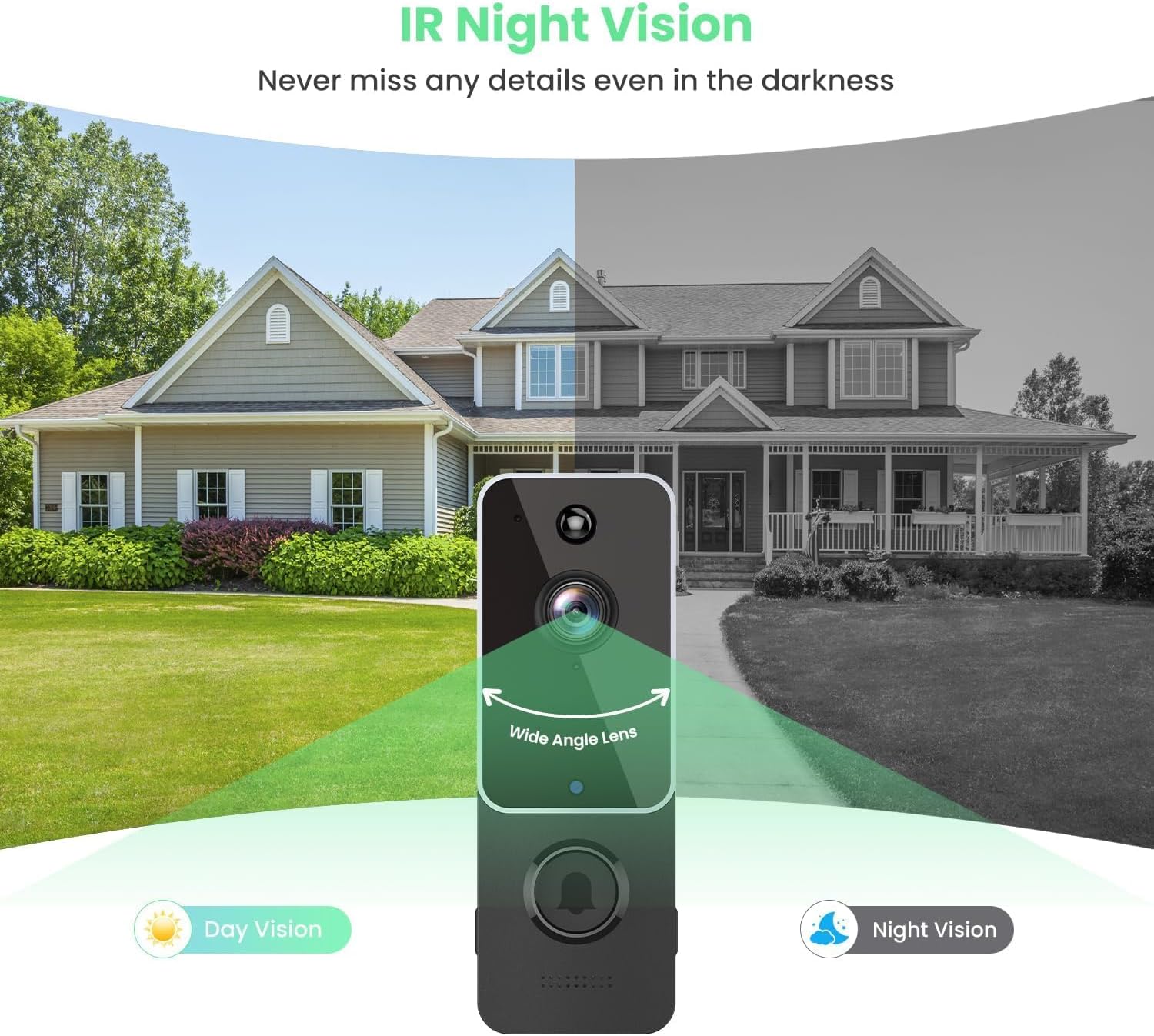
Image: Demonstrates the doorbell's night vision capability compared to day vision.

Resim: Eskiample of two-way audio in use, allowing communication with visitors.

Image: Visual representation of cloud storage for recorded videos.

Image: Depicts the doorbell's IP65 weather resistance in different environmental conditions.
4. Kurulum ve Kurulum
The SJCODE Smart Video Doorbell is designed for easy setup and installation. Please follow these steps:
4.1 Uygulama İndirme ve Kurulumu
- Download the AiwiT App: Arama "AiwiT" in your smartphone's app store (Google Play Store for Android or Apple App Store for iOS) and download the application.
- Kayıt Ol/Giriş Yap: Open the AiwiT app and follow the on-screen instructions to create a new account or log in if you already have one.
- Cihaz Ekle: In the app, select the option to add a new device. Follow the prompts to connect your doorbell to your home's 2.4GHz Wi-Fi network. This typically involves scanning a QR code on the doorbell or following guided pairing steps.
- Ayarları Yapılandırın: Once connected, customize settings such as motion detection sensitivity, notification preferences, and recording options within the app.
4.2 Kapı Zilinin Montajı
There are two primary methods for mounting your video doorbell:
Method 1: Mounting by Adhesive Tape
- Montaj yüzeyinin temiz, kuru ve pürüzsüz olduğundan emin olun.
- Peel off the protective film from the adhesive tape on the back of the doorbell's mounting bracket.
- Press the doorbell firmly onto the desired location on your wall or door frame for at least 30 seconds.
Method 2: Mounting by Screws
- Hold the mounting bracket against the wall at your desired installation height and mark the screw holes with a pencil.
- Drill pilot holes at the marked locations. If installing on masonry or stucco, insert the provided wall anchors.
- Align the mounting bracket with the holes and secure it to the wall using the provided screws.
- Attach the doorbell unit to the secured mounting bracket.

Image: Step-by-step guide for app setup and physical installation using adhesive or screws.
5. Kullanım Talimatları
Once installed, your SJCODE Smart Video Doorbell is ready for operation.
5.1 Canlı View and Two-Way Communication
- Open the AiwiT app on your smartphone.
- Select your doorbell from the device list to access the live video feed.
- To speak, tap the microphone icon in the app. Your voice will be projected through the doorbell's speaker.
- To hear, ensure the speaker icon in the app is enabled.

Image: Demonstrates using two-way audio to communicate with a delivery person.
5.2 Hareket Algılama ve Uyarılar
- When motion is detected, especially human motion, you will receive an instant push notification on your smartphone.
- için bildirime dokunun view Canlı yayın veya kaydedilmiş etkinlik.
- Adjust motion detection sensitivity and zones within the AiwiT app settings to optimize alerts.
5.3 Video Playback and Cloud Storage
- Access recorded videos through the "Cloud Storage" or "Playback" section in the AiwiT app.
- Videos are stored securely in the cloud, allowing you to review past events at any time.
5.4 Group Sharing
- The AiwiT app allows you to share access to your doorbell's feed with family members or trusted individuals.
- Navigate to the sharing settings within the app to invite others to view or manage the device.

Image: Illustration of the group sharing feature, enabling multiple users to access the doorbell feed.
6. Bakım
Proper maintenance ensures the longevity and optimal performance of your video doorbell.
- Pil Şarjı: The doorbell is battery-powered. Monitor the battery level in the AiwiT app and recharge the doorbell using the provided USB cable when the battery is low. Charging frequency depends on usage and motion detection events.
- Temizlik: Periyodik olarak kamera merceğini ve kapı zilinin dış yüzeyini yumuşak bir bezle silin.amp cloth to remove dust, dirt, or smudges. Avoid using harsh chemicals or abrasive materials.
- Donanım Yazılımı Güncellemeleri: Check the AiwiT app regularly for firmware updates. Keeping the firmware updated ensures you have the latest features and security enhancements.
7. Sorun Giderme
If you encounter issues with your SJCODE Smart Video Doorbell, refer to the following common solutions:
| Sorun | Olası Neden | Çözüm |
|---|---|---|
| Kapı zili Wi-Fi'ye bağlanmıyor. | Incorrect Wi-Fi password; 5GHz Wi-Fi network (doorbell supports 2.4GHz only); weak Wi-Fi signal; too far from router. | Verify Wi-Fi password; ensure you are connecting to a 2.4GHz network; move doorbell closer to router or use a Wi-Fi extender; restart doorbell and router. |
| Hareket algılama uyarısı yok | Motion detection disabled; sensitivity too low; incorrect detection zone settings; app notifications blocked. | Enable motion detection in app; increase sensitivity; adjust detection zones; check phone's notification settings for the AiwiT app. |
| Video kalitesi zayıf | Dirty lens; weak Wi-Fi signal; low battery. | Clean the camera lens; improve Wi-Fi signal strength; recharge the doorbell battery. |
| Pil çabuk bitiyor | Frequent motion detection events; high live view usage; extreme temperatures. | Reduce motion detection sensitivity or frequency; limit live view sessions; ensure doorbell is within optimal operating temperature range. |
| Çan çalmıyor | Chime not paired; chime unplugged; volume too low. | Ensure chime is plugged in and paired with the doorbell (refer to chime's specific pairing instructions); increase chime volume. |
8. Özellikler
Detailed technical specifications for the SJCODE Smart Video Doorbell Security Camera:
| Bağlanmak | Değer |
|---|---|
| Marka | SJKODU |
| Model Numarası | B0CBPM91N5 |
| Bağlantı Teknolojisi | Kablosuz (Wi-Fi) |
| Kablosuz İletişim Teknolojisi | Kablosuz (2.4GHz) |
| Güç Kaynağı | Pil ile çalışır |
| İç/Dış Mekan Kullanımı | İç mekan, dış mekan |
| Uluslararası Koruma Derecelendirmesi | IP65 |
| Ürün Boyutları (U x G x Y) | 5.3 x 3.7 x 2.5 inç (13.5 x 9.4 x 6.35 cm) |
| Ürün Ağırlığı | 10.2 ons (289.2 gram) |
| Dahil Bileşenler | Battery, Wireless Chime |
| Montaj Tipi | Duvara Montaj (Yapıştırıcı veya Vidalar) |
| Denetleyici Türü | Android (and iOS via AiwiT App) |
| Düşük Işık Teknolojisi | Gece Rengi (Kızılötesi Gece Görüşü) |
| Uyarı Tipi | Motion Only (with Human Detection) |
| Video Yakalama Formatı | MPEG-4 |
| Çalışma Sıcaklığı | 14°F ila 140°F (-10°C ila 60°C) |

Image: Detailed dimensions of the doorbell and chime units.

Image: FCC compliance and product identification details for the doorbell and receiver.
9. Garanti ve Destek
For information regarding product warranty, technical support, or service inquiries, please refer to the documentation included with your purchase or visit the official SJCODE website. This manual does not contain specific warranty terms or direct support contact information.