1. Giriş
This manual provides instructions for the VTech CS2051 DECT 2 Handset Cordless Home Telephone with Answering Machine. It covers setup, operation, maintenance, and troubleshooting to ensure optimal performance of your device. Please read these instructions carefully before using your telephone.
2. Paket İçeriği
Paketinizin aşağıdaki öğeleri içerdiğini doğrulayın:
- 1 x Temel Ünite
- 2 x Kablosuz Telefon
- 2 x Handset Chargers
- 2 x AC Adaptors (for base unit and chargers)
- 2 x Battery Packs (AAA batteries required, included)
- 1 x Telefon Hattı Kablosu
- 1 x Hızlı Başlangıç Kılavuzu

Image: The VTech CS2051 system, showing the main base unit with one handset, and a separate charger with the second handset.
3. Kurulum
3.1 Pil Kurulumu
- Her bir telefonun arkasındaki pil bölmesi kapağını açın.
- Insert the supplied AAA battery pack, ensuring correct polarity.
- Pil bölmesinin kapağını kapatın.
- Place each handset on its respective charger or the base unit to charge for at least 16 hours before first use.
3.2 Ana Ünite Bağlantısı
- Telefon hattı kablosunun bir ucunu ana ünitedeki LINE portuna bağlayın.
- Telefon hattı kablosunun diğer ucunu duvardaki telefon prizine takın.
- Connect the AC adaptor to the POWER port on the base unit.
- Plug the AC adaptor into a mains power outlet.
- For the additional charger, connect its AC adaptor to the charger and then to a mains power outlet.
3.3 El Cihazı Kaydı
Your handsets are typically pre-registered to the base unit. If a handset displays 'Unregistered' or 'Register Handset', follow these steps:
- Ana ünitede, basılı tutun. SAYFA Kayıt gösterge ışığı yanıp sönene kadar düğmeye yaklaşık 5 saniye basılı tutun.
- On the handset, navigate to the 'Registration' menu (refer to the Quick Start Guide for specific menu navigation).
- Select 'Register Handset' and enter the system PIN (default is usually 0000).
- The handset will display 'Registering...' and then 'Handset Registered' upon successful completion.
4. Kullanım Talimatları
4.1 Arama Yapma ve Alma
- Telefon çağrısı yapmak: Basın KONUŞMAK Önce düğmeye basın, ardından numarayı çevirin. Alternatif olarak, önce numarayı çevirin ve ardından düğmeye basın. KONUŞMAK.
- Bir Çağrı Almak İçin: Telefon çaldığında, tuşuna basın KONUŞMAK düğme.
- Aramayı Bitirmek İçin: Basın SON Düğmeye basın veya ahizeyi tekrar şarj ünitesine/ana üniteye yerleştirin.
4.2 Digital Answering Machine
The base unit includes a digital answering machine to record messages when you are unavailable.
- Mesajları Oynat: Basın OYNAT/DURDUR Ana ünitedeki düğmeye basın. Ekranda yeni mesaj sayısı görüntülenecektir.
- Mesajların Silinmesi: During message playback, press the SİLMEK Ana ünitedeki düğme.
- Kurulum: Access the answering machine settings via the handset menu to record your outgoing message or adjust settings.

Image: The base unit of the VTech CS2051, highlighting the digital answering system with a message count display.
4.3 Nuisance Call Blocker
This feature allows you to block unwanted incoming calls.
- Bir Numarayı Engelleme: During or after a call, access the call blocker menu on the handset. You can add numbers to a block list.
- Blocking Unknown Numbers: The system can be configured to block calls from numbers not stored in your phonebook or from withheld numbers.

Image: A VTech CS2051 handset, illustrating the call blocker feature for managing unwanted calls.
4.4 Caller ID and Call Waiting
These features require subscription from your telephone service provider.
- Arayan Kimliği: The handset display shows the caller's number (and name if stored in your phonebook) before you answer. The phone stores up to 20 incoming call records.
- Görüşme beklemede: If you are on a call and another call comes in, you will hear a tone. You can switch between calls.

Image: A close-up of the VTech CS2051 handset display showing an incoming call number, demonstrating the Caller ID feature.
4.5 Hoparlör
The speakerphone function allows for hands-free conversations.
- Etkinleştirmek: Bir arama sırasında tuşuna basın. KONUŞMACI düğme.
- Devre Dışı Bırakmak için: Basın KONUŞMACI button again or lift the handset to your ear.
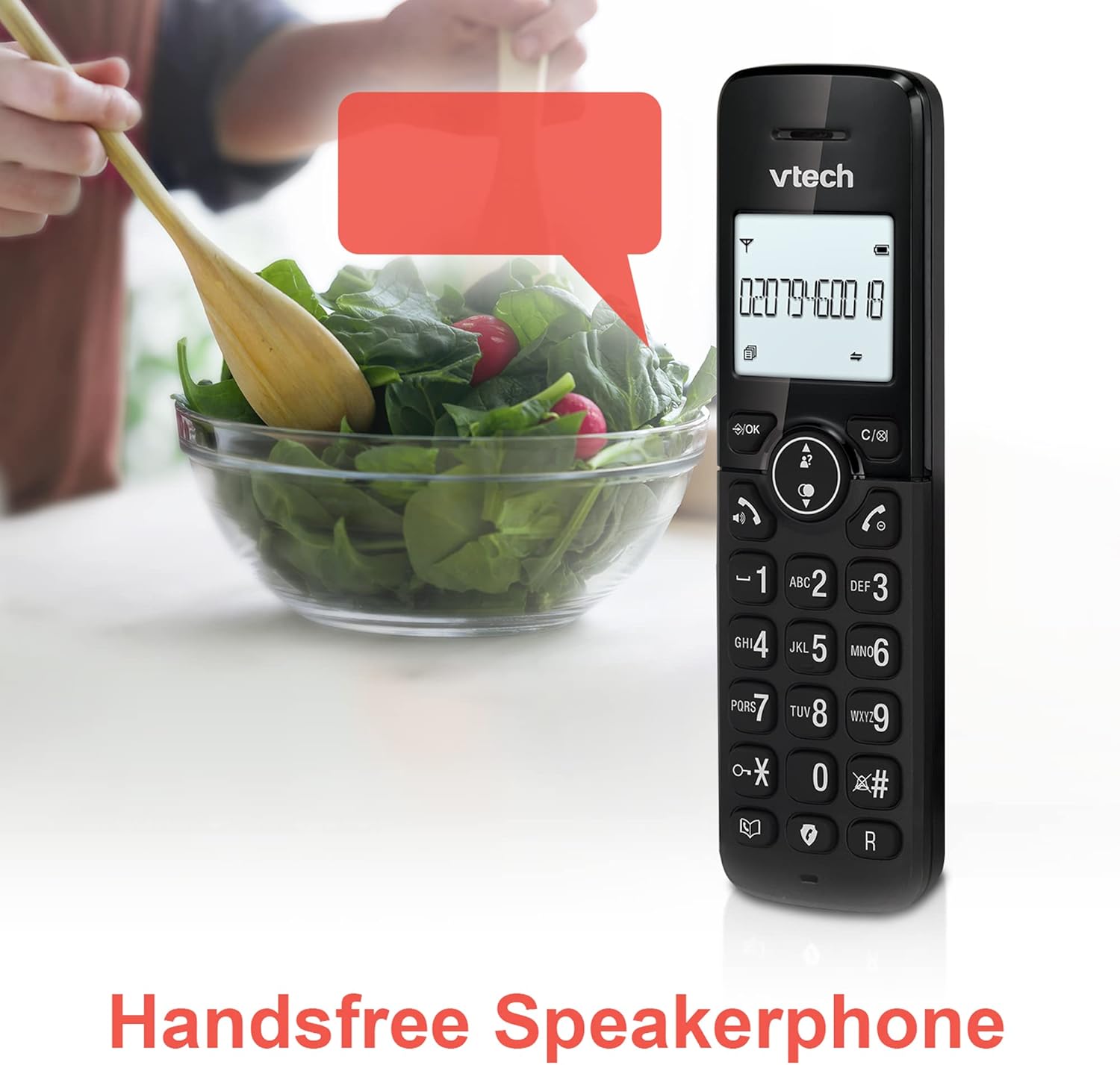
Image: A VTech CS2051 handset positioned for hands-free use, illustrating the speakerphone capability.
4.6 İnterkom
You can use the handsets to communicate with each other internally.
- To Initiate: Basın İÇ button on one handset and select the desired handset to call.
4.7 Adjustable Ring Volume and Melody
Customize the ringtone and volume to your preference.
- Access the 'Ringtone Settings' or 'Volume Settings' menu on the handset to choose from available melodies and adjust the ring volume.

Image: A VTech CS2051 handset, highlighting the controls for adjusting ring volume and melody settings.
4.8 Alarm and Mute Function
- Alarm: Telefonunuzun menüsünden alarm kurun.
- Sesini kapatmak: Bir arama sırasında tuşuna basın. SESSİZ button to temporarily silence your microphone. Press again to unmute.

Image: Illustrates the alarm function (represented by a clock icon) and the mute function (represented by a musical note icon) available on the VTech CS2051.
5. Bakım
- Temizlik: Wipe the telephone and handsets with a soft, damp bezle silin. Aşındırıcı temizleyiciler veya çözücüler kullanmayın.
- Pil Bakım: Ensure handsets are placed on the charger when not in use to maintain battery life. Replace batteries when performance significantly degrades.
- Konum: Place the base unit in a central location, away from other electrical appliances that may cause interference.
6. Sorun Giderme
- Çevir Sesi Yok: Ensure the telephone line cord is securely connected to both the base unit and the wall socket. Check if the AC adaptor is properly plugged in.
- Telefon Şarj Olmuyor: Verify the handset is correctly seated in the charger/base unit. Clean the charging contacts on both the handset and charger with a dry cloth.
- Kötü Çağrı Kalitesi/Parazit: Move the base unit away from other electronic devices (e.g., Wi-Fi routers, microwaves). Ensure the handset is within range of the base unit.
- Handset Displays 'Unregistered': Follow the handset registration steps in Section 3.3.
- Cevaplayıcı Kayıt Yapmıyor: Check the answering machine settings via the handset menu to ensure it is enabled and has sufficient recording time.
7. Özellikler
| Özellik | Şartname |
|---|---|
| Örnek | CS2051 |
| Telefon Türü | DECT Kablosuz |
| Ahize Sayısı | 2 |
| Yanıtlama Sistemi Türü | Digital (up to 15 minutes record time) |
| Arayan Kimliği | Evet (abonelik gereklidir) |
| Nuisance Call Blocker | Evet |
| Görüntülemek | 1.8-inch Backlit Display |
| Piller | 4 adet AAA pil gereklidir (dahil) |
| Malzeme | Akrilonitril Bütadien Stiren (ABS) |
| Güç Kaynağı | Pil ile çalışır |
| Çoklu Hat İşlemi | Evet |
8. Garanti ve Destek
This VTech CS2051 product is supplied as an Amazon Renewed item. For specific warranty details and support, please refer to the Amazon Renewed program terms and conditions or contact Amazon Renewed customer service directly. VTech provides manufacturing support for its products. For technical assistance or further information, please visit the official VTech support website or consult the full user manual if available from the manufacturer.


