giriiş
Satın aldığınız için teşekkür ederizasing the AZATOM Spitalfields 2 Portable DAB/DAB+ Digital FM Radio. This manual provides essential information for setting up, operating, and maintaining your new radio. Please read this manual thoroughly before use to ensure proper functionality and to maximize your listening experience.
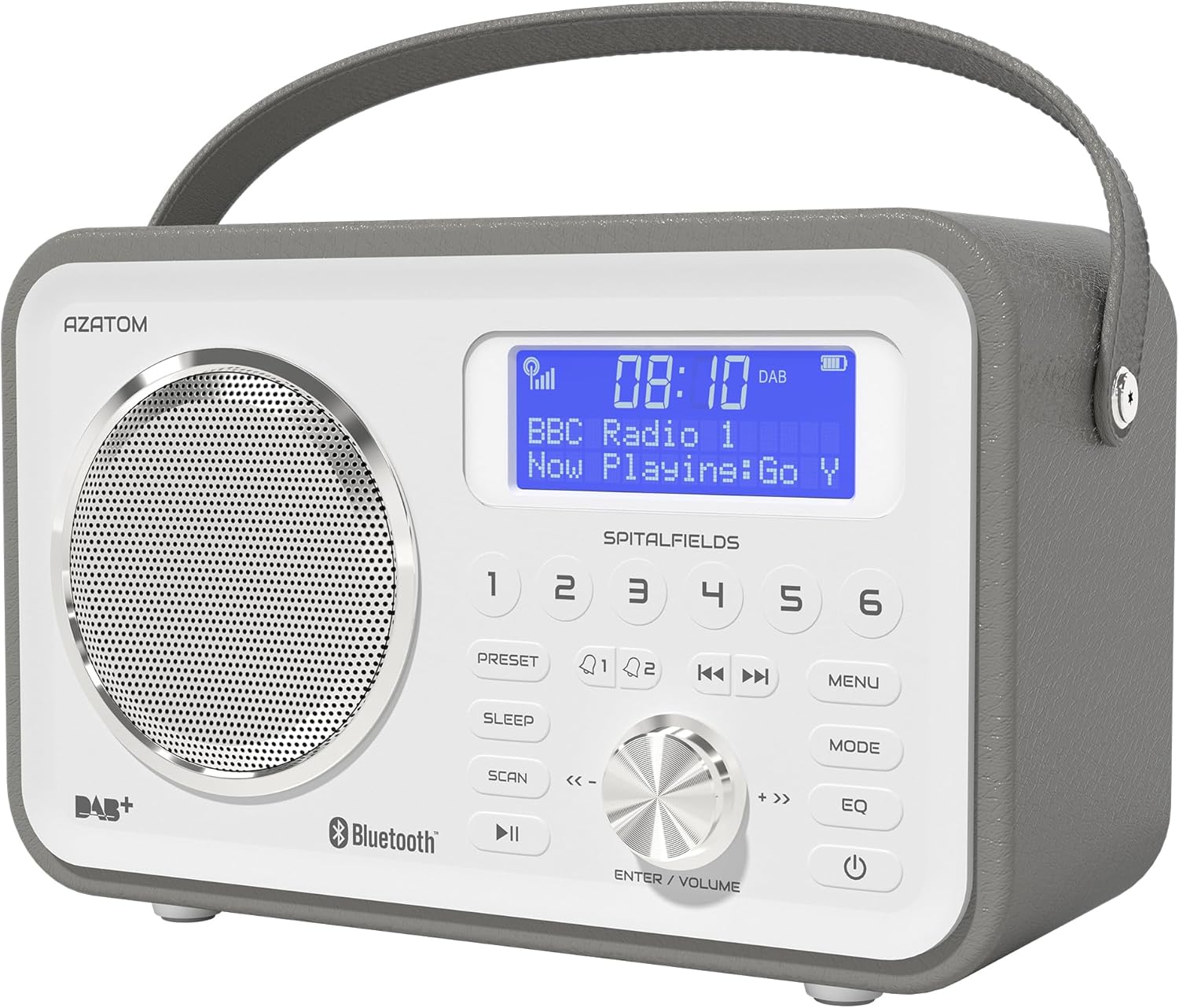
The AZATOM Spitalfields 2 radio features a classic retro design with a modern digital display and intuitive controls.
Önemli Güvenlik Talimatları
Always follow these basic safety precautions when using your radio:
- Üniteyi yağmura, neme veya aşırı sıcaklıklara maruz bırakmayın.
- Cihazı sökmeyin veya üzerinde değişiklik yapmayın. Tüm servis işlemlerini yetkili personele yaptırın.
- Aşırı ısınmayı önlemek için ünite çevresinde uygun havalandırma olduğundan emin olun.
- Yalnızca üniteyle birlikte verilen güç adaptörünü kullanın.
- Üniteyi güçlü manyetik alanlardan uzak tutun.
- İşitme hasarını önlemek için uzun süre aşırı yüksek sesle dinlemekten kaçının.
Temel Özellikler
- DAB/DAB+ ve FM Radyo: Çeşitli dijital ve analog radyo istasyonlarının keyfini çıkarın.
- Bluetooth 5.0 Bağlantısı: Wirelessly stream audio from your compatible devices.
- Çalar Saat İşlevi: Set multiple alarms with snooze and sleep timer features.
- Şarj Edilebilir Pil: Built-in battery for portable use.
- Önceden Ayarlanmış İstasyonlar: Store your favorite DAB and FM stations for quick access.
- Uzaktan kumanda: Conveniently operate the radio from a distance.
- Quality Stereo Sound: Enhanced audio experience with a built-in subwoofer.
DAB/DAB+/FM Radio

Experience crystal-clear digital radio with DAB/DAB+ or tune into traditional FM broadcasts.
Bluetooth 5.0 Bağlantısı

Effortlessly stream music from your smartphone, tablet, or other Bluetooth-enabled devices.
Alarm Clock & Sleep Timer

Wake up to your favorite station or a buzzer with the integrated alarm clock, and drift off to sleep with the adjustable sleep timer.
Pre-set Stations

Quickly access your preferred radio stations by saving them to the dedicated preset buttons.
Şarj edilebilir pil

The built-in rechargeable battery allows for convenient portable use, perfect for any room or on the go.
Premier Control with Remote
Control all functions of your radio from the comfort of your couch using the included remote control.
Paket İçeriği
Lütfen tüm öğelerin mevcut olduğundan emin olun:
- AZATOM Spitalfields 2 DAB/DAB+ Digital FM Radio
- Güç Adaptörü
- Uzaktan kumanda
- Kullanım Kılavuzu (bu belge)
Ürün Bittiview
Familiarize yourself with the controls and display of your Spitalfields 2 radio.
The front panel features a clear display, speaker, and various control buttons.
Ön Panel Kontrolleri
- Ekran Görüntüsü: Shows time, station information, and menu options.
- Ön Ayar Düğmeleri (1-6): Favori radyo istasyonlarınızı kaydedin ve daha sonra tekrar kullanın.
- ÖN AYAR Düğmesi: Access preset memory.
- Uyku düğmesi: Uyku zamanlayıcısını ayarlayın.
- TARAMA Düğmesi: Automatically scan for stations.
- OYNAT/DURAKLAT Düğmesi: Play/pause in Bluetooth mode.
- MENÜ Düğmesi: Sistem ayarlarına erişin.
- MOD Düğmesi: DAB, FM ve Bluetooth modları arasında geçiş yapın.
- EQ Düğmesi: Ekolayzır ayarlarını düzenleyin.
- Güç düğmesi: Üniteyi açın/kapatın.
- ENTER/VOLUME Knob: Rotate to adjust volume or navigate menus; press to confirm selection.
- SKIP Buttons (<<, >>): Navigate tracks in Bluetooth mode or stations in radio mode.
Kurmak
Güç Açık
- En iyi sinyal alımı için teleskopik anteni tamamen açın.
- Connect the supplied power adapter to the DC IN port on the back of the radio and plug it into a wall outlet. The internal battery will begin charging.
- Basın GÜÇ radyoyu açmak için düğmeye basın.
Initial Scan (DAB/FM)
Upon first power-on, the radio will automatically perform a full scan for DAB stations. This may take a few minutes. Once complete, the radio will tune to the first available station.
- To manually initiate a scan in DAB mode, press the TARAMA düğme.
- FM modunda, tuşuna basın ve basılı tutun. TARAMA button to auto-scan for the next available station.
Zaman ve Tarihin Ayarlanması
The time and date are usually automatically set via DAB signal. If not, or if you wish to adjust manually:
- Basın MENÜ düğme.
- Döndür ENTER/VOLUME knob to navigate to 'System Settings' and press the knob to confirm.
- Navigate to 'Time/Date' and press to confirm.
- Select 'Set Time/Date' or 'Auto Update' as desired and follow the on-screen prompts.
Kullanım Talimatları
Radio Modes (DAB, FM)
Basın MOD button to switch between DAB and FM radio modes.
DAB Modu
- Döndür ENTER/VOLUME knob to browse available DAB stations. Press the knob to select a station.
- Basmak TARAMA to perform a full scan for new stations.
FM Modu
- Döndür ENTER/VOLUME Frekansı ince ayarlamak için düğme.
- Basılı tutun TARAMA button to automatically tune to the next strong station.
Bluetooth İşlemi
- Basın MOD button until 'Bluetooth' is displayed. The radio will enter pairing mode.
- On your Bluetooth-enabled device (e.g., smartphone), search for 'Spitalfields 2' in the Bluetooth settings and select it to pair.
- Once paired, you can stream audio from your device to the radio. Use the OYNAT/DURDUR Ve ATLAMAK buttons on the radio or remote to control playback.
Çalar Saat Fonksiyonu
- Basın MENÜ button and navigate to 'Alarms'.
- Select 'Alarm 1' or 'Alarm 2' to configure.
- Set the alarm time, duration, source (Buzzer, DAB, FM), and frequency (Daily, Once, Weekdays, Weekends).
- Ensure the alarm is set to 'On'.
- Alarm çaldığında, tuşuna basın. GÜÇ button to snooze, or press any other button to turn off the alarm.
Uyku Zamanlayıcısı
Uyku zamanlayıcısı, radyonun belirli bir süre sonra otomatik olarak kapanmasını sağlar.
- Basın UYUMAK button repeatedly to cycle through sleep timer options (e.g., 15, 30, 45, 60, 90, 120 minutes, Off).
- The selected time will be displayed briefly.
Ön Ayarlar
Ön Ayarı Kaydetme
- Tune to the desired DAB or FM station.
- Press and hold one of the numbered ÖN AYAR buttons (1-6) until 'Preset Stored' appears on the display.
Bir Ön Ayarı Geri Çağırma
- Briefly press the corresponding numbered ÖN AYAR button (1-6) to recall a stored station.
Ses Ayarları (EQ)
Ses profesyonelini ayarlayınfile Tercihinize göre.
- Basın EQ button repeatedly to cycle through equalizer presets (e.g., Normal, Flat, Jazz, Rock, Classical, Pop, News, My EQ).
- If 'My EQ' is selected, you can customize bass and treble settings via the menu.
Uzaktan Kumandayı Kullanma
The remote control provides full functionality of the radio from a distance. Ensure the remote has working batteries and is pointed towards the front of the radio.
- All buttons on the remote correspond to functions available on the radio's front panel.
- Use the numeric buttons (0-9) to directly enter preset numbers or navigate menus.
Bakım ve Özen
- Temizlik: Radyoyu yumuşak, kuru bir bezle silin. Aşındırıcı temizleyiciler veya çözücüler kullanmayın.
- Pil Bakım: For optimal battery life, avoid fully discharging the battery frequently. If storing the radio for an extended period, charge it fully every few months.
- Anten: Teleskopik anteni hasar görmemesi için dikkatli kullanın.
- Depolamak: Radyo cihazınızı serin, kuru ve doğrudan güneş ışığından ve aşırı sıcaklıklardan uzak bir yerde saklayın.
Sorun giderme
| Sorun | Olası Neden | Çözüm |
|---|---|---|
| Güç yok | Power adapter not connected; battery depleted. | Ensure power adapter is securely connected and plugged in. Charge the battery. |
| Ses yok / Ses kalitesi düşük | Volume too low; poor signal; incorrect mode. | Increase volume. Extend antenna fully. Re-scan for stations. Ensure correct mode (DAB/FM/Bluetooth). |
| DAB stations not found | Weak DAB signal; no full scan performed. | Ensure antenna is fully extended. Perform a full DAB scan. Try repositioning the radio. |
| Bluetooth eşleştirmiyor | Radio not in Bluetooth mode; device too far; previously paired. | Switch radio to Bluetooth mode. Ensure device is within range. Forget 'Spitalfields 2' on your device and try pairing again. |
| Uzaktan kumanda çalışmıyor | Batteries depleted; obstruction; not pointed correctly. | Replace remote control batteries. Ensure no obstruction between remote and radio. Point remote directly at the radio's front panel. |
Özellikler
| Özellik | Detay |
|---|---|
| Marka | AZATOM |
| Model Numarası | AZSPTLSBK1 |
| Ağırlık | 750 Gram |
| Donanım Arayüzü | 3.5 mm Audio, Bluetooth, Headphones |
| Maksimum Hoparlör Çıkış Gücü | 30 Watt |
| UPC | 718157745964 |
Garanti Bilgileri
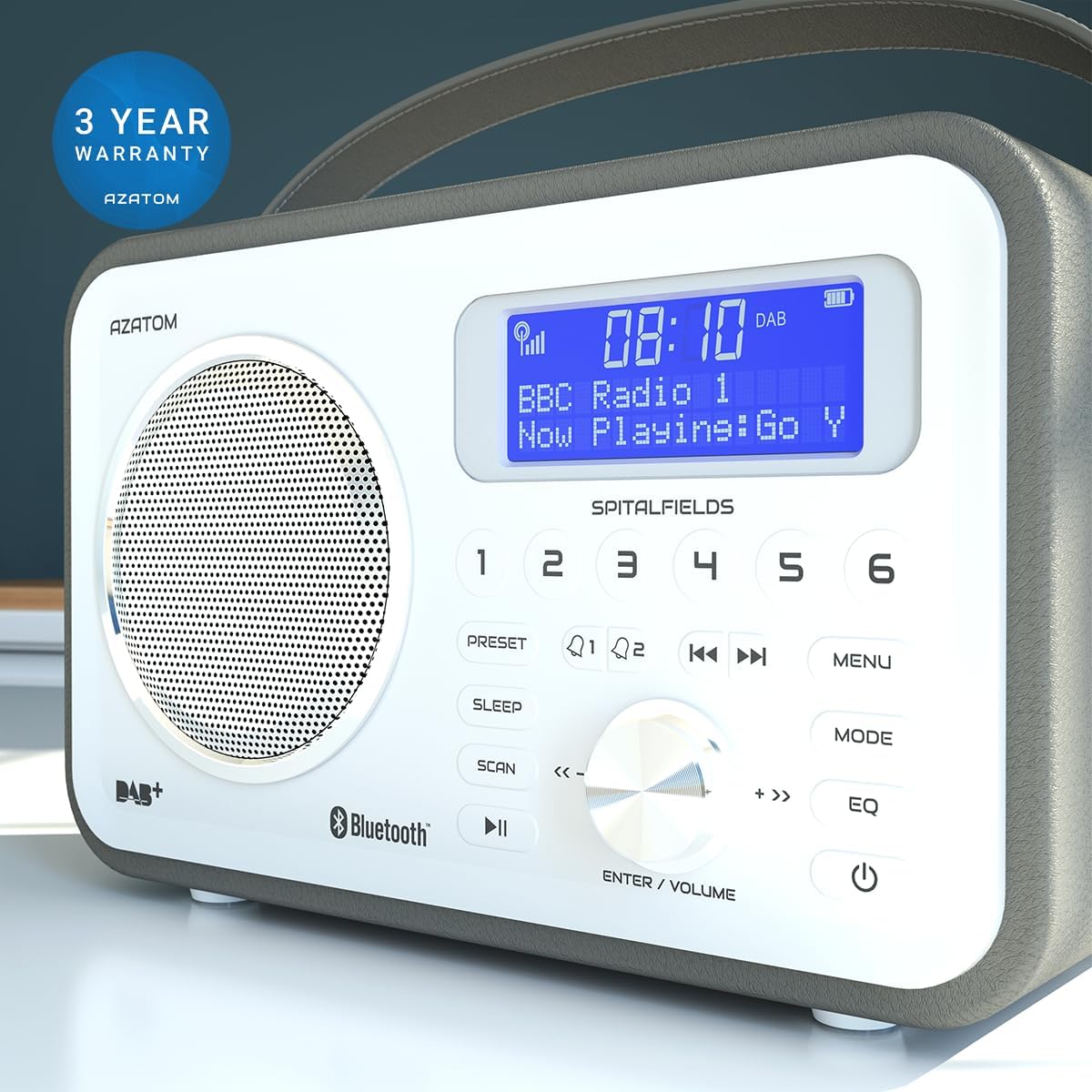
The AZATOM Spitalfields 2 radio comes with a 3 Yıllık Garanti from the date of purchase. This warranty covers manufacturing defects and faulty workmanship under normal use. Please retain your proof of purchase for warranty claims.
The product is backed by a 3-year warranty, ensuring peace of mind.
The warranty does not cover damage caused by misuse, accident, unauthorized modification, or normal wear and tear. For full terms and conditions, please refer to the AZATOM official website veya müşteri desteği ile iletişime geçin.
Müşteri Desteği
If you encounter any issues not covered in this manual or require further assistance, please visit the official AZATOM webDestek kaynakları, SSS ve iletişim bilgileri için site.
Webalan: www.azatom.com
Please have your model number (AZSPTLSBK1) and purchase details ready when contacting support.


