1. Giriş
Thank you for choosing the iFFALCON 43-inch 4K Ultra HD Smart QLED Google TV, model iFF43Q73. This manual provides essential information for the safe and efficient use of your television. Please read it thoroughly before operating the device and retain it for future reference.
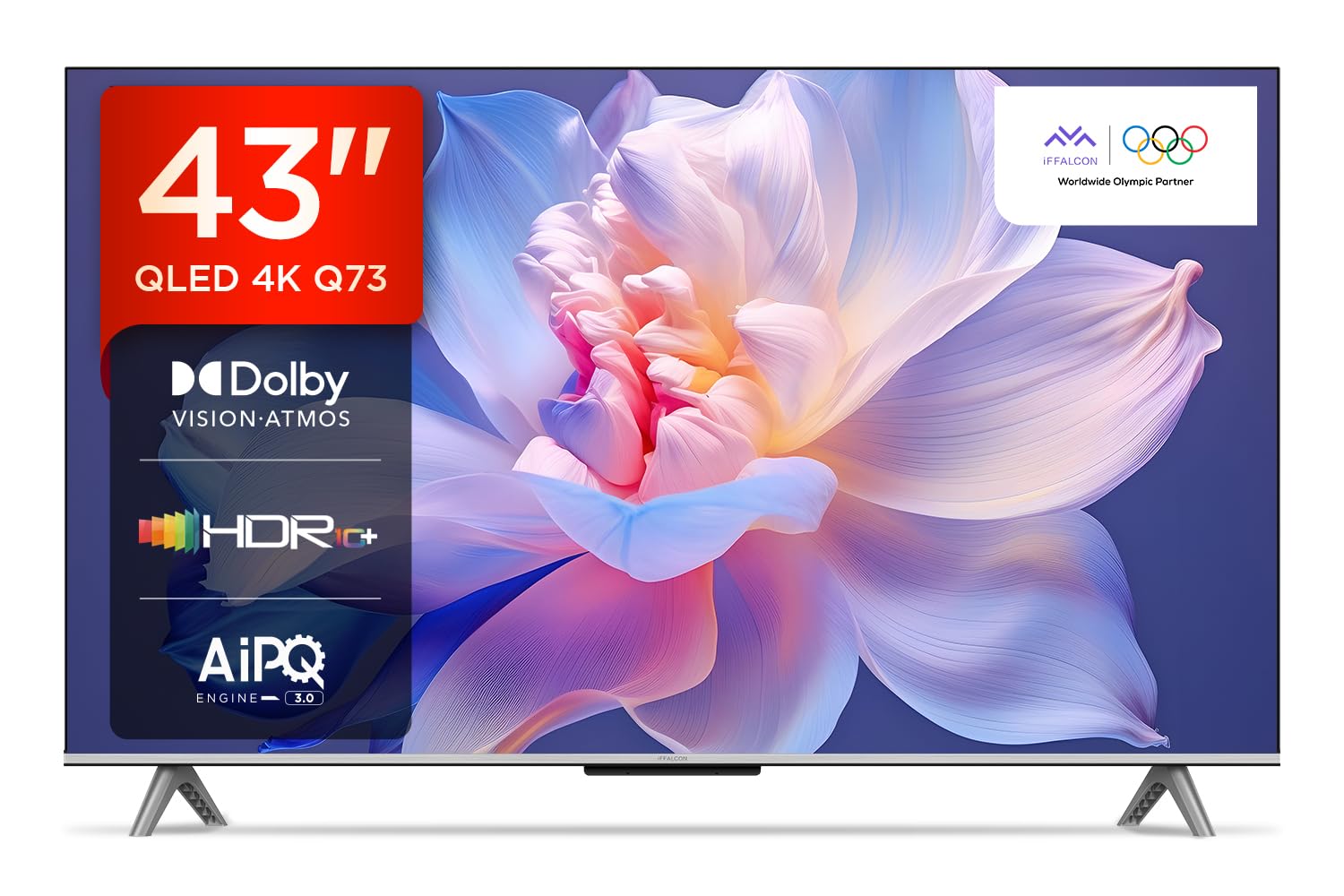
Resim: Ön view of the iFFALCON 43-inch 4K Ultra HD Smart QLED Google TV.
2. Güvenlik Bilgileri
Elektrik çarpması, yangın veya televizyonda hasar oluşmasını önlemek için lütfen aşağıdaki güvenlik yönergelerine daima uyun:
- TV'yi yağmura veya neme maruz bırakmayın.
- Havalandırmanın yeterli olduğundan emin olun; havalandırma açıklıklarını kapatmayın.
- Yalnızca üretici tarafından belirtilen aparatları/aksesuarları kullanın.
- Yıldırımlı havalarda veya uzun süre kullanılmayacaksa televizyonun fişini çekin.
- Tüm bakımları yetkili servis personeline yaptırın.
3. Kutuda Neler Var?
Paketi açtıktan sonra tüm eşyaların eksiksiz olduğundan emin olun:
- 1N LED TV
- 1N Ses Kablosu
- 1N Stand (masa üstü montaj için)
- 1N Kullanıcı Kılavuzu
- 1N Uzaktan Kumanda
- 1N Garanti Kartı
- 2 adet AAA pil (uzaktan kumanda için)
4. Kurulum
4.1 Fiziksel Kurulum
Your iFFALCON TV can be installed on a table stand or wall-mounted. Ensure the installation surface is stable and can support the TV's weight.

Image: The iFFALCON TV placed on a media console, illustrating a typical table-top setup.
Masa Montajı:
- Televizyonu dikkatlice, yüzü aşağı bakacak şekilde yumuşak ve düz bir yüzeye yerleştirin.
- Attach the provided stand legs to the designated slots on the bottom of the TV using the screws included.
- Ensure the stand is securely fastened before carefully lifting the TV to its upright position.
Duvara Montaj:
For wall mounting, a compatible VESA wall mount kit (not included) is required. Follow the instructions provided with your wall mount kit. Professional installation is recommended.

Image: The iFFALCON TV displayed as wall-mounted in a modern living room setting.
4.2 İlk Çalıştırma ve Yapılandırma
- Güç kablosunu televizyona ve ardından elektrik prizine bağlayın.
- Uzaktan kumandaya verilen AAA pilleri takın.
- Açmak için uzaktan kumandadaki veya TV'deki güç düğmesine basın.
- Dil seçimi, ağ bağlantısı (Wi-Fi veya Ethernet) ve Google hesabında oturum açma dahil olmak üzere ilk kurulumu tamamlamak için ekrandaki talimatları izleyin.
5. TV'nizi Çalıştırma
5.1 Uzaktan Kumanda
Akıllı uzaktan kumanda, çeşitli işlevlere ve yayın hizmetlerine hızlı erişim sağlar.

Image: The iFFALCON smart remote control, highlighting dedicated buttons for Netflix, Prime Video, YouTube, and TCL Channel, along with Google Assistant functionality.
5.2 Google TV Arayüzü
Your TV runs on Google TV, offering a personalized experience with content recommendations and easy access to apps.

Image: The Google TV home screen displaying various streaming apps and content recommendations.

Image: A visual representation of the Google TV platform, emphasizing its user-friendly interface.
Temel Özellikler:
- Eller Serbest Ses Kontrolü: Use "Ok Google" to search for content, control smart home devices, and get information.
- Google Watchlist: Add movies and TV shows to a unified watchlist from various services.
- Google Kids: Access curated content suitable for children.
- Google Buluşması: Conduct video calls directly from your TV (requires compatible camera, not included).

Image: A user interacting with the TV using the "Ok Google" voice command to check the weather.

Image: The Google Watchlist feature shown across both a mobile device and the TV screen.

Image: The Google Kids interface, displaying child-friendly content and shows.

Image: A video call in progress using Google Meet on the iFFALCON TV.
6. Bağlantı
The iFFALCON iFF43Q73 offers multiple connectivity options for external devices and networks.

Resim: Ayrıntılı view of the TV's side panel, illustrating the various input and output ports.
- HDMI Bağlantı Noktaları (3): Connect set-top boxes, Blu-ray players, and gaming consoles. HDMI 3 supports eARC/ARC for enhanced audio return.
- USB Bağlantı Noktası (1): USB depolama aygıtlarını bağlayarak medya oynatmak için kullanılır.
- LAN (Ethernet): Kablolu internet bağlantısı için.
- Kulaklık Çıkışı: Kulaklık veya harici hoparlör bağlamak için.
- Dijital Ses Çıkışı (Optik): Soundbarlara veya ev sinema sistemlerine bağlanmak için.
- Anten/Kablo Girişi: Anten veya kablo TV sinyalini bağlamak için.
- AV Giriş Adaptörü: Kompozit video ve stereo ses kullanan eski cihazları bağlamak için.
- Wifi: Built-in for wireless internet access.
- Bluetooth: Kulaklık veya oyun kumandası gibi kablosuz aksesuarları bağlamak için.

Image: An illustration of an HDMI 2.1 cable connecting to the TV, highlighting its advanced capabilities.

Image: A laptop screen being cast to the iFFALCON TV, demonstrating low latency casting functionality.
7. Ekran Özellikleri
Experience stunning visuals with advanced display technologies.

Resim: Bir overview of the iFFALCON TV's key display and audio features, including QLED, Dolby Vision Atmos, HDR10+, MEMC, High Brightness, DTS:X, Gaming in Dolby Vision, Game Master, and Edgeless Design.
- QLED Ekran: Quantum Dot technology delivers vibrant colors and improved brightness.
- 4K Ultra HD (3840 x 2160): Provides four times the resolution of Full HD for incredible detail.
- Dolby Vision ve HDR10+: Advanced HDR formats for enhanced contrast, brightness, and color accuracy.
- 4K HDR Pro: Optimizes HDR content for a superior viewDeneyim.
- AIPQ 3.0 Engine: AI-powered picture quality engine for intelligent optimization of color, contrast, and clarity.
- MEMC (Hareket Tahmini, Hareket Telafisi): Reduces motion blur and makes fast-moving scenes smoother.
- High Brightness (300 nits): Ensures clear visibility even in well-lit rooms.
- 178 Derece Geniş Viewaçı: Consistent picture quality from various viewpozisyonları.

Image: An illustration demonstrating the layers and technology behind a QLED display.

Image: The Dolby Vision logo displayed over a vibrant, colorful abstract image, representing enhanced visual quality.

Image: The HDR10+ logo positioned next to an image of a colorful, explosive visual effect, symbolizing dynamic range.

Image: A split image demonstrating the difference between standard and high brightness, showing a more vivid landscape on the right.

Image: A comparison showing a skier with motion blur (Without MEMC) versus a clear image (With MEMC), illustrating the motion compensation technology.
8. Ses Özellikleri
Immersive sound experience with integrated speaker boxes.
- 30 Watt Çıkış Gücü: Powerful audio for clear sound.
- MS12Z with Dolby Atmos: Çevrenizde hareket eden çok boyutlu ses sunar.
- DTS Sanal:X: Creates an immersive audio experience without the need for additional speakers.
- Integrated Speaker Boxes (Bottom Side): Optimized speaker placement for enhanced sound delivery.

Image: An illustration of the Dolby Atmos sound experience, showing sound waves emanating from the TV and surrounding the viewşey.

Image: A visual representation of Dolby Atmos audio filling a living room, with sound waves surrounding the TV.

Image: The DTS:X logo with an illustration of dolphins jumping out of water, depicting immersive sound.

Image: A visual representation of DTS:X audio, showing sound waves emanating from the TV and surrounding a viewer on a couch.
9. Oyun Özellikleri
Enhance your gaming experience with dedicated features.
- Oyun Yöneticisi: A suite of features designed for gamers.
- Gaming in Dolby Vision: Experience games with enhanced visuals and dynamic range.
- ALLM (Otomatik Düşük Gecikme Modu): Oyun konsolu algılandığında TV'yi otomatik olarak düşük gecikme moduna geçirir ve giriş gecikmesini azaltır.
- Oyun Çubuğu: Quick access to game-related settings and information during gameplay.

Image: The Game Master feature displayed on the TV screen, showing icons for Game Bar, ALLM, and Aiming Aid.

Image: A gaming scene displayed on the TV with the 'Gaming in Dolby Vision' logo, indicating enhanced visual quality for games.

Image: The Game Master logo with icons for Game Bar, ALLM, and Aiming Aid, illustrating the gaming optimization features.

Image: The Game Bar interface displayed at the bottom of the TV screen during gameplay, showing options like HGIG, StatsBar, Boost, and Toolbox.

Image: A split screen comparison of a racing game with ALLM Mode OFF (left) and ALLM Mode ON (right), demonstrating reduced input lag.
10. Bakım
Doğru bakım, televizyonunuzun uzun ömürlü olmasını ve performansını korumasını sağlar.
- Ekranın Temizlenmesi: Elektronik cihazlar için özel olarak tasarlanmış, yumuşak ve tüy bırakmayan bir bez kullanın. Aşındırıcı temizleyiciler veya çözücüler kullanmayın.
- Çerçevenin Temizlenmesi: Wipe with a soft, dry cloth. For stubborn marks, a slightly damp bez kullanılabilir, ardından kuru bir bez kullanılabilir.
- Havalandırma: Ensure the TV's ventilation openings are clear of dust and obstructions.
- Güç Kablosu: Güç kablosunun hasar görüp görmediğini düzenli olarak kontrol edin.
11. Sorun Giderme
Yaygın sorunlar ve çözümleri için bu bölüme bakın.
| Sorun | Olası Neden | Çözüm |
|---|---|---|
| Güç yok | Power cord disconnected, no power from outlet. | Güç kablosunun bağlantısını kontrol edin. Prizde başka bir cihazla test edin. |
| Görüntü yok, ancak ses mevcut | Incorrect input source, faulty cable. | Verify correct input source. Check HDMI/AV cable connections. |
| Ses yok ama görüntü var | Volume muted, external audio device issue. | Unmute volume. Check audio settings. Ensure external audio devices are connected correctly. |
| Uzaktan kumanda çalışmıyor | Pil bitmiş, engellenmiş, uzaktan kumanda eşleştirilmemiş. | Replace batteries. Remove obstructions. Re-pair Bluetooth remote if applicable. |
| Wi-Fi bağlantı sorunları | Incorrect password, router issue, signal interference. | Re-enter Wi-Fi password. Restart router. Move TV closer to router or reduce interference. |
12. Özellikler
Detailed technical specifications for the iFFALCON 43-inch 4K Ultra HD Smart QLED Google TV.

Image: A diagram illustrating the dimensions and weight of the iFFALCON 43-inch TV, both with and without the stand.
| Özellik | Detay |
|---|---|
| Örnek | iFF43Q73 |
| Ekran Boyutu | 43 İnç (108 cm) |
| Ekran Teknolojisi | QLED |
| Çözünürlük | 4K Ultra HD (3840x2160) |
| Yenileme Hızı | 60 Hz |
| İşletim Sistemi | Google televizyon |
| İşlemci | 64 bit Dört Çekirdekli İşlemci |
| Veri deposu | 2 GB |
| Depolamak | 16 GB |
| Ses Çıkışı | 30 Watt |
| Ses Teknolojisi | Dolby Atmos, DTS Virtual:X |
| Bağlantı | 3 HDMI Ports, 1 USB Port, Wi-Fi, Bluetooth, Ethernet |
| Güç Tüketimi (Açık Mod) | 130 Watt |
| Ürün Boyutları (standlı) | 8x95.7x60.3 cm |
| Ürün Ağırlığı (ayaklık dahil) | 6.7 kilo |
13. Garanti ve Destek
Your iFFALCON TV comes with a 2 yıllık garanti provided by the manufacturer from the date of purchase. For warranty claims, please use your Amazon e-invoice as proof of purchase.
For technical support or service inquiries, please refer to the contact information provided on the warranty card or visit the official iFFALCON support webalan.


