1. Giriş
This manual provides essential information for the safe and correct operation of your Fenton RP118E Record Player. Please read these instructions thoroughly before using the device and retain them for future reference. The Fenton RP118E is a portable 3-speed record player with integrated Bluetooth functionality for both receiving and transmitting audio, and a USB port for PC encoding.
2. Güvenlik Talimatları
- Yangın veya elektrik çarpmasını önlemek için üniteyi yağmura veya neme maruz bırakmayın.
- C'yi açmayınasing. İçerisinde kullanıcı tarafından bakımı yapılabilecek parça bulunmamaktadır. Tüm bakımlar için yetkili personele başvurun.
- Üniteyi sabit, düz bir yüzeye yerleştirin.
- Üniteyi ısı kaynaklarının yakınına veya doğrudan güneş ışığına maruz bırakmayın.
- Ünite çevresinde uygun havalandırmanın olduğundan emin olun.
- Yıldırımlı havalarda veya uzun süre kullanılmayacaksa güç adaptörünü çıkarın.
- Üniteyi güçlü manyetik alanlardan uzak tutun.
3. Paket İçeriği
Paket açıldığında tüm eşyaların mevcut ve iyi durumda olduğundan emin olun:
- Fenton RP118E Record Player
- Güç Adaptörü
- USB kablosu
- Software CD (for PC encoding)
- Kullanım Kılavuzu
4. Ürün Bittiview
The Fenton RP118E is designed for playing vinyl records and offers versatile connectivity options. Its suitcase design provides portability and integrated stereo speakers.

Şekil 1: Genel view of the Fenton RP118E Record Player.
Key features include a belt-driven turntable mechanism and various input/output options.

Figure 2: High-quality turntable in suitcase design with feature icons.
Kontroller ve Bağlantılar
Familiarize yourself with the controls and connection ports:
- DC 5V Girişi: Güç adaptörünü bağlamak için.
- OUT (RCA): Left and Right audio output for external speakers.
- USB Bağlantı Noktası: For connecting to a computer for vinyl-to-MP3 conversion.
- HAT GİRİŞİ: 3.5mm auxiliary input for external audio sources.
- BT OUT / PHONO / BT IN Switch: Selects Bluetooth transmission, record player mode, or Bluetooth reception.
- AUTO STOP ON/OFF Switch: Enables or disables automatic tone arm stop.
- Hız Seçici: 33, 45, 78 RPM.
- Açma/Kapama / Ses Seviyesi Düğmesi: Cihazı açar/kapatır ve hoparlör ses seviyesini ayarlar.
- Kulaklık girişi: Özel dinleme için 3.5 mm çıkış.
- Gösterge Işığı: Cihazın güç ve Bluetooth durumunu gösterir.

Şekil 3: Ayrıntılı view of the control panel and connections.
5. Kurulum
- Paketi aç: Pikapı ambalajından dikkatlice çıkarın.
- Atama: Place the unit on a stable, level surface away from dust, vibrations, and direct heat sources.
- Güç Bağlantısı: Connect the supplied power adapter to the DC 5V input on the back of the unit, then plug the adapter into a wall outlet.
- Remove Stylus Protector: Gently remove the clear plastic stylus protector from the needle.
6. Kullanım Talimatları
6.1 Plak Çalma
- Güç Açık: Turn the Power ON/OFF / Volume knob clockwise to power on the unit. The indicator light will illuminate.
- Select PHONO Mode: Set the BT OUT / PHONO / BT IN switch to the 'PHONO' position.
- Yer Kaydı: Pikap tablasına bir vinil plak yerleştirin.
- Hızı Seçin: Adjust the speed selector (33, 45, or 78 RPM) to match the record's speed. For 45 RPM records, place the included 45 RPM adapter on the center spindle.
- Otomatik Durdurma: Set the AUTO STOP switch to ON if you want the turntable to stop automatically when the record finishes. Set to OFF for manual stop.
- Oynatmayı Başlat: Gently lift the tone arm using the cue lever and position it over the desired track on the record. Lower the tone arm slowly onto the record.
- Sesi Ayarla: Rotate the Power ON/OFF / Volume knob to adjust the sound level from the built-in speakers.
- Oynatmayı Sonlandır: When the record finishes (or manually), lift the tone arm and return it to its rest. Turn the volume knob counter-clockwise to power off.
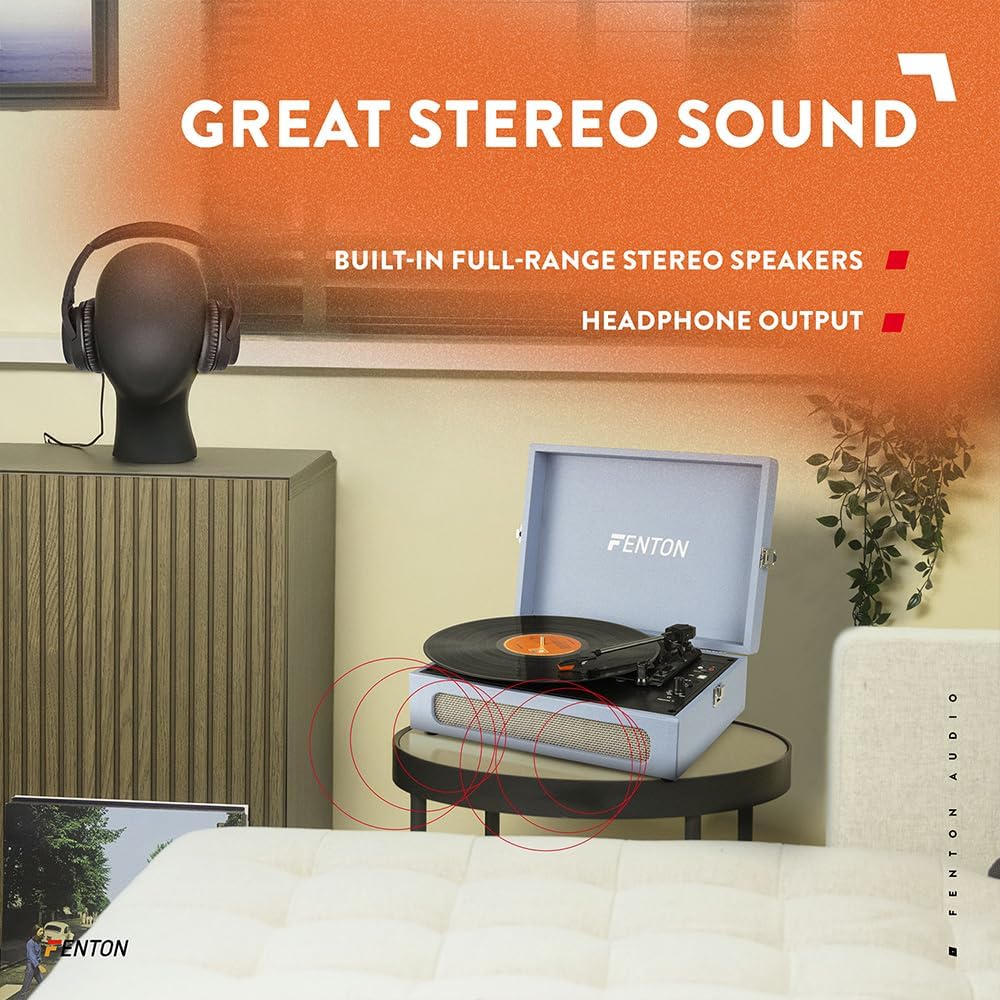
Figure 4: Three-speed turntable for various record sizes.

Figure 5: Automatic stop feature for the tone arm.
6.2 Bluetooth İşlevselliği
The RP118E features both Bluetooth receiver (BT IN) and transmitter (BT OUT) capabilities.
6.2.1 Bluetooth Receiver (BT IN)
This mode allows you to stream audio wirelessly from a smartphone, tablet, or other Bluetooth-compatible device to the record player's built-in speakers.
- Select BT IN Mode: Set the BT OUT / PHONO / BT IN switch to the 'BT IN' position. The indicator light will flash blue, indicating pairing mode.
- Eşleştirme Cihazı: On your Bluetooth-enabled device, search for 'Fenton RP118E' in the Bluetooth settings and select it to pair.
- Sesi Çal: Once paired, the indicator light will turn solid blue. You can now play audio from your device through the record player's speakers.
6.2.2 Bluetooth Transmitter (BT OUT)
This mode allows you to wirelessly transmit audio from a playing record to external Bluetooth-enabled speakers or headphones.
- Select BT OUT Mode: Set the BT OUT / PHONO / BT IN switch to the 'BT OUT' position. The indicator light will flash blue.
- Enable Pairing on External Device: Harici Bluetooth hoparlörünüzü veya kulaklığınızı eşleştirme moduna alın.
- Bağlamak: The record player will automatically search for and connect to the nearest Bluetooth audio device. Once connected, the indicator light will turn solid blue.
- Kaydı Oynat: Start playing a record as described in section 6.1. The audio will now be transmitted to your external Bluetooth device.

Figure 6: Bluetooth wireless technology in use.
6.3 PC Encoding (Vinyl to MP3)
The RP118E allows you to convert your vinyl records into digital MP3 filebilgisayar kullanıyor.
- Yazılımı kur: Install the provided software from the CD onto your computer. Follow the on-screen instructions.
- Bilgisayara bağlanın: Connect the record player to your computer using the supplied USB cable.
- Prepare Record: Place the record you wish to convert on the turntable and set the speed.
- Kaydı Başlat: Open the software on your computer and follow its instructions to begin recording the audio from your vinyl record.
- Kaydetmek File: Once recording is complete, save the digital audio file (MP3) to your computer.
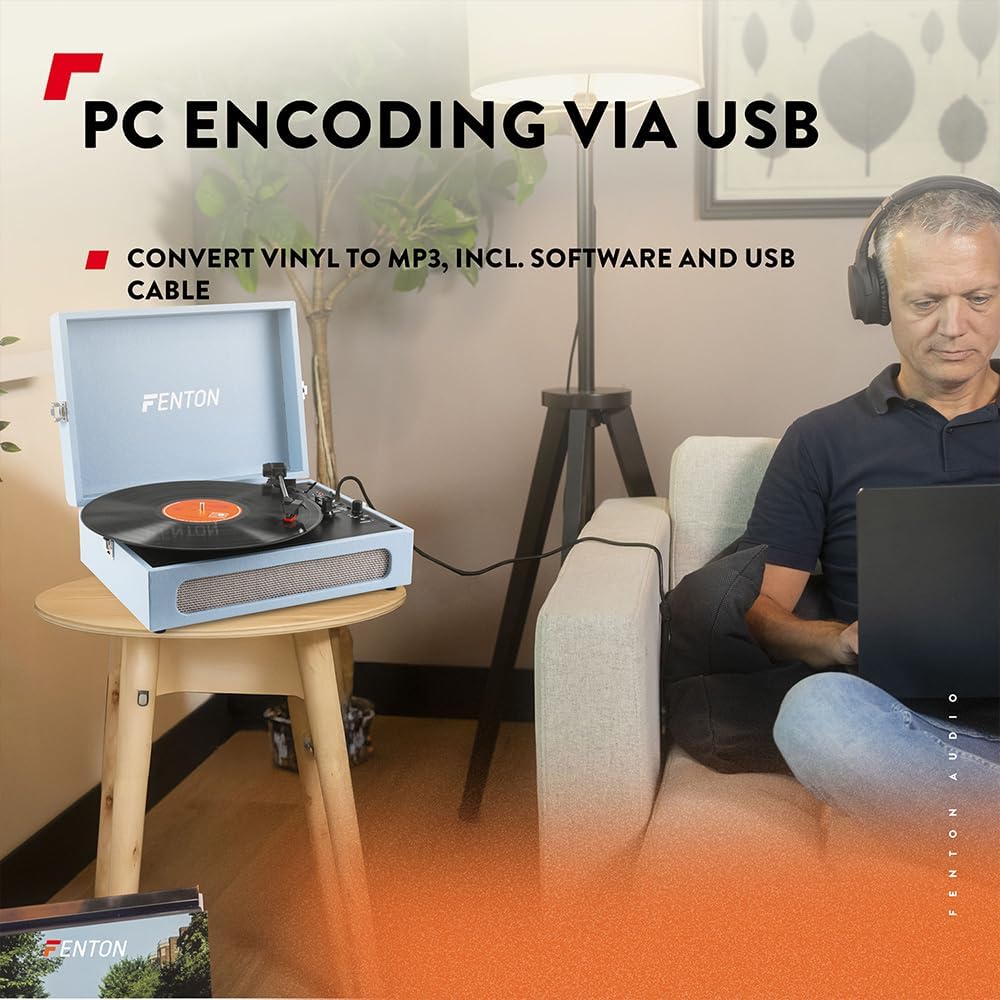
Figure 7: PC encoding via USB for vinyl to MP3 conversion.
7. Bakım
7.1 Temizlik
- Ünitenin dışını yumuşak ve kuru bir bezle silin.
- Aşındırıcı temizleyiciler, cilalar veya çözücüler kullanmayın.
- Toz birikmesini önlemek için kullanılmadığı zamanlarda toz kapağını kapalı tutun.
7.2 Kalem Bakımı
- The stylus (needle) is a delicate component. Handle it with care.
- Kalemin ucunu düzenli aralıklarla yumuşak bir fırça kullanarak, arkadan öne doğru nazikçe fırçalayarak temizleyin.
- Replace the stylus when you notice a decrease in sound quality or visible wear.
8. Sorun Giderme
| Sorun | Olası Neden | Çözüm |
|---|---|---|
| Güç yok | Power adapter not connected; Power knob off | Ensure power adapter is securely connected and plugged in. Turn Power ON/OFF / Volume knob clockwise. |
| Hoparlörlerden ses gelmiyor | Volume too low; PHONO mode not selected; External speakers connected via RCA/Bluetooth | Increase volume. Set BT OUT / PHONO / BT IN switch to 'PHONO'. Disconnect external audio devices if using internal speakers. |
| Döner tabla hızı yanlış | Yanlış hız seçildi | Adjust the speed selector to match the record's RPM (33, 45, or 78). |
| Bluetooth eşleştirme başarısız oldu | Device too far; Incorrect BT mode; External device not in pairing mode | Ensure devices are within 10m. Select correct BT IN/OUT mode. Put external device into pairing mode. |
| Record stops prematurely | AUTO STOP switch is ON | Set the AUTO STOP switch to OFF if you prefer manual stopping or if the record is shorter than standard. |
9. Özellikler
- Marka: Fenton
- Model Adı: RP118E
- Renk: Mavi
- Motor Tipi: Emniyet kemeri
- Dönme Hızları: 33 1/3, 45, 78 RPM
- Bağlantılar: 3.5mm Line In, RCA Out, USB, Bluetooth
- Özel Özellikler: Bluetooth Receiver & Transmitter, Vinyl to MP3 Conversion
- Uyumlu Cihazlar: Speakers, headphones, audio systems, Bluetooth compatible devices
- Dahil Bileşenler: Software, USB cable
- Ürün Ağırlığı: 3.1 Kilogram
- Stil: Bavul

Şekil 8: Ürün boyutları.
10. Garanti ve Destek
Garanti bilgileri veya teknik destek için lütfen satın alma sırasında verilen belgelere bakın veya satıcınızla iletişime geçin. Garanti talepleri için satın alma belgenizi saklayın.


