1. Giriş
Satın aldığınız için teşekkür ederizasing the ZEBRONICS Juke BAR 9102 PRO 240W Dolby Soundbar. This manual provides essential information for the proper setup, operation, and maintenance of your soundbar system. Please read this manual thoroughly before use to ensure optimal performance and safety.
2. Güvenlik Talimatları
- Güç Kaynağı: Yalnızca belirtilen güç adaptörünü kullanın. Voltajın düşük olduğundan emin olun.tage, yerel güç kaynağınızla uyumludur.
- Havalandırma: Havalandırma açıklıklarını hiçbir şekilde kapatmayın. Uygun hava akışı için ünitenin etrafında yeterli boşluk bırakın.
- Su ve Nem: Do not expose the soundbar or subwoofer to water, rain, or moisture. Avoid placing objects filled with liquids, such as vases, on or near the unit.
- Isı Kaynakları: Cihazı radyatörler, ısıtma petekleri, sobalar veya diğer ısı üreten cihazlar gibi ısı kaynaklarından uzak tutun.
- Temizlik: Disconnect the power before cleaning. Use a soft, dry cloth. Do not use liquid cleaners or aerosol cleaners.
- Servis: Bu ürüne kendiniz servis vermeye çalışmayın. Tüm servis işlemleri için kalifiye servis personeline başvurun.
- Atama: Place the soundbar on a stable, flat surface or mount it securely on a wall as instructed.
3. Paket İçeriği
Aşağıda listelenen tüm öğelerin paketinizde bulunduğunu doğrulayın:
- Soundbar - 1 Unit
- Subwoofer - 1 Unit
- Remote Control - 1 Unit
- QR Code User Manual - 1 Unit (Digital access)
- Wall Mount Bracket and Fasteners
4. Ürün Bittiview
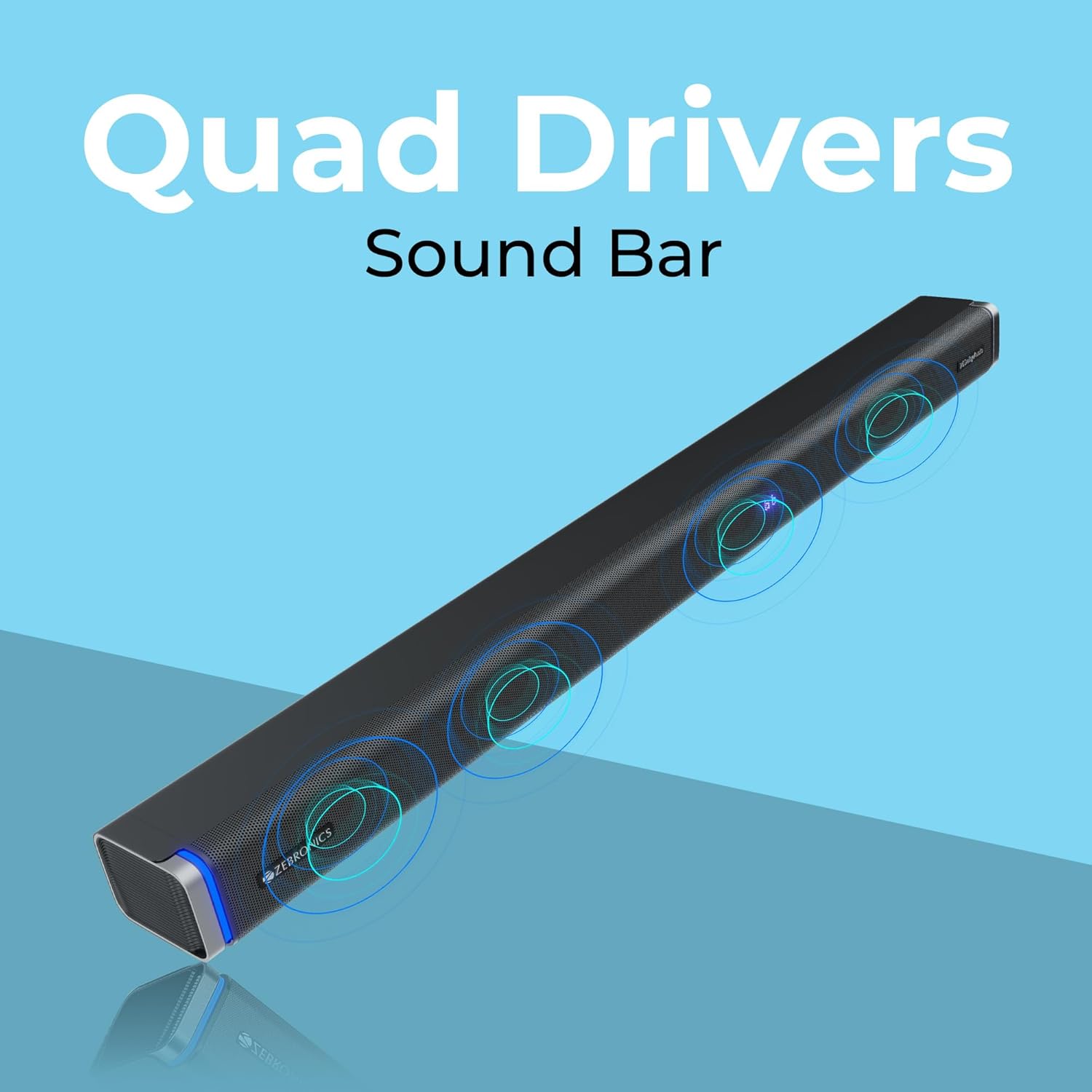
The ZEBRONICS Juke BAR 9102 PRO is a 240W output Dolby soundbar system designed to enhance your audio experience. It features a soundbar with quad drivers and a powerful 6.5-inch wired subwoofer.



5. Kurulum
5.1 İlk Yerleştirme
- Place the soundbar centrally below your television.
- Position the subwoofer on the floor near the soundbar for optimal bass response.
5.2 Güç Bağlantısı
- Güç kablosunu ses çubuğunun güç girişine bağlayın.
- Connect the power cable to the subwoofer's power input.
- Plug both power cables into a suitable wall outlet.
5.3 Subwoofer Connection
The subwoofer connects to the soundbar via a wired connection. Ensure the subwoofer cable is securely connected to both units.
6. Kullanım Talimatları
6.1 Güç Açma/Kapatma
Press the power button on the soundbar or the remote control to turn the unit on or off. The LED display will indicate the power status.
6.2 Ses Kontrolü
Ses seviyesini ayarlamak için ses çubuğundaki veya uzaktan kumandadaki ses açma (+) ve ses kısma (-) düğmelerini kullanın.
6.3 Mod Seçimi
Press the 'Mode' button on the soundbar or remote control to cycle through available input modes (Bluetooth, HDMI ARC, Optical, AUX, USB). The LED display will show the current mode (e.g., 'BT' for Bluetooth, 'ARC' for HDMI ARC).
6.4 Equalizer (EQ) Modes
The soundbar features 3D EQ alternatives. Use the EQ button on the remote to switch between modes. The LED display will show 'E1', 'E2', 'E3' for different sound profiles, and '3D' for the virtual 5.1 effect. Common EQ modes include:
- E1: Müzik modu
- E2: Film modu
- E3: News/Voice mode
- 3D: Virtual Surround Sound mode
6.5 RGB LED Işıklar
The soundbar includes RGB LED lights. These can be controlled and changed using the remote control to suit your preference.
7. Bağlantı Seçenekleri
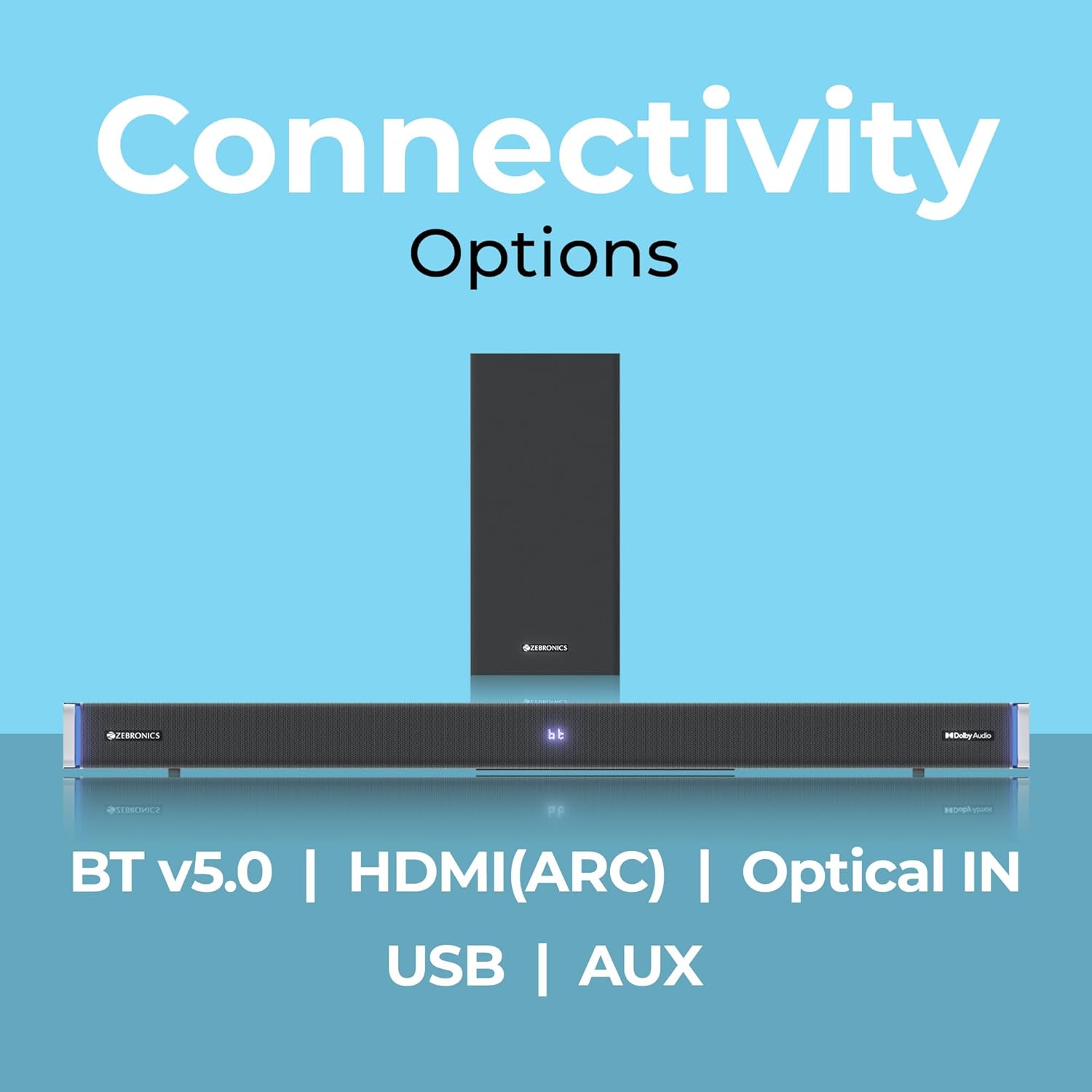
The ZEBRONICS Juke BAR 9102 PRO offers multiple connectivity options for versatile use.
7.1 Bluetooth v5.0
- Press the 'Mode' button until 'BT' appears on the LED display.
- On your mobile device or computer, search for Bluetooth devices and select 'ZEB-JUKE BAR 9102 PRO'.
- Once paired, audio will stream wirelessly to the soundbar.
7.2 HDMI (ARC)
- Connect an HDMI cable (ARC compatible) from the HDMI ARC port on your television to the HDMI ARC port on the soundbar.
- Select 'ARC' mode on the soundbar.
- Ensure your TV's audio output is set to HDMI ARC.
7.3 Optical IN
- Connect an optical cable from your audio source (e.g., TV, DVD player) to the 'Optical IN' port on the soundbar.
- Select 'OPT' mode on the soundbar.
7.4 adet 3.5 mm AUX Kablosu
- Connect a 3.5mm AUX cable from your audio source to the 'AUX' port on the soundbar.
- Select 'AUX' mode on the soundbar.
7.5 USB Oynatma
- Insert a USB pen drive (up to 32GB, supporting MP3 audio format) into the USB port on the soundbar.
- Select 'USB' mode on the soundbar. The soundbar will automatically begin playing compatible audio files.
8. Duvara Montaj
The soundbar can be wall-mounted to save space. A wall mount bracket and fasteners are included in the package.
- Determine the desired mounting location on the wall, ensuring it is structurally sound and can support the weight of the soundbar.
- Duvar montaj braketini şablon olarak kullanarak delik açılacak yerleri işaretleyin.
- Gerekirse kılavuz delikler açın ve uygun duvar dübellerini yerleştirin.
- Secure the wall mount bracket to the wall using the provided fasteners.
- Carefully attach the soundbar to the mounted bracket. Ensure it is securely fastened before releasing.
Not: Professional installation is recommended for wall mounting to prevent damage or injury.
9. Bakım
9.1 Temizlik
Wipe the surfaces of the soundbar and subwoofer with a soft, dry, lint-free cloth. Do not use abrasive cleaners, waxes, or solvents as they may damage the finish.
9.2 Depolama
Cihazı uzun süre saklayacaksanız, güç kaynağından ayırın ve doğrudan güneş ışığından ve aşırı sıcaklıklardan uzak, serin ve kuru bir yerde saklayın.
10. Sorun Giderme
| Sorun | Olası Neden | Çözüm |
|---|---|---|
| Güç yok | Güç kablosu bağlı değil; Elektrik prizi aktif değil. | Güç kablolarının güvenli bir şekilde bağlı olduğundan ve prizin çalışır durumda olduğundan emin olun. |
| Ses yok | Incorrect input mode; Volume too low; Cables not connected properly | Select the correct input mode. Increase volume. Check all audio cables for secure connection. |
| Bluetooth eşleştirme sorunları | Ses çubuğu eşleştirme modunda değil; Cihaz çok uzakta; Parazit | Ensure soundbar is in 'BT' mode. Move device closer. Restart both devices. |
| Uzaktan kumanda çalışmıyor | Piller bitmiş; uzaktan kumanda ile ses çubuğu arasında engel var. | Uzaktan kumandanın pillerini değiştirin. Engelleri kaldırın. |
| Bozuk ses | Volume too high; Poor audio source quality; Incorrect EQ setting | Reduce volume. Try a different audio source. Adjust EQ settings. |
11. Özellikler
| Özellik | Detay |
|---|---|
| Model Adı | ZEB-JUKE BAR 9102 PRO |
| Çıkış Gücü | 240 Watt (RMS) |
| Subwoofer Çapı | 6.5 inç |
| Ses Sürücüsü Boyutu | 5.5 cm (Quad Drivers) |
| Bağlantı | Bluetooth v5.0, HDMI (ARC), Optical IN, 3.5mm AUX, USB |
| Çevresel Ses Yapılandırması | Sanal 5.1 |
| Frekans Tepkisi | 20 Hz - 20 KHz |
| Sinyal-Gürültü Oranı | 65 dB |
| Empedans | 15 Ohm |
| Kontrol Yöntemi | Uzaktan kumanda |
| Ürün Boyutları (Soundbar) | Approx. 98.5W x 17.3D x 40.2H Centimeters |
| Ürün Ağırlığı | 5.8 kilo |
| Güç Kaynağı | Kablolu Elektrik |
| Özel Özellikler | Dolby Audio, LED Display, RGB LED Lights, Wall Mountable |
12. Garanti ve Destek
12.1 Garanti Bilgileri
This ZEBRONICS product comes with a 1 yıllık garanti from the date of purchase. The warranty covers manufacturing defects under normal use. Please retain your purchase receipt for warranty claims.
12.2 Müşteri Desteği
For technical assistance, troubleshooting, or warranty inquiries, please contact ZEBRONICS customer support. Refer to the official ZEBRONICS website or the QR Code User Manual for contact details.


