1. Giriş
Thank you for choosing the DOOMAY Digital Alarm Clock. This compact and modern alarm clock is designed for convenience and reliability, featuring an LCD display, adjustable volume, snooze function, weekend mode, and indoor temperature display. This manual provides detailed instructions to help you set up and operate your new alarm clock effectively.

Şekil 1: Ön view of the DOOMAY Digital Alarm Clock.
2. Paket İçeriği
- DOOMAY Digital Alarm Clock (1 unit)
- AAA Piller (2 adet)
- Kullanım Kılavuzu (Bu belge)
3. Kurulum
3.1 Pil Kurulumu
The DOOMAY Digital Alarm Clock is powered by two AAA batteries. These batteries are included in the package.
- Çalar saatin arka tarafında bulunan pil bölmesi kapağını bulun.
- Bölmeyi açmak için kapağı aşağı doğru kaydırın.
- Bölmenin içinde gösterildiği gibi kutupların (+ ve -) doğru olmasına dikkat ederek iki adet AAA pil takın.
- Pil bölmesi kapağını yerine oturana kadar yukarı doğru kaydırarak yerine takın.

Şekil 2: Geri view with battery compartment and control buttons.
Not: When the display flashes '8888' and the clock beeps, it indicates that the batteries are low and need to be replaced.
4. Kullanım Talimatları
The DOOMAY Digital Alarm Clock offers various functions for timekeeping, alarming, and environmental monitoring. Refer to the buttons on the back of the clock for settings.
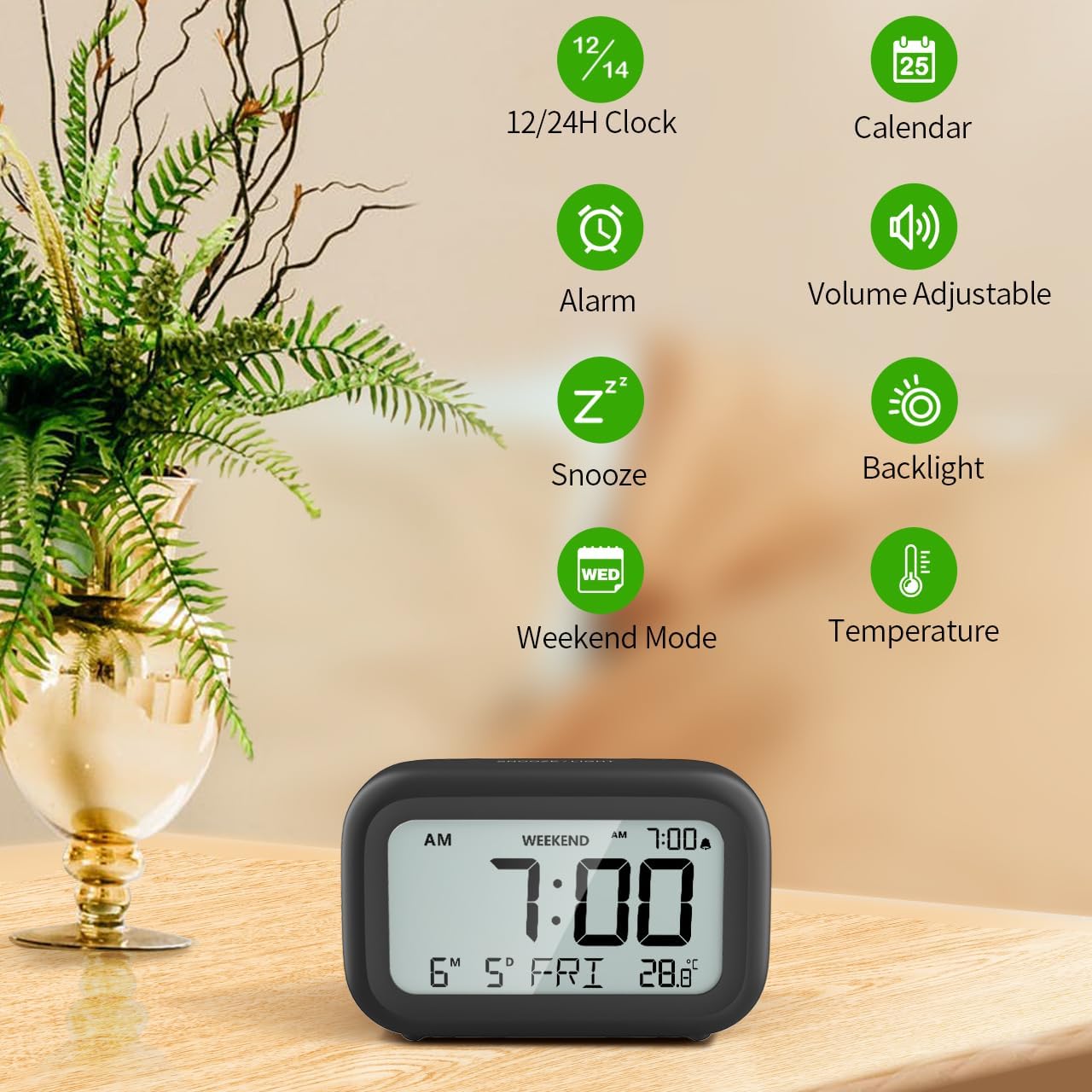
Şekil 3: Üzeriview of clock features.
4.1 Saat ve Tarih Ayarı
Geçerli saat ve tarihi ayarlamak için:
- Basılı tutun AYARLAMAK button (usually represented by a clock icon or '12/24H' button) on the back of the clock until the numbers on the display begin to flash.
- Kullanın + Ve - buttons to adjust the flashing value (Year, Month, Day, Hour, Minute).
- Basın AYARLAMAK button again to confirm the setting and move to the next value.
- Once all values are set, the display will stop flashing. The day of the week will automatically update based on the date.
For a visual guide, refer to the video below, specifically from 0:18 for Date Setting Ve 0:32 for Time Setting.
4.2 Alarm Ayarı
To set your alarm time:
- Basın ALARM button (bell icon) on the back of the clock. The alarm time will appear and flash.
- Kullanın + Ve - buttons to adjust the desired alarm hour and minute.
- Basın ALARM button again to confirm the alarm setting.
- To turn the alarm ON or OFF, simply press the ALARM button once. An alarm icon will appear on the display when the alarm is active.
For a visual guide, refer to the video below, specifically from 0:13 for turning alarm ON/OFF Ve 0:37 for Alarm Setting.
4.3 Erteleme İşlevi
When the alarm sounds, gently touch the ERTELEME / IŞIK button located on the top of the clock. This will activate the snooze function, providing an additional 9 minutes of sleep before the alarm sounds again. You can repeat this process multiple times.

Figure 4: Activating the snooze function.
To turn off the alarm completely after it sounds, press any button on the back of the clock.
For a visual guide, refer to the video below, specifically from 0:46 for Snooze function.
4.4 Weekend Mode
The Weekend Mode allows you to set the alarm to only sound from Monday to Friday, preventing it from disturbing you on weekends.
- Basın HAFTA SONU button (calendar icon) on the back of the clock to toggle Weekend Mode ON or OFF.
- When Weekend Mode is active, 'WEEKEND' will be displayed on the screen, and the alarm will be automatically disabled on Saturday and Sunday.

Figure 5: Weekend Mode and Alarm Volume Levels.
For a visual guide, refer to the video below, specifically from 0:50 for Weekend Mode ON/OFF.
4.5 Arka Aydınlatma Fonksiyonu
The clock features a convenient 5-second on-demand backlight for viewDüşük ışık koşullarında zamanı ayarlama.
- Simply touch the ERTELEME / IŞIK button on the top of the clock to activate the backlight.
- The backlight will illuminate for approximately 5 seconds and then automatically turn off to conserve battery life.

Figure 6: Backlight in use.
For a visual guide, refer to the video below, specifically from 0:54 for 5 Seconds Backlight.
4.6 Sıcaklık Ekranı
The clock displays the indoor temperature. You can switch between Celsius (°C) and Fahrenheit (°F) units.
- Basın °C/°F button on the back of the clock to toggle between Celsius and Fahrenheit.

Figure 7: Indoor Temperature Display.
4.7 12/24 Hour Time Format
You can switch the time display between 12-hour (with AM/PM indicator) and 24-hour formats.
- Basın 12/24H button on the back of the clock to switch between the two formats.
For a visual guide, refer to the video below, specifically from 0:58 for 12/24Hr Time Format Switchable.
4.8 Alarm Sesi Ayarı
The alarm clock offers two volume levels for the alarm sound: LOW (70dB) and HIGH (85dB).
- While setting the alarm, or when the alarm is sounding, you can cycle through the volume levels by pressing the appropriate button (often the + or - button, or a dedicated volume button if available). Refer to the icons on the back of your clock.
For a visual guide, refer to the video below, specifically from 0:42 for 2 Levels of Volume Adjustable.
Operating Instructions Video Guide
Video 1: Comprehensive guide on setting up and operating the DOOMAY Digital Alarm Clock. This video demonstrates battery installation, setting time and date, alarm functions, snooze, weekend mode, backlight, and volume adjustment.
5. Bakım
- Temizlik: Saati yumuşak, kuru bir bezle silin. Aşındırıcı temizleyiciler veya çözücüler kullanmayın.
- Pil Değişimi: Replace batteries when the low battery indicator appears (flashing '8888' and beeping). Always use new AAA batteries.
- Depolamak: Saati uzun süre saklayacaksanız, sızıntıyı önlemek için pilleri çıkarın.
6. Sorun Giderme
| Sorun | Olası Neden | Çözüm |
|---|---|---|
| Saat ekranı boş veya loş. | Piller bitmiş veya yanlış takılmış. | Pilleri yeni AAA pillerle değiştirin ve kutupların doğru olmasına dikkat edin. |
| Alarm çalmıyor. | Alarm is not activated or Weekend Mode is ON. | Press the ALARM button to activate. Check if Weekend Mode is active and disable if necessary. |
| Saat/Tarih yanlış. | Not set correctly or batteries were removed. | Follow instructions in Section 4.1 to reset time and date. |
| Arka ışık sürekli açık kalmıyor. | Bu normal bir işlemdir. | The backlight is designed to illuminate for 5 seconds to conserve battery life. It is not a continuous backlight. |
7. Özellikler
- Modeli: 5293B
- Görüntüleme Türü: Dijital lcd
- Güç Kaynağı: 2 x AAA Pil (Dahil)
- Ürün Ölçüleri: 4.29"G x 2.72"Y (yaklaşık 10.9 cm x 6.9 cm)
- Malzeme: Akrilonitril Bütadien Stiren (ABS)
- Özellikler: Alarm, Snooze, Weekend Mode, Indoor Temperature (°C/°F), 12/24H Time Format, 5-second Backlight
- Alarm Sesi: 2 seviye (70dB, 85dB)
- Ürün Ağırlığı: 4.48 ons (yaklaşık 127g)
8. Garanti ve Destek
DOOMAY products are manufactured with high-quality materials and craftsmanship. For any questions, concerns, or technical support regarding your DOOMAY Digital Alarm Clock, please contact the seller or refer to the product listing on the platform where it was purchased. Please retain your proof of purchase for warranty claims.


