1. Giriş
Thank you for choosing the Baseus Bowie D05 Wireless Headphones. This manual provides detailed instructions on how to set up, operate, maintain, and troubleshoot your new headphones. Please read this manual carefully before use to ensure optimal performance and longevity of your device.
2. Kutuda Neler Var?
Kutuyu açtığınızda lütfen aşağıdaki tüm öğelerin mevcut olduğundan emin olun:
- Baseus Bowie D05 Kablosuz Kulaklık
- USB-A - USB-C Şarj Kablosu
- 3.5 mm Ses Kablosu
- Kullanıcı Kılavuzu
Image: The Baseus Bowie D05 headphones shown alongside their USB-C charging cable and 3.5mm audio cable, illustrating the complete package contents.
3. Ürün Bittiview
Familiarize yourself with the various parts and controls of your Baseus Bowie D05 headphones:
- Güç/Çok Fonksiyonlu Düğme: Cihazı açma/kapama, oynatma/duraklatma, aramaları cevaplama/sonlandırma ve sesli asistanı etkinleştirme işlevleri için kullanılır.
- Sesi Açma Düğmesi: Sesi artırır, sonraki parçaya geçmek için uzun süre basılı tutun.
- Sesi Kısma Düğmesi: Sesi azaltır, önceki parçaya geçmek için uzun süre basılı tutun.
- USB-C Şarj Portu: Kulaklıkları şarj etmek için.
- 3.5 mm Ses Jakı: Kablolu bağlantı için.
- LED Göstergesi: Güç, şarj ve eşleştirme durumunu gösterir.
- Mikrofon: Aramalar ve sesli komutlar için.

Resim: Ayrıntılı view of the left earcup of the Baseus Bowie D05 headphones, highlighting the location of the control buttons (volume up/down, multi-function) and the charging/audio ports.
4. Kurulum
4.1 Kulaklıkların Şarj Edilmesi
- Connect the USB-C end of the charging cable to the headphone's charging port.
- Connect the USB-A end to a USB power adapter (5V/1A recommended) or a computer's USB port.
- The LED indicator will show red during charging and turn off or blue when fully charged.
- Tam şarj genellikle yaklaşık 1.5-2 saat sürer.
4.2 Bluetooth Eşleştirme
- Kulaklığın tam şarjlı olduğundan emin olun.
- Press and hold the Power/Multi-function button for 3-5 seconds until the LED indicator flashes blue and red alternately, indicating pairing mode.
- Cihazınızda (akıllı telefon, tablet, bilgisayar) Bluetooth’u etkinleştirin.
- Arama "Baseus Bowie D05" in the list of available Bluetooth devices.
- Select "Baseus Bowie D05" to connect. Once connected, the LED indicator will flash blue slowly or turn off.
4.3 Kablolu Bağlantı (İsteğe Bağlı)
You can use the headphones with the included 3.5mm audio cable when the battery is low or for devices without Bluetooth connectivity.
- 3.5 mm ses kablosunun bir ucunu kulaklığın 3.5 mm ses girişine takın.
- Diğer ucunu cihazınızın ses çıkış jakına takın.
- Note: Controls on the headphones may not function in wired mode.
5. Kullanım Talimatları
5.1 Güç Açma/Kapatma
- Güç Açık: Güç/Çok Fonksiyonlu düğmesine 3 saniye boyunca basılı tutun.
- Kapat: Güç/Çok Fonksiyonlu düğmesine 5 saniye boyunca basılı tutun.
5.2 Müzik Oynatma
- Oynat/Duraklat: Güç/Çok Fonksiyonlu düğmesine kısa süre basın.
- Sesi aç: Sesi Açma tuşuna kısa basın.
- Sesi kıs: Sesi Azaltma düğmesine kısa basın.
- Sonraki Parça: Sesi Açma tuşuna uzun basın.
- Önceki parça: Sesi Azaltma düğmesine uzun basın.
5.3 Çağrı Yönetimi
- Çağrıyı Cevapla/Sonlandır: Güç/Çok Fonksiyonlu düğmesine kısa süre basın.
- Çağrıyı Reddet: Güç/Çok Fonksiyonlu düğmesine 2 saniye boyunca basılı tutun.
5.4 Çoklu Cihaz Bağlantısı
The Baseus Bowie D05 headphones support simultaneous connection to two devices, allowing seamless switching between them.
- Connect the headphones to the first device via Bluetooth as described in section 4.2.
- Kulaklıkları ilk cihazdan ayırın (eşleştirmeyi kaldırmayın).
- Kulaklıkları Bluetooth üzerinden ikinci cihaza bağlayın.
- Reconnect the headphones to the first device from its Bluetooth settings. The headphones should now be connected to both devices.
Image: The Baseus Bowie D05 headphones are depicted wirelessly connected to both a smartphone and a tablet, demonstrating their multi-device connectivity feature.
6. Bakım
Kulaklığınızın uzun ömürlü ve optimum performans göstermesini sağlamak için aşağıdaki bakım yönergelerini izleyin:
- Temizlik: Kulaklığı temizlemek için yumuşak, kuru ve tiftiksiz bir bez kullanın. Aşındırıcı temizleyiciler, alkol veya kimyasal çözücüler kullanmayın.
- Depolamak: Kullanmadığınız zaman kulaklıklarınızı serin, kuru, doğrudan güneş ışığından ve aşırı sıcaklıklardan uzak bir yerde saklayın.
- Nemden Kaçının: Kulaklıkları sudan ve aşırı nemden uzak tutun.
- Dikkatli Kullanın: Kulaklığınızı düşürmekten veya sert darbelere maruz bırakmaktan kaçının.
7. Sorun Giderme
If you encounter any issues with your Baseus Bowie D05 headphones, please refer to the following common problems and solutions:
| Sorun | Olası Çözüm |
|---|---|
| Kulaklık açılmıyor. | Kulaklıkların tamamen şarj olduğundan emin olun. Bir güç kaynağına bağlayın ve tekrar deneyin. |
| Cihazla eşleştirilemiyor. | Ensure headphones are in pairing mode (flashing blue/red). Turn off and on Bluetooth on your device. Clear previous Bluetooth connections on your device. Move headphones closer to the device. |
| Ses yok veya ses seviyesi düşük. | Check headphone and device volume levels. Ensure headphones are properly connected. Try playing different audio. If using wired connection, ensure cable is fully inserted. |
| Kötü ses kalitesi. | Move closer to your device to avoid interference. Avoid obstacles between headphones and device. Try disconnecting and reconnecting. |
| Kulaklıklar sık sık bağlantısı kesiliyor. | Ensure headphones are fully charged. Keep within Bluetooth range (typically 10 meters). Avoid strong electromagnetic interference. |
Bu çözümleri denedikten sonra sorun devam ederse lütfen müşteri desteğiyle iletişime geçin.
8. Özellikler
Detailed technical specifications for the Baseus Bowie D05 Wireless Headphones:
- Model Adı: NGTD020202
- Marka: Bazus
- Bağlantı Teknolojisi: Kablosuz (Bluetooth)
- Kablosuz İletişim Teknolojisi: Bluetooth
- Kulak Yerleşimi: Kulak Üstü
- Form Faktörü: Kulak Üstü
- Ses Sürücüsü Türü: Dinamik Sürücü
- Sürücü Birimi Boyutu: 40mm
- Pil Ömrü: Up to 70 hours of audio playback (at 70% volume)
- Şarj Portu: USB-C
- Ses jakı: 3.5 mm Jak
- Malzeme: Plastik
- Ürün Ağırlığı: Yaklaşık 209 gram (7.37 ons)
- Renk: Creamy-White (as per product title, though spec says Black)
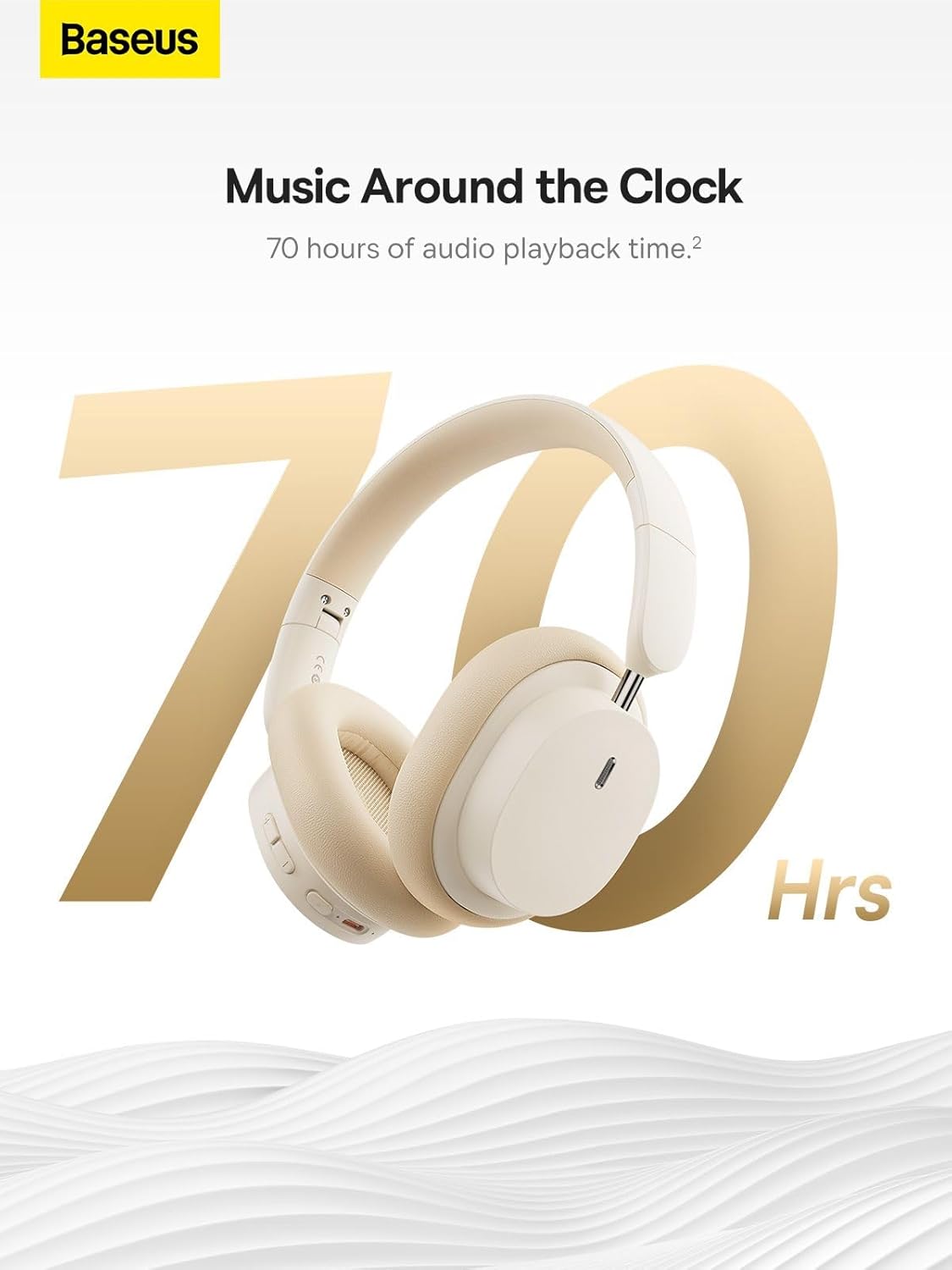
Image: The Baseus Bowie D05 headphones are featured with a prominent '70 Hrs' graphic, highlighting their extended audio playback time on a single charge.

Image: Two individuals are shown comfortably wearing the Baseus Bowie D05 headphones, emphasizing their lightweight design with the text 'Only 209g' for extended listening sessions.

Image: A visual representation of a 40mm large driver unit, illustrating its capability to deliver detailed high-end and fuller low-end audio performance.
9. Garanti ve Destek
9.1 Garanti Bilgileri
Baseus products are covered by a limited warranty from the date of purchase. Please refer to the warranty card included in your product packaging or visit the official Baseus webAyrıntılı garanti şartları ve koşulları için siteyi ziyaret edin.
9.2 Müşteri Desteği
For technical assistance, troubleshooting, or warranty claims, please contact Baseus customer support through the following channels:
- Resmi Webalan: Visit the Baseus official webSSS, destek kaynakları ve iletişim formları için site.
- E-posta Desteği: Ürün ambalajınıza veya resmi bilgilere bakın webMüşteri destek e-posta adresinin bulunduğu site.
- Yetkili Satıcı: Yardım için ürünü satın aldığınız perakendeciyle iletişime geçin.


