1. Giriş
The CHUWI Hi10 XPro is a versatile 10.1-inch Android 14 tablet designed for both productivity and entertainment. Featuring an Unisoc T606 Octa-Core processor, 8GB RAM, and 128GB ROM (expandable up to 1TB), it offers smooth performance for various applications. This tablet supports 4G LTE and 5G WiFi connectivity, includes a 7000mAh battery, and comes with 13MP rear and 5MP front cameras. This manual provides essential information for setting up, operating, and maintaining your device.

Şekil 1.1: Ön ve arka view of the CHUWI Hi10 XPro Tablet.
2. Kutuda Neler Var?
Paketin içinde tüm öğelerin mevcut olduğundan emin olun:
- CHUWI Hi10 XPro Tablet
- 5V/2A adapter (PSE, CE, UL, FCC certified)
- Multi-language manual
- Uygunluk sertifikası
- Kalite belgesi
- Garanti kartı
- 128GB Mikro SD Kart
3. Kurulum
3.1 İlk Şarj
Before first use, fully charge the tablet using the provided 5V/2A adapter and Type-C cable. The battery indicator on the screen will show charging progress.
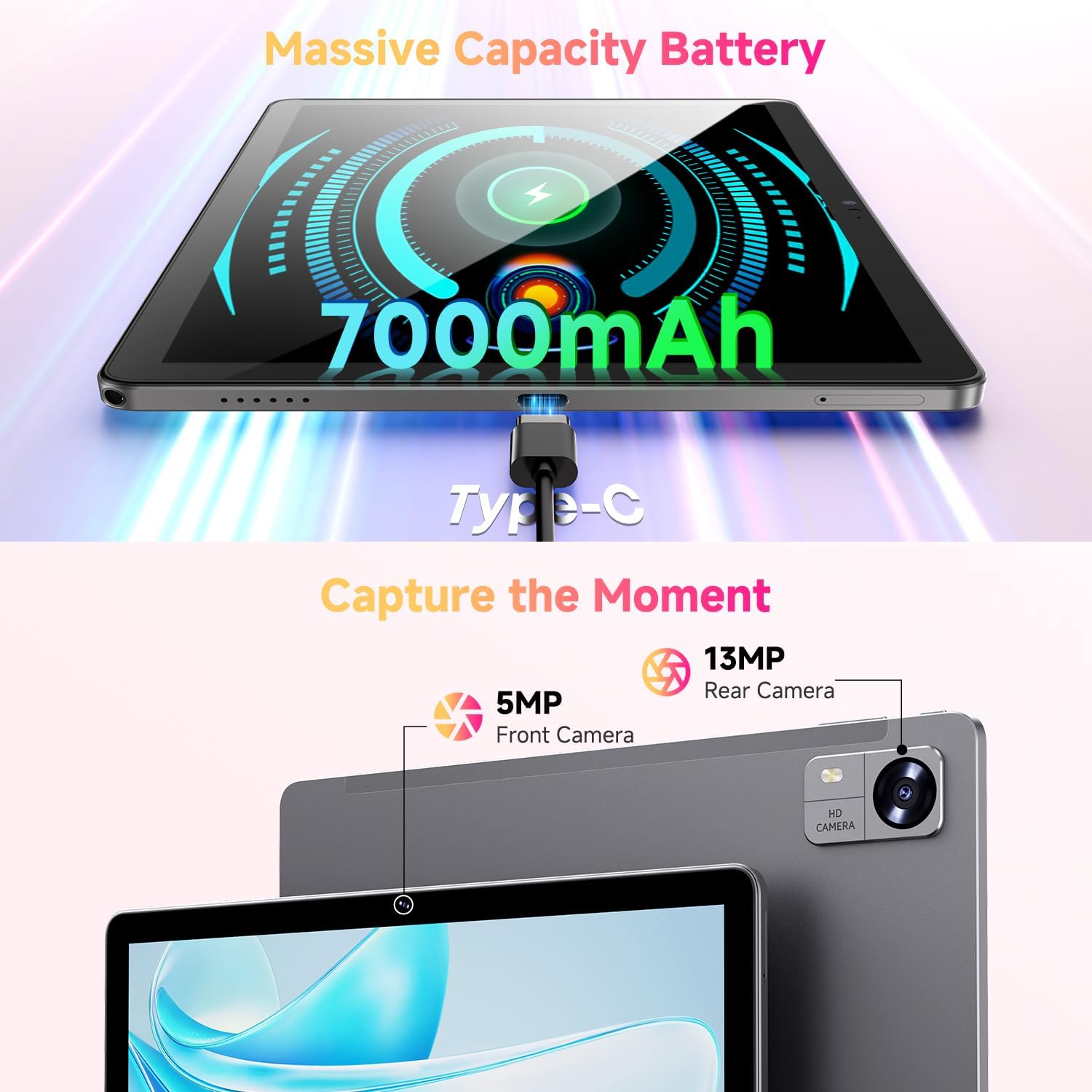
Figure 3.1: Charging the tablet via Type-C port.
3.2 Güç Açma/Kapatma
- Güç Açık: Press and hold the Power button on the side of the tablet until the CHUWI logo appears.
- Kapat: Güç düğmesini basılı tutun, kapatma menüsü görünene kadar bekleyin. Cihazı kapatmak için "Kapat" seçeneğini seçin.
- Tekrar başlat: Cihazı yeniden başlatmak için kapatma menüsünden "Yeniden Başlat" seçeneğini seçin.
3.3 SIM Kart ve TF Kart Kurulumu
The tablet supports dual SIM cards and a TF (MicroSD) card for expanded storage. Use the provided SIM ejector tool to open the tray.
- Tabletin yan tarafındaki SIM/TF kart tepsisini bulun.
- SIM çıkarma aracını tepsinin yanındaki küçük deliğe yerleştirin ve tepsi dışarı çıkana kadar yavaşça itin.
- Nano-SIM kartlarınızı ve/veya MicroSD kartlarınızı, doğru yönde olduklarından emin olarak, tepsideki belirlenmiş yuvalara yerleştirin.
- Tepsiyi yerine oturana kadar dikkatlice tabletin içine doğru itin.
*Important Note for Cellular Functionality: Please register the IMEI number of your device with local carriers before using cellular network functions. Failure to do so may result in the SIM card functions (network and calls) being disabled by the carriers after a period of use.
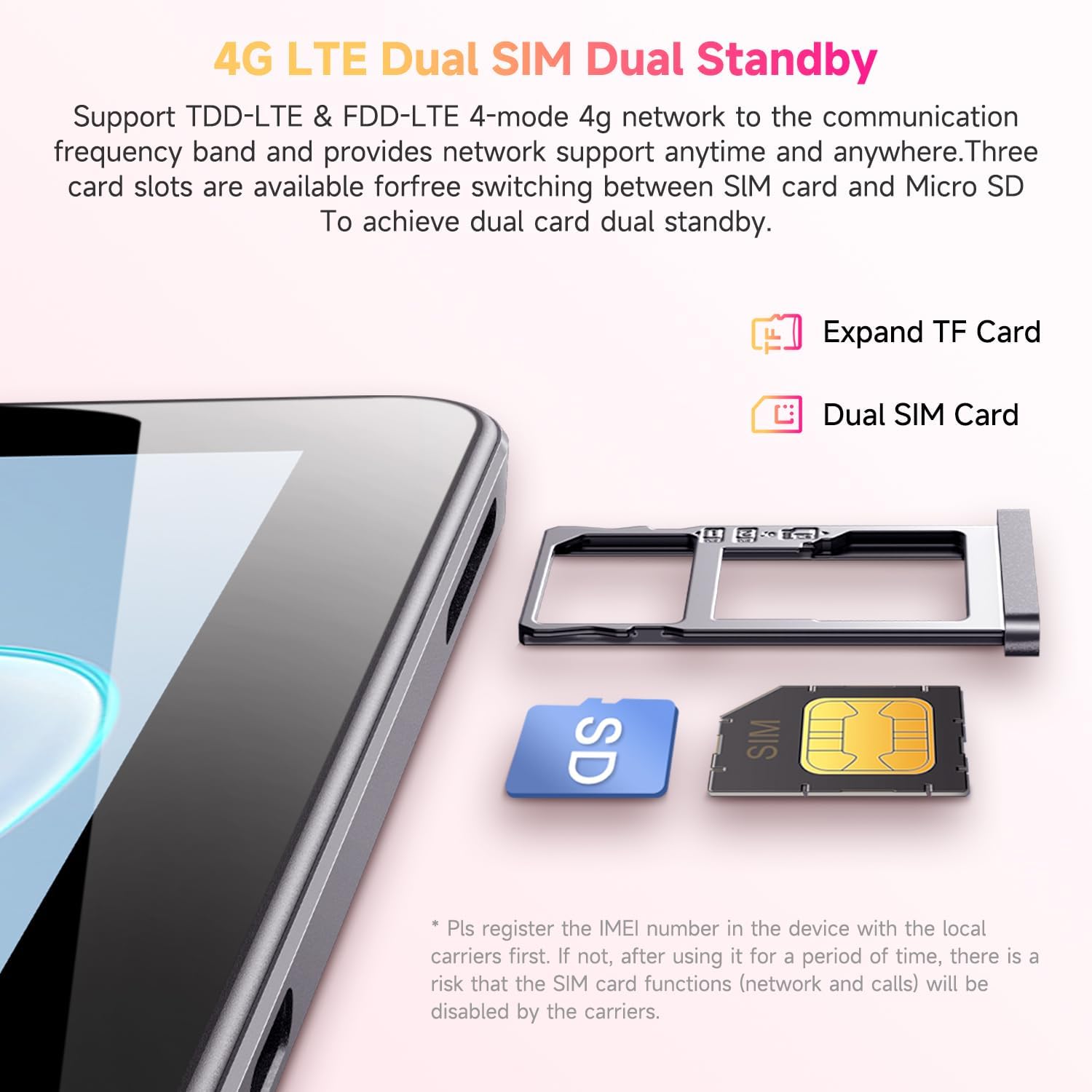
Figure 3.2: Inserting SIM and TF cards into the tray.
3.4 İlk Kurulum Sihirbazı
Tablet ilk açıldığında, sizi ilk kurulum sürecinden geçirecektir. Ekrandaki yönergeleri izleyerek şunları yapabilirsiniz:
- Dilinizi seçin.
- Bir Wi-Fi ağına bağlanın.
- Google hesabınızla giriş yapın veya yeni bir hesap oluşturun.
- Ekran kilidini ayarlayın (PIN, desen, parola).
- Review ve hüküm ve koşulları kabul edin.
4. Kullanım Talimatları
4.1 Görüntüleme ve Gezinme
The CHUWI Hi10 XPro features a 10.1-inch HD IPS touchscreen with a resolution of 1280x800 pixels, providing clear and vibrant visuals. Navigation is primarily touch-based, with gestures and on-screen buttons for home, back, and recent apps.

Figure 4.1: The tablet's 10.1-inch HD IPS display.
4.2 Performans ve Depolama
Equipped with a 1.6GHz Unisoc T606 Octa-Core processor and Mali-G57 GPU, the tablet ensures smooth operation for daily tasks, browsing, and light gaming. It comes with 8GB RAM (4GB physical + 4GB virtual) and 128GB of internal storage, expandable up to 1TB via a MicroSD card.

Figure 4.2: Illustration of the Unisoc T606 Octa-Core Processor.

Figure 4.3: Visual representation of storage and connectivity options.
4.3 Bağlantı
The tablet supports dual-band 2.4G+5G WiFi (802.11ac) for stable and fast internet connections, and Bluetooth 5.0 for connecting wireless accessories. Dual 4G LTE support allows for mobile data and calls (with proper SIM registration).
4.4 Kamera Fonksiyonları
Capture moments with the 13MP rear camera and take clear selfies or make video calls with the 5MP front camera.
4.5 Pil Ömrü
The built-in 7000mAh battery provides approximately 8-10 hours of usage on a full charge, depending on usage patterns.
4.6 Android 14 İşletim Sistemi
The CHUWI Hi10 XPro runs on Android 14, offering enhanced privacy controls, efficient memory management, and multitasking capabilities. It supports Widevine L1 for high-definition streaming on platforms like Netflix, Prime Video, and Disney+.
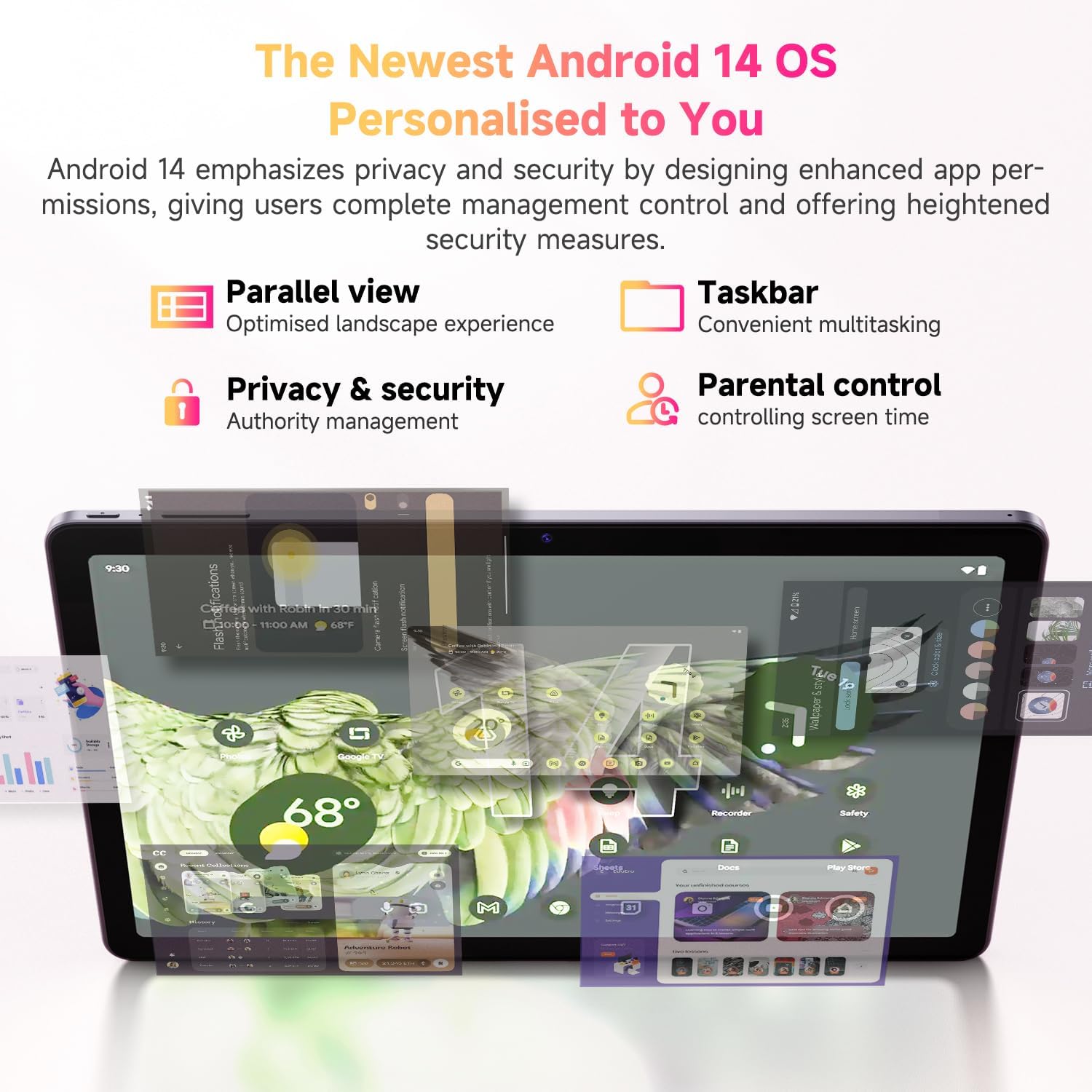
Şekil 4.4: Android 14 işletim sisteminin temel özellikleri.
4.7 Resmi Ürün Videosu
Video 4.1: Ürünün resmi video gösterimiasing the CHUWI Android 13 Tablet Hi10 XPro Tablet 10.1 Inch 8+128GB. This video highlights various features and usage scenarios of the tablet, including its sleek design, display quality, and performance capabilities.
5. Özellikler
| Özellik | Şartname |
|---|---|
| Marka | ÇUVİ |
| Model Adı | Merhaba10 XPro |
| Ayakta ekran boyutu | 10.1 inç |
| Ekran Çözünürlüğü | 1280 x 800 piksel |
| İşlemci | 1.6 GHz Unisoc T606 Octa-Core |
| Grafik Eş İşlemcisi | Mali-G57 |
| Veri deposu | 8 GB (4 GB + 4 GB sanal) |
| Sabit Disk / Flash Bellek Boyutu | 128 GB SSD |
| Genişletilebilir Depolama | MicroSD kart ile 1 TB'a kadar depolama alanı. |
| İşletim Sistemi | Android 14 |
| Kablosuz Tip | 802.11ac (2.4G+5G WiFi), Bluetooth 5.0 |
| Hücresel Bağlantı | Dual 4G LTE |
| Arka Webkam Çözünürlüğü | 13 MP |
| Ön Kamera Çözünürlüğü | 5 MP |
| Pil Kapasitesi | 7000mAh Lityum Polimer |
| Ortalama Pil Ömrü | 8-10 Saat |
| Ürün Ağırlığı | 15.5 ons (yaklaşık 438g) |
| Ürün Boyutları | 9.41 x 6.2 x 0.29 inç (yaklaşık 239.3 x 158 x 7.5 mm) |
| Renk | Siyah |
| GPS İşlevi | Supported (GPS, Glonass, Galileo, Beidou) |
| Widevine Certification | L1 Supported |
6. Bakım
- Temizlik: Tabletin ekranını ve gövdesini temizlemek için yumuşak, tiftiksiz bir bez kullanın. Sert kimyasallar veya aşındırıcı malzemeler kullanmaktan kaçının.
- Yazılım Güncellemeleri: Periodically check for system updates in the tablet's settings to ensure optimal performance and security.
- Pil Bakım: Pil ömrünü uzatmak için aşırı sıcaklıklardan kaçının ve pilin sık sık tamamen bitmesine izin vermeyin.
- Depolama Yönetimi: Gereksiz olanları düzenli olarak temizleyin files and apps to maintain sufficient free storage space for smooth operation.
- Koruma: Consider using a screen protector and a protective case to guard against scratches and accidental damage.
7. Sorun Giderme
7.1 Tablet Açılmıyor
- Tabletin yeterince şarj olduğundan emin olun. En az 30 dakika şarj cihazına bağlayın.
- Yeniden başlatmayı zorlamak için Güç düğmesini 10-15 saniye basılı tutun.
7.2 Wi-Fi Bağlantı Sorunları
- Tabletinizin ayarlarında Wi-Fi'nin etkinleştirilmiş olup olmadığını kontrol edin.
- Wi-Fi yönlendiricinizi yeniden başlatın.
- Tablet ayarlarından ağı unut seçeneğini seçip tekrar bağlanın.
- Wi-Fi sinyalinin kapsama alanında olduğunuzdan emin olun.
7.3 Yavaş Performans
- Gereksiz arka plan uygulamalarını kapatın.
- Sık kullanılan uygulamaların önbelleğini ve verilerini temizleyin.
- Yeterli boş depolama alanı olduğundan emin olun.
- Tableti yeniden başlatın.
7.4 Uygulamaların Çökmesi veya Yanıt Vermemesi
- Force close the app from recent apps or app settings.
- Uygulamanın önbelleğini ve verilerini temizleyin.
- Uygulamayı kaldırıp yeniden yükleyin.
- Tabletin yazılımının güncel olduğundan emin olun.
8. Garanti ve Destek
CHUWI offers a One-year reassuring quality assurance for the Hi10 XPro tablet. This includes long-term technical support and 24-hour online customer service.
For technical assistance or warranty claims, please contact CHUWI customer service. You can typically find contact information by logging into your Amazon account, finding your order, and selecting "Contact the seller."
For more information, visit the official CHUWI website or refer to the warranty card included in your product package.


