1. Giriş
The BuzzTV B5 is an advanced Android 11 TV Box designed to deliver a superior 4K UHD streaming experience. This device allows you to access a wide range of entertainment, including movies, TV shows, and applications, directly on your television. This manual provides essential information for the proper setup, operation, maintenance, and troubleshooting of your BuzzTV B5.
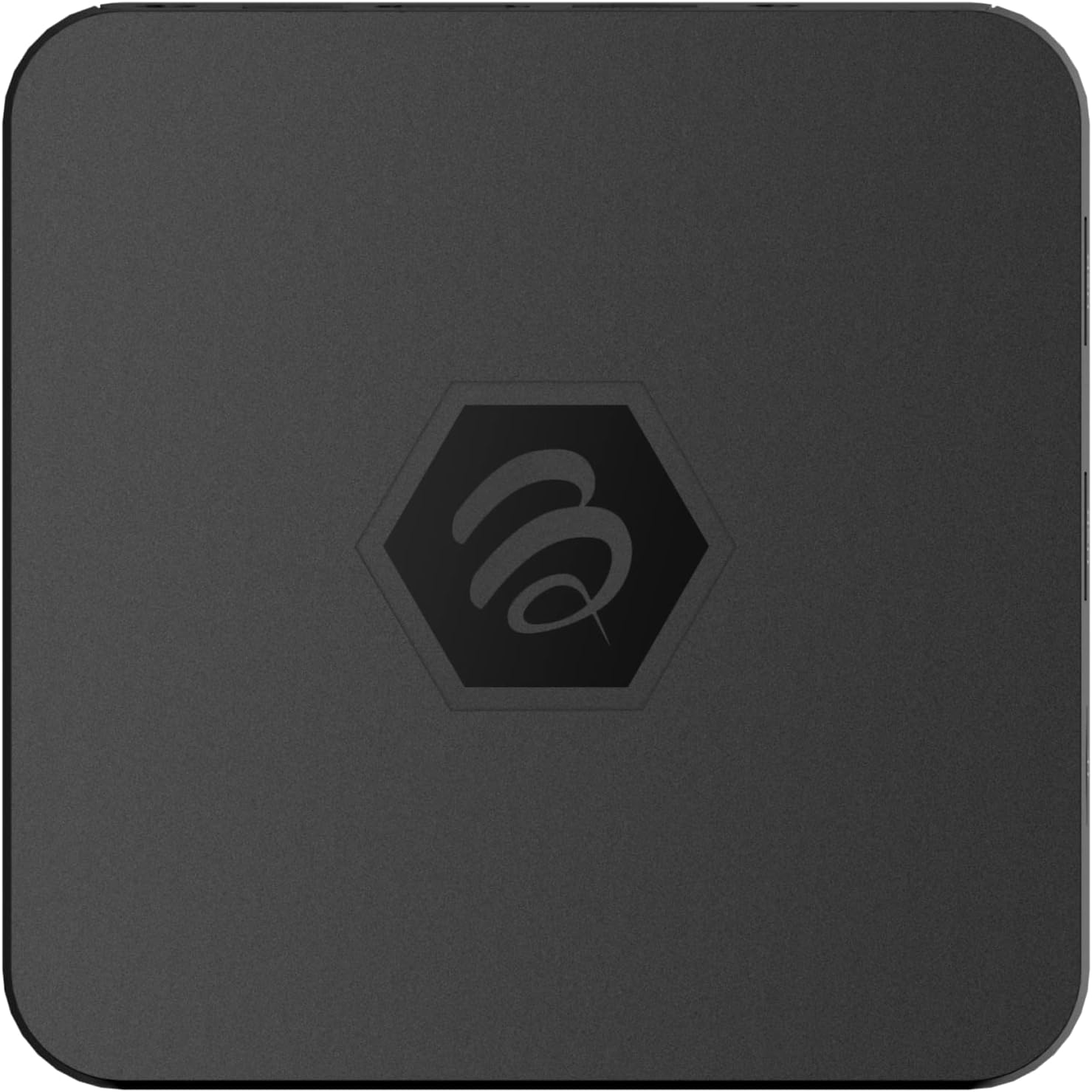
Resim 1.1: Üst view of the BuzzTV B5 Android 11 TV Box.
2. Paket İçeriği
Please verify that all items listed below are included in your BuzzTV B5 package:
- BuzzTV B5 Set Top Box
- IR-100 Remote Control
- Güç Kaynağı Adaptörü
- 2 adet AAA pil (uzaktan kumanda için)
- HDMI Kablosu
- Kullanım Kılavuzu (bu belge)

Image 2.1: Contents included in the BuzzTV B5 retail package.
3. Kurulum Kılavuzu
Follow these steps to set up your BuzzTV B5 TV Box:
- Televizyona bağlanın: Connect one end of the provided HDMI cable to the HDMI port on the BuzzTV B5 and the other end to an available HDMI input on your television.
- Gücü bağlayın: Plug the power supply adapter into the DC 5V port on the BuzzTV B5, then plug the adapter into a wall outlet. The device should power on automatically or can be powered on using the remote control.
- Pilleri Uzaktan Kumandaya Takın: Open the battery compartment on the back of the IR-100 Remote Control and insert the two AAA batteries, ensuring correct polarity (+/-).
- Ağ bağlantısı: Once the device boots up, follow the on-screen instructions to connect to your network. You can choose between Wi-Fi (wireless) or Ethernet (wired) connection. For a wired connection, connect an Ethernet cable from your router to the Ethernet port on the BuzzTV B5.
- İlk kurulum: Complete the initial Android setup process, which may include language selection, Google account login, and time zone settings.

Image 3.1: Rear ports of the BuzzTV B5 for connectivity.
4. Kullanım Talimatları
The BuzzTV B5 operates on Android 11, providing a user-friendly interface for navigation and content access.
4.1 Uzaktan Kumanda İşlevleri
The IR-100 Remote Control is your primary interface for the BuzzTV B5. Key functions include:
- Güç Düğmesi: Cihazı açar veya kapatır.
- Gezinme Paneli (Yukarı/Aşağı/Sol/Sağ/Tamam): Menülerde gezinmek ve öğeleri seçmek için kullanılır.
- Geri Düğmesi: Önceki ekrana veya menüye döner.
- Ana menü tuşu: Android ana ekranına geri döner.
- Ses Düğmeleri: Ses seviyesini ayarlar.
- App/Menu Buttons: Accesses specific applications or context menus.

Image 4.1: Layout of the IR-100 Remote Control.
4.2 Uygulamalara Erişim
From the home screen, you can access pre-installed applications like Netflix and YouTube, or download new applications from the Google Play Store. Use the navigation pad on your remote to select and launch applications.
4.3 4K UHD Akışı
The BuzzTV B5 supports 4K UHD resolution. Ensure your television is 4K compatible and that you are using a high-speed HDMI cable for optimal picture quality. Streaming quality will also depend on your internet connection speed and the content source.
5. Bakım
To ensure the longevity and optimal performance of your BuzzTV B5, consider the following maintenance tips:
- Temizlik: Cihazın dışını temizlemek için yumuşak ve kuru bir bez kullanın. Sıvı temizleyicilerden veya aşındırıcı malzemelerden kaçının.
- Havalandırma: Aşırı ısınmayı önlemek için cihazın iyi havalandırılan bir alana yerleştirildiğinden emin olun. Havalandırma açıklıklarını kapatmayın.
- Yazılım Güncellemeleri: Periodically check for and install system updates to benefit from new features, performance improvements, and security patches. These can usually be found in the device's settings menu.
- Güç Döngüsü: Cihaz yanıt vermez hale gelirse, güç adaptörünü çıkarın, 10 saniye bekleyin ve ardından yeniden takarak güç döngüsü gerçekleştirin.
6. Sorun Giderme
If you encounter issues with your BuzzTV B5, refer to the following common problems and solutions:
| Sorun | Olası Neden | Çözüm |
|---|---|---|
| Güç Yok | Güç adaptörü bağlı değil; priz çalışmıyor. | Güç adaptörünün cihaza ve çalışan bir elektrik prizine güvenli bir şekilde bağlı olduğundan emin olun. Farklı bir priz deneyin. |
| TV'de Sinyal Yok | Incorrect HDMI input selected; faulty HDMI cable. | Select the correct HDMI input on your TV. Check HDMI cable connections or try a different HDMI cable. |
| Uzaktan Kumanda Yanıt Vermiyor | Dead batteries; remote not paired (if applicable); obstruction. | Replace AAA batteries. Ensure no obstructions between remote and device. |
| Ağ Bağlantı Sorunları | Hatalı Wi-Fi şifresi; yönlendirici sorunları; zayıf sinyal. | Verify Wi-Fi password. Restart your router. Move the device closer to the router or use an Ethernet cable. |
| Uygulamaların Çökmesi/Donması | Insufficient memory; outdated app; software glitch. | Close background apps. Update the app or the device's firmware. Clear app cache/data in settings. |
7. Özellikler
Detailed technical specifications for the BuzzTV B5 Android 11 TV Box:
- İşletim Sistemi: Android İşletim Sistemi 11
- İŞLEMCİ: Amlogic S905W2 Quad-Core A-35
- Ekran Kartı: Mali-G31 MP2
- VERİ DEPOSU: 2GB DDR
- Depolamak: 16GB eMMC
- Wifi: Dual Band AC
- LAN: 10 / 100 Mbps Ethernet
- Bluetooth: 4.2
- USB Bağlantı Noktaları: 2x USB 2.0
- MicroSD Yuvası: 1
- Güç Arayüzü: Doğru Akım 5V
- HDMI Çıkışı: 1
- Optik Ses Çıkışı: 1
- Çıkış Çözünürlüğü: 4K (32 FPS)
- Boyutlar: 9.06 x 5.63 x 2.32 inç
- Ürün Ağırlığı: 1.01 pound

Image 7.1: BuzzTV B5 with a summary of its technical specifications.
8. Garanti Bilgileri
For detailed warranty information regarding your BuzzTV B5, please refer to the warranty card included in your product packaging or visit the official BuzzTV webSite. Garanti şartları ve koşulları bölgeye ve perakendeciye göre değişiklik gösterebilir.
9. Destek
If you require further assistance or have questions not covered in this manual, please contact BuzzTV customer support or visit their official website for FAQs, software downloads, and additional resources.
BuzzTV Official Webalan: www.buzztv.com


