giriiş
The Aura Walden 15" WiFi Digital Picture Frame provides an effortless way to display and share your cherished photos and videos. Designed for ease of use and elegant integration into any home, this frame offers a high-quality visual experience with smart features and unlimited cloud storage. This manual will guide you through the setup, operation, and maintenance of your new digital picture frame.

Image: The Aura Walden 15" frame showcasing a vibrant photo, accompanied by a smartphone illustrating the intuitive Aura app.
Kurmak
Setting up your Aura Walden frame is designed to be quick and straightforward, allowing you to start enjoying your memories in minutes.
- Kutudan Çıkarma ve Yerleştirme: Carefully remove the frame from its packaging. The Aura Walden frame can be placed on a tabletop using the included stand or mounted on a wall with the provided mounting kit. Ensure the frame is positioned in a location with stable Wi-Fi coverage.
- Güç Bağlantısı: Güç adaptörünü çerçeveye bağlayın ve bir elektrik prizine takın. Çerçeve otomatik olarak açılacaktır.
- Aura uygulamasını indirin: Aura uygulamasını Apple App Store'dan (iOS cihazlar için) veya Google Play Store'dan (Android cihazlar için) ücretsiz olarak indirin.
- Wi-Fi'ye bağlanın: Follow the on-screen instructions in the Aura app to connect your frame to your home Wi-Fi network. This process typically involves selecting your network and entering the password.
- Fotoğraf ve Video Ekle: Once connected, use the Aura app to upload photos and videos directly from your smartphone. You can select individual items or entire albums.
- Ailenizi ve Arkadaşlarınızı Davet Edin: The Aura app allows you to invite family and friends to contribute photos and videos to your frame, enabling shared memories from anywhere in the world.
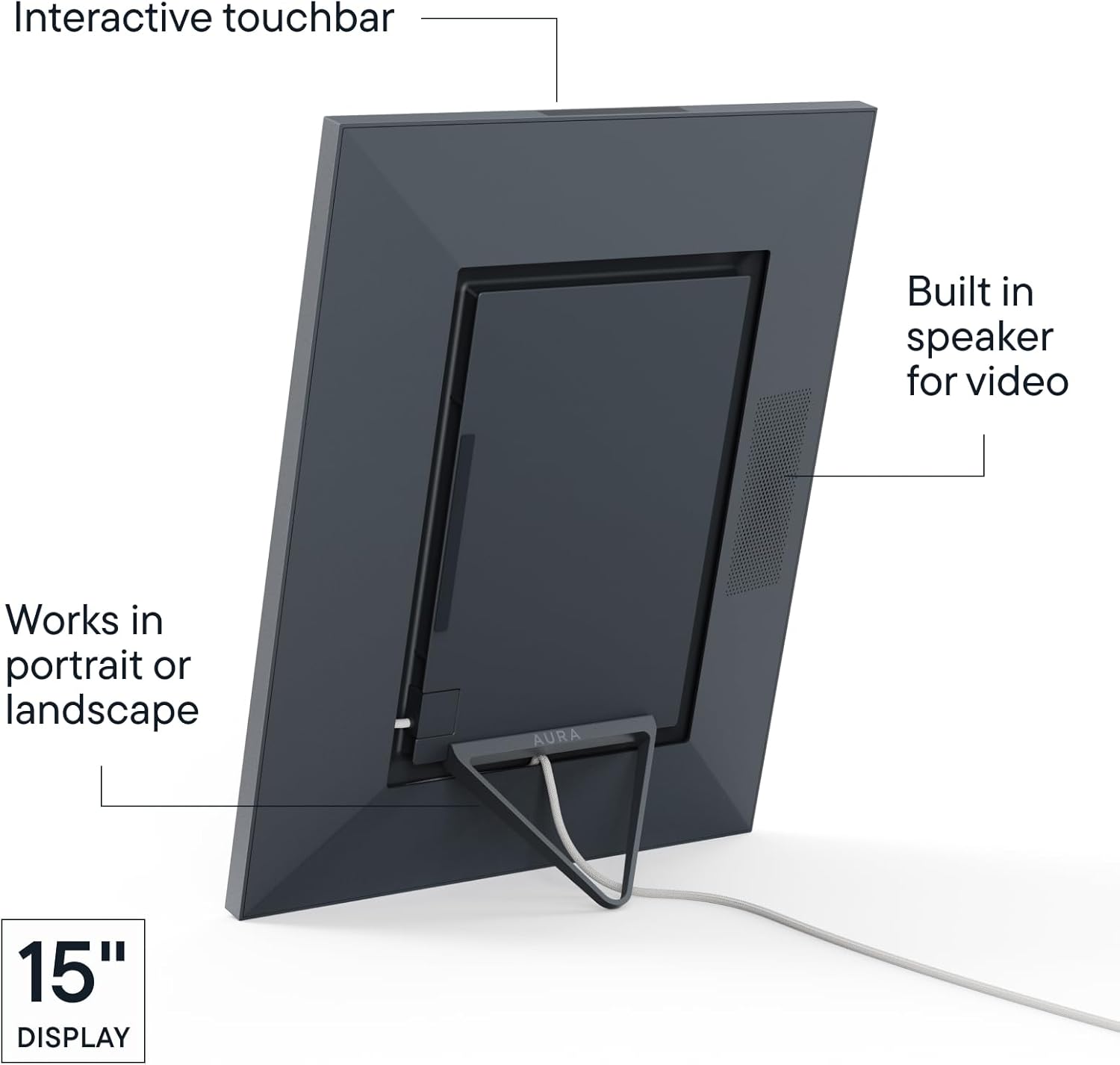
Image: The back of the Aura Walden frame, illustrating its integrated stand and power input for flexible placement.
Kullanım Talimatları
Your Aura Walden frame is designed for intuitive operation, with smart features that enhance your viewDeneyim.
- Otomatik Ekran: Çerçeve, yüklediğiniz fotoğraf ve videolar arasında otomatik olarak geçiş yapar.
- Akıllı Özellikler: The frame includes ambient light sensors to adjust screen brightness according to room conditions. It also automatically turns off at night and resumes display in the morning.
- Çift Yönlü: The Aura Walden frame automatically detects its orientation (portrait or landscape) and adjusts the display of photos and videos accordingly. It intelligently crops images to fit the screen while preserving important content.
- Etkileşimli Dokunmatik Çubuk: Located on the top edge of the frame, the interactive touch bar allows you to manually advance through photos, view details about the current photo, or 'like' a photo.
- Video Oynatma: Videos will play silently by default. The frame includes a built-in speaker for video playback, which can be activated or controlled via the Aura app.
- Uygulama Kontrolü: All frame settings, including slideshow timing, photo order (shuffle or chronological), autoplay videos, photo matching, and background options, can be managed remotely through the Aura app.
Video: Bir fazlaview of the design and thoughtful features integrated into Aura frames, highlighting material selection and user experience.
Özellikler
The Aura Walden frame is equipped with several features designed to provide a premium digital photo display experience:
- 15" Full HD Display: A large, color-calibrated, anti-glare screen with 1600 x 1200 resolution ensures vivid and clear image presentation.
- Paper-like Matting: The frame features a textured white mat that enhances the visual appeal of your photos, mimicking a traditional matted print.
- Unlimited Free Storage: Enjoy unlimited cloud storage for all your photos and videos without any subscription fees.
- Private and Secure: Your photos remain private and secure, shared only with those you invite to your frame.
- Düşünceli Tasarım: Crafted with high-quality materials, the frame is designed to complement any decor.
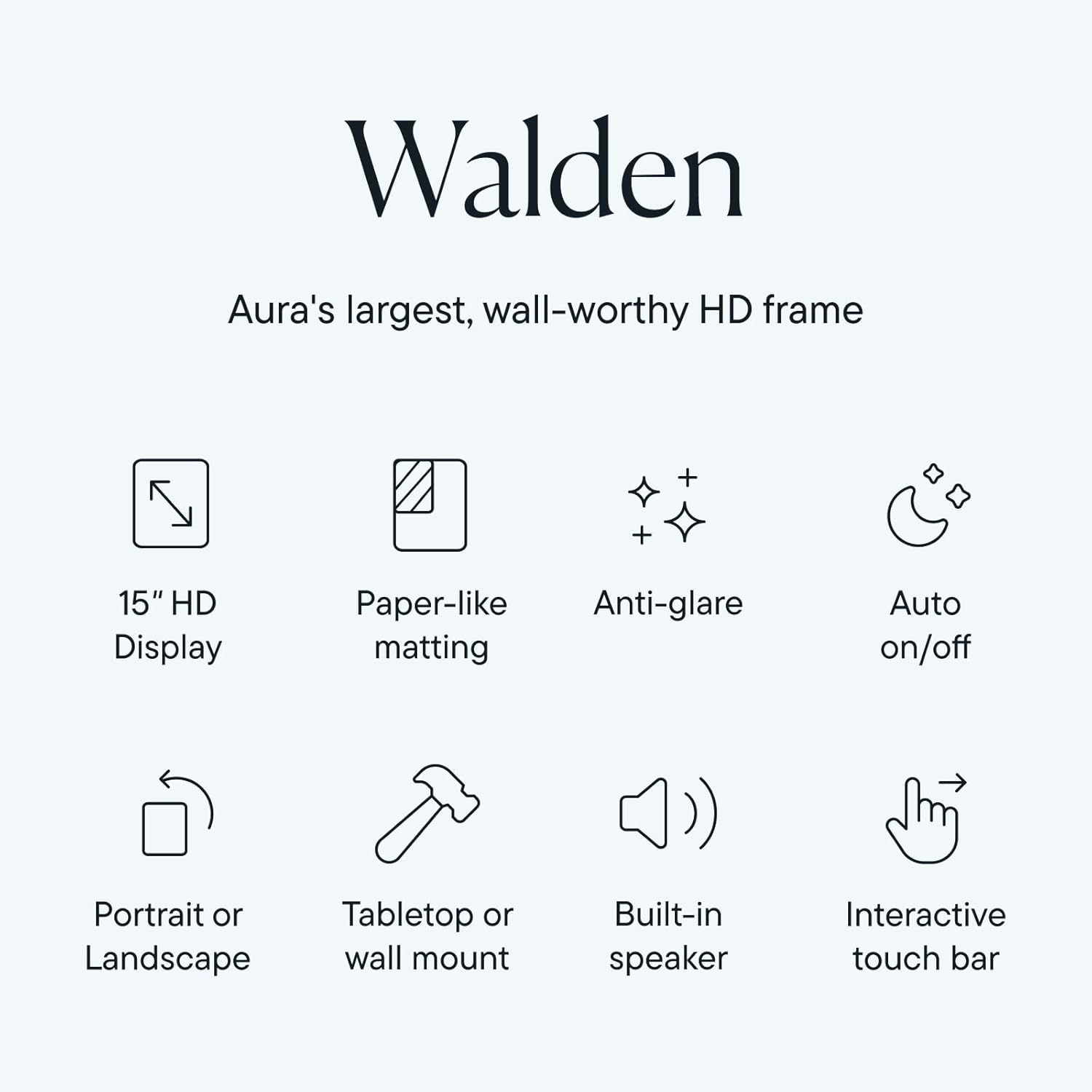
Image: An infographic highlighting the core features of the Aura Walden frame, including its display, matting, and smart functionalities.
Bakım
To ensure the longevity and optimal performance of your Aura Walden frame, follow these maintenance guidelines:
- Ekranın Temizlenmesi: Ekranı nazikçe silmek için yumuşak, tiftiksiz bir bez kullanın. İnatçı lekeler için hafifçe silin.ampBezi su veya ekran temizleyicisiyle silin. Sert kimyasallardan veya aşındırıcı malzemelerden kaçının.
- Çerçevenin Temizlenmesi: Çerçeve yüzeyini kuru, yumuşak bir bezle silin.
- Atama: Avoid placing the frame in direct sunlight for extended periods, as this can affect screen performance and longevity. Keep it away from extreme temperatures and high humidity.
- Güç: Always use the original power adapter provided with your frame.
Sorun giderme
If you encounter issues with your Aura Walden frame, try the following solutions:
- Çerçeve Açılmıyor: Güç adaptörünün hem çerçeveye hem de çalışan bir elektrik prizine güvenli bir şekilde bağlı olduğundan emin olun.
- Fotoğraf görüntülenmiyor: Check your Wi-Fi connection in the Aura app. Verify that photos have been successfully uploaded to the frame's album in the app.
- Kötü Görüntü Kalitesi: Ensure the original photos uploaded are of high resolution. The frame's display is Full HD, so lower resolution images may appear pixelated.
- Wi-Fi Bağlantı Sorunları: Restart your Wi-Fi router and the Aura frame. Re-attempt the Wi-Fi setup process through the Aura app. Ensure the frame is within range of your Wi-Fi signal.
- Uygulama Yanıt Vermiyor: Close and reopen the Aura app. If the issue persists, try reinstalling the app.
- Frame Not Responding to Touch Bar: Gently clean the touch bar area to ensure no obstructions. If unresponsive, try restarting the frame by unplugging and re-plugging the power.
Özellikler
| Özellik | Detay |
|---|---|
| Ürün Boyutları | 3.2 x 14.5 x 0.99 inç |
| Ürün Ağırlığı | 7.81 pound |
| Ürün Model Numarası | AF110-MBLK |
| Çözünürlük | 1600x1200 |
| Uyumlu Cihazlar | iOS ve Android ile çalışır |
| Ekran Boyutu | 15 inç |
| Üretici | AURA |
Garanti ve Destek
Aura offers various protection plans to safeguard your investment. For detailed warranty information, product support, or to inquire about extended protection plans, please visit the official Aura website or contact their customer service. Information regarding 2-Year and 3-Year Protection Plans, as well as Complete Protect options, may be available through your retailer.


