1. Giriş
The SOAR ShockBox XL Wireless Bluetooth Speaker is designed to provide a high-quality audio experience for various occasions, including sports events and gatherings. This manual provides detailed instructions for the setup, operation, and maintenance of your speaker.

Figure 1: SOAR NFL XL ShockBox Wireless Bluetooth Speaker (Tennessee Titans edition).
2. Paket İçeriği
Lütfen pakette tüm öğelerin mevcut olduğundan emin olun:
- SOAR NFL XL ShockBox Wireless Bluetooth Speaker
- Mikro-USB Şarj Kablosu
- Kullanım Kılavuzu (bu belge)
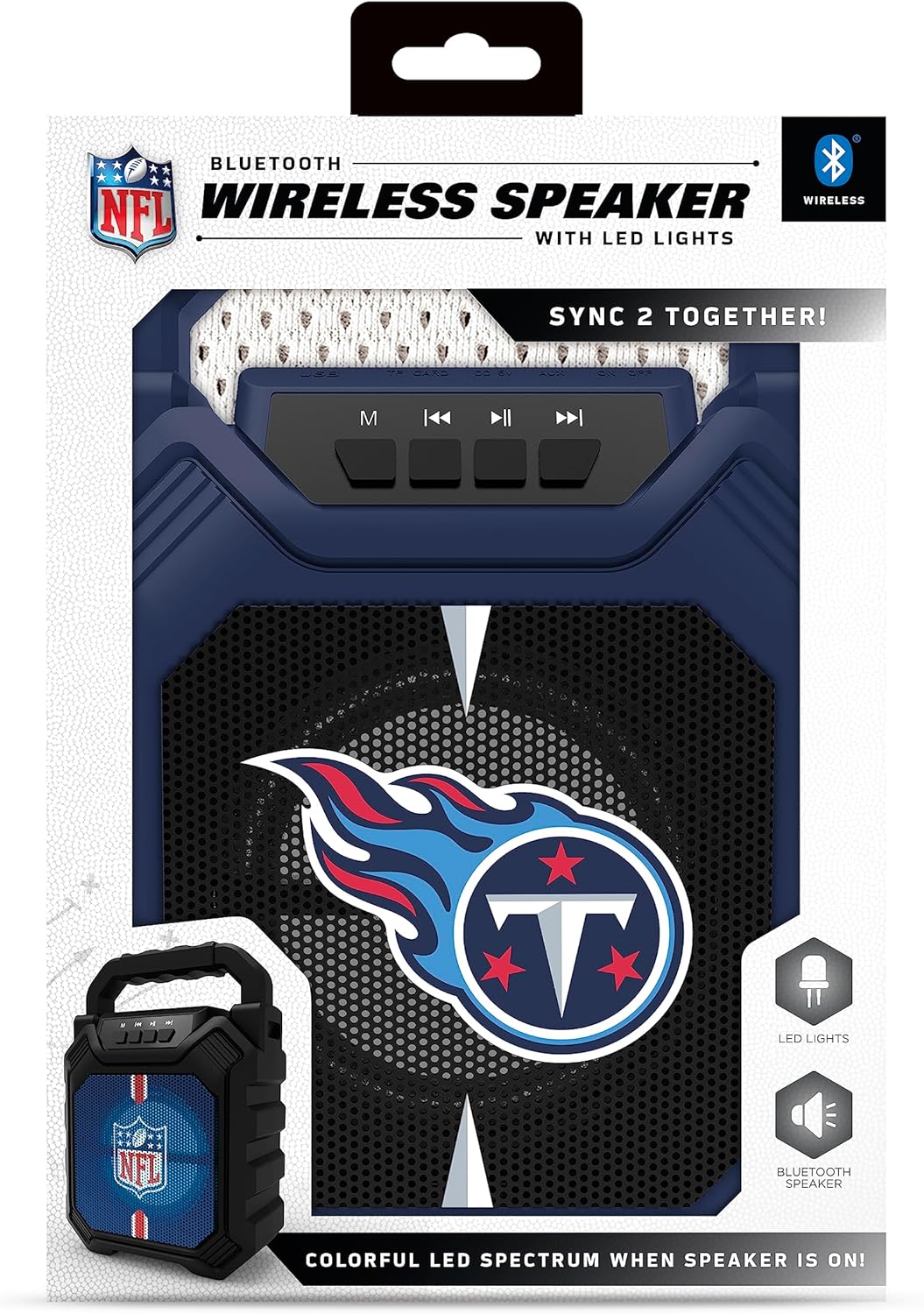
Figure 2: Speaker in its retail packaging, showing the product and its key features.
3. Ürün Özellikleri
- Bluetooth 5.0 Bağlantısı: Uyumlu cihazlardan kablosuz ses akışı sağlar.
- Çoklu Ses Girişleri: Includes AM/FM radio, USB port, and Aux input for versatile playback options.
- Taşınabilir Tasarım: Features a convenient top handle for easy transport and a shockproof construction for durability.
- Uzatılmış Çalma Süresi: Provides over 5 hours of continuous audio playback on a single charge.
- Dinamik LED Aydınlatma: Multicolor LED lights synchronize with the music, enhancing the visual experience.
- Stereo Sound Pairing: Supports "Sync 2 Together" functionality, allowing two speakers to be paired for enhanced stereo audio.
- Ses kalitesi: Delivers deep bass and crystal clear sound.
- Sesli Komutlar: Features voice-over speaker prompts for operational guidance.
- Hoparlör Sürücüsü: Equipped with a 25W speaker driver for powerful sound output.
4. Kontroller ve Bağlantı Noktaları
Familiarize yourself with the control panel and input ports located on the speaker:
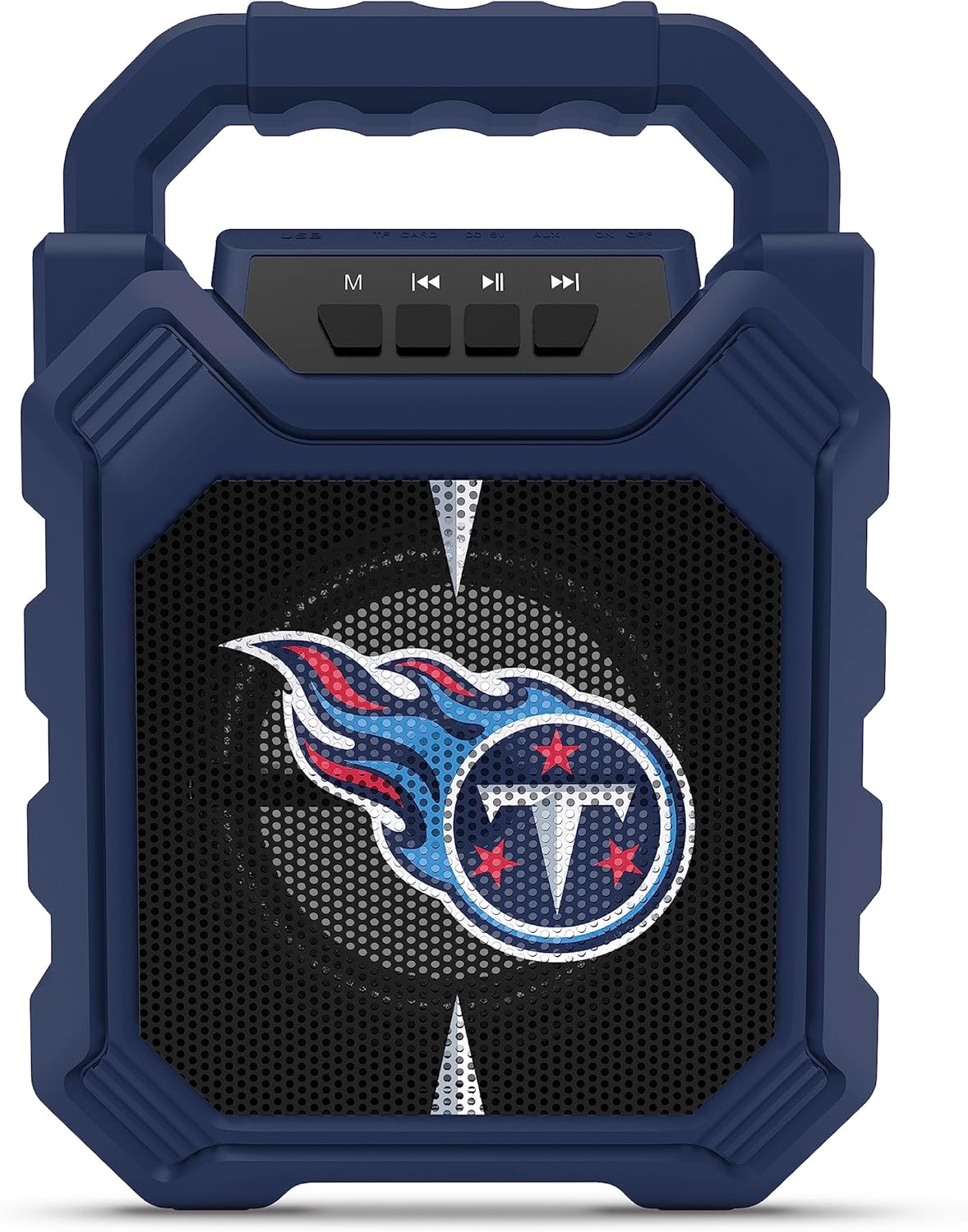
Figure 3: Top panel of the speaker with control buttons and input ports.
| Düğme/Bağlantı Noktası | İşlev |
|---|---|
| M (Mod) Düğmesi | Switches between Bluetooth, FM Radio, USB, and Aux input modes. |
| Önceki Parça / Sesi Azalt | Short press for previous track (Bluetooth/USB), long press to decrease volume. |
| Oynat/Duraklat Düğmesi | Ses oynatmayı oynatır veya duraklatır. |
| Sonraki Parça / Sesi Aç | Short press for next track (Bluetooth/USB), long press to increase volume. |
| USB Bağlantı Noktası | USB flash sürücülerden ses dosyaları oynatmak için. |
| TF Kart Yuvası | For playing audio from TF (MicroSD) cards. |
| AUX Girişi | Harici ses cihazlarını yardımcı kablo aracılığıyla bağlamak için 3.5 mm jak. |
| Mikro-USB Şarj Portu | Hoparlörün dahili pilini şarj etmek için. |
5. Kurulum
5.1 Hoparlörü Şarj Etme
- Connect the supplied micro-USB cable to the speaker's micro-USB charging port.
- Kablonun diğer ucunu bir USB güç adaptörüne (dahil değildir) veya bir bilgisayarın USB portuna bağlayın.
- Şarj esnasında LED göstergesi yanacak ve tam şarj olduğunda sönecektir.
- A full charge provides over 5 hours of playtime.
5.2 Açma/Kapatma
- To power on, locate the power switch (usually on the back or side) and slide it to the "ON" position.
- Cihazı kapatmak için güç düğmesini "KAPALI" konumuna getirin.
6. Kullanım Talimatları
6.1 Bluetooth Eşleştirme
- Ensure the speaker is powered on and in Bluetooth mode (press the 'M' button until you hear a Bluetooth prompt).
- Mobil cihazınızda Bluetooth'u etkinleştirin ve mevcut cihazları arayın.
- Select "SOAR ShockBox XL" from the list of devices.
- Eşleştirme işlemi tamamlandıktan sonra, hoparlör başarılı bir bağlantı olduğunu belirtecek ve ses akışına başlayabilirsiniz.
6.2 FM Radyo Çalışması
- FM radyo moduna geçmek için 'M' düğmesine basın.
- Mevcut FM istasyonlarını otomatik olarak taramak ve kaydetmek için Oynat/Duraklat düğmesine basılı tutun.
- Kaydedilmiş istasyonlar arasında gezinmek için Önceki/Sonraki Parça düğmelerini kullanın.
6.3 USB and AUX Input Usage
- USB Girişi: Ses içeren bir USB flash sürücü takın fileUSB portuna takın. Hoparlör otomatik olarak USB moduna geçecek ve oynatmaya başlayacaktır.
- AUX Girişi: Connect one end of a 3.5mm audio cable (not included) to the speaker's AUX input and the other end to your external audio device. Press the 'M' button to switch to AUX mode.
6.4 Dinamik LED Işıklar
The speaker features multicolor LED lights that pulse to the rhythm of the music. These lights are automatically activated when the speaker is in use. There is no separate control for the LED lights mentioned in the product features.

Şekil 4: Ör.ample of SOAR ShockBox XL speakers with dynamic LED lighting.
6.5 Sync 2 Together (True Wireless Stereo)
To pair two SOAR ShockBox XL speakers for true wireless stereo sound:
- Her iki hoparlörün de açık ve Bluetooth modunda olduğundan, ancak henüz herhangi bir cihaza bağlı olmadığından emin olun.
- On one speaker (this will be the primary speaker), press and hold the 'M' button until you hear a pairing tone.
- İki hoparlör otomatik olarak birbirine bağlanacaktır. Bağlantı kurulduktan sonra bir onay sesi duyacaksınız.
- Şimdi mobil cihazınızı Bölüm 6.1'de açıklandığı gibi Bluetooth aracılığıyla birincil hoparlöre bağlayın. Ses her iki hoparlörden de stereo olarak çalınacaktır.
7. Bakım
- Temizlik: Hoparlörün dış yüzeyini temizlemek için yumuşak ve kuru bir bez kullanın. Aşındırıcı temizleyiciler veya çözücüler kullanmayın.
- Depolamak: Hoparlörü serin, kuru ve doğrudan güneş ışığından ve aşırı sıcaklıklardan uzak bir yerde saklayın.
- Pil Bakım: Pil ömrünü uzatmak için, uzun süre kullanılmayacaksa hoparlörü tamamen şarj edin. Pilin sık sık tamamen boşalmasından kaçının.
- Suya Dayanıklılık: While the speaker has a shockproof design, specific water resistance ratings are not provided. Avoid exposing the speaker to water or excessive moisture.
8. Sorun Giderme
| Sorun | Olası Çözüm |
|---|---|
| Hoparlör açılmıyor. | Ensure the battery is charged. Connect the speaker to a power source using the micro-USB cable. |
| Bluetooth üzerinden eşleştirme yapılamıyor. |
|
| Ses yok veya ses seviyesi düşük. |
|
| FM radyo alımı zayıf. | Adjust the speaker's position. Ensure no strong interference sources are nearby. |
| "Sync 2 Together" pairing fails. |
|
9. Özellikler
| Özellik | Detay |
|---|---|
| Model Numarası | NFL-BTH6-DLPH |
| Bluetooth Sürümü | 5.0 |
| Ses girişleri | Bluetooth, FM Radio, USB, Aux |
| Oyun zamanı | Şarj başına 5 saatten fazla kullanım süresi |
| Şarj Portu | Mikro-USB |
| Hoparlör Sürücüsü | 25W |
| Üretici | Prime Brands Grup A.Ş. |
| İlk Mevcut Tarih | 6 Eylül 2023 |
10. Garanti ve Destek
For information regarding warranty coverage and customer support, please refer to the contact details provided by Prime Brands Group Inc., the manufacturer. Protection plans are available for purchase separately through the retailer.
For further assistance, please visit the official SOAR websitesine gidin veya müşteri hizmetleriyle iletişime geçin.


