1. Giriş
Welcome to the DOOGEE V MAX Plus 5G Rugged Smartphone user manual. This guide will assist you in understanding the features and functions of your new device, ensuring optimal performance and longevity. Please read this manual thoroughly before using your smartphone.

Figure 1: DOOGEE V MAX Plus 5G Rugged Smartphone
2. Cihaz Bittiview
The DOOGEE V MAX Plus is designed for durability and high performance. Key features include a large battery, advanced camera system, and robust construction.
2.1 Paket İçeriği
- DOOGEE V MAX Plus Rugged Phone
- USB-C Kablosu
- Güç Adaptörü
- SIM İtici Aracı
- Kullanım Kılavuzu (bu belge)
Video 1: Unboxing the DOOGEE S100 PRO (similar model, demonstrates package contents and initial handling).
3. Kurulum
3.1 SIM/SD Kartın Takılması
- Cihazın yan tarafında bulunan SIM kart tepsisini bulun.
- SIM kart çıkarma aracını tepsinin yanındaki küçük deliğe sokarak açın.
- Place your Nano-SIM card(s) and/or microSD card into the tray with the gold contacts facing down, ensuring correct orientation.
- Carefully push the tray back into the slot until it is flush with the device. Ensure the rubber seal is properly seated to maintain water and dust resistance.

Figure 2: SIM/SD card tray location (image shows Android 14, but the phone's side profile is visible).
3.2 İlk Güç Açma ve Temel Yapılandırma
- Yan tarafta bulunan Güç düğmesine, DOOGEE logosu görünene kadar basılı tutun.
- Dilinizi seçmek, Wi-Fi'ye bağlanmak ve Google hesabınızı kurmak için ekrandaki talimatları izleyin.
- Configure security settings such as fingerprint unlock or a PIN/pattern.
4. Akıllı Telefonunuzu Kullanma
4.1 Pil ve Şarj Etme
The DOOGEE V MAX Plus features a 22000mAh battery. Use the provided 33W fast charger for optimal charging. The device also supports OTG for reverse charging other devices.
- Şarj: Connect the USB-C cable to the phone's charging port and the power adapter. Plug the adapter into a wall outlet.
- Pil Ömrü: Expect extended usage times, including up to 2350 hours of standby and 130 hours of calls.
- OTG Fonksiyonu: Connect an OTG cable (not included) to the USB-C port to charge other devices.

Figure 3: Battery and 33W fast charging capabilities.
Video 2: Demonstrates the 22000mAh battery and camping light feature (from a similar model).
4.2 Kamera Fonksiyonları
The smartphone is equipped with a versatile camera system:
- 200MP Ana Kamera: Yüksek çözünürlüklü fotoğraflar için.
- 32MP Ön Kamera: Selfie ve görüntülü görüşmeler için.
- 20MP Gece Görüş Kamerası: Düşük ışık koşullarında net görüntüler için.
- 50MP Wide-Angle Camera: Geniş manzara fotoğrafları için.
- 8MP Telefoto Kamera: For detailed zoomed-in photos.
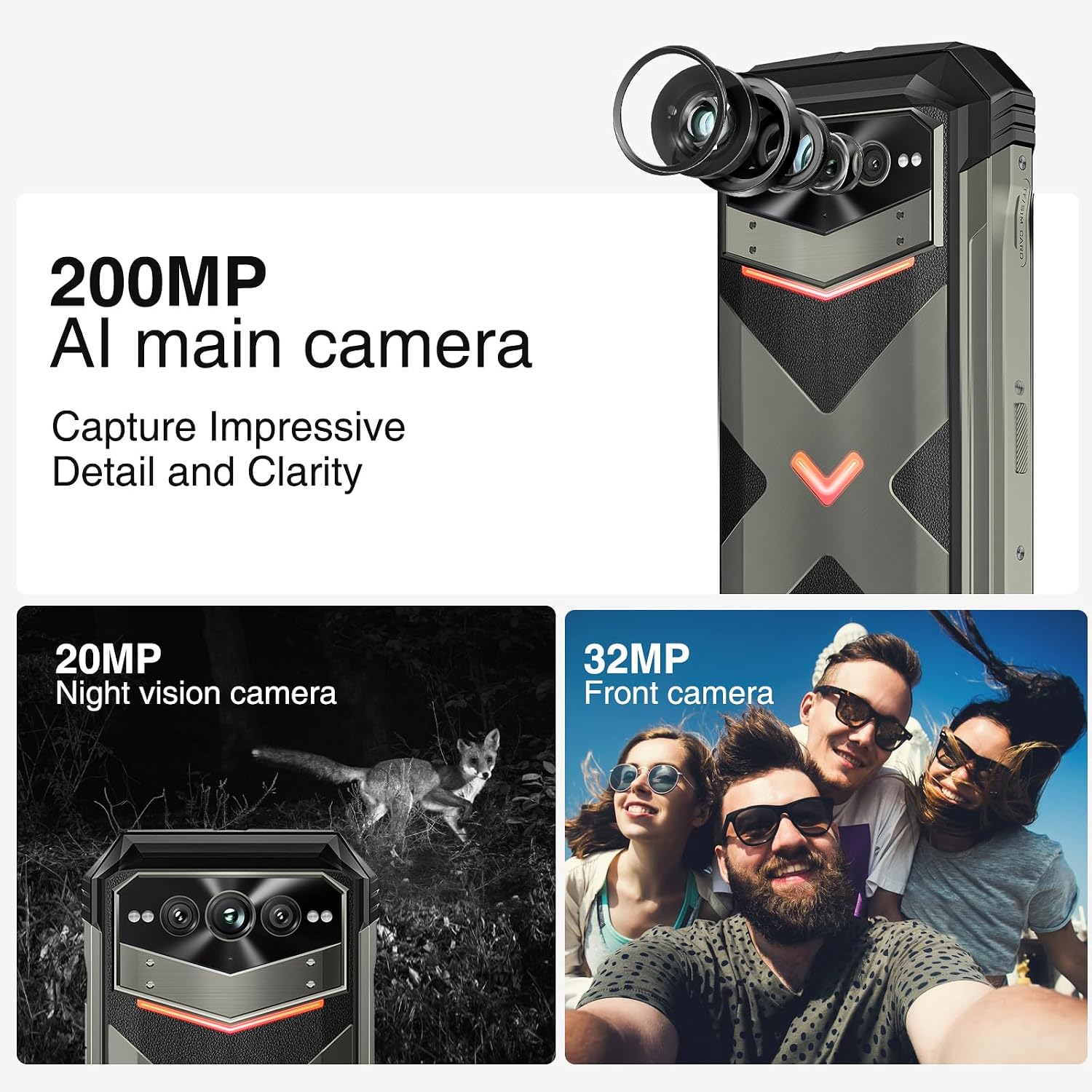
Şekil 4: Üzeriview of the 200MP AI main camera, 20MP night vision camera, and 32MP front camera.
4.3 Görüntüleme ve Etkileşim
The device features a 6.58-inch FHD+ display with a 120Hz refresh rate for smooth visuals.
- Ekran: 6.58-inch FHD+ (2408x1080) display with Corning Gorilla Glass.
- Intelligent Interaction Lights: Customizable LED lights on the back for notifications, calls, and charging status.
- Yan Parmak İzi Kilidi: For quick and secure access.

Figure 5: Display specifications including size, resolution, aspect ratio, and refresh rate.

Figure 6: Key interaction and connectivity features.
4.4 Bağlantı ve Performans
The DOOGEE V MAX Plus supports 5G connectivity and runs on Android 14, powered by a MediaTek Dimensity 7050 processor.
- İşletim Sistemi: Gelişmiş gizlilik ve kişiselleştirilmiş ayarlar için Android 14.
- İşlemci: MediaTek Dimensity 7050 6nm 2.2GHz for efficient performance.
- Bellek saklama alanı: 36 GB'a kadar RAM (12 GB fiziksel + 24 GB sanal) ve 512 GB dahili depolama alanı, microSD kart ile 2 TB'a kadar genişletilebilir.
- Kablosuz: Wi-Fi 6, Cellular (5G), NFC, GPS.

Figure 7: Processor, RAM, and ROM details.
5. Bakım
To ensure the longevity and optimal performance of your rugged smartphone, follow these maintenance guidelines:
- Temizlik: Yumuşak bir d kullanınamp cloth to clean the device. Avoid harsh chemicals or abrasive materials. Ensure all port covers are securely closed before cleaning with water.
- Su ve Toz Direnci: The device is IP68/IP69K rated. Ensure all port covers (USB-C, SIM tray) are fully sealed to maintain water and dust resistance. Do not intentionally submerge the device beyond its rated depth or duration.
- Pil Bakım: Avoid extreme temperatures. Do not fully discharge the battery regularly. For long-term storage, charge the battery to about 50% and power off the device.
- Yazılım Güncellemeleri: Cihazınızın en son güvenlik yamalarına ve performans iyileştirmelerine sahip olduğundan emin olmak için sistem güncellemelerini düzenli olarak kontrol edin ve yükleyin.
6. Sorun Giderme
This section addresses common issues you might encounter with your DOOGEE V MAX Plus.
| Sorun | Olası Neden | Çözüm |
|---|---|---|
| Cihaz açılmıyor | Düşük pil, yazılım çökmesi | Cihazı en az 30 dakika şarj edin. Yeniden başlatmayı zorlamak için Güç düğmesini 10-15 saniye basılı tutun. |
| Zayıf ağ sinyali | SIM card not properly inserted, network coverage issue | Reinsert the SIM card. Move to an area with better network coverage. Contact your carrier if the issue persists. |
| Camera glitches (e.g., video not saving) | Software bug, insufficient storage | Clear camera app cache/data. Ensure sufficient storage space. Check for system updates. If persistent, consider a factory reset (backup data first). |
| Screen scrolling is jerky | High background app usage, software issue | Close unnecessary background apps. Restart the device. Ensure software is up to date. |
| Device is heavy/bulky | Inherent design due to large battery and rugged build | This is a characteristic of rugged phones with large batteries. No specific solution, but users may adapt over time. |
7. Özellikler
| Özellik | Detay |
|---|---|
| Model Adı | VMAXPLUS |
| İşletim Sistemi | Android 14 |
| İşlemci | MediaTek Dimensity 7050 (2.2 GHz İşlemci Hızı) |
| Veri deposu | 12 GB (36 GB'a kadar genişletilebilir) |
| Dahili Depolama | 512 GB (microSD kart ile 2 TB'a kadar genişletilebilir) |
| Ekran Boyutu | 6.58 inç |
| Çözünürlük | 2408*1080 (FHD+) |
| Yenileme Hızı | 120 Hz |
| Ana Kamera | 200 MP |
| Ön Kamera | 32 MP |
| Gece Görüş Kamerası | 20 MP |
| Pil Kapasitesi | 22000 mAh |
| Şarj etme | 33W Hızlı Şarj |
| Bağlantı | 5G, Wi-Fi 6, NFC, GPS |
| Suya/Toza Dayanıklılık | IP68/IP69K, MIL-STD-810H |
| Boyutlar | 6.85 x 31.97 x 8.15 inç |
| Ağırlık | 15.2 ons (430 Gram) |
8. Garanti ve Destek
8.1 Garanti Bilgileri
Your DOOGEE V MAX Plus 5G Rugged Smartphone comes with a standard manufacturer's warranty. Please refer to the warranty card included in your product packaging for specific terms, conditions, and duration of coverage. Keep your proof of purchase for warranty claims.
8.2 Müşteri Desteği
Daha fazla yardım, teknik destek veya hizmet sorularınız için lütfen DOOGEE müşteri desteğiyle resmi web siteleri aracılığıyla iletişime geçin. website or the contact information provided in your product documentation. You may also visit the DOOGEE Mağazası Amazon'da Ek ürün bilgisi ve kaynakları için.


