1. Giriş
This manual provides detailed instructions for the safe and effective use of your TOPTRO X5 Projector. Please read this manual thoroughly before operating the device and retain it for future reference. The TOPTRO X5 Projector is designed to deliver a high-quality visual experience with advanced connectivity features.

Image 1.1: TOPTRO X5 Projector with accessories and a sample projection.
2. Temel Özellikler
- Native 1080P & 4K Support: Delivers clear, high-definition images with support for 4K video input and a 15000:1 dynamic contrast ratio.
- High Brightness & Color Range: Features 460 ANSI lumens (18000 Lumens) and 90% NTSC technology for vibrant colors.
- Ultra hızlı 5G WiFi: Equipped with an advanced 5G WiFi chip for stable and smooth wireless screen mirroring.
- Çift yönlü Bluetooth 5.1: Connects to external Bluetooth speakers/headphones or functions as a Bluetooth speaker for mobile devices.
- Large Screen & Keystone Correction: Supports 50-300 inch projection size with 4:3/16:9 aspect ratio and 4P/4D keystone correction for image alignment.
- Geniş Uyumluluk: Connects to TV sticks, PCs, laptops, Android/iOS phones, PS4, Switch, and supports direct playback of Microsoft Office and Adobe PDF fileUSB'den s.

Resim 2.1: Üzeriview of TOPTRO X5 Projector's core features.
3. Kurulum Kılavuzu
3.1 Yerleştirme
Position the projector on a stable, flat surface. Ensure adequate ventilation around the device. The projection distance will determine the screen size, with support for 50 to 300 inches. For optimal image quality, project onto a smooth, light-colored surface or a dedicated projector screen.
3.2 Güç Bağlantısı
- Güç kablosunu projektörün güç giriş portuna bağlayın.
- Güç kablosunun diğer ucunu uygun bir elektrik prizine takın.
- Cihazı açmak için projektördeki veya uzaktan kumandadaki güç düğmesine basın.
3.3 Odak Ayarı
After powering on, adjust the focus ring on the projector lens until the projected image appears sharp and clear. This may need to be re-adjusted if the projector's distance to the screen changes.
4. Bağlantı
4.1 Wireless Screen Mirroring (5G WiFi)
The TOPTRO X5 supports both 2.4G and 5G WiFi for stable and fast screen mirroring from compatible devices (iOS, Android, Windows). To connect:
- Navigate to the 'Screen Mirroring' or 'WiFi Display' option in the projector's menu.
- Ensure your mobile device or computer is connected to the same WiFi network as the projector.
- On your device, activate its screen mirroring function (e.g., 'Screen Mirroring' for iOS, 'Smart View'/'Cast' for Android, 'Project' for Windows).
- Select the projector's name from the list of available devices to establish the connection.

Image 4.1: Wireless screen mirroring via 2.4G/5G dual-band WiFi.
4.2 Bidirectional Bluetooth 5.1
The projector's Bluetooth 5.1 allows for both transmitting and receiving audio.
Transmitter Mode (Connect to external audio devices):
- Projeksiyon cihazının menüsünden Bluetooth ayarlarına gidin.
- Enable Bluetooth and search for nearby devices.
- Eşleştirmek için listeden Bluetooth hoparlörünüzü veya kulaklığınızı seçin.
Receiver Mode (Use projector as a Bluetooth speaker):
- Activate 'Speaker Mode' in the projector's Bluetooth settings.
- On your mobile device, search for Bluetooth devices and select the projector's name (e.g., 'X5-Bluetooth-XXXX').
- Pair your device to play audio through the projector's built-in speakers.

Image 4.2: Bidirectional Bluetooth 5.1 connectivity options.
4.3 Kablolu Bağlantı
The projector features multiple ports for wired connectivity:
- HDMI: Connects to laptops, gaming consoles (PS4, Switch), TV sticks, and other HDMI-enabled devices.
- USB BAĞLANTI: Medya oynatmak için files directly from a USB flash drive. Supports Microsoft Office (Excel, Word, PPT) and Adobe PDF files.
- AV Bağlantı Noktası: Eski cihazları AV kablosu kullanarak bağlamak için.
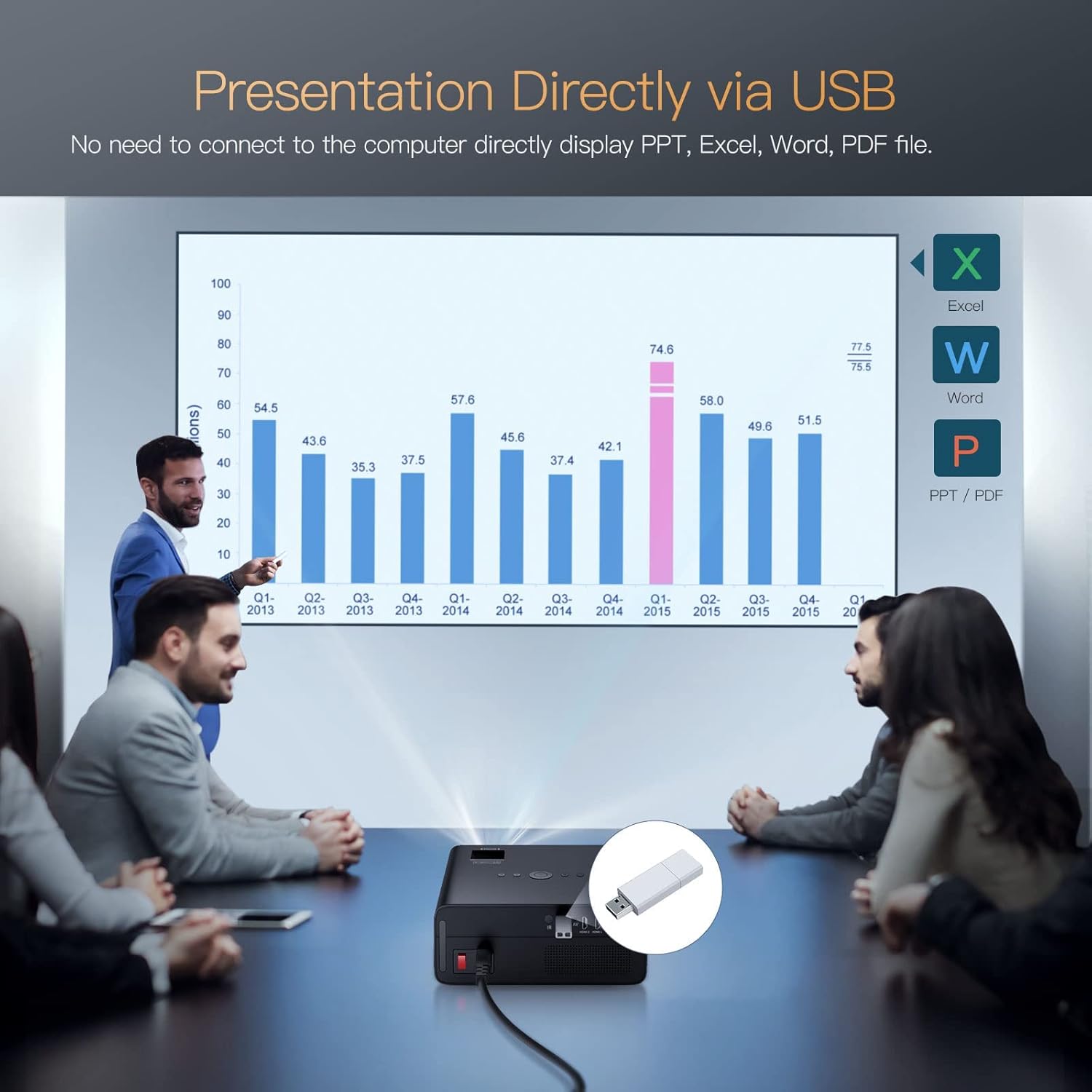
Image 4.3: Direct presentation from USB drive.
5. Operasyon
5.1 Temel Gezinme
Use the included remote control to navigate the projector's menu, select input sources, adjust volume, and access various settings. The projector also has physical buttons for basic controls.
5.2 Image Adjustment (Keystone & Zoom)
The TOPTRO X5 features 4P/4D keystone correction to adjust the image shape and size, ensuring a rectangular projection even when the projector is not perfectly aligned with the screen. Use the remote control to access these settings and make adjustments. The projector also supports a zoom function to resize the image without moving the unit.

Image 5.1: 4D and 4P Digital Keystone Correction in action.
6. Bakım
6.1 Temizlik
- Mercek: Projeksiyon merceğini nazikçe silmek için optik lensler için özel olarak tasarlanmış, yumuşak ve tüy bırakmayan bir bez kullanın. Aşındırıcı malzemelerden veya sert kimyasallardan kaçının.
- Dış: Projektörün dış yüzeyini yumuşak, kuru bir bezle silin. Cihazın üzerine doğrudan sıvı temizleyiciler kullanmayın.
- Havalandırmalar: Periodically check and clean the ventilation openings to ensure proper airflow and prevent overheating. Use a soft brush or compressed air to remove dust.
6.2 Depolama
Projeksiyon cihazını uzun süre kullanılmadığı zamanlarda serin, kuru ve tozsuz bir ortamda saklayın. Hasarı önlemek için orijinal ambalajını veya koruyucu bir kılıfı kullanın.
7. Sorun Giderme
- Güç Yok: Ensure the power cord is securely connected to both the projector and the power outlet. Check if the power outlet is functional.
- Resim Yok: Verify the input source is correctly selected in the projector's menu. Check all cable connections (HDMI, AV, USB) for proper seating.
- Bulanık Görüntü: Adjust the focus ring on the lens. Ensure the projection surface is flat and the projector is within the recommended distance. Use keystone correction if the image is distorted.
- Ses Yok: Check the volume settings on both the projector and the connected source device. If using Bluetooth, ensure it's correctly paired. If using wired audio, check cable connections.
- WiFi/Bluetooth Bağlantı Sorunları: Ensure both devices are within range. Restart the projector and the connected device. Check for any interference from other wireless devices.
- Image Discoloration or Burn-in: If you observe persistent discoloration or 'burn-in' on the projected image, this may indicate an issue with the internal components. If this occurs, please contact TOPTRO customer support for assistance.
8. Özellikler
| Özellik | Şartname |
|---|---|
| Marka | TOPTRO |
| Örnek | X5 |
| Yerel Çözünürlük | 1920 x 1080 (Orijinal 1080P) |
| Desteklenen Çözünürlük | 3840 x 2160 Piksele Kadar (4K) |
| Parlaklık | 18000 Lümen (460 ANSI Lümen) |
| Kontrast Oranı | 15000:1 |
| Ekran Teknolojisi | LCD |
| Görüntü En Boy Oranı | 16:9, 4:3 |
| Kablosuz Bağlantı | 2.4G & 5G Dual-band WiFi, Bluetooth 5.1 (Bidirectional) |
| Donanım Arayüzü | AV Port, HDMI, USB (2 ports) |
| Özel Özellikler | 90% NTSC Wide Color Gamut, 4P/4D Keystone Correction, Wireless Screen Mirroring, Direct USB File Playback (Office/PDF) |
| Montaj Tipi | Ön/Arka Masada, Ön/Arka Tavanda |
| Ürün Boyutları | 26x22.75x11.2 cm |
| Ürün Ağırlığı | 3.17 kilo |
| Güç Kaynağı | Kablolu Elektrikli (220 watt) |
| Yenileme Hızı | 60 Hz |
9. Garanti ve Destek
TOPTRO provides comprehensive support for your X5 Projector:
- İade politikasi: 6 aylık iade süresi.
- Tamir servisi: 3 yıl onarım garantisi.
- Teknik Destek: Ömür boyu profesyonel teknik destek.
For any inquiries or assistance, please contact TOPTRO customer service through the official channels provided at the point of purchase or on the TOPTRO webalan.