1. Giriş
Thank you for choosing the Delton Ergonomic Vertical Rechargeable Wireless Mouse S12. This manual provides detailed instructions for setting up, operating, and maintaining your new mouse. Designed for comfort and efficiency, this vertical mouse promotes a more natural hand and wrist posture, reducing strain during extended computer use.
Please read this manual thoroughly before use to ensure optimal performance and longevity of your device.
2. Paket İçeriği
Paketinizde tüm öğelerin mevcut olduğundan emin olun:
- Delton Ergonomic Vertical Wireless Mouse
- USB Dongle (2.4GHz receiver)
- USB Şarj Kablosu
- Kullanım Kılavuzu (bu belge)
3. Ürün Bittiview
The Delton S12 mouse features an ergonomic vertical design, six programmable buttons, and adjustable DPI settings for precise control. It connects wirelessly via a 2.4GHz USB dongle and is powered by a rechargeable battery.

Image: The Delton S12 Ergonomic Vertical Wireless Mouse, shown with its accompanying USB dongle.
3.1 Ergonomik Tasarım
The vertical orientation of the mouse is designed to align your hand and wrist in a natural handshake position, which can help reduce muscle strain and discomfort often associated with traditional mice.

Image: A hand comfortably gripping the Delton vertical mouse, demonstrating the natural, ergonomic wrist position it promotes.
3.2 Kablosuz Bağlantı
The mouse connects wirelessly to your device via a 2.4GHz USB dongle, offering a stable connection up to 30 feet (10 meters). This provides flexibility and reduces cable clutter.

Image: The Delton vertical mouse wirelessly connected to a laptop, with the USB dongle inserted into the laptop's port.
3.3 Şarj Edilebilir Pil
Equipped with a built-in rechargeable Lithium-Ion battery, the mouse offers up to 30 days of daily use and 12 months of standby time on a single charge. It can also be used while charging.

Image: The Delton vertical mouse being charged via a USB cable, illustrating its rechargeable feature.
3.4 Six Buttons Functionality
The mouse features six responsive buttons for enhanced productivity:
- Sol Tıklama
- Sağ Tık
- Kaydırma Tekerleği (tıklama fonksiyonlu)
- DPI Anahtarı Düğmesi
- İleri Düğmesi
- Geri Düğmesi

Image: A detailed diagram highlighting the location and function of the six buttons on the Delton vertical mouse.
3.5 Customizable DPI Levels
Adjust the mouse sensitivity with three DPI settings: 800, 1200, and 2400. An indicator light changes color to show the current DPI level.
- Mavi: 800 DPI
- Kırmızı: 1200 DPI
- Yeşil: 2400 DPI
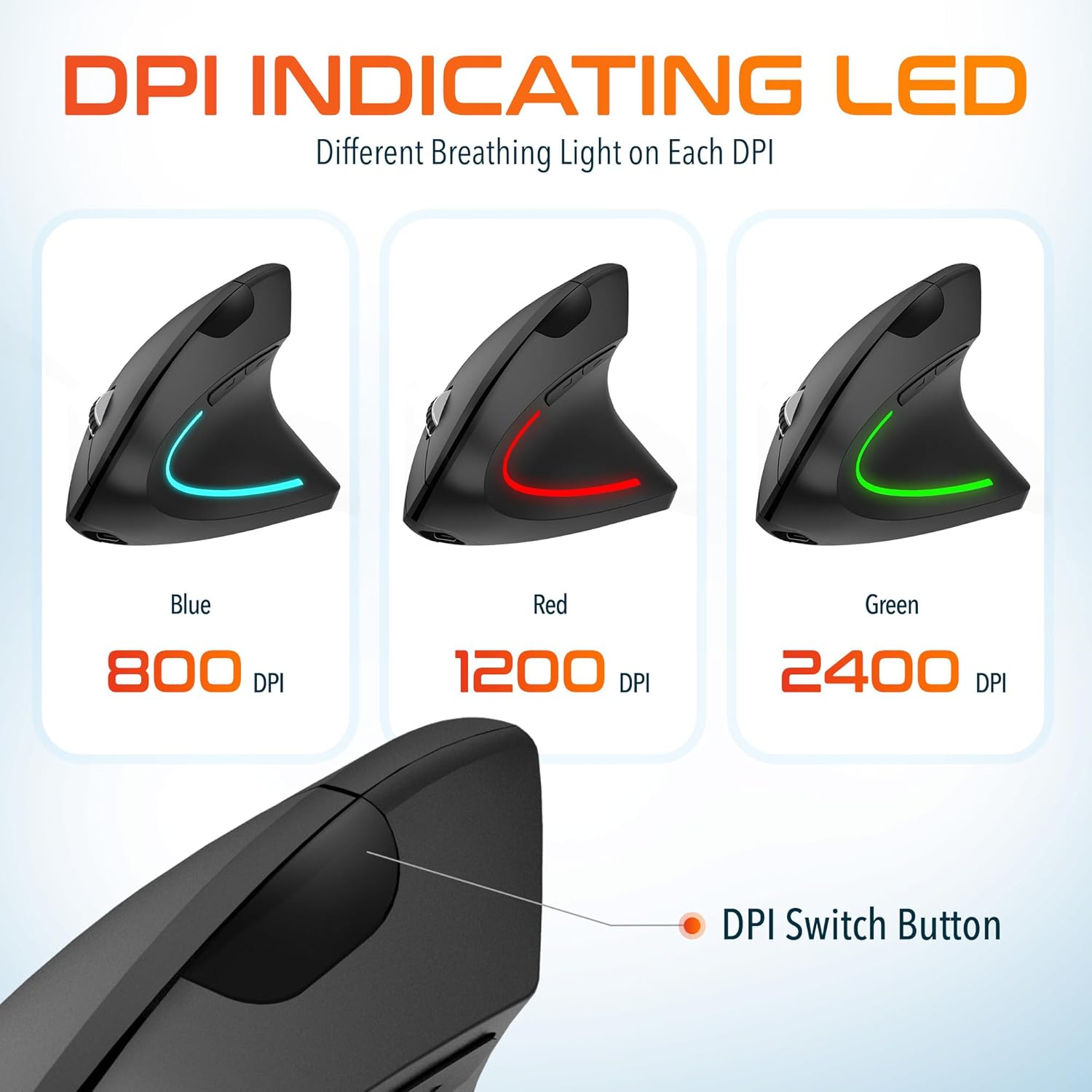
Image: The Delton vertical mouse displaying its LED indicator in blue (800 DPI), red (1200 DPI), and green (2400 DPI) to show current sensitivity settings.
4. Kurulum Talimatları
4.1 Fareyi Şarj Etme
- Kutuda bulunan USB şarj kablosunu farenin ön tarafındaki şarj portuna bağlayın.
- Plug the other end of the USB cable into a USB power source (e.g., computer USB port, wall adapter, power bank).
- The LED indicator will illuminate during charging and turn off when fully charged. A full charge typically takes approximately 1 hour.
4.2 Connecting the USB Dongle
- Locate the USB dongle, usually stored in a compartment on the underside of the mouse.
- Insert the USB dongle into an available USB port on your computer (PC, Laptop, Mac, Chromebook).
- The system will automatically detect and install the necessary drivers. This process may take a few moments.
4.3 Açma/Kapatma
Farenin alt tarafında bulunan güç düğmesini bulun. Fareyi açmak için düğmeyi 'AÇIK' konumuna getirin. Pil ömrünü korumak için kullanılmadığı zamanlarda 'KAPALI' konumuna getirin.
5. Kullanım Talimatları
5.1 DPI Ayarı
To change the mouse sensitivity (DPI), press the DPI switch button located on the top of the mouse, behind the scroll wheel. Each press cycles through the available DPI settings (800, 1200, 2400), indicated by the changing color of the LED light.
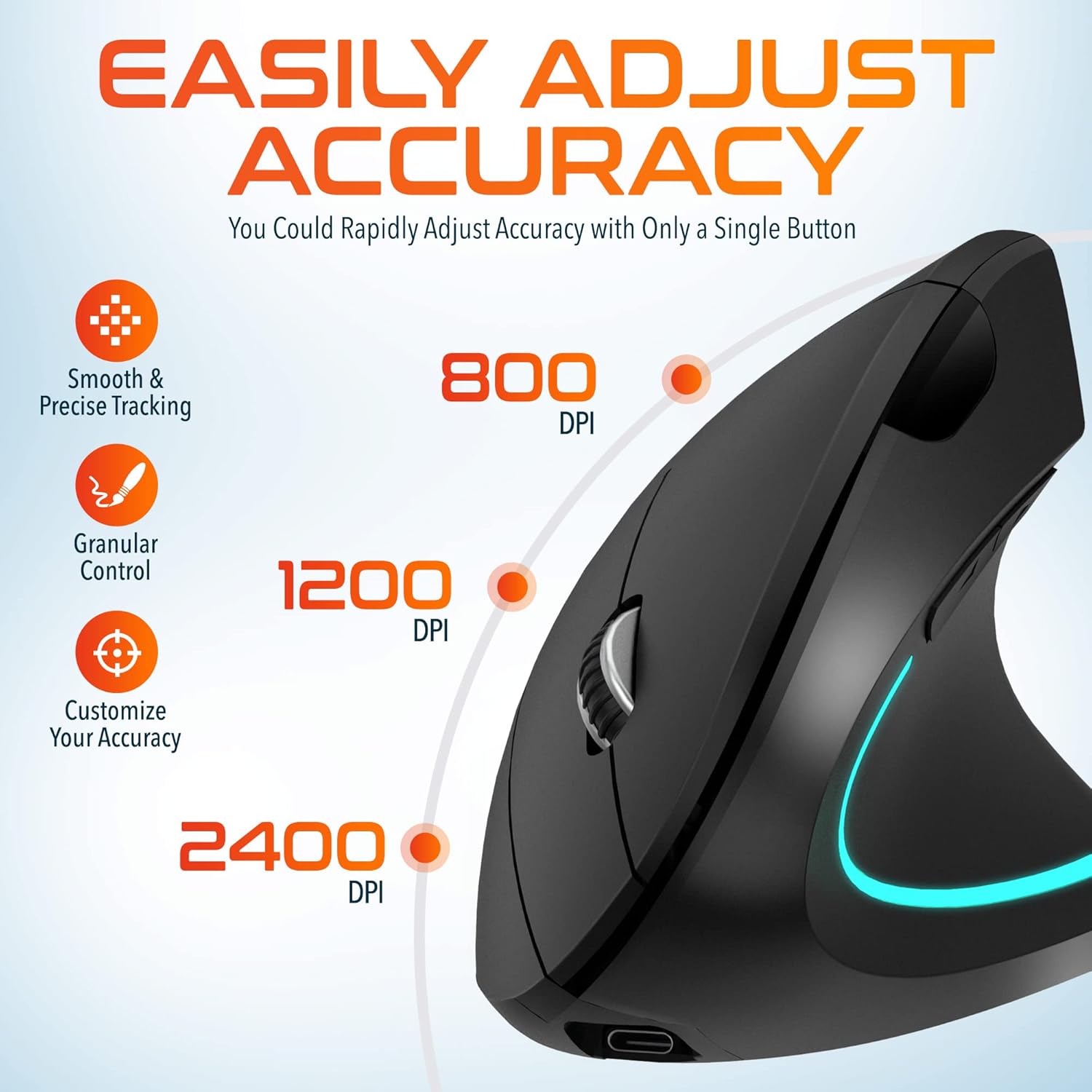
Image: A visual representation of the three adjustable DPI settings (800, 1200, 2400) and their corresponding cursor precision levels.
5.2 Düğme Fonksiyonları
- Sol tık: Standart birincil tıklama işlevi.
- Sağ tık: Standart ikincil tıklama fonksiyonu.
- Kaydırma tekerleği: Belgeler arasında yukarı veya aşağı kaydırın ve web Sayfalar. Fare tekerleğine basmak orta tıklama görevi görür.
- İleri Düğmesi: İleriye doğru gezinir web tarayıcılar veya file kaşifler.
- Geri Düğmesi: Geriye doğru gezinir web tarayıcılar veya file kaşifler.

Resim: Yakın çekim view of the mouse's scroll wheel and the conveniently placed forward and backward shortcut keys.
6. Bakım
- Temizlik: Fareyi temizlemek için yumuşak ve kuru bir bez kullanın. İnatçı kirler için hafifçe silin.ampBezi suyla yıkayın. Sert kimyasallar veya aşındırıcı malzemeler kullanmaktan kaçının.
- Depolamak: When not in use for extended periods, store the mouse in a cool, dry place. Ensure the power switch is in the 'OFF' position to preserve battery life.
- Pil Bakım: Pilini sık sık tamamen boşaltmaktan kaçının. Pil ömrünü korumak için fareyi düzenli olarak şarj edin.
7. Sorun Giderme
| Sorun | Olası Neden | Çözüm |
|---|---|---|
| Fare yanıt vermiyor | Low battery; USB dongle not connected; Mouse not powered on; Driver issue | Charge the mouse; Ensure dongle is securely plugged in; Turn on the mouse; Try a different USB port; Restart computer |
| Aralıklı bağlantı | Interference; Dongle too far from mouse; Low battery | Move mouse closer to dongle; Remove obstacles; Charge the mouse; Avoid using near other 2.4GHz devices |
| DPI değişmiyor | DPI button not pressed correctly; Mouse unresponsive | Press the DPI button firmly; Check battery and connection |
| Fare imleci düzensiz | Dirty optical sensor; Uneven surface | Clean the optical sensor with a soft cloth; Use on a clean, flat mouse pad or surface |
8. Özellikler
| Özellik | Detay |
|---|---|
| Model Numarası | S12 |
| Bağlantı | 2.4GHz Wireless (USB Dongle) |
| DPI Seviyeleri | 800 / 1200 / 2400 |
| Düğmeler | 6 (Sol, Sağ, Kaydırma Tekerleği, DPI, İleri, Geri) |
| Pil Türü | Şarj edilebilir Lityum İyon (dahil) |
| kablosuz Menzil | 30 ft'ye kadar (10 metre) |
| Ürün Boyutları | 5 x 2.6 x 3.25 inç |
| Ürün Ağırlığı | 4.9 ons |
| Uyumluluk | PC, Laptop, Mac, Chromebook (Windows, macOS, iOS) |
9. Garanti ve Destek
Delton products are designed for reliability and performance. For warranty information or technical support, please refer to the contact details provided with your purchase or visit the official Delton webSite. Satın alma fişinizi, garanti talepleriniz için satın alma belgeniz olarak saklayın.


