1. Giriş
Thank you for choosing the Baseus Portable Charger. This 10000mAh slim battery pack is designed to provide fast and efficient charging for your mobile devices on the go. Featuring 20W Power Delivery (PD) and Quick Charge (QC) capabilities, it ensures your devices are powered quickly and safely. This manual provides essential information on product features, setup, operation, maintenance, and troubleshooting.

Resim: Ön view of the Baseus Portable Charger, showcasing its sleek design, LED indicator lights, and charging ports.
2. Güvenlik Bilgileri
Güvenli kullanım ve hasarın önlenmesi için lütfen bu ürünü kullanmadan önce tüm güvenlik uyarılarını ve talimatlarını okuyun. Bu kılavuzu ileride başvurmak üzere saklayın.
- Güç bankasını aşırı sıcaklıklara (60°C/140°F üzeri) veya doğrudan güneş ışığına maruz bırakmayın.
- Cihazınızı düşürmekten, parçalamaktan veya kendiniz onarmaya çalışmaktan kaçının.
- Su, nem ve yanıcı maddelerden uzak tutunuz.
- Power bank hasarlı, şişmiş veya sızıntı yapıyorsa kullanmayın.
- Sadece sertifikalı şarj kabloları ve adaptörleri kullanın.
- Çocukların erişemeyeceği yerde saklayınız.
- Ürünü yerel düzenlemelere uygun olarak sorumlu bir şekilde atın.

Image: Diagram illustrating the 8 built-in safety protections of the Baseus Portable Charger, including overcharge, overdischarge, overvoltage, overheating, overpower, restoration, short circuit, and overcurrent protection.
3. Paket İçeriği
Paketinizde tüm öğelerin mevcut olduğundan emin olun:
- 1x Baseus 20W Power Bank
- 1x 30cm USB A to USB C cable

Image: Visual representation of the package contents, showing the power bank, USB-A to USB-C cable, and user manual.
4. Ürün Bittiview
The Baseus Portable Charger features a compact design with multiple ports for versatile charging.
4.1. Fiziksel Özellikler
- LED Gösterge Işıkları: Four blue LED lights indicate the remaining battery capacity. Each light represents approximately 25% charge.
- Güç Düğmesi: Power bank'i etkinleştirir ve pil seviyesini kontrol eder.

Resim: Yakın çekim view of the power bank's LED indicator lights and the orange power button.
4.2. Limanlar
- USB-C Bağlantı Noktası: Supports 20W Power Delivery output and 18W input for fast recharging.
- USB-A Bağlantı Noktası: Supports 18W output for charging devices.
- Mikro USB Bağlantı Noktası: Supports 18W input for recharging the power bank.

Resim: Üzeriview of the power bank's ports (Micro USB, USB-A, USB-C) and a list of widely compatible devices including iPhones, Samsung Galaxy, Google Pixel, Nintendo Switch, earbuds, and handheld fans.
5. Kurulum
5.1. Power Bank'in İlk Şarjı
Before first use, fully charge your Baseus Portable Charger.
- Connect the included USB-A to USB-C cable to the USB-C input port of the power bank.
- Connect the other end of the cable to a compatible 18W (or higher) wall charger (not included).
- Şarj ilerlemesini göstermek için LED gösterge ışıkları yanacaktır. Tamamen şarj olduğunda dört ışığın tamamı sürekli yanacaktır.
A full charge takes approximately 2 hours and 48 minutes with an 18W charger.

Image: The Baseus Portable Charger connected to a wall adapter for recharging, with an indication that it fully recharges in 2.8 hours.
6. Kullanım Talimatları
6.1. Cihazlarınızı Şarj Etme
The power bank supports fast charging for a wide range of devices.
- Cihazınızın şarj kablosunu powerbank üzerindeki USB-C veya USB-A çıkış portuna bağlayın.
- Kablonun diğer ucunu cihazınıza bağlayın.
- Powerbank cihazınızı otomatik olarak şarj etmeye başlayacaktır.
- To check the power bank's remaining battery, press the power button once.
The 20W PD USB-C output can charge an iPhone 15 up to 50% in approximately 30 minutes.
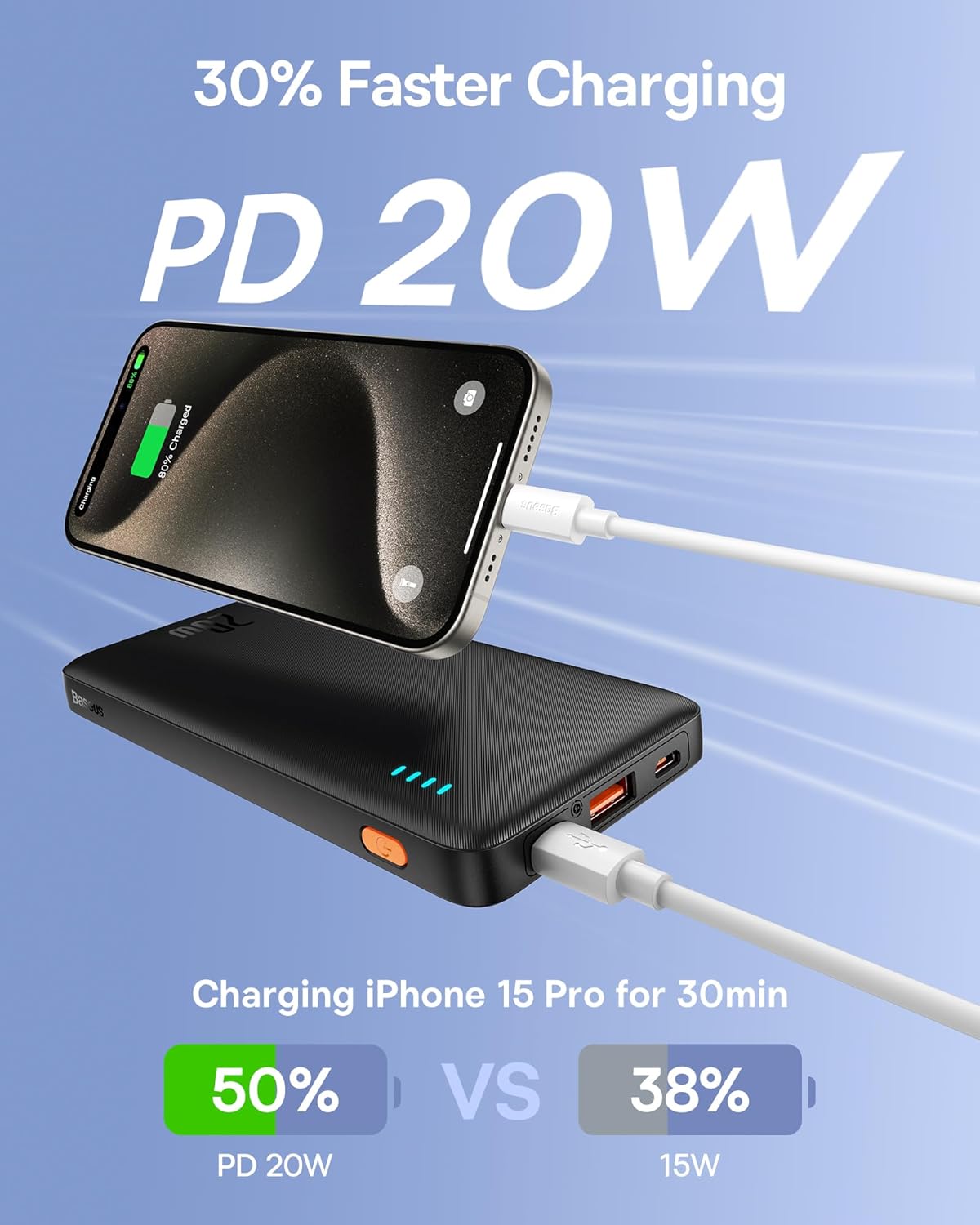
Image: An iPhone 15 Pro being fast-charged by the Baseus Portable Charger, demonstrating 50% charge in 30 minutes compared to 38% with 15W charging.
6.2. Eşzamanlı Şarj
You can charge two devices simultaneously using both the USB-C and USB-A output ports.

Image: The Baseus Portable Charger connected to and simultaneously charging two smartphones, one via USB-C and one via USB-A.
7. Bakım
- Powerbank'i yumuşak ve kuru bir bezle temizleyin. Sert kimyasallar veya aşındırıcı malzemeler kullanmayın.
- Doğrudan güneş ışığından ve aşırı sıcaklıklardan uzakta, serin ve kuru bir yerde saklayın.
- Uzun süre kullanılmadığı durumlarda, pil ömrünü korumak için power bank'i en az üç ayda bir şarj edin.
- Avoid physical shocks or impacts to the device.
8. Sorun Giderme
| Sorun | Olası Neden | Çözüm |
|---|---|---|
| Powerbank şarj olmuyor. | Kablo veya adaptör sorunu; power bank tamamen şarjlı; bağlantı noktası arızalı. | Try a different cable or wall adapter. Ensure the power bank is not already full. Try a different input port if available. |
| Cihaz, power bank'ten şarj olmuyor. | Power bank is empty; cable issue; device incompatibility; power bank in standby. | Recharge the power bank. Try a different charging cable. Ensure your device supports charging from a power bank. Press the power button to activate output. |
| Yavaş şarj. | Non-fast charging cable/adapter; device not supporting fast charge; multiple devices charging. | Use a fast-charging compatible cable and adapter. Ensure your device supports PD/QC. Charging multiple devices simultaneously may reduce individual charging speeds. |
| LED göstergeler çalışmıyor. | Powerbank kapalı; dahili arıza. | Press the power button. If still unresponsive, contact customer support. |
9. Özellikler
| Özellik | Detay |
|---|---|
| Model Numarası | PPAP10 |
| Pil Kapasitesi | 10000 Miliamp Saat |
| Ürün Boyutları | 6 x 0.7 x 2.7 inç |
| Ürün Ağırlığı | 11.4 ons |
| Giriş (USB-C) | 18W Fast Re-charging |
| Çıkış (USB-C) | 20W Güç Dağıtımı (PD) |
| Çıkış (USB-A) | 18W Quick Charge (QC) |
| Renk | Obsidyen Siyah |
| Özel Özellikler | LED Indicator Lights, 9 Built-in Safety Protections |

Image: Diagram showing the dimensions of the Baseus Portable Charger: 6 inches in length, 0.7 inches in thickness, and 2.7 inches in width.
10. Garanti ve Destek
Baseus products come with a standard warranty. For specific warranty terms and conditions, please refer to the warranty card included with your product or visit the official Baseus webalan.
For technical support, troubleshooting assistance, or warranty claims, please contact Baseus customer service through their official channels. You can often find contact information on the product packaging or the Baseus brand store on Amazon.
Baseus Brand Store: Visit Baseus Store on Amazon


