giriiş
The Jabra Speak2 40 is a portable speakerphone designed for hybrid working environments, offering high-quality audio for meetings and calls. It features a 50mm full-range speaker with wideband audio, four beamforming noise-cancelling microphones, and full-duplex technology for natural conversations. This manual provides essential information on setting up, operating, maintaining, and troubleshooting your Speak2 40.
Kutuda Neler Var?
Paketin tüm bileşenlerinin mevcut olduğunu doğrulayın:
- 1x Jabra Speak2 40 Portable Speakerphone
- USB C Cable with integrated USB A Adapter
- Felt Pouch
- Safety Information & Declarations leaflet
- garanti belgesi

Image: Jabra Speak2 40 speakerphone shown alongside its protective felt pouch, highlighting the included accessories for portability.
Kurmak
The Jabra Speak2 40 is designed for easy plug-and-play connectivity, allowing you to start using it almost immediately.
Bilgisayarınıza Bağlanma
- Locate the integrated USB cable on your Speak2 40. This cable features both a USB-C connector and an attached USB-A adapter.
- Connect the speakerphone to an available USB port on your computer.
- If your computer has a USB-C port, use the USB-C connector directly.
- If your computer has a standard USB-A port, attach the USB-A adapter to the USB-C connector and then plug it into your computer's USB-A port.
- The Speak2 40 will be automatically recognized by your operating system. You may need to select it as the default audio device (speaker and microphone) in your computer's sound settings or within your communication application (e.g., Microsoft Teams, Zoom).

Resim: Yakın çekim view of the Jabra Speak2 40's integrated USB cable, showing both the USB-C connector and the attached USB-A adapter for versatile connectivity.

Image: The Jabra Speak2 40 speakerphone connected to a laptop, demonstrating its plug-and-play functionality for immediate use in a workspace.
Kullanım Talimatları
The Speak2 40 features intuitive controls for managing your calls and audio.
Düğme Fonksiyonları
The top surface of the speakerphone features touch-sensitive controls:
- Güç Düğmesi: Cihazı açmak veya kapatmak için basılı tutun.
- Sesi Aç (+): Hoparlör sesini artırın.
- Sesi kıs (-): Hoparlör sesini azaltın.
- Mikrofonun Sesini Kapat: Toggle the microphone mute on or off. The LED ring will indicate mute status.
- Çağrıyı Cevapla/Sonlandır: Gelen aramayı cevaplamak veya devam eden aramayı sonlandırmak için basın.
- Microsoft Teams Düğmesi: For Microsoft Teams certified models, this button can be used to join meetings, bring the Teams window to the foreground, or check notifications.

Image: The Jabra Speak2 40 speakerphone from an angled top view, clearly displaying its touch-sensitive controls for power, volume, mute, call management, and the Microsoft Teams button, along with the illuminated LED ring.
In-Call Experience
The Speak2 40 is optimized for clear communication:
- Full-Duplex Audio: Allows both parties to speak and be heard simultaneously, mimicking natural face-to-face conversations.
- Voice Level Normalization: Automatically adjusts the volume of different speakers to ensure everyone is heard clearly, regardless of how loudly or softly they speak.
- Noise-Cancelling Microphones: The four beamforming microphones focus on voices and filter out distracting background noise, ensuring your voice is crystal clear to others.

Image: Two individuals engaged in a video conference call, with the Jabra Speak2 40 speakerphone positioned on the table, demonstrating its use in a collaborative meeting setting.
Temel Özelliklerview
The Jabra Speak2 40 incorporates advanced features to enhance your communication experience:
- Optimal Sound and Aesthetics: Equipped with a 50mm full-range speaker and wideband audio for powerful, clear sound. The chic fabric cover not only adds to its design but also improves acoustic performance.
- Advanced Microphone Technology: Features four ultra-advanced beamforming microphones that pick up sound from all directions while actively reducing distracting background noises.
- Sorunsuz Bağlantı: Offers easy plug-and-play connection via its integrated USB-C cable with a USB-A adapter, ensuring compatibility with various devices.
- Certified for Leading Platforms: Certified for Microsoft Teams and compatible with all other major communication platforms like Zoom, ensuring a reliable and optimized experience.
- Dayanıklılık: Designed with IP64-rated water and dust resistance, making it suitable for various environments.

Image: The Jabra Speak2 40 speakerphone displayed in a professional setting, with a prominent 'Certified for Microsoft Teams' logo, indicating its optimization for Microsoft's communication platform.
Bakım
To ensure the longevity and optimal performance of your Jabra Speak2 40, follow these maintenance guidelines:
- Temizlik: Gently wipe the device with a soft, dry, or slightly damp bez. Sert kimyasallar, temizleme solventleri veya güçlü deterjanlar kullanmaktan kaçının.
- Su ve Toz Direnci: The Speak2 40 is IP64-rated for water and dust resistance. While it can withstand splashes and dust, it is not designed to be submerged in water. Ensure the USB port is dry before connecting.
- Depolamak: When not in use, store the speakerphone in its felt pouch to protect it from dust and scratches. Store in a cool, dry place away from extreme temperatures.
- Donanım Yazılımı Güncellemeleri: Regularly update the device firmware using Jabra Xpress or Jabra Direct software to ensure the best performance and access to new features.
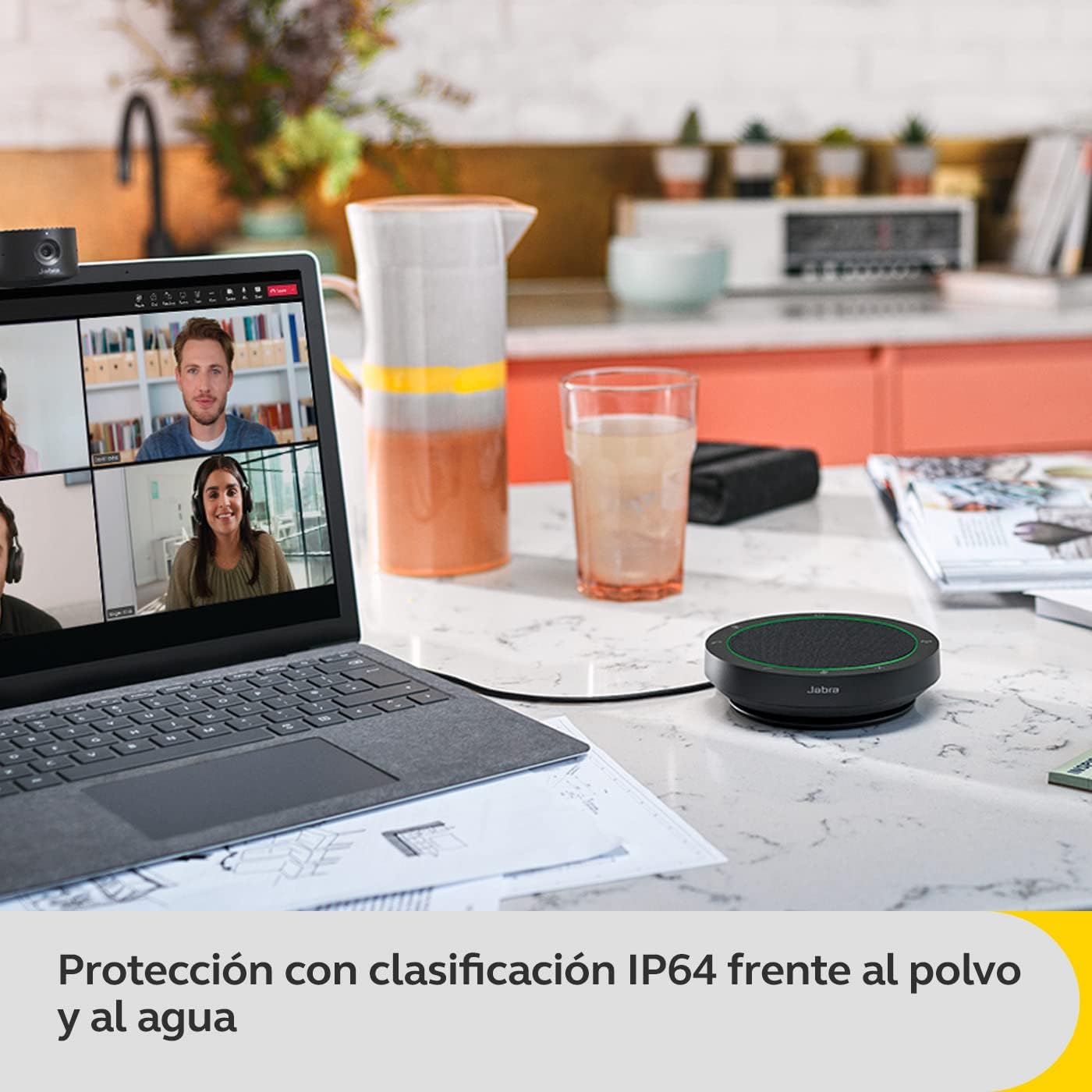
Image: The Jabra Speak2 40 speakerphone on a countertop, with text indicating its IP64 rating for protection against dust and water splashes, highlighting its durability.
Sorun giderme
If you encounter issues with your Jabra Speak2 40, try the following steps:
- Ses yok/Mikrofon çalışmıyor:
- Ensure the Speak2 40 is securely connected to your computer's USB port.
- Check your computer's sound settings and your communication application's audio settings to ensure the Jabra Speak2 40 is selected as the default speaker and microphone.
- Verify that the microphone is not muted on the device itself (check the mute button and LED indicator).
- Kötü Ses Kalitesi:
- Ensure there are no obstructions between the speakerphone and the participants.
- Check for excessive background noise in the environment. While the device has noise cancellation, extreme noise can still affect clarity.
- Update the device firmware using Jabra Direct.
- Cihaz tanınmadı:
- Bilgisayarınızdaki farklı bir USB bağlantı noktasına bağlanmayı deneyin.
- Bilgisayarınızı yeniden başlatın.
- İşletim sisteminizin ve sürücülerinizin güncel olduğundan emin olun.
Özellikler
| Model Adı | Konuş2 40 |
| Ürün Model Numarası | 2740-109 |
| Boyutlar (D x G x Y) | 4.72"D x 4.72"G x 1.3"Y (120 mm x 120 mm x 33 mm) |
| Ürün Ağırlığı | 8.6 ons (245 Gram) |
| Hoparlör Boyutu | 50 Millimeters (Full-range) |
| Mikrofonlar | 4 (Beamforming, Noise-cancelling) |
| Bağlantı | USB-C (USB-A adaptörü ile) |
| Güç Kaynağı | Battery Powered (1 AAAA battery required, likely internal rechargeable) |
| Su Direnç Seviyesi | IP64 (Waterproof/Dust resistant) |
| Dahil Bileşenler | Jabra Speak2 40, Felt Pouch, Safety Information & Declarations leaflet, Warranty leaflet |
Garanti ve Destek
Your Jabra Speak2 40 comes with a 2 yıllık garanti. Registration may be required to activate the full warranty benefits. Please refer to the included Warranty leaflet for detailed terms and conditions.
For the latest firmware updates, additional support, and detailed product information, please visit the official Jabra support website and download the Jabra Xpress or Jabra Direct software.
For further assistance, contact Jabra customer support through their official channels.


