1. Ürün Bittiview
wansview 2K Security Camera W7 is a high-resolution outdoor surveillance camera designed to provide comprehensive home security. Featuring 2K (3MP) video capture, full-color night vision, two-way audio, and advanced motion detection, it offers reliable monitoring day and night. The camera is IP65 waterproof, ensuring durability in various weather conditions, and supports both local SD card storage and cloud storage options.

Figure 1.1: wansview 2K Security Camera W7 and its mobile application interface.
2. Kurulum Kılavuzu
2.1. Paket İçeriği
- istiyorview 2K Security Camera W7
- USB Güç Kablosu
- Elektrik fişi
- Kurulum Kılavuzu
- Mounting Screws (2 sets)
2.2. İlk Kurulum
- Güç Bağlantısı: Connect the USB power cord to the camera and then to the power plug. Plug the power plug into a standard electrical outlet. The camera requires a wired power connection for operation.
- Uygulamayı indirin: Download the "Wansview Cloud" app from the Apple App Store or Google Play Store on your smartphone.
- Hesap Kaydı: Wans'ı açview Cloud app and register for a new account or log in if you already have one.
- Cihaz Ekle: Tap the "+" icon in the app to add a new device. Select the W7 camera model.
- Wi-Fi Bağlantısı: Follow the in-app instructions to connect the camera to your 2.4GHz Wi-Fi network. Ensure your Wi-Fi signal is strong at the camera's intended mounting location. You will be prompted to scan a QR code displayed on your phone screen with the camera's lens.
- Montaj: Once the camera is successfully connected, choose a suitable outdoor location for mounting. Use the provided mounting screws and the installation guide to securely attach the camera to a wall. The camera is designed for wall-mounted installation.

Figure 2.1: Key features and weather resistance of the wansview W7 camera.
3. Kullanım Talimatları
3.1. Canlı View ve Pan/Tilt Kontrolü
Access the live video feed from your camera through the Wansview Cloud app. You can remotely control the camera's viewing angle with its 350° pan and 55° tilt capabilities to monitor a wide area.
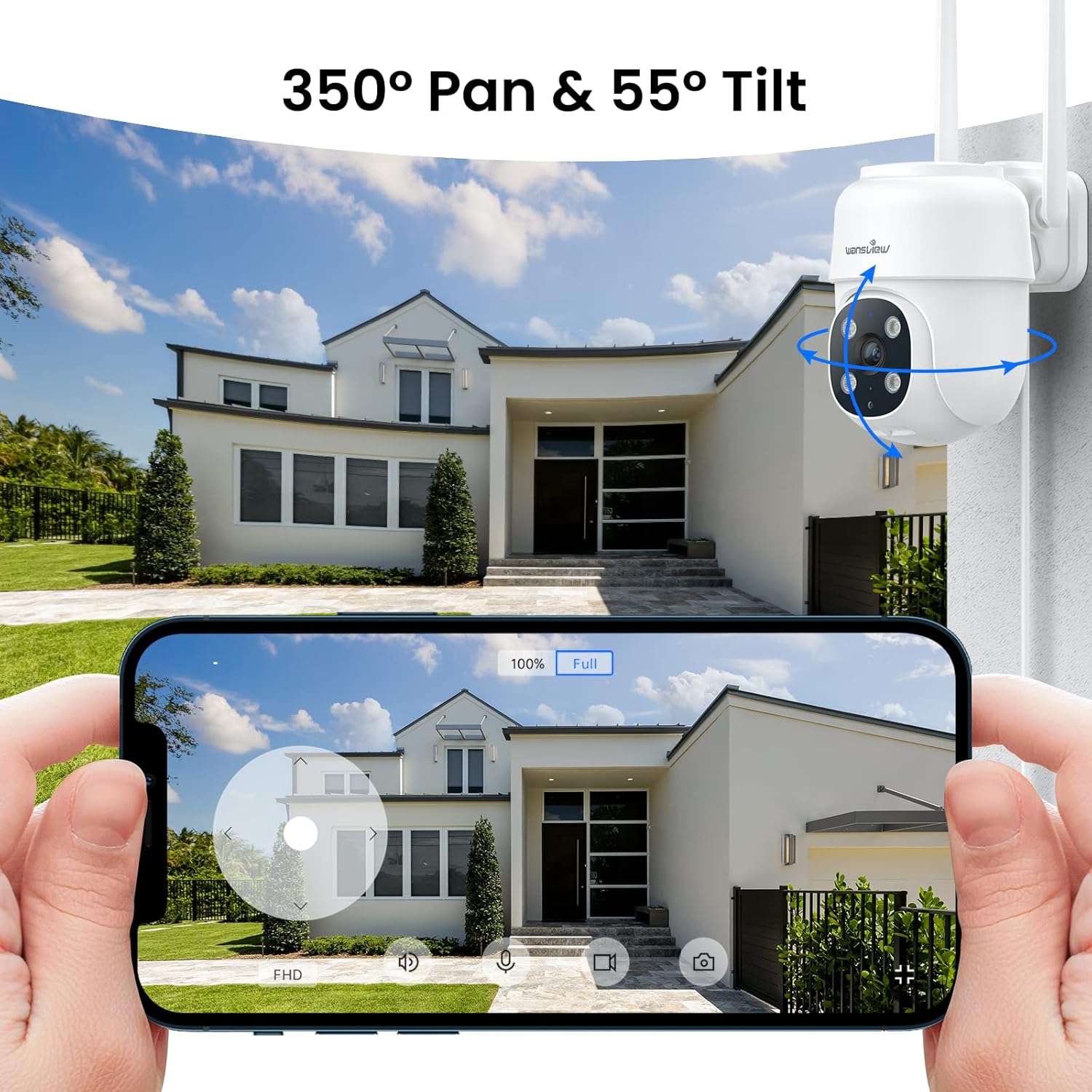
Figure 3.1: Remote pan and tilt control via the Wansview Bulut uygulaması.
3.2. Çift Yönlü Ses
The camera features a built-in microphone and speaker, enabling two-way communication. Use the app to speak to visitors or deter unwanted guests from your property.
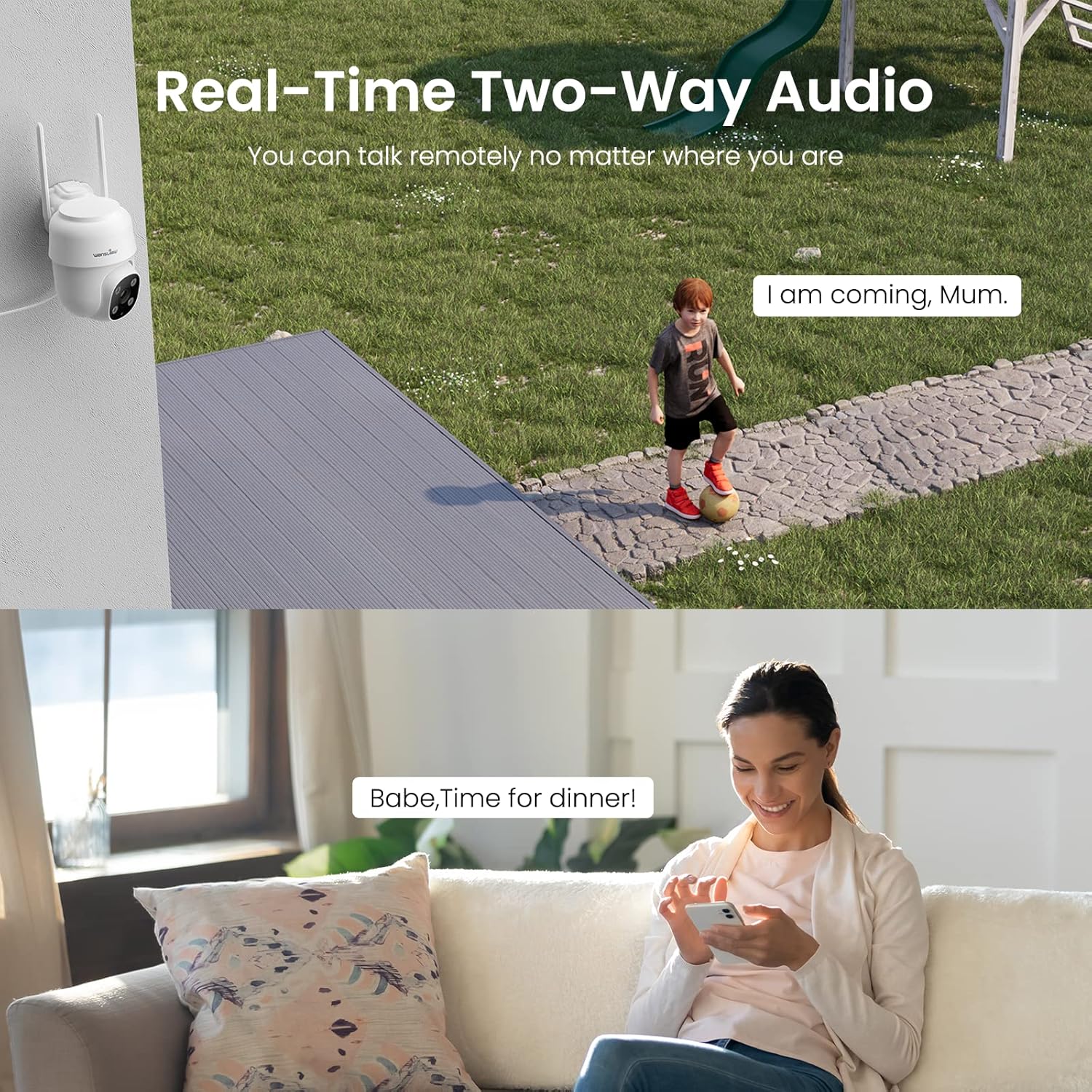
Figure 3.2: Demonstrating the real-time two-way audio functionality.
3.3. Gece Görüş Modları
The W7 camera offers two night vision modes for clear visibility in low-light conditions:
- Kızılötesi Gece Görüşü: Tamamen karanlıkta bile net siyah beyaz görüntüler sağlar.
- Tam Renkli Gece Görüşü: Utilizes built-in white lights to display color images at night when activated.

Figure 3.3: Visual comparison of infrared and full-color night vision.
3.4. Hareket Algılama ve Uyarılar
The camera's built-in sensor detects motion and can trigger real-time alerts to your phone. You can customize the motion detection sensitivity and define specific detection areas within the app to minimize false alarms.
- Işık Alarmı: The camera's white light can be set to turn on automatically or manually upon motion detection.
- Siren Alarmı: An audible siren can be activated to deter intruders.
- Bildiri: Hareket algılandığında akıllı telefonunuza anlık bildirimler alın.
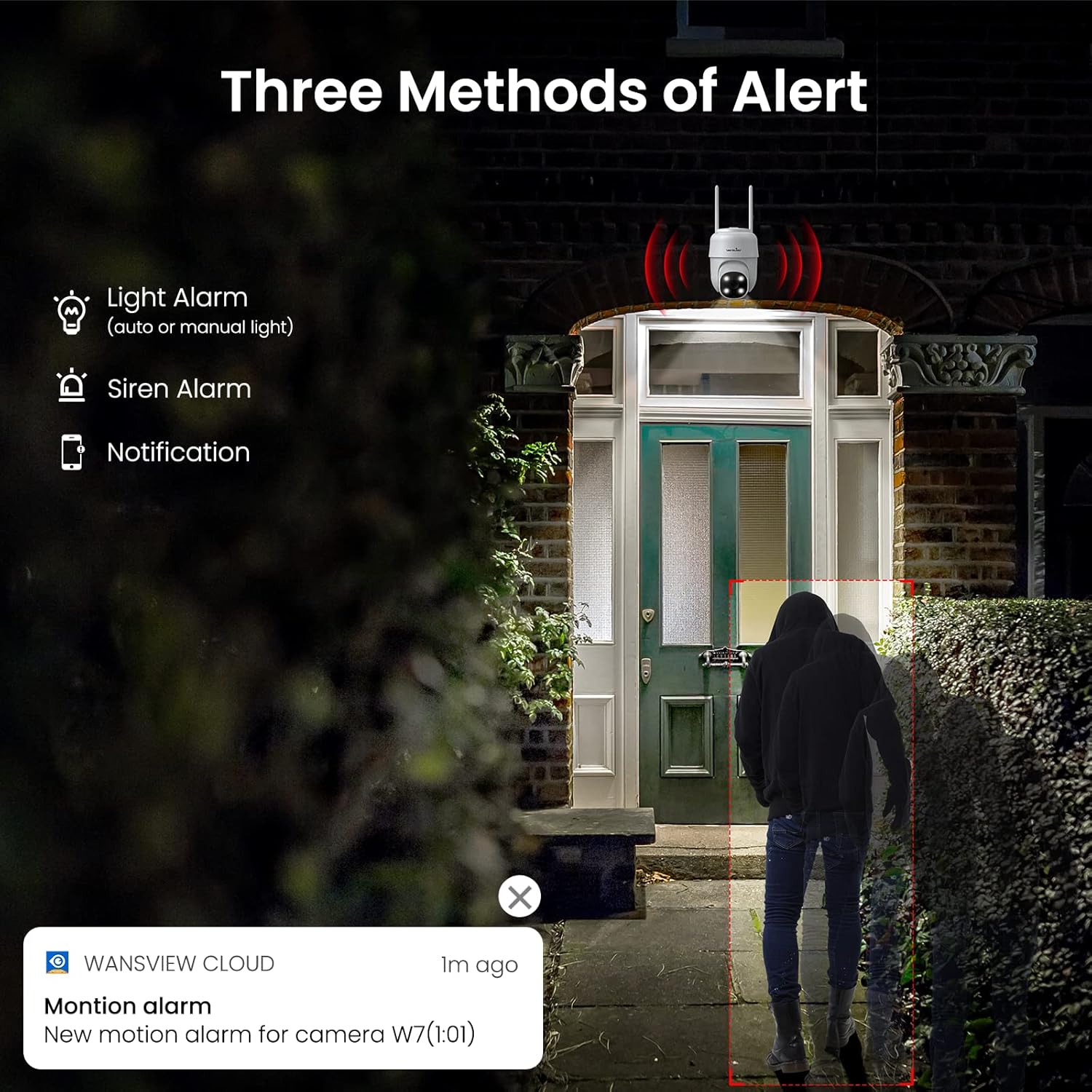
Şekil 3.4: Üzeriview of the three alert methods available.

Figure 3.5: Customizing the motion detection area for precise alerts.
3.5. Kayıt ve Depolama
The W7 camera supports continuous 24/7 recording to ensure no important moments are missed. You have two primary storage options:
- SD Kart Depolama: Kayıtların yerel olarak depolanması için kameraya bir microSD kart (en fazla 128 GB, dahil değildir) takın.
- Bulut Depolama: Optional cloud storage provides a secure backup for your video footage.
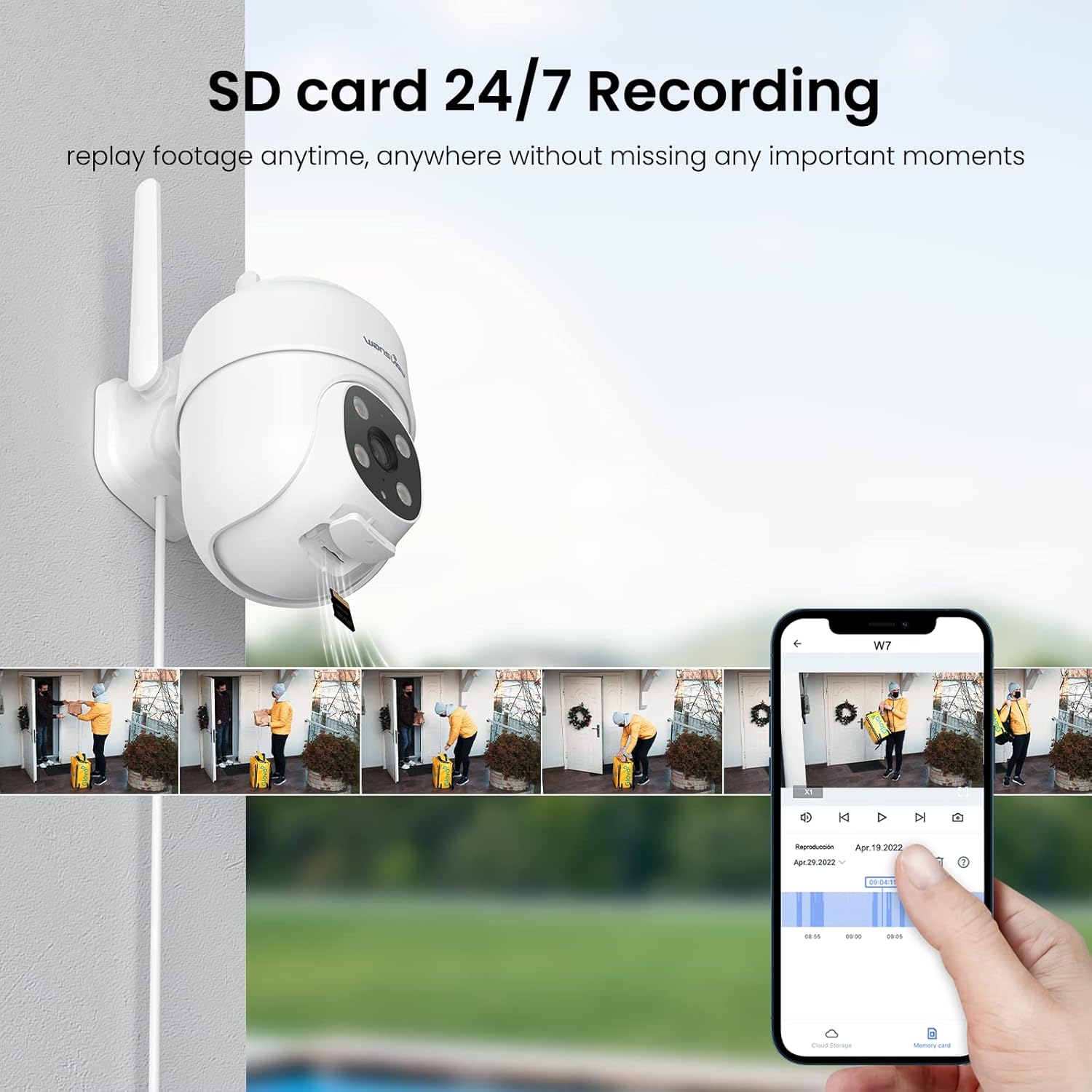
Figure 3.6: SD card storage and playback of recorded footage.
3.6. Akıllı Ev Entegrasyonu
wansview W7 camera is compatible with Amazon Alexa Echo Show and Google Home. You can use voice commands to view your camera's live feed on compatible smart displays.

Figure 3.7: Integrating the camera with smart home assistants like Alexa.
3.7. Çoklu Kullanıcı Erişimi
You can share camera access with family members or trusted individuals through the Wansview Cloud app, allowing multiple users to view the live feed and recordings simultaneously.

Figure 3.8: Sharing camera access with family and friends.
4. Bakım
- Temizlik: Net görüntü kalitesi sağlamak için fotoğraf makinesinin objektifini ve gövdesini düzenli olarak yumuşak, kuru bir bezle temizleyin. Sert kimyasallar veya aşındırıcı malzemeler kullanmaktan kaçının.
- Güç Bağlantısı: Periodically check the power cord and plug for any signs of damage. Ensure the connection remains secure.
- Wi-Fi Sinyali: Verify that the camera maintains a strong 2.4GHz Wi-Fi signal at its installed location for optimal performance. Consider a Wi-Fi extender if the signal is weak.
- Donanım Yazılımı Güncellemeleri: Keep the Wansview Cloud app updated to the latest version, as this often includes firmware updates for the camera that improve performance and security.
- SD Kart Yönetimi: If using an SD card for storage, periodically check its status in the app. Format the SD card as needed to maintain optimal recording performance.
5. Sorun Giderme
5.1. Yaygın Sorunlar ve Çözümleri
| Sorun | Olası Neden | Çözüm |
|---|---|---|
| Kamera çevrimdışı/Bağlantı kurulamıyor | No power; Weak Wi-Fi signal; Incorrect Wi-Fi password; Router issues. | Check power connection. Ensure camera is within Wi-Fi range. Verify Wi-Fi password. Restart router and camera. |
| Video kalitesi zayıf | Kirli lens; Yetersiz aydınlatma; Ağ bant genişliği sorunları. | Clean the camera lens. Ensure adequate lighting for optimal 2K resolution. Check network speed. |
| Motion alerts are inaccurate/too frequent | Sensitivity too high; Detection area too broad. | Adjust motion detection sensitivity in the app (e.g., set to 'Normal'). Refine the detection area to focus on critical zones. |
| Night vision not clear/not activating | Obstruction in front of lens; Ambient light interference. | Kameranın görüşünü engelleyen hiçbir nesne olmadığından emin olun. view. Minimize external light sources that might interfere with infrared sensors. |
| Çift yönlü ses sorunları | Mikrofon/hoparlör engellendi; Uygulama izinleri; Ağ gecikmesi. | Check for obstructions around microphone/speaker. Ensure app has microphone permissions. Check network stability. |
| SD kart kayıt yapmıyor | SD card full/corrupted; Incorrect format; Card not inserted properly. | Format the SD card via the app. Ensure the card is correctly inserted. Replace if corrupted. |
5.2. Kamerayı Sıfırlama
If issues persist, you can reset the camera to its factory settings through the Wansview Cloud app under device management. This can resolve many software-related problems.
6. Özellikler
| Özellik | Detay |
|---|---|
| Model Numarası | W7 |
| Video Çözünürlüğü | 2K (3 Megapiksel) |
| İç/Dış Mekan Kullanımı | Dış mekan |
| Güç Kaynağı | Kablolu Elektrikli (5 Volt, 5 Watt) |
| Bağlantı | 2.4 GHz Wi-Fi |
| Pan/Tilt Aralığı | 350° Döndürme, 55° Eğme |
| ViewAçı | 95 Derece |
| Gece Görüşü | Full-Color Night Vision, Infrared Night Vision (up to 10 meters) |
| Su Geçirmezlik Derecesi | IP65 |
| Çalışma Sıcaklığı | -10℃ ila 50℃ (14°F ila 122°F) |
| Depolama Seçenekleri | MicroSD Kart (128 GB'a kadar, dahil değildir), Bulut Depolama |
| Boyutlar (U x G x Y) | 4.5 x 3.44 x 4.8 inç |
| Ürün Ağırlığı | 13.3 ons |
| Dahil Bileşenler | Camera, USB cable, Plug, Installation guide, Mounting screws |
7. Garanti ve Destek
For warranty information and technical support, please refer to the official wansview website or contact wansview customer service directly. Customer support can assist with setup, troubleshooting, and product inquiries.
Verilen verilere göre, yerleştirilebilecek resmi ürün videosu bulunmamaktadır.


