giriiş
The TOMLOV DM9 Pro Digital Microscope is an advanced observation tool featuring a 7-inch HD IPS screen, 10X-1200X magnification, and versatile connectivity options. Designed for detailed inspection, it is ideal for applications such as circuit board soldering, watch repair, plant observation, jewelry appraisal, and coin identification. This manual provides detailed instructions to help you set up, operate, and maintain your microscope for optimal performance.
Kutuda Neler Var?
- 7-Inch HDMI Digital Microscope x1
- Adjustable Aluminum Alloy Stand x1
- 32GB Mikro SD Kart x1
- Uzaktan Kumanda x1
- Light Barrier x1
- USB Kablosu x2
- HDMI Kablosu x1
Ürün Bittiview
Familiarize yourself with the main components and features of your TOMLOV DM9 Pro Digital Microscope.

Image: The complete TOMLOV DM9 Pro Digital Microscope setup, including the main unit with 7-inch screen, adjustable aluminum alloy stand, remote control, and a 32GB Micro SD card.

Image: Close-up of the 7-inch HD IPS screen, highlighting its 1080P resolution and vivid image quality compared to other displays.

Image: Illustration of the 8 adjustable LED lights surrounding the microscope lens and the 2 additional gooseneck side lights, providing comprehensive illumination.
Kurmak
- Standı Birleştirin: Connect the adjustable aluminum alloy bracket to the base. Ensure it is securely fastened using the provided knob.
- Attach the Microscope Unit: Carefully place the microscope unit (with the screen) onto the stand. Tighten the two knobs to secure it in position.
- Güç Bağlantısı: Connect the microscope to a power source using one of the provided USB cables. Note that a power adapter is not included.
- SD Kartı Takın: Insert the 32GB Micro SD card into the designated slot on the microscope unit. This is required for saving photos and videos.

Image: Step-by-step visual guide for the easy installation of the microscope, from connecting the bracket to securing the screen.
Kullanım Talimatları
Güç Açık/Kapalı
Press and hold the power button on the microscope unit to turn it on or off. The unit will typically boot into video mode.
Büyütme ve Odağı Ayarlama
Magnification (10X-1200X) is adjusted by changing the distance between the lens and the object. Use the focus knob on the side of the microscope unit to achieve a clear image.
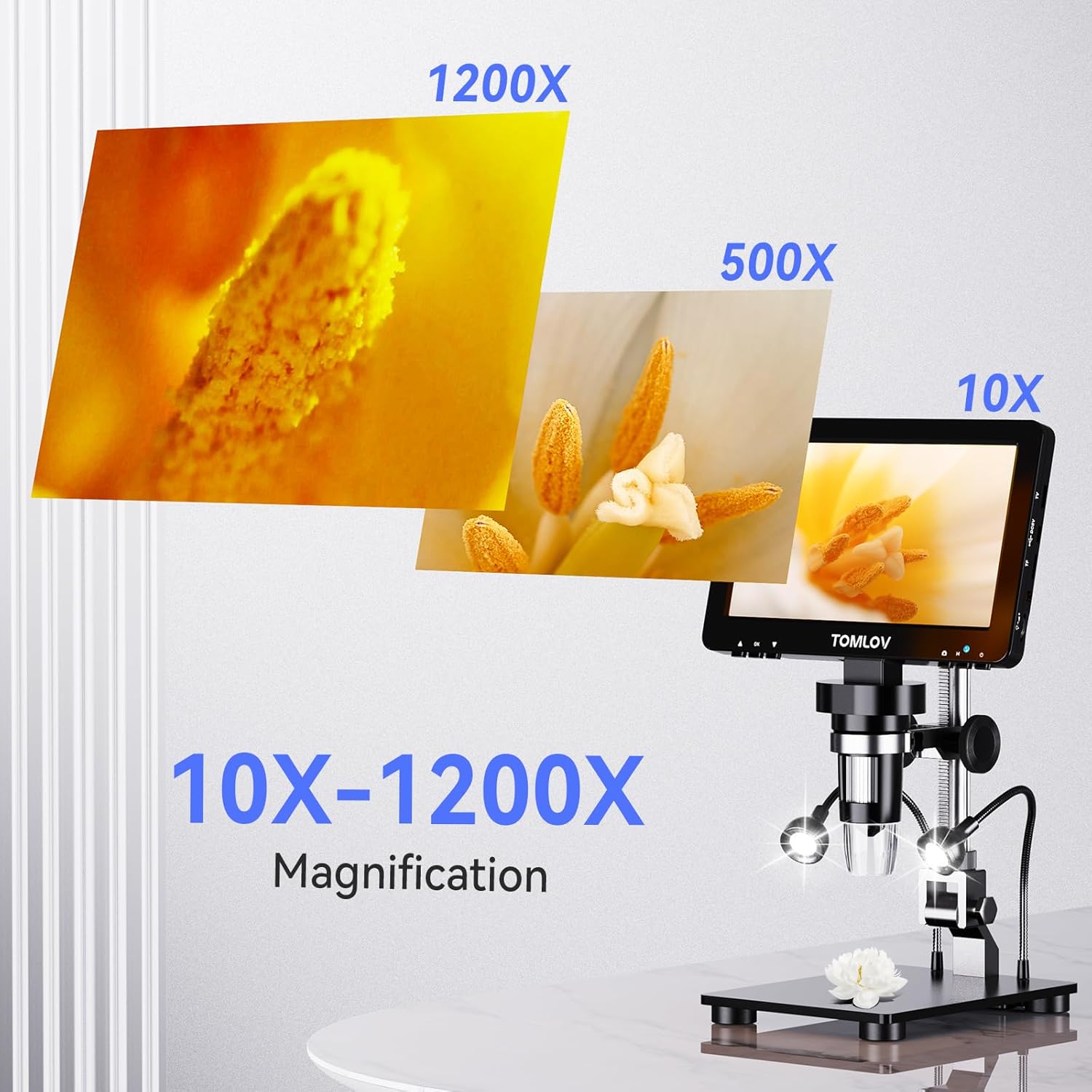
Image: Visual representation of the microscope's magnification capabilities, showing details at 10X, 500X, and 1200X.
Aydınlatma Ayarı
The microscope features 8 adjustable LED lights around the lens and 2 additional gooseneck side lights. Both light sources can be dimmed and adjusted independently using the brightness adjustment knob to ensure optimal clarity in various lighting conditions.

Image: A hand adjusting the brightness knob on the microscope, demonstrating how to ensure tiny details are bright and clear.
HDMI & USB Output
The DM9 Pro can connect to external displays for a larger view:
- HDMI Çıkışı: Connect to TVs or projectors via HDMI for 1080P HD real-time viewIng.
- USB Çıkışı: Connect to Windows and macOS computers via USB for a larger, smooth, and clear HD view.

Image: The microscope connected to both a large television via HDMI and a laptop via USB, illustrating its versatile output options for larger viewIng.
Uzaktan Kumanda İşlemi
Use the included remote control to operate the microscope without touching the screen, preventing screen shake. It allows for easy photo capture, video recording, and setting adjustments.
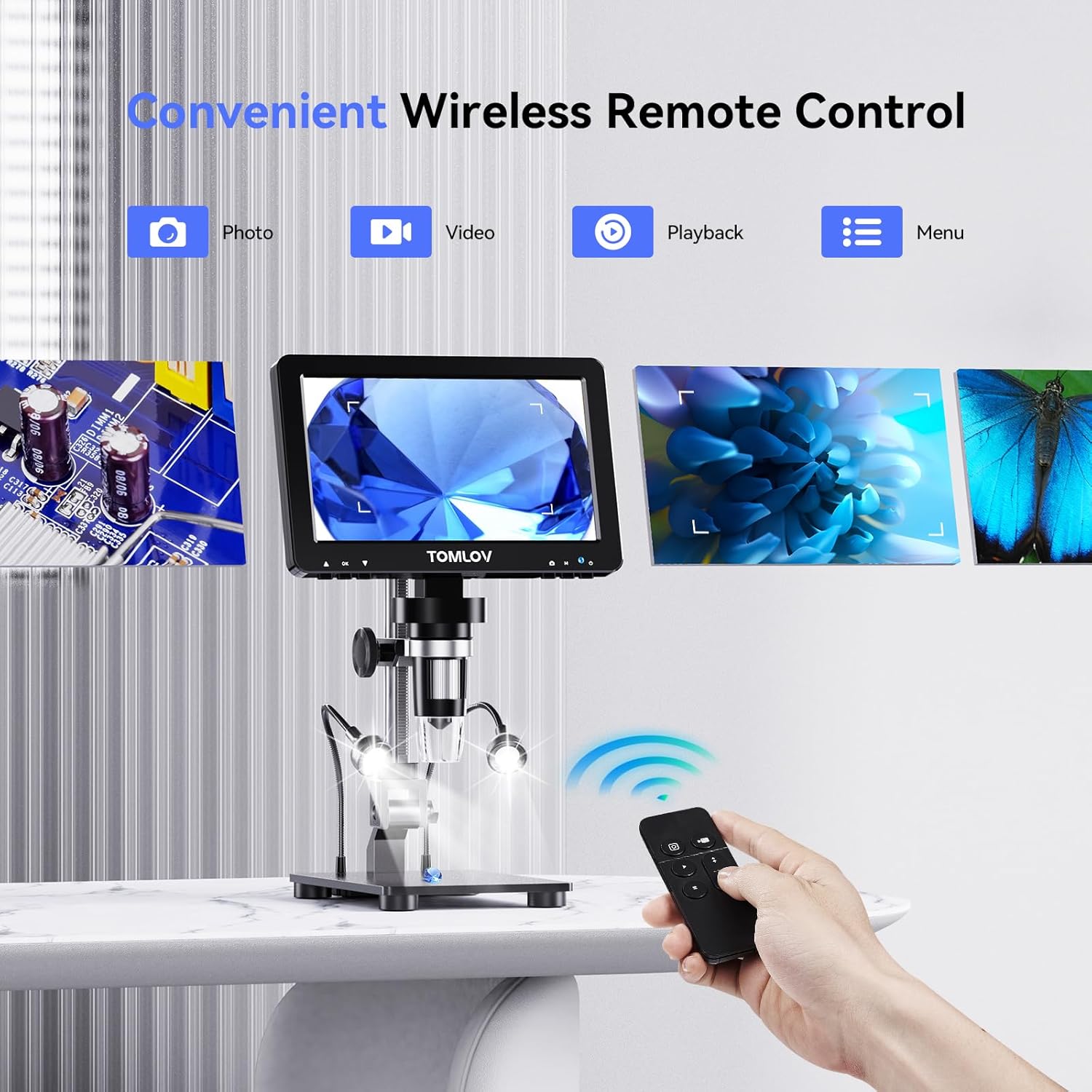
Image: A hand holding the wireless remote control, demonstrating its convenience for capturing photos and videos without disturbing the microscope.
Fotoğraf ve Video Çekme
The microscope supports 16MP photo resolution and 1080P video recording. Use the dedicated buttons on the unit or the remote control to capture images and videos, which are saved to the inserted Micro SD card.
Video: An official product video demonstrating the features of the TOMLOV DM9 Pro HDMI Digital Microscope, including its IPS screen, magnification, and various applications. This video is provided by the seller, TOMLOV Store.
Bakım
- Temizlik: Use a soft, dry cloth to clean the screen and exterior of the microscope. For the lens, use a specialized lens cleaning cloth and solution. Avoid abrasive materials or harsh chemicals.
- Depolamak: Store the microscope in a clean, dry place away from direct sunlight and extreme temperatures.
- Pil Bakım: The unit includes a Lithium Ion battery. For optimal battery life, avoid fully discharging the battery frequently and store it with a partial charge if not used for extended periods.
Sorun giderme
| Sorun | Olası Neden | Çözüm |
|---|---|---|
| Güç Yok | Pil boşalmış; güç kablosu düzgün bağlanmamış. | Charge the battery; Ensure USB cable is securely connected to a power source. |
| Bulanık Görüntü | Incorrect focus; Object too far/close; Insufficient lighting. | Adjust the focus knob; Adjust the distance between the lens and object; Increase LED light brightness. |
| No image on external display (HDMI/USB) | Cable not connected; Incorrect input selected on display; Driver issue (USB). | Check cable connections; Select correct HDMI/USB input on TV/monitor; For USB, ensure drivers are installed (usually plug-and-play). |
| Fotoğraflar/videolar kaydedilemiyor. | SD card full or not inserted; SD card corrupted. | Ensure SD card is inserted correctly and has free space; Format SD card (backup data first). |
Özellikler
| Özellik | Detay |
|---|---|
| Model Adı | DM9 Pro |
| Ekran Boyutu | 7-inch HD IPS Glossy Screen |
| Çözünürlük | 1920x1080P |
| Büyütme Aralığı | 10X - 1200X |
| Fotoğraf Çözünürlüğü | 16 MP |
| Video Çıkışı | 1080P HD (HDMI, USB) |
| Aydınlatma | 8 adjustable LED lights + 2 gooseneck side lights |
| Malzeme | Alüminyum |
| Ürün Ağırlığı | 2.65 pound (yaklaşık 1200 gram) |
| Güç Kaynağı | 5 Volts (USB powered, includes 1 Lithium Ion battery) |
| Dahil Depolama | 32GB Mikro SD Kart |
Garanti ve Destek
For warranty information and technical support, please refer to the official TOMLOV webSite üzerinden satın alabilir veya doğrudan müşteri hizmetleriyle iletişime geçebilirsiniz. Garanti talepleriniz için satın alma fişinizi saklayın.
Ziyaret edebilirsiniz TOMLOV Store on Amazon Daha fazla bilgi ve ürün güncellemeleri için.


