1. Giriş
The IK Multimedia TONEX Pedal is a stereo multi-effects guitar and bass pedal designed to bring ultra-realistic amp and pedal tones to your live performance or studio setup. Utilizing breakthrough AI Machine Modeling technology, it offers a vast library of authentic tone models, along with a comprehensive suite of built-in effects. This manual provides essential information for setting up, operating, maintaining, and troubleshooting your TONEX Pedal.
2. Güvenlik Bilgileri
- Güç Kaynağı: Use only the provided 9V DC power supply. Ensure the correct voltage and polarity to prevent damage.
- Su ve Nem: Do not expose the unit to water, rain, or excessive moisture. Avoid operating in damp ortamlar.
- Isı Kaynakları: Cihazı radyatörler, ısıtma petekleri, sobalar veya ısı üreten diğer cihazlar gibi ısı kaynaklarından uzak tutun.
- Havalandırma: Uygun havalandırmayı sağlayın. Havalandırma açıklıklarını kapatmayın.
- Temizlik: Sadece kuru bir bezle temizleyin. Sıvı ve sprey temizleyici kullanmayın.
- Servis: Tüm servis işlemlerini yetkili servis personeline yaptırın. Bu ürünü kendiniz tamir etmeye çalışmayın.
3. Paket İçeriği
- IK Multimedia TONEX Pedal
- 9V DC Güç Kaynağı
- USB kablosu
- Registration Card/Software Download Instructions
4. Ürün Bittiview
The TONEX Pedal features a robust anodized aluminum chassis designed for durability. Its intuitive layout provides quick access to essential controls and versatile connectivity options.
4.1. Ön Panel Kontrolleri
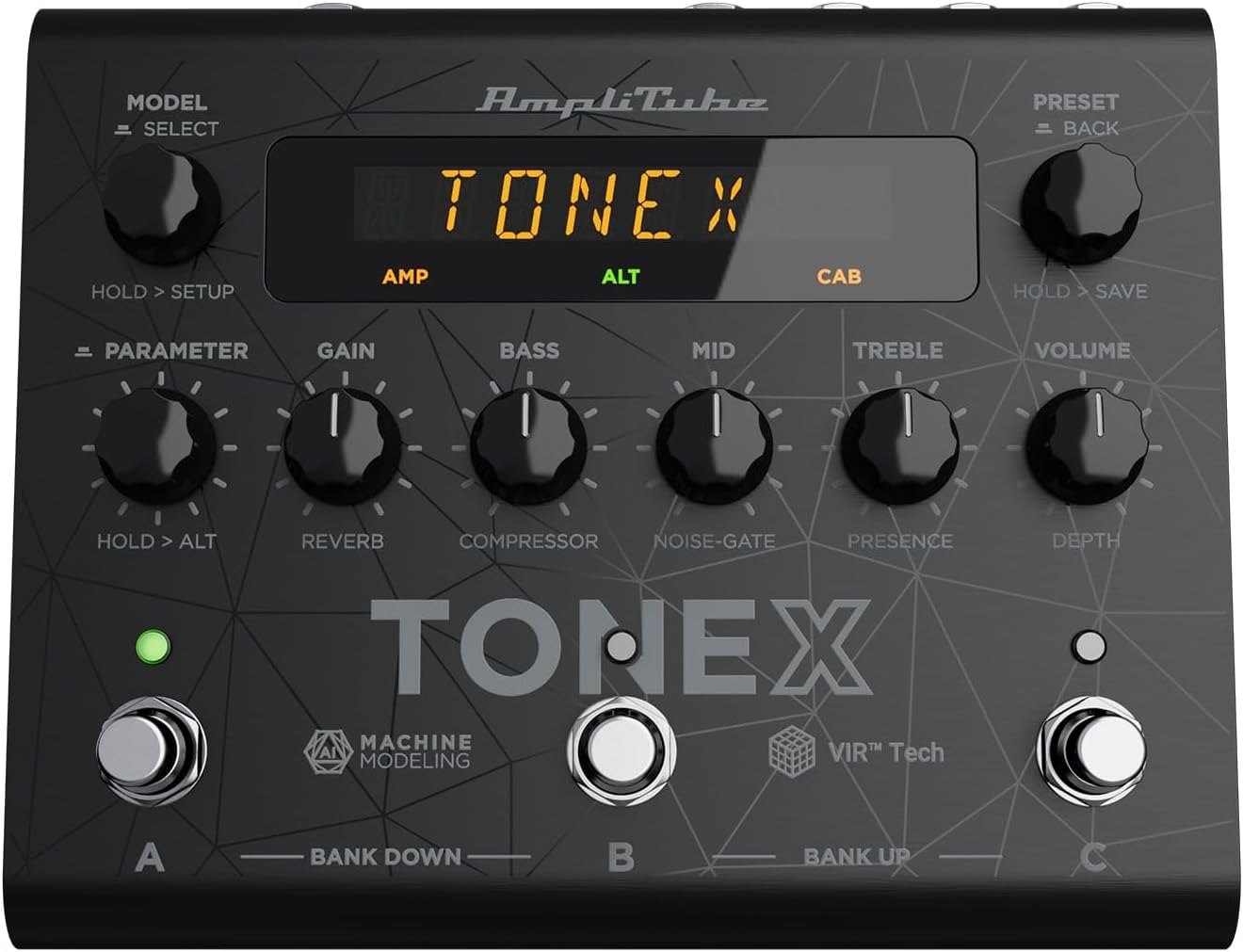
Figure 1: TONEX Pedal Front Panel
Bu görüntü üst kısmı gösteriyor view of the TONEX Pedal, highlighting its compact design and the arrangement of knobs, footswitches, and the digital display. Key controls such as 'Model/Select', 'Preset/Back', 'Parameter', 'Gain', 'Bass', 'Mid', 'Treble', and 'Volume' are visible, along with the three footswitches labeled A, B, and C.
- MODEL / SELECT Knob: Used to select tone models and navigate menus. Press and hold for Setup menu.
- PRESET / BACK Knob: Used to select presets and go back in menus. Press and hold to save presets.
- PARAMETRE Düğmesi: Adjusts various parameters. Press and hold for alternative parameters.
- KAZANÇ Düğmesi: Controls the input gain of the tone model.
- BAS Düğmesi: Düşük frekans tepkisini ayarlar.
- MID Düğmesi: Orta frekans tepkisini ayarlar.
- TİZ Düğmesi: Yüksek frekans tepkisini ayarlar.
- SES Düğmesi: Genel çıkış hacmini kontrol eder.
- Ayak pedalları A, B, C: Select presets within a bank. Also used for bank up/down (A+B, B+C) and bypass.
- Görüntülemek: Shows current preset, parameter values, and menu options.
4.2. Arka Panel Bağlantıları
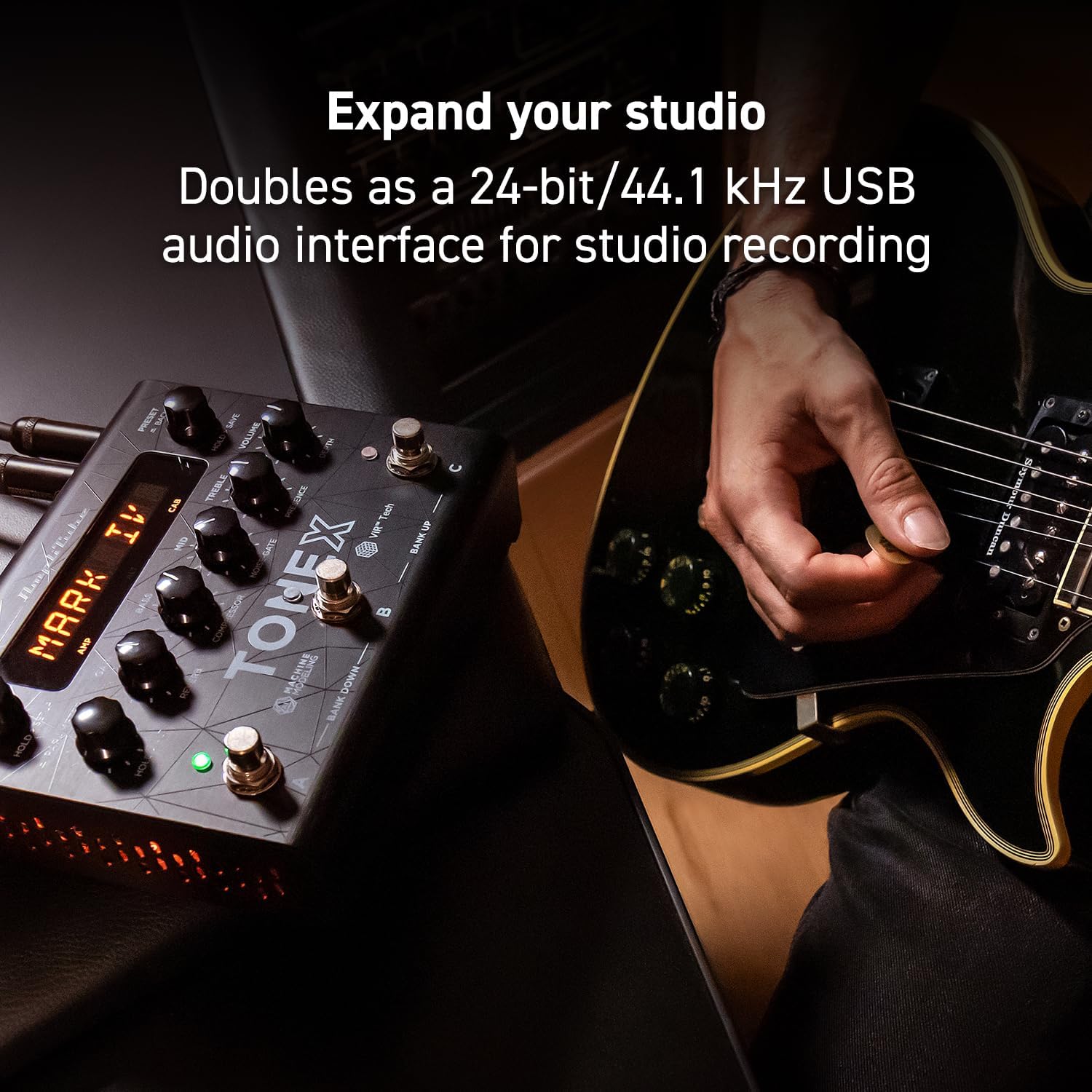
Figure 2: TONEX Pedal Rear Panel Connections
This image shows the rear panel of the TONEX Pedal, detailing its various input and output connections. Visible ports include the instrument input, left and right outputs (mono), headphone output, MIDI In/Out, external control input, USB port, and the 9V DC power input. This panel facilitates integration into various audio setups, from live rigs to studio environments.
- GİRİŞ: 1/4" mono input for your guitar or bass.
- OUTPUT L/R (MONO): 1/4" stereo outputs for connecting to a PA system, power amp, or audio interface. Use the L output for mono operation.
- KULAKLIKLAR: 1/4" stereo output for silent practice.
- MIDI GİRİŞ/ÇIKIŞ: 5-pin DIN connectors for MIDI control and integration with other MIDI devices.
- EXT. CONTROL: 1/4" input for an external expression pedal or footswitch.
- USB BAĞLANTI: USB-B port for connecting to a computer (PC/Mac) for software control, preset management, and using the pedal as an audio interface.
- POWER 9V DC: Input for the included 9V DC power supply.
5. Kurulum
5.1. İlk Bağlantılar
- Enstrümanınızı şuraya bağlayın: GİRİŞ Arka panelde jak bulunmaktadır.
- Bağlan ÇIKIŞ L (Ve R for stereo) to your amplifier, PA system, or audio interface.
- If desired, connect headphones to the KULAKLIKLAR kriko.
- Connect the included 9V DC power supply to the GÜÇ 9V DC input and plug it into a power outlet. The pedal will power on automatically.
5.2. Yazılım Kurulumu
To unlock the full potential of your TONEX Pedal, including access to ToneNET and advanced editing features, install the TONEX Editor software on your computer.
- Visit the IK Multimedia website and register your product using the provided registration card.
- Download and install the TONEX Editor software for your operating system (Windows 10 or later, macOS 10.15 or later).
- Connect the TONEX Pedal to your computer via the USB port. The pedal can function as a 24-bit/44.1 kHz USB audio interface for studio recording.
- Follow the on-screen instructions in the software to update firmware and manage your tone models and presets.
6. Kullanım Talimatları
6.1. Navigating Presets
The TONEX Pedal comes preloaded with 150 gig-ready presets, organized into 50 banks of three presets each.
- Ön Ayarları Seçme: Döndür ÖN AYAR / GERİ knob to quickly scroll through and audition available presets.
- Ayak pedallarını kullanma: Tap footswitches A, B, veya C to load different presets within the current bank.
- Changing Banks: Simultaneously press footswitches A Ve B to move down a bank, or B Ve C to move up a bank.
- Bypass Tone Model: Once a preset is loaded, tapping its corresponding footswitch a second time will bypass the tone model, allowing for a clean signal.
6.2. Parametreleri Ayarlama
The TONEX Pedal offers five main and five alternative parameters on the front panel for tone shaping.
- Ana Parametreler: Directly adjust KAZANMAK, BAS, ORTA, TİZ, Ve HACİM using their respective knobs.
- Alternative Parameters: tuşunu basılı tutun PARAMETRE encoder to access alternative parameters: Reverb Level, Compressor Threshold, Noise Gate Threshold, Presence, and Depth. Rotate the corresponding knobs to adjust these.
- Ek Parametreler: Basın PARAMETRE encoder once to access further parameters for fine-tuning your sound.
6.3. Ön Ayarları Kaydetme
- Saving with Renaming/Relocation: Tutun ÖN AYAR / GERİ encoder. You can then rotate the ÖN AYAR knob to edit characters for renaming, and rotate the MODEL knob to move the cursor or change the bank location. Press the ÖN AYAR knob again to confirm and save.
- Quick Save: To quickly save a preset with the same name in the same location, press the MODEL Ve ÖN AYAR encoders simultaneously. The display will show "SAVED".
6.4. Cab Emulation
If connecting to a standard guitar or bass amp with its own speaker cabinet, you may wish to turn off the TONEX Pedal's internal cab emulation to avoid redundant processing. This can be done via the Setup menu (hold MODEL / SELECT düğme).
6.5. Official Product Video: TONEX Pedal Main Features
Video 1: Bir overview of the IK Multimedia TONEX Pedal's main features, including its controls, connectivity, and basic operation. This video demonstrates how to navigate presets, adjust parameters, and utilize the pedal's various functions for live and studio use.
7. Bakım
- Temizlik: Regularly wipe the pedal with a soft, dry cloth to remove dust and grime. Avoid abrasive cleaners.
- Depolamak: Store the pedal in a cool, dry place when not in use. Protect it from extreme temperatures and humidity.
- Kablo yönetimi: Ensure cables are not kinked or strained to prevent damage to the connectors and ports.
8. Sorun Giderme
- Güç Yok: Ensure the 9V DC power supply is correctly connected to the pedal and a working power outlet.
- Ses Yok: Check all audio cable connections (instrument input, outputs to amp/PA, headphones). Verify volume levels on the pedal and connected devices. Ensure the tone model is not bypassed.
- Unexpected Behavior/Glitches: Try performing a factory reset (refer to the full online manual for specific steps). Ensure your firmware is up to date via the TONEX Editor software.
- Yazılım Bağlantı Sorunları: Ensure the USB cable is securely connected. Try a different USB port or cable. Restart both the pedal and your computer.
9. Özellikler
| Özellik | Şartname |
|---|---|
| Model Numarası | TONEX Pedalı |
| Boyutlar (U x G x Y) | 6.93 x 5.59 x 2.17 inç (yaklaşık 17.6 x 14.2 x 5.5 cm) |
| Ürün Ağırlığı | 2.86 pound (yaklaşık 1.3 kg) |
| Renk | Siyah |
| Güç Kaynağı | 9V DC (Kablolu Elektrik) |
| Donanım Arayüzü | USB |
| Sinyal Biçimi | Dijital |
| İşletim Sistemi Uyumluluğu | Windows® 10 or later, macOS® 10.15 or later (macOS® 11 Big Sur required for Modeler) |
| Frekans Tepkisi | 5 Hz - 24 kHz |
| Dinamik Aralık | 123 dB |
10. Garanti ve Destek
IK Multimedia ürünleri sınırlı bir garanti kapsamındadır. Ayrıntılı garanti bilgileri, ürün kaydı ve teknik destek için lütfen resmi IK Multimedia web sitesini ziyaret edin. webSiteyi ziyaret edin veya müşteri hizmetleriyle iletişime geçin. Satın alma belgenizi garanti talepleriniz için saklayın.
Webalan: www.ikmultimedya.com


