giriiş
The Fanvil W611W is a robust wireless portable phone designed for enhanced communication mobility. Featuring a 2.4-inch color LCD, dual SIP lines, and support for Wi-Fi 6 (2.4GHz & 5GHz) and Bluetooth 5.0, it offers reliable and clear communication. Its IP67 rating ensures durability against water, dust, and drops, making it suitable for various environments.
Temel Özellikler:
- 2.4" 240 x 320 color screen with intuitive user interface.
- High protection level of IP67, which is waterproof, dustproof, and drop-safe from 1.8-meter height.
- Supports dual-band Wi-Fi 802.11 a/b/g/n/ac/ax (Wi-Fi 6, 2.4GHz & 5GHz).
- Supports IEEE802.11k/v/r roaming for seamless connectivity.
- Supports WPA / WPA2-PSK and 802.1X EAP encryption to ensure communications security.
- 10 hours talk time and 200 hours standby time.
- Type-C USB and 3.5mm 4-pole jack for versatile connectivity.
- Comes with a charging base, belt clip, and power adapter.
Paket İçeriği
- Fanvil W611W Wireless Portable Phone
- Şarj Üssü
- Kemer Klipsi
- Güç Adaptörü
- Lityum İyon Pil
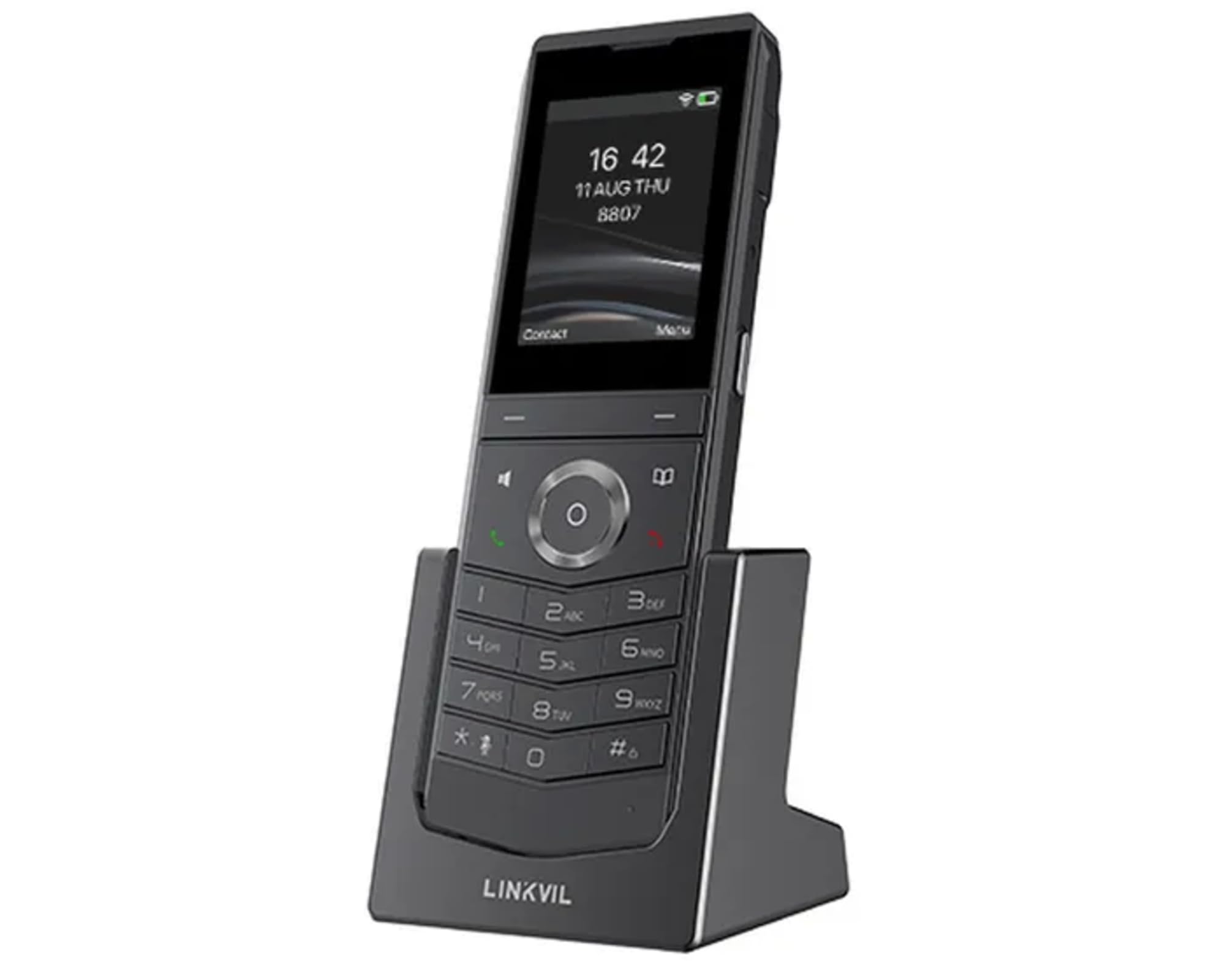
Image: Fanvil W611W Wireless Portable Phone, showcasing the handset and its charging base.
Kurulum Kılavuzu
- Pili Şarj Edin: Insert the Lithium Ion battery into the handset. Place the handset on the charging base and connect the power adapter to the charging base and a power outlet. Allow the phone to charge fully before first use (approximately 4 hours).
- Baz istasyonunu bağlayın: Connect the charging base to a power source using the provided power adapter.
- Ağ bağlantısı: The W611W connects via Wi-Fi. Access the phone's menu to navigate to Wi-Fi settings. Select your desired Wi-Fi network and enter the password if prompted. The phone supports both 2.4GHz and 5GHz bands, including Wi-Fi 6.
- SIP Account Configuration: Access the phone's settings menu to configure your SIP accounts. You will need your SIP server address, user ID, password, and other relevant details provided by your VoIP service provider. The phone supports up to 2 SIP lines.
- Eşleştirme (gerekirse): If your handset is not pre-paired with a base station, follow the instructions in the phone's menu to initiate the pairing process.
Kullanım Talimatları
Arama Yapma:
- Arama: Telefon numarasını tuş takımını kullanarak girin ve ardından tuşuna basın. Arama düğme (yeşil telefon simgesi).
- İrtibat Kişilerinden: Şuraya gidin: İletişim menu, select the desired contact, and press the Arama düğme.
- Tekrar arama: Basın Yeniden düğmeye bas view recent outgoing calls and select a number to redial.
Çağrı Alma:
- Telefon çaldığında, tuşuna basın Arama cevaplamak için düğme.
- Bir aramayı reddetmek için, tuşuna basın. Çağrı Sonu düğme (kırmızı telefon simgesi).
Telefon görüşmesi sırasında:
- Sesi Ayarla: Use the volume buttons on the side of the handset.
- Hoparlör: Basın Konuşmacı button to activate/deactivate speakerphone mode.
- Sesini kapatmak: Basın Sesini kapatmak button to mute/unmute your microphone.
- Tutmak: Use the menu options to place a call on hold.
- transferi: Use the menu options to transfer a call to another extension or number.
Sesli mesaj:
- When you have new voicemail messages, an indicator will appear on the screen. Dial your voicemail access number (usually *97 or *98, consult your service provider) to retrieve messages.
Bakım
- Temizlik: Yumuşak bir d kullanınamp cloth to clean the phone's surface. Avoid harsh chemicals or abrasive cleaners.
- Pil Bakım: To prolong battery life, avoid extreme temperatures. If the phone will not be used for an extended period, store it with a partial charge.
- Yazılım Güncellemeleri: Periodically check for firmware updates through the phone's settings menu or your service provider's instructions to ensure optimal performance and security.
Sorun giderme
- Çevir Sesi Yok:
- Ensure the phone is charged and powered on.
- Verify Wi-Fi connection is active and stable.
- Check SIP account registration status in the phone's settings.
- Poor Call Quality/Range:
- Move closer to your Wi-Fi access point.
- Ensure there are no major obstructions (thick walls, metal objects) between the phone and the access point.
- Check for interference from other 2.4GHz or 5GHz devices.
- Pil Hızla Bitiyor:
- Ensure the phone is charging correctly on the base.
- Reduce screen brightness or disable unnecessary features to conserve power.
- Pil eskiyse değiştirmeyi düşünün.
- Telefon Kayıt Olmuyor:
- Restart the phone and the Wi-Fi access point.
- Re-enter SIP account details carefully.
- Consult your service provider for specific registration steps.
Özellikler
| Özellik | Detay |
|---|---|
| Model Adı | W611W |
| Marka | Fanvil |
| Ekran Boyutu | 2.4 inç |
| Çözünürlük | 240x320 |
| Bağlantı Teknolojisi | Bluetooth, Wi-Fi |
| Kablosuz Ağ Teknolojisi | Wi-Fi 802.11 a/b/g/n/ac/ax (Wi-Fi 6, 2.4GHz & 5GHz) |
| SIP Hatları | 2 |
| Konuşma Zamanı | 10 saat |
| Bekleme Süresi | 200 saat |
| Pil Türü | Lityum İyon |
| Pil Kapasitesi | 1900 Miliamp Saat |
| Koruma Seviyesi | IP67 (Waterproof, Dustproof, Drop-safe from 1.8m) |
| Ürün Boyutları | 5.91 x 5.91 x 3.15 inç |
| Ürün Ağırlığı | 15.8 ons |
Garanti ve Destek
Garanti bilgileri ve teknik destek için lütfen resmi Fanvil web sitesine başvurun. website or contact your authorized Fanvil dealer. Keep your purchase receipt as proof of purchase for warranty claims.
Ek Kaynaklar
No relevant product videos from the seller were found for the Fanvil W611W in the provided data. Please refer to the official Fanvil website for any available video tutorials or additional support materials.


