giriiş
This manual provides essential information for the proper setup, operation, and maintenance of your Unitech TS100 2D Hands-Free Presentation Barcode Scanner. Please read this manual thoroughly before using the device to ensure optimal performance and to prevent damage.
The Unitech TS100 is an omnidirectional USB wired desktop barcode reader designed for efficient and intuitive scanning of 1D and 2D barcodes, including PDF417 and Data Matrix, in retail and other point-of-sale environments.
Güvenlik Bilgileri
- Tarayıcıyı aşırı sıcaklıklara, neme veya doğrudan güneş ışığına maruz bırakmayın.
- Tarayıcıyı düşürmekten veya şiddetli darbelere maruz bırakmaktan kaçının.
- Tarayıcıyı sökmeye veya değiştirmeye çalışmayın. Bu, garantiyi geçersiz kılar.
- Bağlantı için yalnızca verilen USB kablosunu kullanın.
- Keep the scanning window clean to ensure accurate barcode reading.
Paket İçeriği
Lütfen paket içeriğini kontrol ederek tüm öğelerin mevcut olduğundan emin olun:
- Unitech TS100 2D Presentation Barcode Scanner
- USB kablosu
- Hızlı Başlangıç Kılavuzu (varsa)
Ürün Bittiview
The Unitech TS100 features a compact design with a large scan window for easy barcode presentation. Its omnidirectional scanning capability allows for quick and efficient data capture.
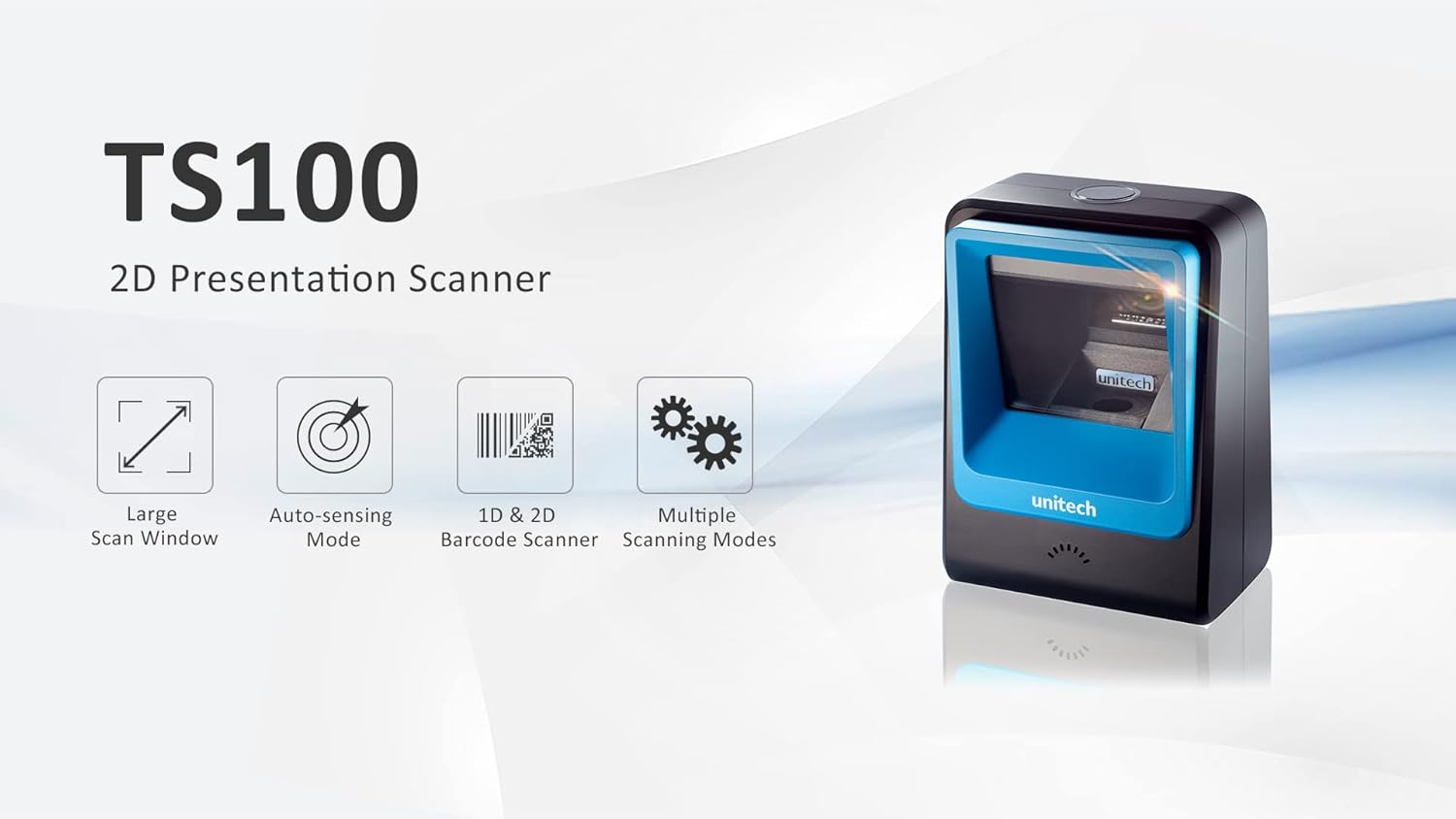
Figure 1: Unitech TS100 2D Presentation Scanner highlighting its large scan window, auto-sensing mode, 1D & 2D barcode scanning, and multiple scanning modes.

Şekil 2: Ön view of the Unitech TS100 scanner, showing the blue scanning window and the Unitech logo.

Şekil 3: Geri view of the Unitech TS100 scanner, displaying the product label with model number TS100-SUCB00-SG and power specifications.
Kurmak
Follow these steps to set up your Unitech TS100 barcode scanner:
- Tarayıcıyı Paketinden Çıkarın: Carefully remove the TS100 scanner and its accessories from the packaging.
- USB Kablosunu bağlayın: Insert the USB cable into the port at the back of the scanner.
- Ana Bilgisayara Bağlan: Plug the other end of the USB cable into an available USB port on your computer, laptop, or POS system.
- Sürücü Kurulumu: Tarayıcı genellikle tak ve çalıştır özelliğine sahiptir. İşletim sisteminiz gerekli sürücüleri otomatik olarak algılayıp kurmalıdır. Kurulumun tamamlanmasını bekleyin.
- Güç Açık: The scanner will power on automatically once connected to a powered USB port. A beep and/or LED indicator will confirm it is ready for use.
Kullanım Talimatları
The Unitech TS100 is designed for hands-free operation, offering multiple scanning modes for various applications.
Temel Tarama
- Barkodu tarayıcının okuma alanına yerleştirin view, facing the scanning window.
- The scanner will automatically detect the barcode and emit a successful scan indication (e.g., a beep and/or green LED).
- The scanned data will be transmitted to your connected host device as keyboard input.
Tarama Modları
The TS100 supports multiple scanning modes to optimize performance for different barcode types and environments:
- Normal Mod: Standard scanning for most 1D and 2D barcodes.
- Smartphone Mode: Optimized for reading barcodes displayed on smartphone screens, which can sometimes be reflective.
- Hızlı Mod: Designed for faster scanning of multiple barcodes in quick succession.
Refer to the full programming manual (available on the Unitech website) for instructions on how to switch between these modes using configuration barcodes.
Bakım
Doğru bakım, tarayıcınızın uzun ömürlü olmasını ve yüksek performans göstermesini sağlar:
- Tarama Penceresini Temizleme: Hafifçe yumuşak, tüy bırakmayan bir bez kullanın.ampSu veya hafif, aşındırıcı olmayan bir temizleyici ile durulayın. Sert kimyasallar veya aşındırıcı malzemeler kullanmayın.
- Dış Cephe Temizliği: Tarayıcının dış yüzeyini yumuşak, kuru bir bezle silin.
- Depolamak: Kullanılmadığı zamanlarda tarayıcıyı temiz, kuru bir ortamda, doğrudan güneş ışığından ve aşırı sıcaklıklardan uzakta saklayın.
Sorun giderme
If you encounter issues with your TS100 scanner, refer to the table below for common problems and solutions:
| Sorun | Olası Neden | Çözüm |
|---|---|---|
| Tarayıcı açılmıyor. | USB cable not properly connected or host device USB port is not powered. | USB kablosunun hem tarayıcıya hem de ana cihaza güvenli bir şekilde bağlı olduğundan emin olun. Farklı bir USB bağlantı noktası veya ana cihaz deneyin. |
| Tarayıcı barkodları okumuyor. | Barcode is damaged, poorly printed, or not supported. Scanning window is dirty. Incorrect scanning mode. | Ensure the barcode is clear and undamaged. Clean the scanning window. Verify the barcode symbology is supported. Try switching scanning modes (e.g., Smartphone Mode for screen barcodes). |
| Taranan veriler hatalı veya eksik. | Poor barcode quality. Scanner configuration issues. | Ensure the barcode is clear. Refer to the programming manual for advanced configuration settings. |
| Tarayıcı bip sesi çıkarıyor ancak veri iletilmiyor. | Host device not recognizing the scanner as a keyboard input. | Ensure the cursor is in a text field on your host device. Reconnect the USB cable. Restart the host device. |
Özellikler
Detailed technical specifications for the Unitech TS100 scanner:
| Özellik | Şartname |
|---|---|
| Sensör | Image Sensor with 1280x800 pixels |
| Aydınlatma | 650nm RED LED |
| Tarama Hızı | 60 kare/saniye |
| Eğik Açı | Horizontal Angle: 50°; Vertical Angle: 35° |
| Eğim açısı | ±65° |
| Yuvarlanma Açısı | 360° |
| Optik Çözünürlük | 1D: 4 mil; 2D: 6.7 mil |
| Printing Contrast Scale | %25 |
| Host Arabirimi | USB |
| Boyutlar (U x G x Y) | 4.1 inç x 5.7 inç x 2.7 inç (105 mm x 146 mm x 70 mm) |
| Ağırlık | 12.1 oz / 345g (without cable) |
| 1D Symbologies Supported | UPC-A/E, EAN-8/13, UPC/EAN Supplementals, EAN-8 Extend, Code 128, Code 39, Code 93, Code 11, Interleaved 2 of 5, Matrix 2 of 5, Codabar, MSI Plessey, GS1 DataBar, China Postal, Korean Postal, etc. |
| 2D Symbologies Supported | PDF417, MicroPDF417, DataMatrix, DataMatrix-Inverse, Maxicode, QRcode, MicroQR, Aztec, Aztec Inverse, Han Xin, Han Xin Inverse |
| Gösterge | LED, Buzzer |
| Çalışma Sıcaklığı | 32°F ila 122°F (0°C ila 50°C) |
| Depolama Sıcaklığı | -40°F ila 158°F (-40°C ila 70°C) |
| Bağıl nem | %0 ila %95 yoğuşmasız |
Garanti ve Destek
The Unitech TS100 barcode scanner main unit comes with a 1 yıllık garanti satın alma tarihinden itibaren. Bu garanti, normal kullanımda malzeme ve işçilikteki kusurları kapsar.
For technical support, warranty claims, or further assistance, please contact Unitech customer service or visit the official Unitech webSiteyi ziyaret edin. Garanti hizmetleri için satın alma belgesi olarak satın alma fişinizi saklayın.
Unitech Amerika Webalan: www.unitechamerica.com