giriiş
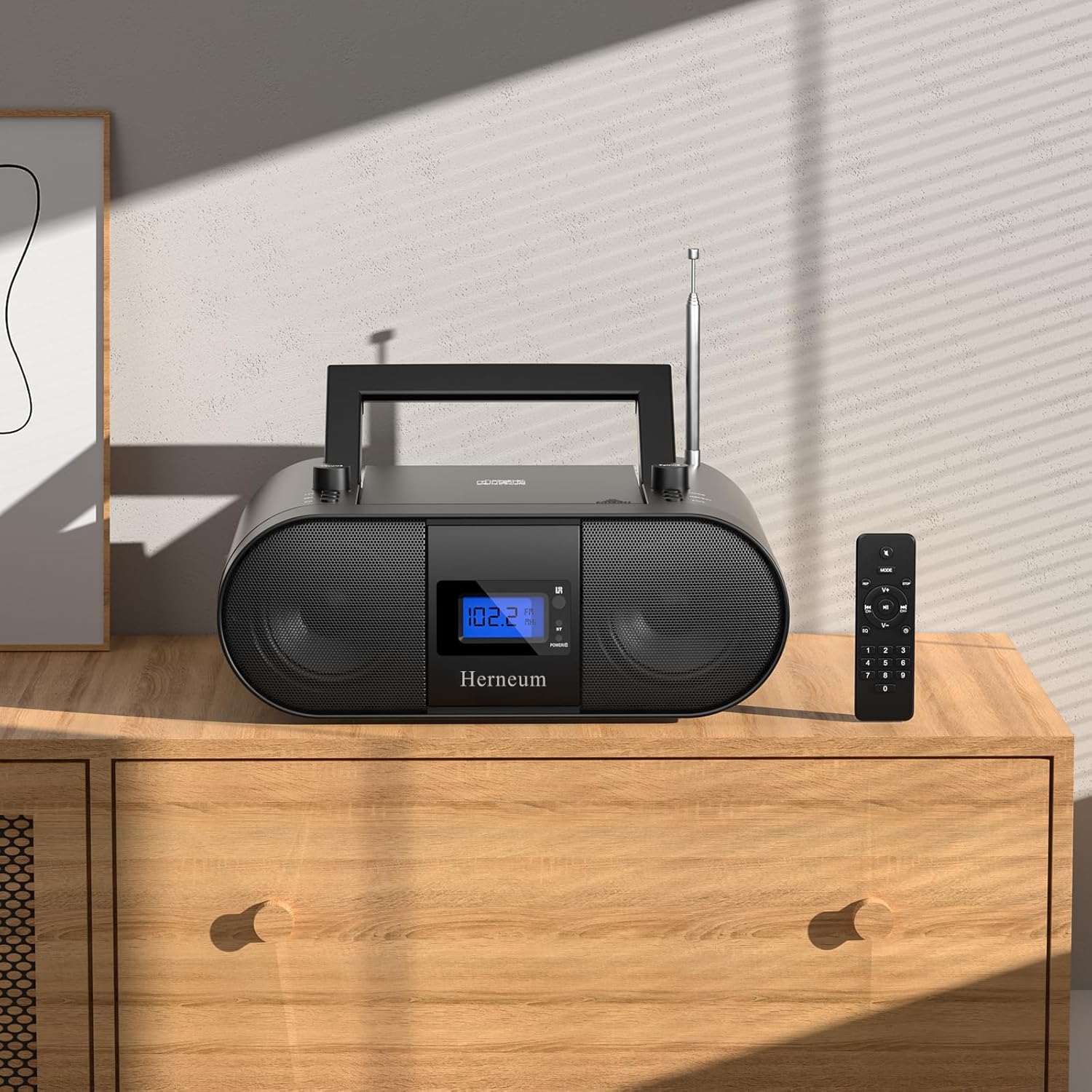
This manual provides essential instructions for the safe and efficient operation of your Herneum FC Portable CD Player Boombox. Please read this manual thoroughly before using the device and retain it for future reference.
Ürün Özellikleri
- Portable CD Player: Top-loading CD player with play/pause, skip, and repeat functions.
- FM Radyo: Built-in FM radio with telescopic antenna for enhanced reception.
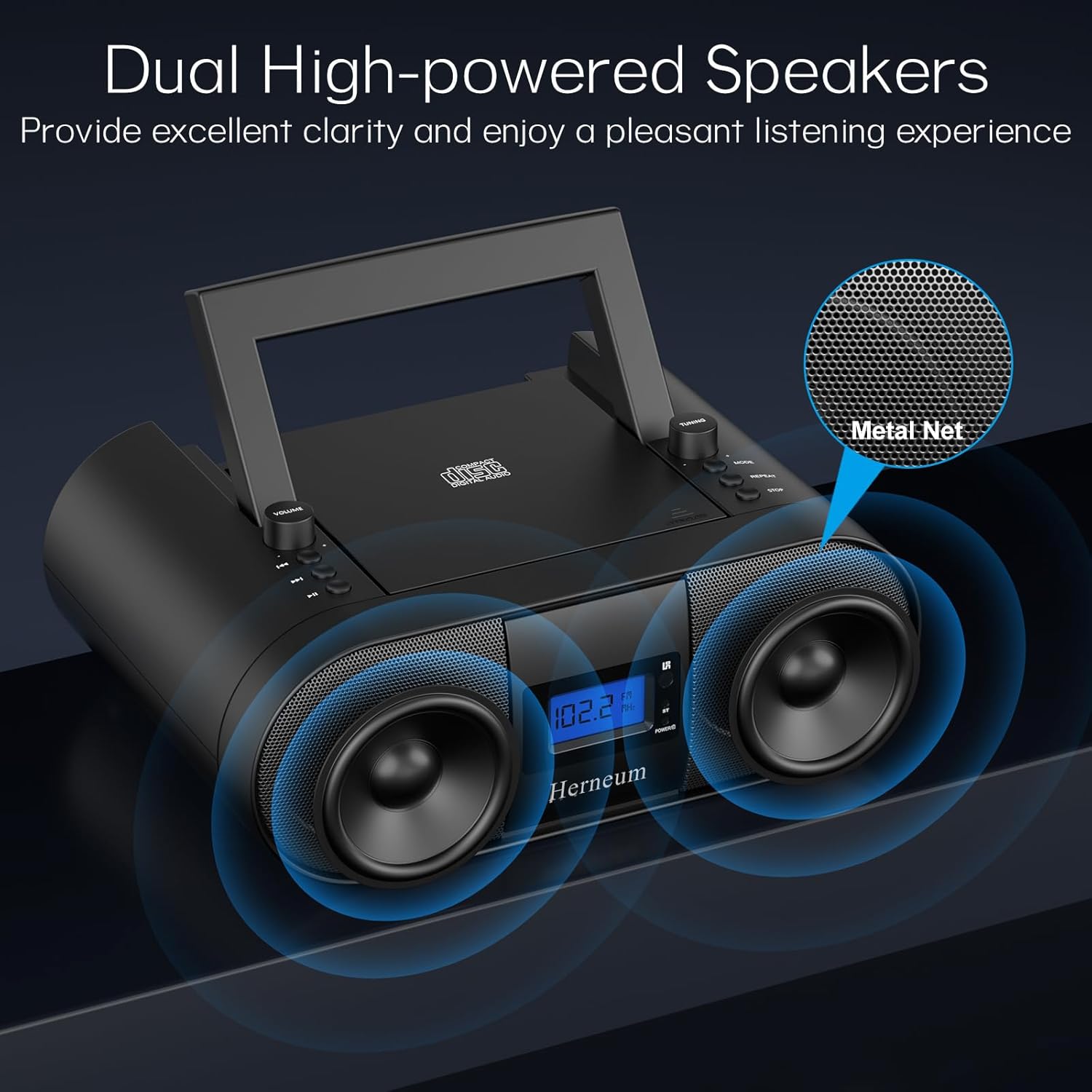
- Dual Stereo Sound System: High-performance speakers for clear audio.
- Şarj Edilebilir Pil: Integrated 2000mAh battery providing 4-5 hours of playback.
- Bluetooth Bağlantısı: Uyumlu cihazlardan kablosuz ses akışı.
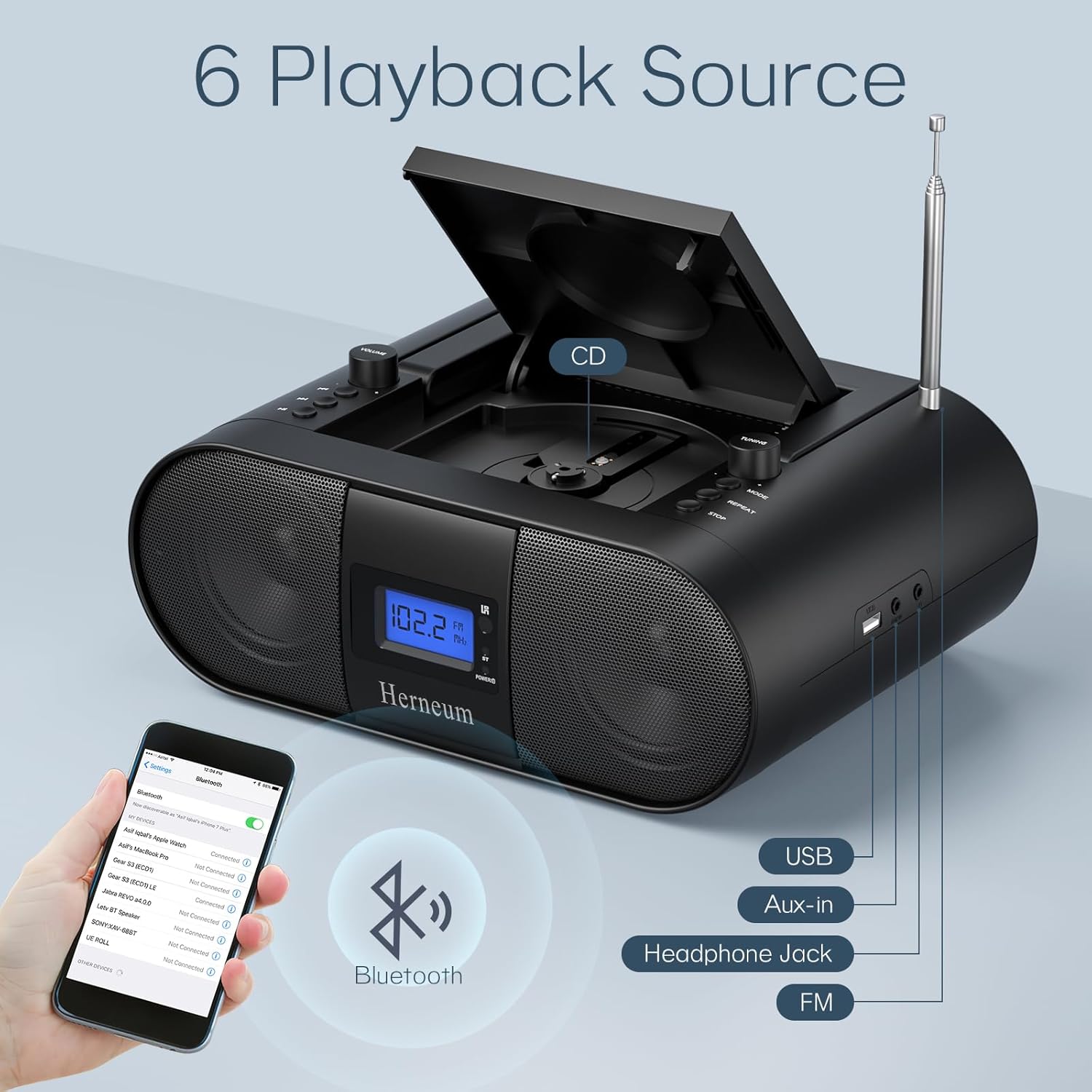
- Çoklu Girişler: Supports USB and AUX-in for versatile audio sources.
- Kulaklık Çıkışı: Özel dinleme için.
- Uzaktan kumanda: Convenient operation from a distance, including sleep timer function.
Paket İçeriği
Kutuyu açtığınızda tüm ürünlerin mevcut olduğundan emin olun:
- Herneum FC Portable CD Player Boombox
- Uzaktan kumanda
- Kullanıcı Kılavuzu
- Güç kablosu
Güvenlik Bilgileri
- Cihazı yağmura veya neme maruz bırakmayın.
- Cihazı ısı kaynaklarının yakınına veya doğrudan güneş ışığına maruz bırakmaktan kaçının.
- Cihazı açmayınasing; Servis işlemlerini yetkili personele yaptırın.
- Çocukların erişemeyeceği yerde saklayınız.
- Yalnızca verilen güç adaptörünü kullanın.
Kurmak
1. Cihaza Güç Verme
The Herneum FC can be powered by its internal rechargeable battery or by connecting it to an AC power outlet.
- AC Gücü: Connect the provided power cable to the "Power socket" (19) on the back of the unit and then to a wall outlet.
- Şarj Edilebilir Pil: The unit has a built-in 2000mAh rechargeable battery. It charges automatically when connected to AC power. A full charge provides approximately 4-5 hours of playback.
2. Anten Ayarı
For optimal FM radio reception, extend the telescopic antenna fully and adjust its position.

Kullanım Talimatları
1. Genel Kontroller
The device features various controls on its top panel and a remote control for convenient operation.

- Güç Anahtarı (18): Ünitenin arka tarafında bulunur.
- Volume +/- (1): Ses çıkış seviyesini ayarlar.
- Mod (7): Switches between CD, FM, Bluetooth, USB, and AUX modes.
- Ekran (14): Shows current mode, track number, and FM frequency.
2. CD Çalma
- Open the CD compartment (10) by gently lifting the lid.
- CD'yi etiket yüzü yukarı bakacak şekilde yerleştirin.
- CD bölmesini kapatın.
- Basın Mod button (7) to select CD mode.
- Basmak Oynat/Duraklat (4) oynatmayı başlatmak için.
- Kullanmak Önceki Parça (2) ve Sonraki Parça (3) to navigate tracks.
- Basmak Tekrarlamak (8) for single track or all track repeat.
- Basmak Durmak (9) oynatmayı sonlandırmak için.
3. FM Radyonun Çalıştırılması
- Teleskopik anteni uzatın.
- Basın Mod button (7) to select FM radio mode.
- Kullanmak Ayar +/- (6) to manually tune to a station.
- For automatic scanning, press and hold Ayar +/- (6).
4. Bluetooth Bağlantısı
- Basın Mod button (7) to select Bluetooth mode. The display will show "BT" and flash, indicating it's ready for pairing.
- On your mobile device, enable Bluetooth and search for "Herneum FC" (or similar device name).
- Select the device to pair. Once connected, the "BT" indicator will stop flashing.
- Artık cihazınızdan boombox'a ses aktarımı yapabilirsiniz.
5. USB Oynatma
- Insert a USB drive containing MP3/WMA files into the USB PORT (11).
- Basın Mod button (7) to select USB mode.
- Playback will start automatically. Use track navigation buttons to select songs.
6. AUX Girişi Bağlantısı
- Connect an external audio device (e.g., smartphone, MP3 player) to the AUX-in jack (12) using a 3.5mm audio cable.
- Basın Mod button (7) to select AUX mode.
- Harici cihazınızdan oynatmayı ve ses seviyesini kontrol edin.
7. Kulaklık Kullanımı
Plug headphones into the Headphone jack (13) for private listening. The speakers will automatically mute.
8. Uzaktan Kumanda
The included remote control allows for convenient operation of all functions from a distance. Insert 2 x AAA batteries (not included) into the remote.
- Sessiz/Sesi Aç: Temporarily silences or restores audio.
- Parçayı Atla: Navigates to the next or previous track.
- Change Radio: Adjusts FM frequency.
- Kontrol Hacmi: Sesi artırır veya azaltır.
- Stop Playing: Halts current playback.
- EQ Modu: Adjusts sound equalization settings.
- Uyku Zamanlayıcısı: Set preferred running time (15, 30, 45, 60, or 90 minutes).

Bakım
- Temizlik: Cihazın dış yüzeyini temizlemek için yumuşak, kuru bir bez kullanın. Aşındırıcı temizleyiciler veya çözücüler kullanmayın.
- CD Bakımı: CD'leri kenarlarından tutarak taşıyın. Kirli CD'leri yumuşak, tüy bırakmayan bir bezle, merkezden dışa doğru silerek temizleyin.
- Depolamak: When not in use for extended periods, store the boombox in a cool, dry place.
Sorun giderme
| Sorun | Olası Neden | Çözüm |
|---|---|---|
| Güç yok | Power cable not connected; battery drained; power switch off. | Check power cable connection; charge battery; ensure power switch (18) is ON. |
| CD not playing/skipping | CD dirty or scratched; CD inserted incorrectly; CD compartment not closed. | Clean or replace CD; ensure CD is label-side up; close compartment firmly. |
| Zayıf FM alımı | Antenna not extended/adjusted; weak signal. | Anteni uzatın ve ayarlayın; cihazı farklı bir yere taşımayı deneyin. |
| Bluetooth eşleştirmiyor | Device not in pairing mode; Bluetooth disabled on external device. | Ensure boombox is in Bluetooth mode; enable Bluetooth on your device and search again. |
| Uzaktan kumanda çalışmıyor | Batteries drained or inserted incorrectly; obstruction between remote and unit. | Replace remote batteries; ensure correct polarity; remove obstructions. |
Özellikler
- Modeli: FC
- Marka: fıtık
- Ürün Ölçüleri: 12.6 x 8.66 x 5.9 inç
- Ürün Ağırlığı: 4.36 pound
- Bağlantı Teknolojisi: Bluetooth, CD, USB, AUX-in, FM Radio
- Renk: Siyah
- Hoparlör Tipi: Çift Hoparlör
- Pil: Dahili 2000mAh şarj edilebilir pil
- Playback Time (Battery): 4-5 saat
Garanti ve Destek
The Herneum FC Portable CD Player Boombox comes with an 18-month warranty. For warranty claims, technical support, or any inquiries, please contact Herneum customer service.
Visit the official Herneum store for more information: Herneum Store


