Ürün Bittiview
The ORICO M.2 NVMe SATA SSD Enclosure Adapter provides a versatile solution for converting M.2 NVMe or SATA SSDs into a portable external storage device. This tool-free enclosure supports USB C 3.2 Gen 2 for NVMe SSDs, offering speeds up to 10Gbps, and USB C 3.2 Gen 1 for M.2 SATA SSDs, with speeds up to 5Gbps. Its aluminum construction and integrated cooling vest enhance heat dissipation, ensuring stable performance. The enclosure is compatible with various M.2 SSD sizes (2230, 2242, 2260, 2280) and operating systems, making it suitable for a wide range of applications.
Kutuda Neler Var?
Paketin tüm bileşenlerinin mevcut olduğunu doğrulayın:
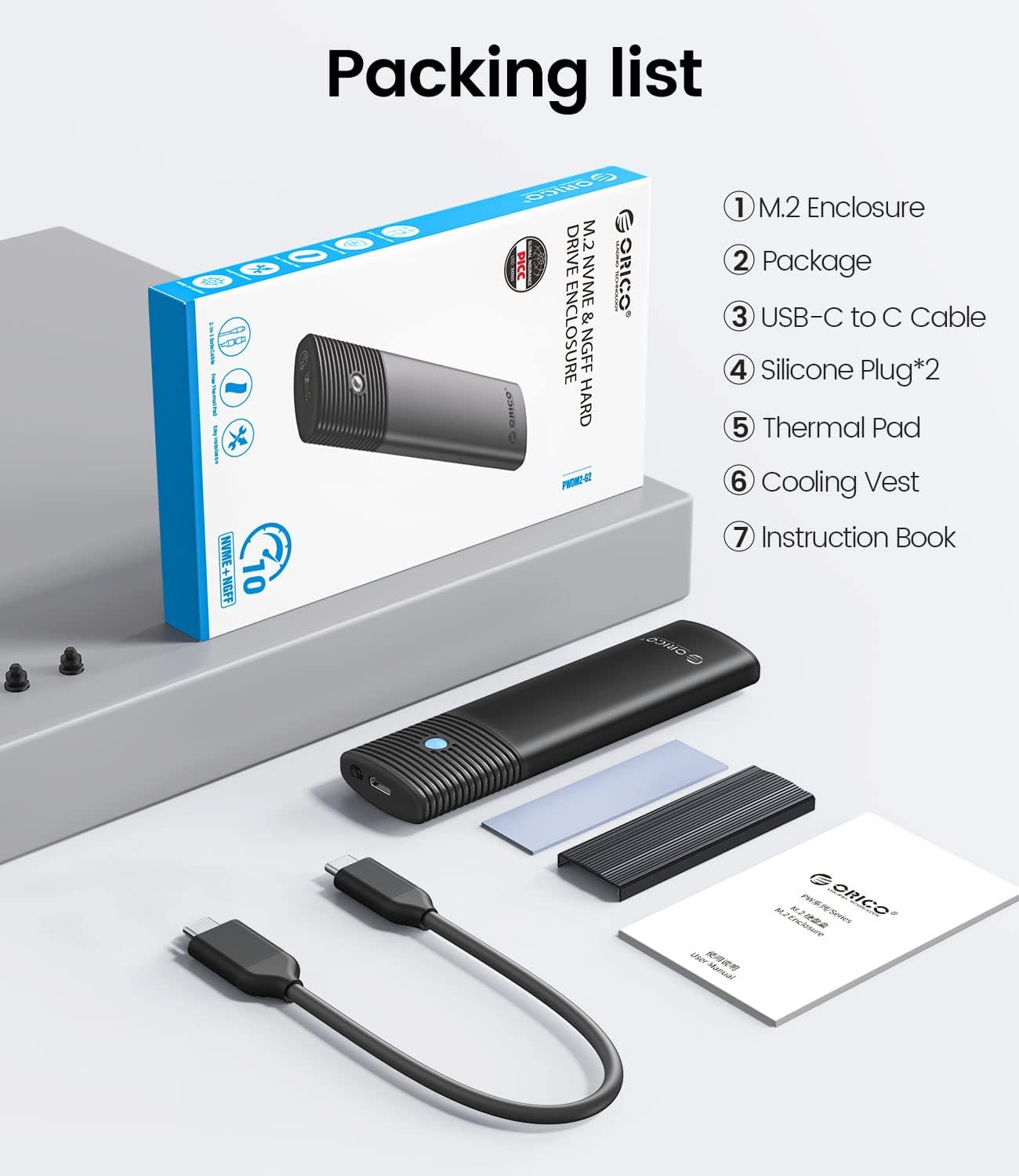
Image: Contents of the ORICO M.2 SSD Enclosure package, showing the enclosure, USB-C to USB-A cable, USB-C to USB-C cable, thermal pad, cooling vest, and instruction book.
- 1 x ORICO M.2 Enclosure
- 1 x USB-C to USB-A Cable (50cm / 20in)
- 1 x USB-C to USB-C Cable (50cm / 20in)
- 1 x Termal Ped
- 1 x Cooling Vest (Heatsink)
- 2 x Silicone Plugs
- 1 x Eğitim Kitabı
Kurulum ve Yükleme
The ORICO M.2 Enclosure features a tool-free design for easy SSD installation.

Image: Four steps illustrating the tool-free installation process: sliding the cover, applying thermal pad and cooling vest, inserting the SSD with a silicone plug, and closing the cover.
- Muhafazayı Açın: Slide the button cover to the left and gently pull the shell out to open the enclosure.
- Prepare the SSD: Stick the thermal pad onto your M.2 SSD. Then, place the cooling vest (heatsink) on top of the thermal pad, ensuring good contact.
- SSD'yi takın: Carefully insert your M.2 NVMe or SATA SSD into the enclosure's M.2 slot. Secure the SSD in place using the provided silicone plug.
- Muhafazayı Kapatın: Slide the shell back into place and push the button cover to the right until it locks, securing the SSD within the enclosure.
Operasyon
After installing your SSD, connect the enclosure to your computer or device using one of the provided USB cables.
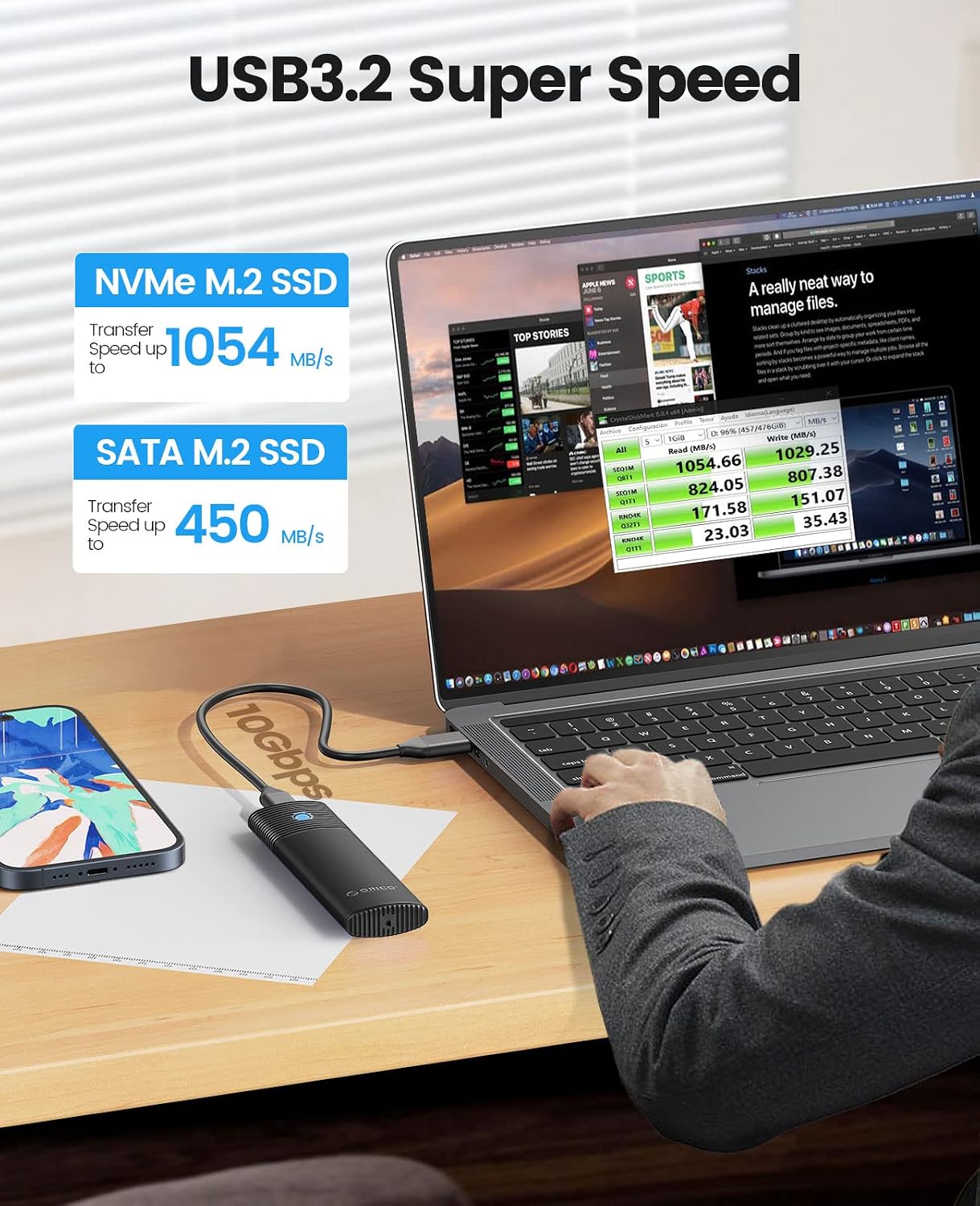
Image: The ORICO M.2 SSD Enclosure connected to a laptop, illustrating its high-speed data transfer capabilities for both NVMe and SATA M.2 SSDs.
- Bağlantı: Use the USB-C to USB-C cable for devices with a USB-C port, or the USB-C to USB-A cable for devices with a standard USB-A port.
- Veri Aktarım Hızları:
- Kullanırken NVMe M.2 SSD, the enclosure supports USB 3.2 Gen 2, providing data transfer rates up to 10Gbps (approximately 1000MB/s read/write).
- Kullanırken M.2 SATA SSD, the enclosure supports USB 3.2 Gen 1, providing data transfer rates up to 5Gbps (approximately 450MB/s read/write).
- İlk Kullanım: For new SSDs, you may need to initialize and format the drive through your operating system's disk management utility before it can be used for storage.
- Güvenli Kaldırma: Always safely eject the drive from your operating system before disconnecting the enclosure to prevent data corruption.
Bakım
Proper maintenance ensures the longevity and optimal performance of your ORICO SSD enclosure.
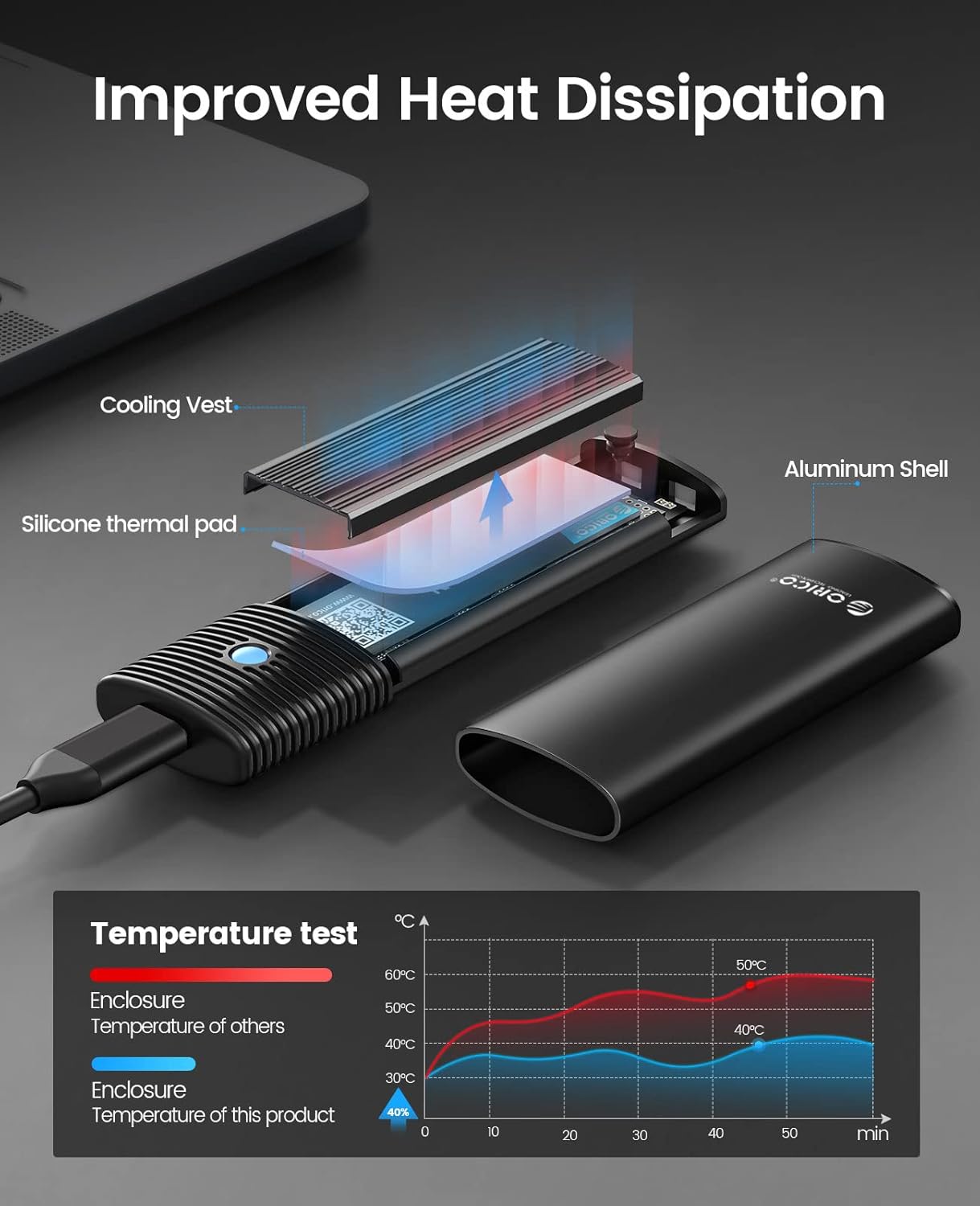
Resim: Patlamış bir view illustrating the heat dissipation mechanism of the enclosure, highlighting the cooling vest, silicone thermal pad, and aluminum shell working together to reduce SSD temperature.
- Isı Dağılımı: The enclosure is designed with an aluminum shell, a cooling vest, and a thermal silicone pad to effectively dissipate heat from the SSD. Ensure these components are correctly installed for optimal thermal performance.
- Temizlik: Keep the enclosure clean and free from dust. Use a soft, dry cloth to wipe the exterior. Avoid using liquid cleaners directly on the device.
- Depolamak: Store the enclosure in a cool, dry place away from direct sunlight and extreme temperatures when not in use.
- Fiziksel Koruma: Dayanıklı olsa da, kasayı düşürmekten veya güçlü darbelere maruz bırakmaktan kaçının; bu, dahili SSD'ye veya kasanın kendisine zarar verebilir.
Sorun giderme
If you encounter issues with your ORICO M.2 SSD Enclosure, consider the following troubleshooting steps:
- Sürücü Algılanmadı:
- Ensure the SSD is correctly seated in the M.2 slot and secured with the silicone plug.
- Bilgisayarınızda farklı bir USB bağlantı noktası deneyin.
- Farklı bir USB kablosuyla test edin.
- For new SSDs, check Disk Management (Windows) or Disk Utility (macOS) to see if the drive needs to be initialized and formatted.
- Verify that your SSD is compatible (M-Key/B+M Key NVMe or B+M Key SATA).
- Yavaş Transfer Hızları:
- Ensure you are connecting to a USB 3.0/3.1/3.2 port on your computer for optimal speeds. USB 2.0 ports will limit performance.
- Confirm your SSD is capable of the expected speeds.
- Check if your operating system and drivers are up to date.
- Ensure the cooling vest and thermal pad are correctly installed to prevent thermal throttling.
- Kasa Aşırı Isınması:
- Verify that the cooling vest and thermal pad are properly installed and making good contact with the SSD and enclosure.
- Ensure adequate airflow around the enclosure.
- Prolonged heavy data transfer can generate heat; this is normal, but excessive heat may indicate an issue with thermal management components.
- Aralıklı Bağlantı Kesintileri:
- Gevşek kablo bağlantılarını kontrol edin.
- Farklı bir USB kablosu veya bağlantı noktası deneyin.
- Güç tasarrufu için bilgisayarınızın güç ayarlarının USB aygıtlarını kapatacak şekilde yapılandırılmadığından emin olun.
Özellikler
| Örnek | B0BPP928BW |
| Marka | ORİKO |
| Donanım Arayüzü | USB Tip C |
| Veri Aktarım Hızı | 10 Gigabits Per Second (NVMe), 5 Gigabits Per Second (SATA) |
| Compatible SSD Types | M.2 NVMe M Key / B+M Key, M.2 NGFF SATA B+M Key SSD |
| Desteklenen SSD Boyutları | 2230, 2242, 2260, 2280 |
| Maximum SSD Capacity | 4TB'a kadar |
| Malzeme | Alüminyum |
| Uyumlu İşletim Sistemleri | Windows, MacOS, Linux, Android |
| Özellikler | Tool-Free Design, UASP Support, TRIM Support, Enhanced Heat Dissipation (Cooling Vest, Thermal Pad) |
Garanti ve Destek
ORICO products typically come with a manufacturer's warranty. For specific warranty details, including duration and coverage, please refer to the warranty card included in your product packaging or visit the official ORICO website. For technical support, product inquiries, or assistance with troubleshooting, please contact ORICO customer service directly through their official channels.
You can often find support contact information on the ORICO website or within the instruction book provided with your enclosure.


