1. Giriş
The SIIG Thunderbolt 4 Docking Station (Model: JU-DK0U11-S1) is designed to expand the connectivity of your laptop, providing a comprehensive workstation solution. This docking station offers 15 ports, enabling connections for multiple displays, peripherals, network, and power through a single Thunderbolt 4 cable. It supports high-speed data transfer and versatile display configurations for both Mac and Windows systems.

Image 1.1: SIIG Thunderbolt 4 Docking Station (JU-DK0U11-S1) overview.
2. Paket İçeriği
Paketinizde tüm öğelerin mevcut olduğundan emin olun:
- SIIG Thunderbolt 4 Docking Station (JU-DK0U11-S1)
- 150W Güç Adaptörü
- Thunderbolt 4 Kablosu
- Kullanıcı Kılavuzu

Image 2.1: Contents included in the SIIG Thunderbolt 4 Docking Station package.
3. Ürün Bittiview
3.1 Ön Panel Bağlantı Noktaları
- 3.5mm Stereo Out: Kulaklık veya harici hoparlörler için.
- SD 3.0 Card Slot: Supports SD 3.0 UHS-1 memory cards up to 2TB.
- USB-A 3.2 Gen 1 (5Gbps) Ports (x2): For connecting USB-A peripherals, supporting 5V/0.9A charging.
- Thunderbolt 4 Bağlantı Noktası: For connecting Thunderbolt 4 devices or displays.
- Güç Düğmesi: Bağlantı istasyonunu açmak veya kapatmak için.

Resim 3.1: Ayrıntılı view of the front panel ports.
3.2 Arka Panel Bağlantı Noktaları
- DC Power Jack (20V/7.5A): Kutu içeriğinde bulunan 150W güç adaptörüne bağlanır.
- Thunderbolt 4 Port (Host PD 60W): Connects to your laptop via the Thunderbolt 4 cable, providing up to 60W power delivery.
- 3.5 mm Mikrofon Girişi: Harici mikrofon bağlamak için.
- Micro SD (TF) 3.0 Card Slot: Supports Micro SD (TF) 3.0 UHS-1 memory cards up to 2TB.
- USB-A 2.0 (480Mbps) Ports (x2): For connecting USB-A peripherals, supporting 5V/1.5A charging.
- Gigabit Ethernet Bağlantı Noktası: Kablolu ağ bağlantısı için.
- DisplayPort Çıkışı: Harici bir ekran bağlamak için.
- HDMI Çıkışı: Harici bir ekran bağlamak için.
- Thunderbolt 4 Ports (x2): For connecting additional Thunderbolt 4 devices or displays, providing 45W power delivery.

Resim 3.2: Ayrıntılı view of the rear panel ports.
4. Kurulum Talimatları
- Gücü bağlayın: Plug the included 150W power adapter into the DC Power Jack on the rear of the docking station, then connect it to a power outlet.
- Ana bilgisayara bağlanın: Use the provided Thunderbolt 4 cable to connect the Thunderbolt 4 Host port (60W PD) on the rear of the docking station to your laptop's Thunderbolt 4 or USB-C port.
- Güç Açık: Press the power button on the front panel of the docking station. The power indicator LED should illuminate.
- Ekranları Bağla: Connect your monitors to the available DisplayPort, HDMI, and Thunderbolt 4 output ports on the docking station. Refer to the 'Display Configuration' section for supported setups.
- Çevre Birimlerini Bağlayın: Connect your USB devices, Ethernet cable, and audio devices to the corresponding ports on the docking station.
5. Kullanım Talimatları
5.1 Ekran Yapılandırması
The docking station supports various display setups, including single 8K or quad 4K displays, utilizing Thunderbolt 4 and DisplayLink technology. Ensure DisplayLink drivers are installed for optimal performance, especially for additional displays beyond native Thunderbolt outputs.
- Single Display Output: Supports up to 8K resolution.
- Çift Ekran Çıkışı: Supports up to 2x 4K resolution via two Thunderbolt 4 ports.
- Quad Display Output: Achieved by combining two Thunderbolt 4 ports with the DisplayPort and HDMI ports, enabling four 4K displays.

Resim 5.1: Örn.ample of a quad display setup using the docking station.

Image 5.2: Display compatibility and resolution matrix for Windows and Mac M1/M2 systems.
5.2 Güç Dağıtımı
The docking station provides power to your connected devices:
- Dizüstü Bilgisayar Şarjı: Up to 60W Power Delivery (PD) to the host laptop via the Thunderbolt 4 host port.
- Thunderbolt 4 Bağlantı Noktaları: Each of the three downstream Thunderbolt 4 ports provides up to 45W of power.
- USB-A Fast Charging: Two USB-A 5Gbps ports support 5V/0.9A charging, and two USB-A 2.0 ports support 5V/1.5A charging.

Image 5.3: Power delivery capabilities of the docking station.
5.3 Veri Aktarımı
Experience high-speed data transfer for efficient workflow:
- Yıldırım 4: Up to 40Gbps data transfer speed, 8 times faster than USB 3.0.
- USB-A 3.2 1. Nesil: Up to 5Gbps data transfer speed.
- Hafıza Kartı Okuyucusu: Supports SD 3.0 UHS-1 and Micro SD (TF) 3.0 UHS-1 with data transfer rates up to 104MB/s.
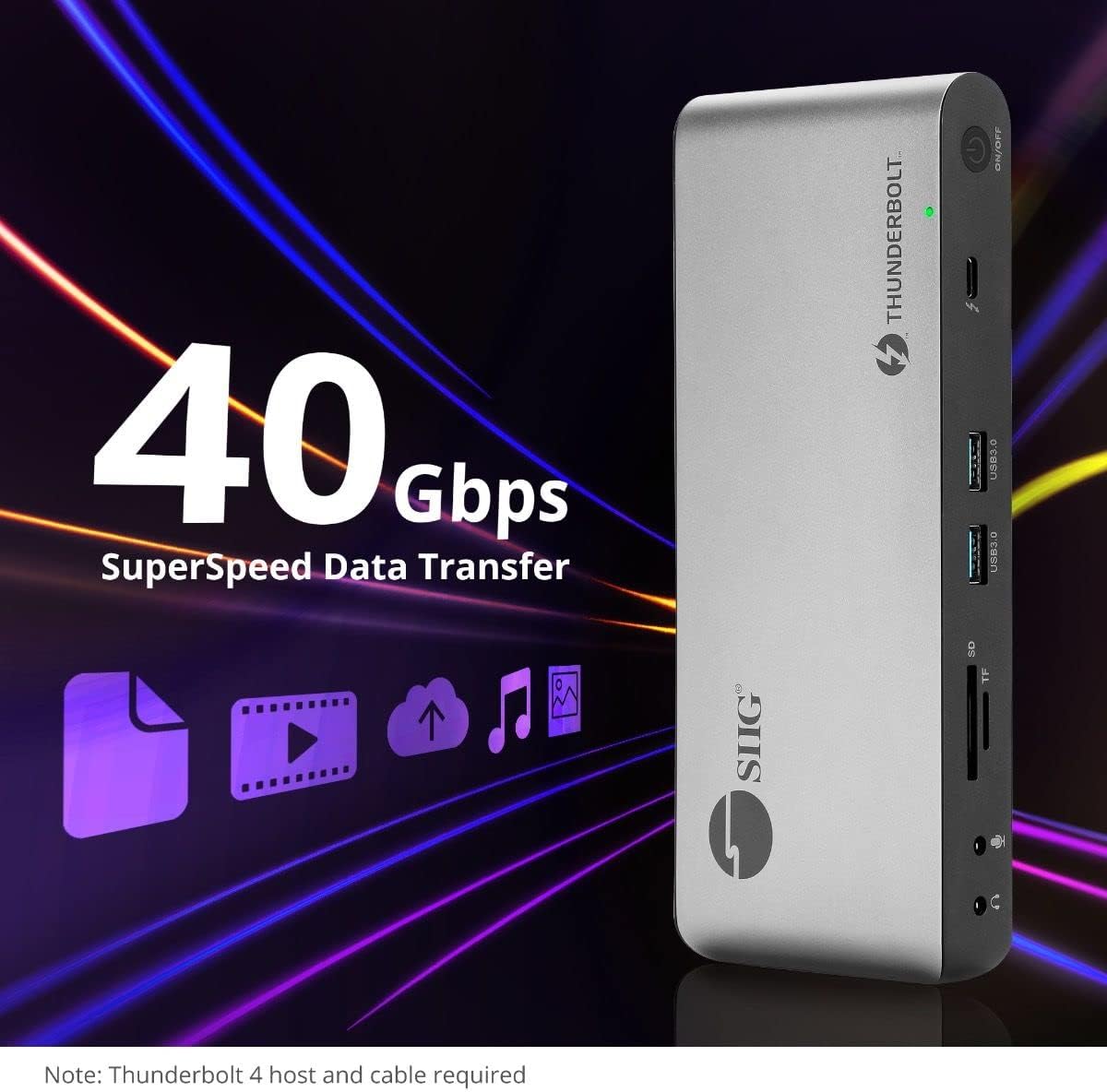
Image 5.4: High-speed data transfer capabilities.
6. Uyumluluk
The SIIG Thunderbolt 4 Docking Station is broadly compatible with various systems:
- İşletim Sistemleri: Mac M1/M2/M3 Pro & Max, Intel chip Macs, Windows PCs (Intel/AMD/Snapdragon), and Chromebooks.
- Geriye Dönük Uyumluluk: Fully compatible with Thunderbolt 3, USB4, and USB-C equipped computers.
7. Bakım
Bağlantı istasyonunuzun uzun ömürlü ve optimum performans göstermesi için aşağıdaki bakım yönergelerini izleyin:
- Temizlik: Cihazın dış yüzeyini temizlemek için yumuşak, kuru bir bez kullanın. Sıvı temizleyicilerden veya çözücülerden kaçının.
- Havalandırma: Aşırı ısınmayı önlemek için şarj istasyonunun iyi havalandırılan bir alana yerleştirildiğinden emin olun. Havalandırma açıklıklarını hiçbir şekilde kapatmayın.
- Depolamak: Cihazı serin, kuru ve doğrudan güneş ışığından ve aşırı sıcaklıklardan uzak bir yerde saklayın.
- İşleme: Cihazı düşürmekten veya güçlü darbelere maruz bırakmaktan kaçının.
8. Sorun Giderme
If you encounter issues with your SIIG Thunderbolt 4 Docking Station, refer to the following common problems and solutions:
- Güç Yok:
- Güç adaptörünün hem yerleştirme istasyonuna hem de çalışan bir elektrik prizine güvenli bir şekilde bağlandığından emin olun.
- Verify the power button on the docking station is pressed and the power indicator LED is on.
- Display Issues (No Signal/Incorrect Resolution):
- Check all display cables (HDMI, DisplayPort, Thunderbolt) are securely connected to both the docking station and the monitors.
- Ensure your laptop's display settings are configured correctly to detect and extend/mirror displays.
- For multi-display setups, especially beyond two monitors, ensure DisplayLink drivers are installed and up to date on your operating system.
- Verify your monitors support the selected resolution and refresh rate.
- Çevre Birimleri Algılanamadı:
- Ensure USB devices are properly connected to the docking station's USB ports.
- Try connecting the peripheral directly to your laptop to confirm it is functional.
- Bağlantı istasyonunu ve dizüstü bilgisayarınızı yeniden başlatın.
- Aşırı Isınma:
- Ensure the docking station is placed in an area with adequate airflow and not covered.
- Reduce the number of high-power devices connected if possible, or consider using a cooling pad if persistent.
- Yavaş Veri Aktarımı:
- Ensure you are using Thunderbolt 4 certified cables for Thunderbolt connections.
- Verify the connected device supports the expected transfer speeds.
9. Özellikler
| Özellik | Detay |
|---|---|
| Model Numarası | JU-DK0U11-S1 |
| Ürün Boyutları | 3.27 x 7.8 x 1.14 inç |
| Ürün Ağırlığı | 15.4 ons (0.96 Pound) |
| Toplam Limanlar | 15 (including 7 USB ports) |
| Ana Bilgisayar Bağlantısı | Thunderbolt 4 (USB-C) |
| Video Çıkışları | 1x HDMI, 1x DisplayPort, 3x Thunderbolt 4 (USB-C) |
| Maksimum Ekran Çözünürlüğü | Single 8K@30Hz, Quad 4K@60Hz |
| Güç Dağıtımı (Ana Bilgisayar) | 60W'a kadar |
| Power Delivery (Downstream TB4) | Port başına 45W'a kadar |
| Veri Aktarım Hızı | Thunderbolt 4: 40Gbps, USB-A 5Gbps: 5Gbps |
| Ethernet | Gigabit Ethernet |
| Kart Okuyucu | SD 3.0 UHS-1, Micro SD (TF) 3.0 UHS-1 (up to 2TB) |
| Ses Bağlantı Noktaları | 3.5mm Stereo Out, 3.5mm Mic In |
| Uyumlu işletim sistemi | Mac M1/M2/M3 Pro & Max, Intel Macs, Windows, Chromebooks |
| Renk | Siyah |
| UPC | 662774045689 |
10. Garanti ve Destek
SIIG products are designed for reliability and performance. For warranty information and technical support, please refer to the documentation included with your product or visit the official SIIG webalan. Garanti talepleri için satın alma makbuzunuzu saklayın.


