1. Giriş
Welcome to the user manual for your Tunturi Centuri S100 Sprinter Exercise Bike. This manual provides essential information for the safe assembly, operation, maintenance, and troubleshooting of your new fitness equipment. Please read this manual thoroughly before using the exercise bike to ensure proper usage and to maximize your training experience.

Image 1.1: The Tunturi Centuri S100 Sprinter Exercise Bike, a robust indoor cycling solution.
2. Önemli Güvenlik Talimatları
Before beginning any exercise program, consult with your physician. It is essential to follow these safety guidelines to prevent injury and ensure the longevity of your equipment.
- Egzersiz bisikletini her zaman düz ve sağlam bir yüzeye yerleştirin.
- Ensure adequate clear space around the bike (at least 0.6 meters or 2 feet).
- Kullanım sırasında çocukları ve evcil hayvanları ekipmandan uzak tutun.
- Uygun spor ayakkabı ve kıyafetleri giyin.
- Bisikleti her kullanımdan önce gevşek veya hasarlı parçalar açısından kontrol edin. Hasarlıysa kullanmayın.
- Antrenmana başlamadan önce koltuğu ve gidonu rahat ve güvenli bir konuma ayarlayın.
- Use the emergency stop switch immediately if you feel unwell or experience any discomfort.
- Maximum user weight for this device is 150 kg (330 lbs).
3. Kurulum ve Montaj
The Tunturi Centuri S100 Sprinter Exercise Bike requires some assembly. Please follow the detailed assembly instructions provided in the separate assembly guide included with your product. Once assembled, ensure all bolts and nuts are securely tightened.
3.1 Bisikletin Ayarlanması
Proper adjustment of the seat and handlebars is crucial for comfort and effective training.
- Koltuk Ayarı: The seat can be adjusted both vertically and horizontally. Loosen the adjustment knob located beneath the seat post, slide the seat to your desired position, and then securely tighten the knob.
- Gidon Ayarı: The handlebars can be moved forward, backward, up, and down. Loosen the adjustment knob on the handlebar post, position the handlebars for optimal comfort and reach, and then firmly tighten the knob.
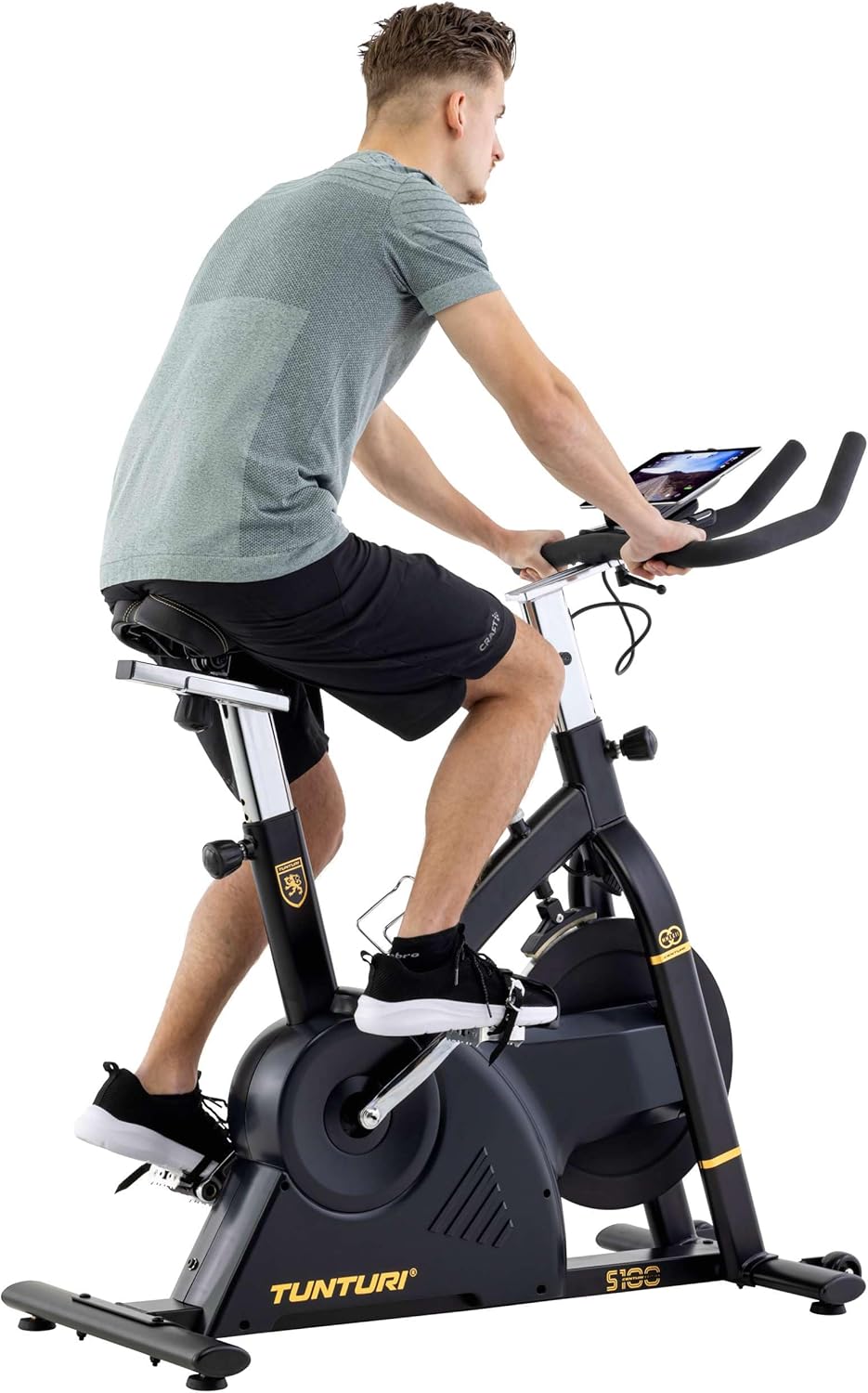
Image 3.1: A user adjusting the handlebars for a personalized fit.

Image 3.2: Proper riding posture on the Tunturi S100, demonstrating adjusted seat and handlebars.
4. Kullanım Talimatları
4.1 Konsol Üzerindenview
The S100 features a 5.5-inch backlit LCD display that shows important training parameters.

Image 4.1: Close-up of the S100's 5.5-inch backlit LCD display, showing time, pulse, speed, distance, watts, and calories.
The display provides real-time feedback on:
- Zaman: Antrenmanınızın süresi.
- Nabız: Heart rate (measured via handlebar sensors or compatible chest strap).
- Hız: Mevcut bisiklet hızı.
- Mesafe: Antrenman boyunca kat edilen toplam mesafe.
- Kalori: Yakılan tahmini kalori miktarı.
- Watt: Power output in watts.
Use the buttons below the display (RESET, START/STOP, RECOVERY, UP, MODE, DOWN) to navigate menus, select programs, and adjust settings.
4.2 Resistance and Programs
The S100 offers a varied and intense training experience with:
- 32 Direnç Seviyesi: Adjust the intensity of your workout using the console controls.
- 21 Program: Choose from a variety of pre-set programs designed for different fitness goals. Refer to the console manual for detailed program descriptions.
4.3 Bluetooth Connectivity and Apps
The Tunturi S100 connects via Bluetooth to popular fitness applications, enhancing your training options.
- Uyumlu Uygulamalar: Zwift, iConsole+ Training, and Kinomap.
- Tunturi Routes: Experience virtual routes around the globe through compatible applications.
Bağlanmak için:
- Akıllı telefonunuzda veya tabletinizde Bluetooth'un etkin olduğundan emin olun.
- Download and open your preferred fitness app (e.g., Zwift, iConsole+ Training, Kinomap).
- Follow the app's instructions to pair with your Tunturi S100 exercise bike.
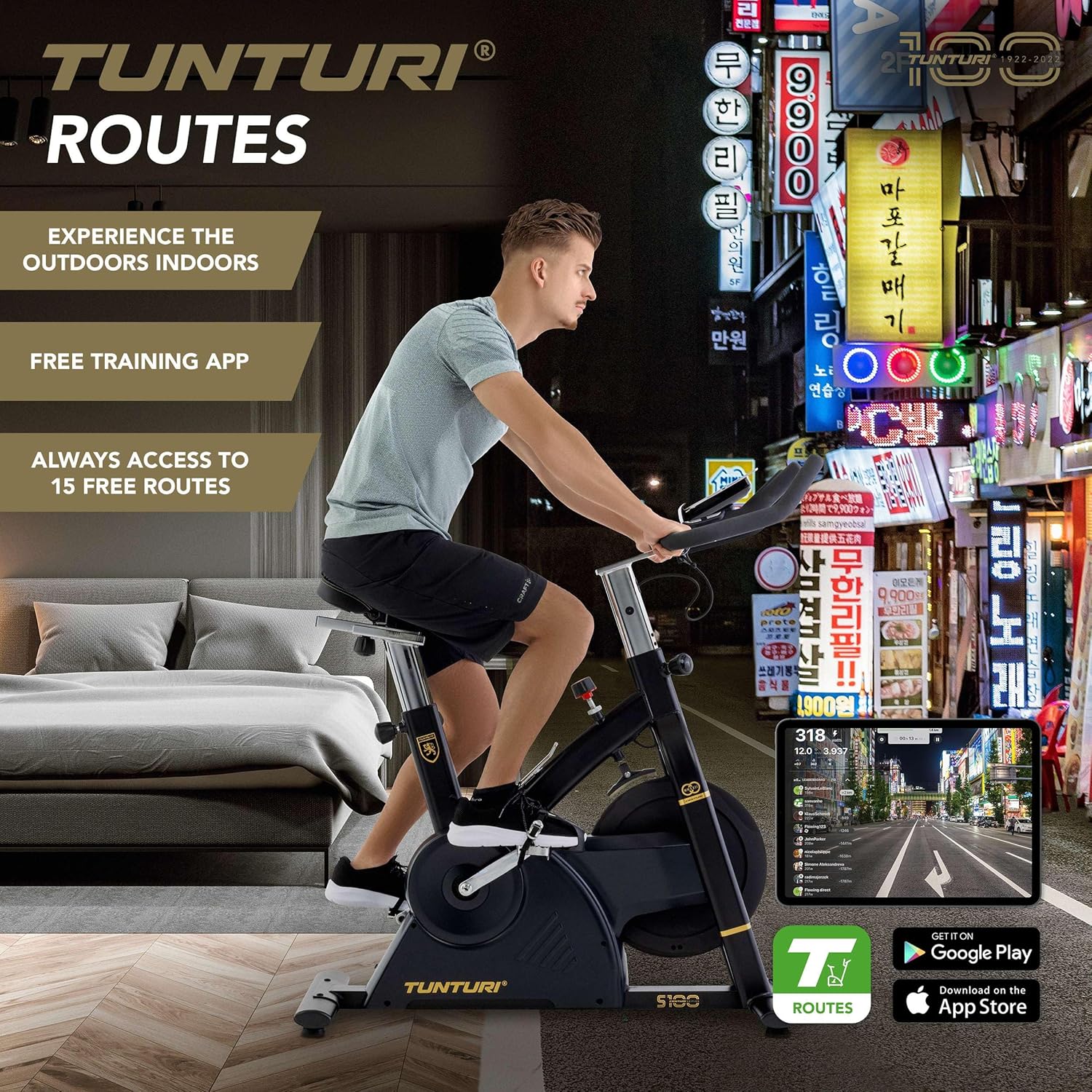
Image 4.2: A user engaging in a virtual cycling experience using the Tunturi Routes app on a tablet, connected via Bluetooth.

Image 4.3: The Tunturi Routes application interface displayed on a tablet, showcasing various training options and real-life video routes.
4.4 Ek Özellikler
- Acil Durdurma Anahtarı: Located on the frame, this switch allows for immediate cessation of the flywheel rotation for safety.
- Tablet Tutucu: A convenient holder is integrated into the console for your tablet or smartphone.
- Şişe tutacağı: Keep hydrated during your workout with the easily accessible bottle holder.
- Taşıma tekerlekleri: For easy relocation, the bike is equipped with transport wheels at the front stabilizer.
5. Bakım
Regular maintenance ensures the longevity and optimal performance of your Tunturi Centuri S100.
- Temizlik: Bisikleti reklamla silinamp Ter ve tozu temizlemek için her kullanımdan sonra bir bezle silin. Aşındırıcı temizleyicilerden kaçının.
- Denetleme: Tüm cıvataları, somunları ve hareketli parçaları periyodik olarak sıkılık ve aşınma açısından kontrol edin. Gevşek bağlantı elemanlarını sıkın.
- Yağlama: Consult the separate assembly guide for any specific lubrication requirements for moving parts.
- Depolamak: Bisikleti kuru, serin ve doğrudan güneş ışığından ve aşırı sıcaklıklardan uzak bir yerde saklayın.
6. Sorun Giderme
If you encounter any issues with your Tunturi Centuri S100, refer to the following common problems and solutions.
| Sorun | Olası Neden | Çözüm |
|---|---|---|
| Konsolda veri görüntülenmiyor. | Loose cable connection, dead batteries (if applicable). | Check all cable connections to the console. Replace batteries if the console is battery-powered. |
| Çalışma sırasında olağandışı gürültü. | Loose parts, friction, or internal component issue. | Inspect all visible bolts and nuts for tightness. Ensure the bike is on a level surface. If noise persists, contact customer support. |
| Direnç değişmiyor. | Issue with the resistance mechanism or console connection. | Ensure the console is properly connected. If the problem continues, contact customer support. |
| Bluetooth bağlantı sorunları. | Bluetooth not enabled, app issues, or interference. | Ensure Bluetooth is on for both devices. Restart the app and the bike. Move closer to the bike to reduce interference. |
For issues not listed here, or if solutions do not resolve the problem, please contact Tunturi customer support.
7. Özellikler
| Özellik | Detay |
|---|---|
| Örnek | Tunturi Centuri S100 Sprinter Exercise Bike |
| Boyutlar (U x G x Y) | 110 x 52 x 120 cm (43.3 x 20.5 x 47.2 inç) |
| Ürün Ağırlığı | 45.25 kg (99.7 lbs) |
| Maksimum Kullanıcı Ağırlığı | 150 kg (330 lbs) |
| Görüntülemek | 5.5 inç Arkadan Aydınlatmalı LCD |
| Direnç Seviyeleri | 32 |
| Programlar | 21 |
| Fren Sistemi | PMS, Servomotor |
| Volan Ağırlığı | 17 kg (37.5 lbs) |
| Bağlantı | Bluetooth (Zwift, iConsole+ Training, Kinomap compatible) |
| Malzeme | Cast iron, plastic, metal, foam |
| Özel Özellikler | Adjustable seat (vertical & horizontal), adjustable handlebars (forward/backward, up/down), tablet holder, bottle holder, transport wheels, emergency stop switch. |
8. Garanti ve Destek
For detailed warranty information, please refer to the warranty card included with your product or visit the official Tunturi webalan.
If you require technical assistance, spare parts, or have any questions regarding your Tunturi Centuri S100, please contact Tunturi customer support. Contact details can typically be found on the Tunturi websitenizde veya ürün ambalajınızda.


