1. Giriş
1.1 Ürün Üzeriview
The ZKTeco MB2000 is an advanced access control and attendance recording device designed for efficient management of personnel entry and exit. It features fingerprint recognition technology for secure and reliable identification. This manual provides detailed instructions for the installation, operation, and maintenance of your MB2000 device.
1.2 Temel Özellikler
- Parmak İzi Tanıma: High-accuracy biometric identification for access and attendance.
- IPX7 International Protection Rating: Provides protection against water immersion up to 1 meter for 30 minutes.
- Hafif Tasarım: Facilitates easy installation and portability.
- Kablosuz bağlantı: Enables flexible data transfer and device management.
1.3 Paket İçeriği
Paketin içinde tüm öğelerin mevcut olduğundan emin olun:
- ZKTeco MB2000 Fingerprint Device
- Montaj Standı
- User Card (for initial setup or specific functions)
- Güç Adaptörü (açıkça listelenmemiş ancak çalıştırılması için ima edilmiştir)
- Kullanım Kılavuzu (bu belge)
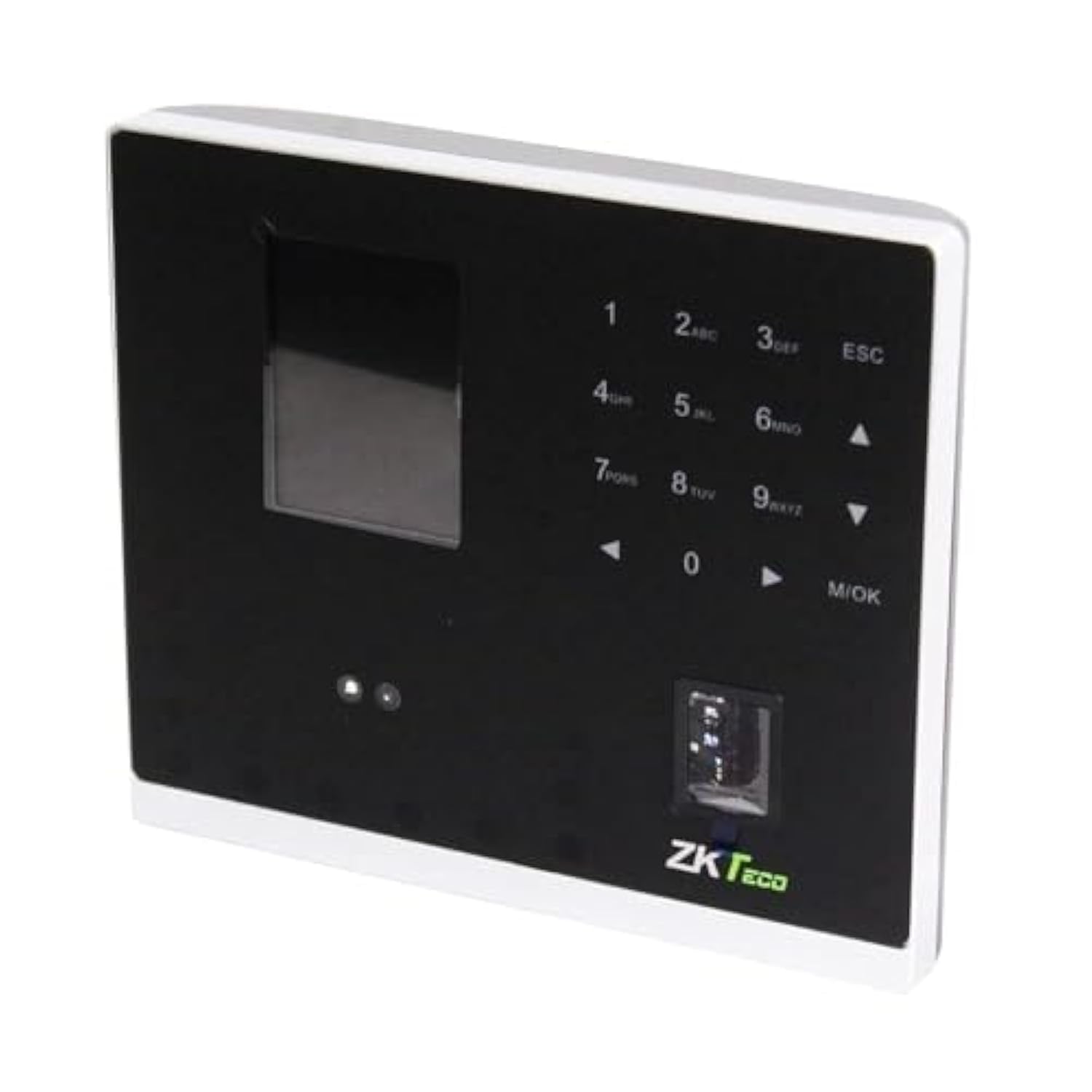
Şekil 1.1: ZKTeco MB2000 Access Control and Attendance Recording Device. This image shows the front view of the compact device, highlighting its fingerprint sensor and display screen.
2. Güvenlik Bilgileri
Yaralanma veya hasarı önlemek için lütfen cihazı çalıştırmadan önce tüm güvenlik talimatlarını okuyun ve anlayın.
- Güç Kaynağı: Use only the specified power adapter provided with the device. Using an incorrect power supply may damage the device and void the warranty.
- Çevre: Do not expose the device to extreme temperatures, direct sunlight, or corrosive substances. While rated IPX7, prolonged submersion or exposure to high-pressure water jets is not recommended.
- İşleme: Avoid dropping or subjecting the device to strong impacts. Do not attempt to disassemble or repair the device yourself. Contact qualified service personnel for assistance.
- Temizlik: Temizlik için yumuşak ve kuru bir bez kullanın. Sıvı veya aerosol temizleyiciler kullanmayın.
3. Kurulum Kılavuzu
3.1 Paketin Açılması ve Muayene
Carefully remove the device and all accessories from the packaging. Inspect for any signs of damage. If any components are missing or damaged, contact your supplier immediately.
3.2 Cihazın Montajı
The MB2000 can be mounted using the provided stand. Choose a stable, flat surface for placement. Ensure the device is positioned at a comfortable height for users to access the fingerprint sensor.
- Attach the stand securely to the back of the MB2000 device.
- Place the device with the stand on your desired surface.
- Ensure the device is stable and will not easily tip over.
3.3 Güç Bağlantısı
Güç adaptörünü cihazın güç giriş portuna bağlayın ve ardından standart bir elektrik prizine takın. Cihaz otomatik olarak açılacaktır.
3.4 İlk Yapılandırma
Upon first power-on, the device may prompt you to set up an administrator. Follow the on-screen instructions to register the first administrator fingerprint or card. This administrator will have privileges to manage users and device settings.
4. Kullanım Talimatları
4.1 Kullanıcı Kaydı
Yeni bir kullanıcı kaydetmek için:
- Access the device menu using the administrator's fingerprint or card.
- Navigate to the 'User Management' section.
- 'Kullanıcı Ekle'yi seçin.
- Enter the user's ID and name (if applicable).
- Register the user's fingerprint by placing their finger on the sensor multiple times as prompted.
- Alternatively, register a user card by presenting it to the device's card reader.
- Kullanıcı bilgilerini kaydedin.
4.2 Erişim Kontrolü
For access control, registered users can gain entry by:
- Parmak İzi Doğrulama: Place a registered finger on the sensor. The device will verify the fingerprint and grant access if authorized.
- Card Presentation: Present a registered user card to the device's card reader. The device will verify the card and grant access if authorized.
4.3 Katılım Kaydı
The device automatically records attendance when a user successfully verifies their identity for access. The timestamp of the verification is logged as an attendance record.
4.4 Veri Yönetimi
Attendance logs and user data can be managed through the device's interface or by connecting to a compatible software (if available). Refer to the device's on-screen menu for options to download data via USB or network connection.
5. Bakım
5.1 Temizlik
Düzenli temizlik, optimum performansın korunmasına yardımcı olur:
- Parmak izi sensörü: Gently wipe the sensor surface with a soft, lint-free cloth. Do not use abrasive materials or harsh chemicals.
- Device Surface: Clean the device's exterior with a slightly damp cloth, then dry immediately with a soft, dry cloth.
5.2 Yazılım Güncellemeleri
Üreticinin kontrol edin website periodically for software or firmware updates. Updates can improve performance, add features, or fix bugs. Follow the provided instructions carefully when performing updates.
5.3 Veri Yedekleme
Regularly back up attendance logs and user data to prevent loss. This can typically be done via USB export or through connected management software.
6. Sorun Giderme
This section addresses common issues you might encounter with the MB2000 device.
| Sorun | Olası Neden | Çözüm |
|---|---|---|
| Cihaz açılmıyor. | No power, faulty adapter, or power outlet issue. | Check power connection. Ensure the adapter is correctly plugged in. Test the power outlet with another device. |
| Parmak izi tanınmadı. | Fingerprint not registered, dirty sensor, or incorrect placement. | Ensure the fingerprint is registered. Clean the sensor. Place the finger flat and centered on the sensor. Try re-registering the fingerprint. |
| Card not recognized. | Card not registered or incorrect card type. | Verify the card is registered. Ensure it is a compatible card type. |
| Veri aktarım sorunları. | Incorrect settings, cable issues, or software incompatibility. | Check network settings or USB cable connection. Ensure the management software is compatible and correctly configured. |
7. Teknik Özellikler
| Şartname | Detay |
|---|---|
| Model Numarası | MB2000 |
| Marka | ZKTeco |
| Nakliye Boyutları | 31x25.5x12.5 cm |
| Ürün Ağırlığı | 1.5 kilo |
| Özel Özellikler | Hafif |
| Bağlantı | Kablosuz |
| Renk | Siyah |
| Dahil Bileşenler | Fingerprint device, stand, card |
| Uluslararası Koruma Derecelendirmesi | IPX7 (Su Geçirmez) |
| Kanal Sayısı | 1 |
| İlk Mevcut Tarih | 6 Kasım 2022 |
8. Garanti ve Destek
For warranty information, please refer to the warranty card included with your product or the purchase documentation. For technical support or service inquiries, please contact your local ZKTeco distributor or visit the official ZKTeco webiletişim bilgileri için site.


