giriiş
This manual provides comprehensive instructions for the setup, operation, and maintenance of your SMPL Big Button Corded Phone for Seniors, Model 56020. Designed with ease of use in mind, this phone features large buttons, amplified sound, and photo memory keys to enhance communication for individuals with hearing, vision, or dexterity challenges.
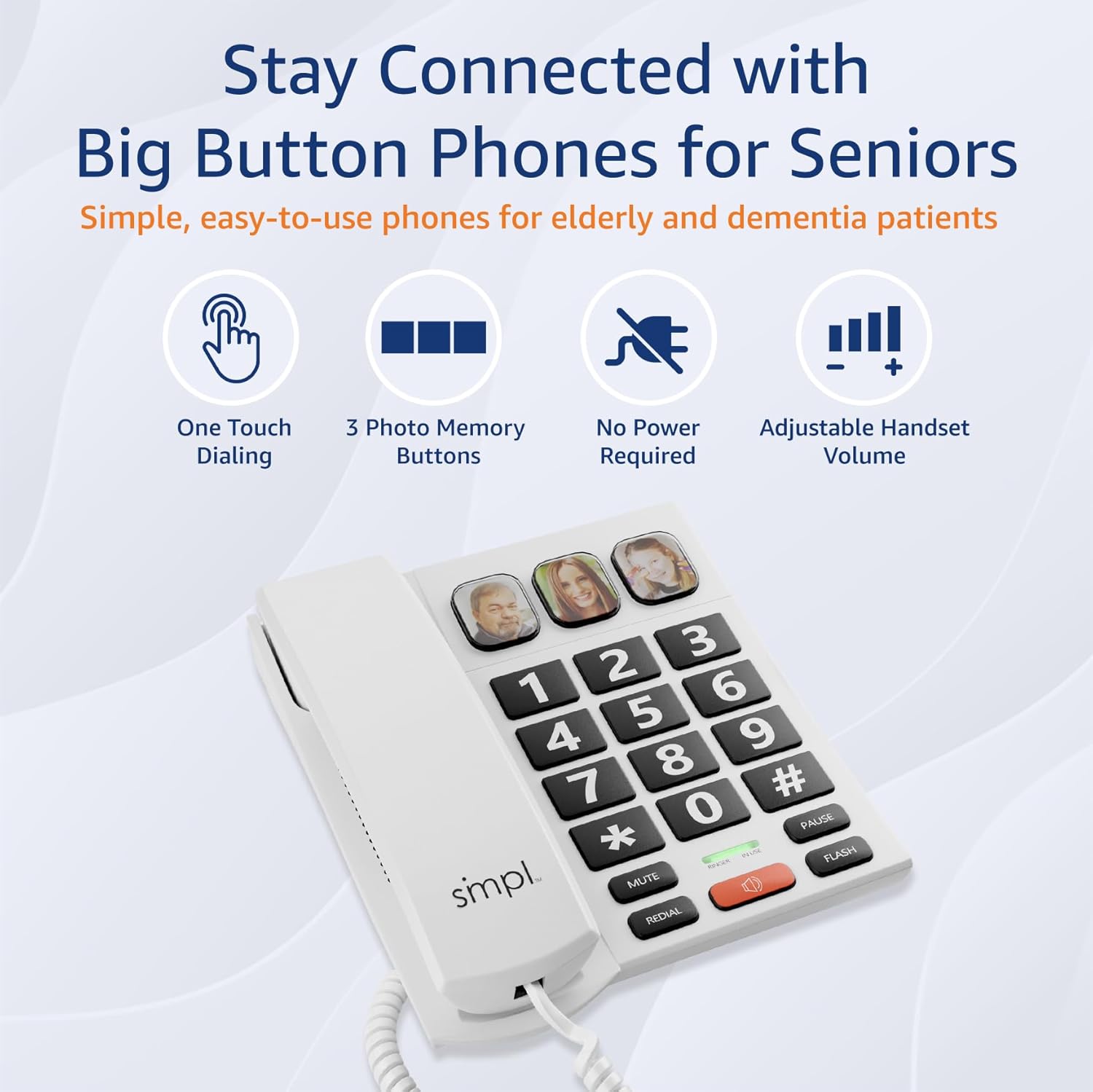
Image: The SMPL Big Button Corded Phone, showcasing its large keypad and three photo memory buttons.
Paket İçeriği
Lütfen aşağıda listelenen tüm öğelerin paketinizde yer aldığından emin olun:
- 1 x Telephone Base
- 1 x Ahize
- 1 x Handset Cord
- 1 x Phone Line Cord
- 1 x Kullanım Kılavuzu
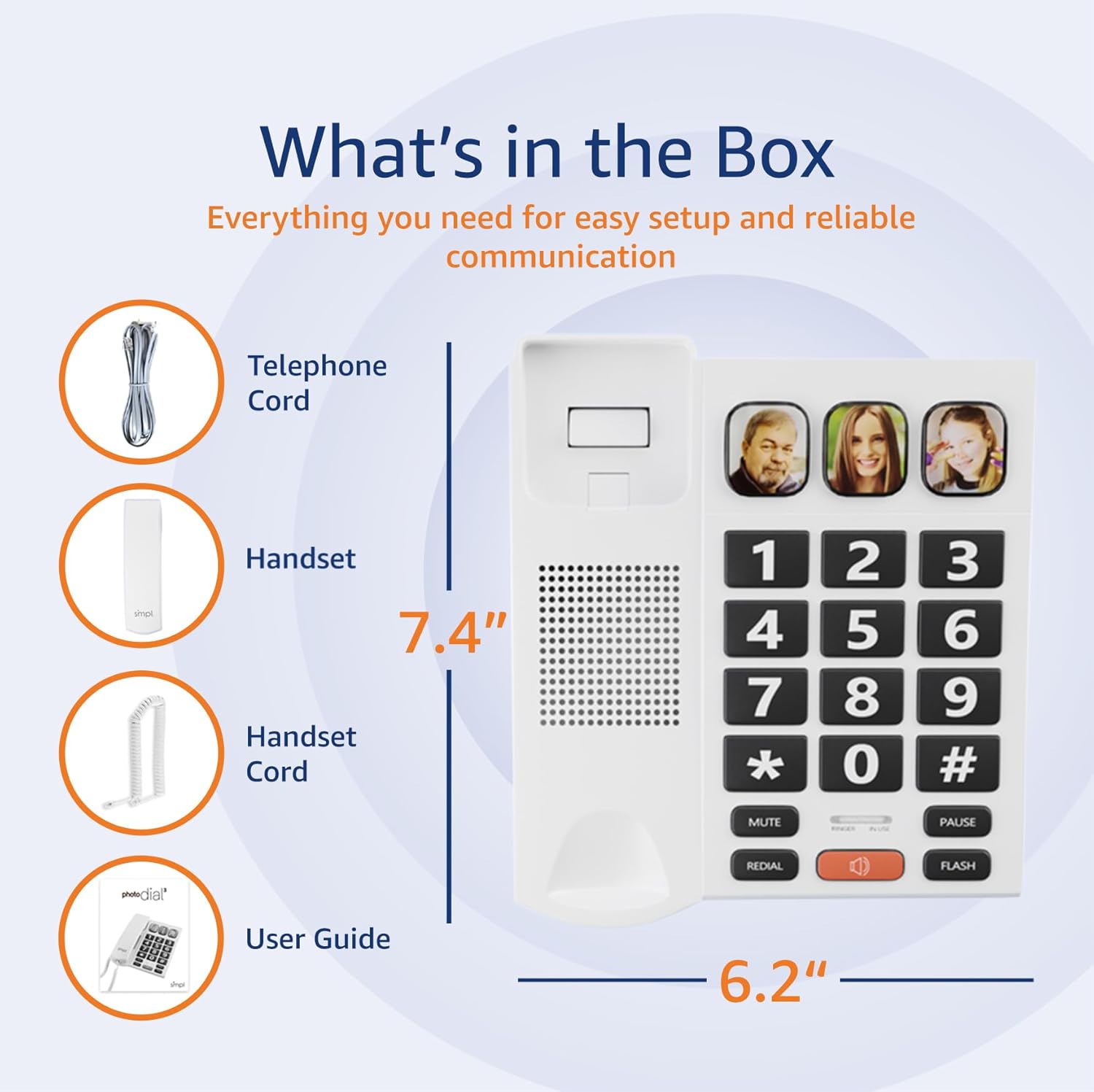
Image: A visual representation of the phone's components, including the telephone base, handset, cords, and user guide, laid out next to the packaging.
Kurulum Talimatları
- Telefonu bağlayın: Plug one end of the coiled handset cord into the handset and the other end into the designated port on the left side of the telephone base. Ensure a secure connection.
- Connect to Phone Line: Plug one end of the phone line cord into the "LINE" port on the back of the telephone base. Plug the other end into your wall phone jack.
- Power (Optional for VoIP): This phone operates on traditional landlines without external power. If you are using a VoIP service (Internet with voice), an optional power adapter (Model 56021, sold separately) may be required for full functionality. Check your service bill if unsure.
- Adjust Ringer Volume: Locate the "LOW HI RINGER" switch on the back of the phone. Adjust to your preferred volume setting (Low or High).
- Adjust Handset Volume: Locate the "MED HI VHI HANDSET VOLUME" switch on the back of the phone. Adjust to your preferred listening level (Medium, High, or Very High).

Resim: Arka view of the phone base, highlighting the ports for the phone line and handset, along with the adjustable switches for ringer and handset volume.
Özelliklerview
- Büyük Düğmeler: Oversized, high-contrast buttons for easy visibility and dialing, reducing errors for users with visual impairments or dexterity issues.
- Three Photo Memory Keys: Dedicated buttons (M1, M2, SOS) allow users to program frequently called numbers with corresponding photos for one-touch dialing.
- Amplified Handset & Ringer Volume: Adjustable volume levels for both the handset (up to 85 dB) and ringer (over 75 dB) to accommodate varying degrees of hearing loss.
- Görsel Flaşör: An integrated visual alert flashes during incoming calls, providing an additional notification for users who may not hear the ringer.
- Hoparlör: Hands-free communication option for convenience and group conversations.
- Tekrar arama fonksiyonu: Son aranan numarayı hızlıca tekrar arayın.
- Flaş Düğmesi: Used for call waiting or transferring calls (if supported by your phone service).

Image: A close-up of the phone's large, easy-to-read buttons and the visual flasher, emphasizing its user-friendly design.
Kullanım Talimatları
Arama yapmak:
- Standard Dialing: Ahizeyi kaldırın veya KONUŞMACI button. Dial the desired phone number using the large keypad.
- Photo Memory Key Dialing:
- Programlama:
- Ahizeyi kaldırın.
- Basın MAĞAZA düğme.
- Dial the phone number you wish to save.
- Basın MAĞAZA Tekrar düğmeye basın.
- Press one of the photo memory keys (M1, M2, or SOS) to assign the number.
- Ahizeyi değiştirin.
- Arama: Ahizeyi kaldırın veya KONUŞMACI button, then simply press the desired photo memory key (M1, M2, or SOS). The phone will automatically dial the stored number.
- Programlama:
Video: This video demonstrates how to add a phone number to a picture button on a similar Easyfone T6 model, illustrating the process of programming speed dial keys with associated images.
Video: This video illustrates how to dial numbers using the standard keypad function on a similar Easyfone T6 model, for calls not assigned to photo buttons.
Bir Çağrı Alma:
- Telefon çaldığında ahizeyi kaldırın veya tuşa basın. KONUŞMACI cevaplamak için düğme.
- Çağrıyı sonlandırmak için ahizeyi yerine koyun veya tuşuna basın. KONUŞMACI button again if using hands-free mode.
Görüşme Sırasında Ses Seviyesini Ayarlama:
- While on a call, use the HACİM+ Ve cilt buttons (if available on your model) or the handset volume switch on the back of the phone to adjust the listening volume.
Bakım
- Temizlik: Telefonu yumuşak bir bezle silin.amp bez. Sert kimyasallar veya aşındırıcı temizleyiciler kullanmayın.
- Depolamak: Telefonu serin, kuru ve doğrudan güneş ışığından ve aşırı sıcaklıklardan uzak bir yerde saklayın.
- Kordon Bakımı: Avoid tangling or excessive pulling of the cords to prevent damage.
Sorun giderme
| Sorun | Olası Çözüm |
|---|---|
| Çevir sesi yok |
|
| Arayan kişiyi duyamıyorum / Arayan kişi beni duyamıyor |
|
| Telefon çalmıyor |
|
| Photo memory keys not working |
|
Özellikler
- Model Numarası: 56020
- Ürün Ölçüleri: 19.1x20.7x6.4 cm
- Ağırlık: 581 gr
- Renk: Beyaz
- Malzeme: Plastik
- Telefon Türü: fitilli
- Güç Kaynağı: Corded Electric (operates on landline power; optional adapter for VoIP)
- Çevirici Türü: Tek Tuş Takımı
- Yanıtlama Sistemi Türü: Digital (Recording Capacity: 24 Minutes)
- Uyumlu Cihazlar: İşitme cihazı
- Çok Hatlı Çalışma: Tek Hatlı Çalışma
- Arayan Kimliği: HAYIR
- UPC: 628857560203
Garanti ve Destek
For warranty information or technical support, please refer to the contact details provided with your purchase documentation or visit the official SMPL webSite. Satın alma fişinizi, garanti talepleriniz için satın alma belgeniz olarak saklayın.


