1. Giriş
This instruction manual provides essential information for the proper setup, operation, and maintenance of your LogiLink USB 3.2 Gen2 3-Port Hub, Model UA0395. This device is designed to expand the USB connectivity of your computer or laptop, offering high-speed data transfer and broad compatibility.
The hub features an aluminium housing for durability and includes a protective cap for the USB-A connector. It provides two USB 3.2 Gen2 ports and one USB 2.0 port, supporting data transfer rates up to 10 Gbps. The device is plug-and-play, requiring no driver installation.
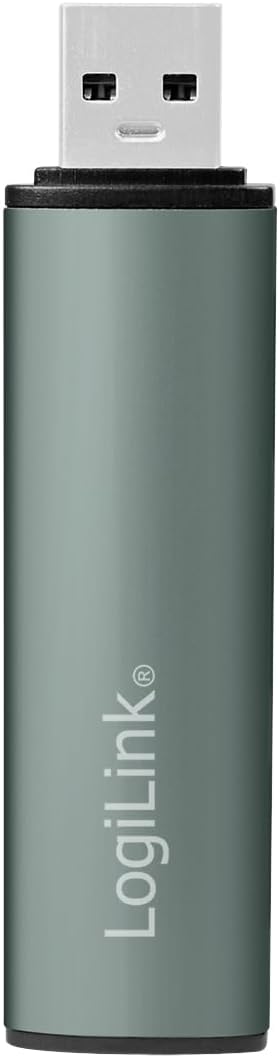
Resim 1.1: Ön view of the LogiLink USB 3.2 Gen2 3-Port Hub with its protective cap.
2. Paket İçeriği
- LogiLink USB 3.2 Gen2 3-Port Hub (Model UA0395)
- Koruyucu Kapak
3. Kurulum Talimatları
The LogiLink USB 3.2 Gen2 3-Port Hub is designed for simple plug-and-play operation. No software drivers are required for installation.
- Hub'ı bağlayın: Insert the USB-A connector of the LogiLink hub into an available USB-A port on your computer or laptop. Ensure the connection is firm.
- Güç Göstergesi: A blue LED light on the hub will illuminate, indicating that the device is powered and ready for use.
- İşletim Sistemi Uyumluluğu: The hub is compatible with Windows, Mac OS, Linux, Android, and Chrome OS. Your operating system will automatically detect and configure the hub.
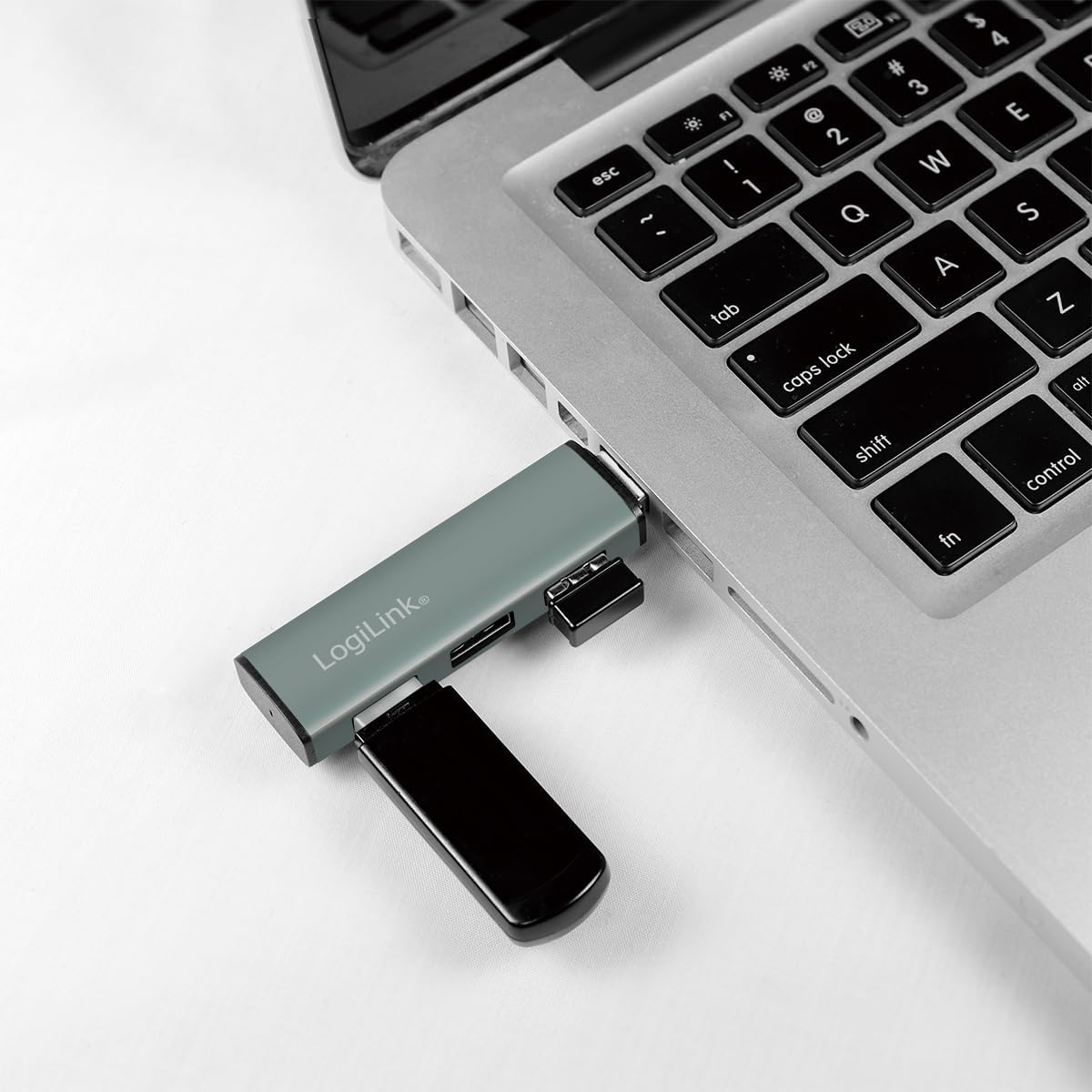
Image 3.1: The LogiLink USB hub connected to a laptop, demonstrating its compact use.
4. Kullanım Talimatları
Once connected, the hub allows you to expand your device's USB capabilities.
- USB Cihazlarını Bağlama: Insert your USB devices (e.g., flash drives, external hard drives, keyboards, mice) into the available ports on the hub. The hub features two USB 3.2 Gen2 ports (blue inserts) and one USB 2.0 port (black insert).
- Hot Swap Support: The hub supports hot swapping, meaning you can connect and disconnect USB devices without needing to restart your computer or the hub.
- Veri Transferi: For optimal performance, connect USB 3.2 Gen2 compatible devices to the blue USB 3.2 Gen2 ports to achieve transfer rates up to 10 Gbps. Older USB generations are also supported, but will operate at their respective maximum speeds.
- Güç: The hub is powered via the USB connection from your host device. It includes over-current and over-voltage protection to safeguard connected devices.

Image 4.1: Diagram illustrating the ports and features of the LogiLink USB Hub.

Resim 4.2: Ayrıntılı view of the hub's ports.
5. Bakım
To ensure the longevity and optimal performance of your LogiLink USB Hub, follow these simple maintenance guidelines:
- Temizlik: Use a soft, dry cloth to gently wipe the surface of the hub. Avoid using liquid cleaners or abrasive materials, as they may damage the aluminium finish or internal components.
- Koruyucu Başlık: When the hub is not in use, especially during transport, place the protective cap over the USB-A connector to prevent dust and damage.
- Depolamak: Hub'ı serin, kuru ve doğrudan güneş ışığından ve aşırı sıcaklıklardan uzak bir yerde saklayın.
6. Sorun Giderme
If you encounter issues with your LogiLink USB Hub, please refer to the following common troubleshooting steps:
- Hub Not Recognized:
- Ensure the hub is firmly connected to your computer's USB port.
- Hub'ı bilgisayarınızdaki farklı bir USB bağlantı noktasına bağlamayı deneyin.
- Bilgisayarınızı yeniden başlatın ve hub'ı yeniden bağlayın.
- Connected Device Not Working:
- Ensure the device is properly inserted into the hub's port.
- Cihazı hub üzerindeki farklı bir porta bağlamayı deneyin.
- Connect the device directly to your computer's USB port to verify its functionality.
- Some high-power devices may require a direct connection to the computer or a powered USB hub.
- Yavaş Veri Aktarım Hızları:
- Ensure both the connected device and the hub port are USB 3.2 Gen2 compatible for maximum speeds. USB 2.0 devices will operate at USB 2.0 speeds.
- Verify that the computer's USB port to which the hub is connected is also a USB 3.2 Gen2 port.
- Yavaşlamalar yaşıyorsanız, yüksek bant genişliği gerektiren birden fazla cihazı aynı anda bağlamaktan kaçının.
- Loose Connection to Computer's USB Port:
- While the hub is designed to be compact, ensure it is not subjected to excessive leverage or movement that could loosen its connection.
- If the connection feels consistently loose, try a different USB port on your computer.
7. Özellikler
| Özellik | Detay |
|---|---|
| Ürün Model Numarası | UA0395 |
| Donanım Arayüzü | USB-A (Input), 2x USB 3.2 Gen2, 1x USB 2.0 (Output) |
| Veri Aktarım Hızı | 10 Gbps'ye kadar (USB 3.2 Gen2) |
| Uyumlu Cihazlar | Laptops, PCs, and other devices with USB-A ports |
| İşletim Sistemi Desteği | Windows, Mac OS, Linux, Android, Chrome OS |
| Özel Özellik | Portable, Plug & Play, Hot Swap, Over-current/Over-voltage koruma |
| Konut Malzemesi | Alüminyum |
| Renk | Gri |
| LED Göstergesi | Mavi |
| Ürün Boyutları | 3.29 x 0.8 x 0.47 inç (8.36 x 2.03 x 1.19 cm) |
| Ürün Ağırlığı | 0.67 ons (19 gram) |
8. Garanti Bilgileri
LogiLink products are covered by a manufacturer's warranty against defects in materials and workmanship. The specific terms and duration of the warranty may vary by region and product. Please retain your proof of purchase for warranty claims.
For detailed warranty information, please refer to the warranty card included with your product or visit the official LogiLink webalan.
9. Destek
If you require further assistance or have questions not covered in this manual, please contact LogiLink customer support.
- Çevrimiçi destek: Visit the official LogiLink website for FAQs, driver downloads (if applicable), and support contact information.
- İletişim Bilgileri: Refer to the product packaging or the LogiLink webEn güncel müşteri hizmetleri iletişim bilgileri için siteyi ziyaret edin.


