giriiş
Thank you for choosing the Platinum Karaoke DK-88 Duo Speaker System. This manual provides essential information for the safe and efficient operation of your new device. Please read it thoroughly before use and retain it for future reference.
The DK-88 Duo is an all-in-one karaoke solution, featuring a built-in song library, wireless microphones, and various connectivity options. Its robust design and versatile features make it ideal for home parties, family gatherings, and outdoor events.
Güvenlik Bilgileri
- Yangın veya elektrik çarpmasını önlemek için üniteyi yağmura veya neme maruz bırakmayın.
- C'yi açmayınasing. Tüm servis işlemlerini yetkili personele yaptırın.
- Ünitenin çevresinde yeterli havalandırma olduğundan emin olun. Havalandırma açıklıklarını kapatmayın.
- Yalnızca ürünle birlikte verilen şarj adaptörünü kullanın.
- Cihazı doğrudan güneş ışığından, ısı kaynaklarından ve aşırı tozdan uzak tutun.
- Ünitenin üzerine ağır nesneler koymaktan kaçının.
- Çocukların erişemeyeceği yerde saklayınız.
Paket İçeriği
Lütfen aşağıda listelenen tüm öğelerin paketinizde yer aldığından emin olun:
- Main Unit (DK-88 Duo Speaker)
- Şarj Adaptörü
- 2 x Kablosuz Mikrofon
- Uzaktan kumanda
- Batteries (for remote control and microphones)
- AV Kablosu
- Kullanıcı Kılavuzu
- Garanti Kartı

Şekil 1: Dahil Edilen Aksesuarlar ve Bileşenler
Ürün Bittiview
Ön View

Şekil 2: Ön View of the DK-88 Duo with LED Lighting
Üst Panel Kontrolleri

Figure 3: Top Panel Controls and Inputs
Arka Panel

Figure 4: Rear Panel with Connectivity Ports
Kurmak
1. Powering On/Charging
- AC Gücü: Connect the charging adapter to the 'DC IN 20V/4A' port on the top panel and plug it into a wall outlet. The unit can be used while charging.
- Pil Gücü: The unit has a built-in rechargeable battery providing up to 6 hours of playback. Ensure the unit is charged before portable use. The battery indicator on the display will show the current charge level.
2. Mikrofon Kurulumu
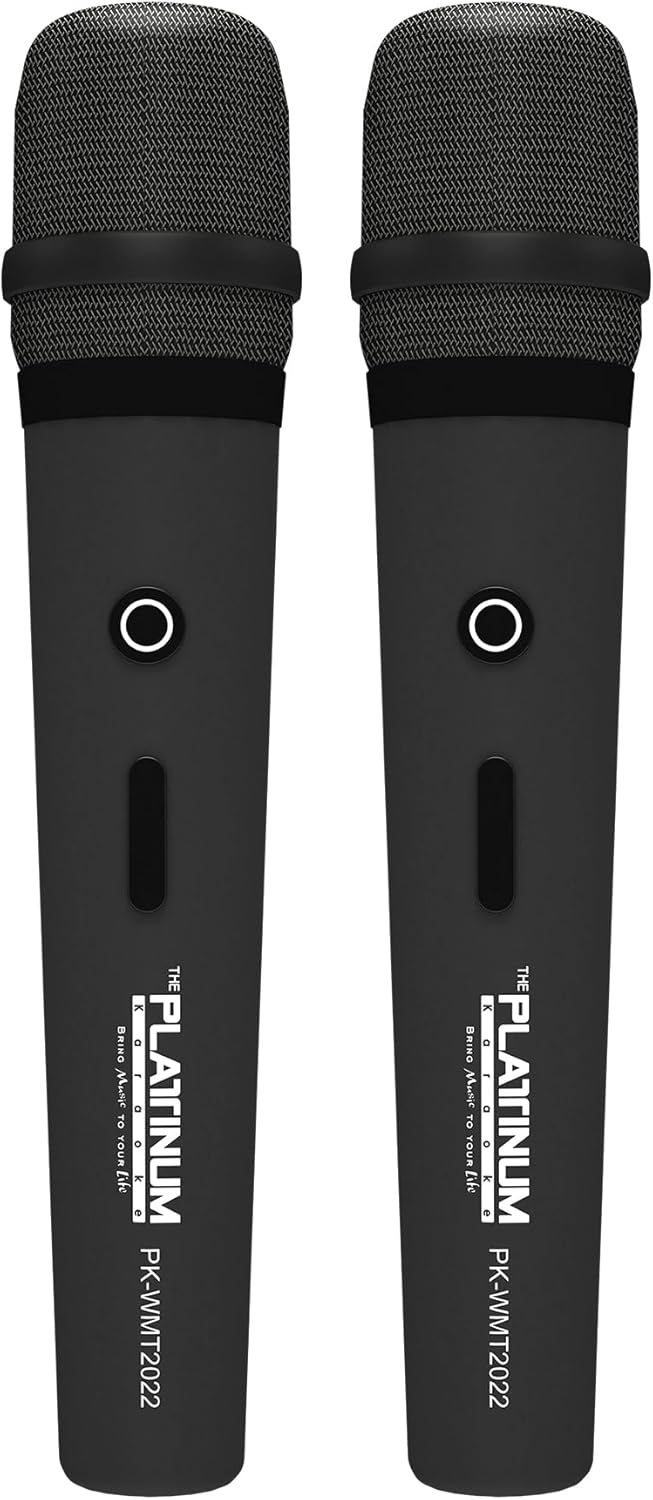
Figure 5: Wireless Microphones
- Insert the provided batteries into each wireless microphone.
- Turn on the microphones using their power switches. They will automatically connect to the DK-88 Duo unit.
- Adjust the 'MIC VOLUME' knob on the top panel to control the microphone output level.
3. Ses Kaynaklarını Bağlama
- Bluetooth: Turn on the unit. The Bluetooth indicator will flash. Enable Bluetooth on your mobile device and select 'DK-88 Duo' from the list of available devices to pair.
- USB sürücüsü: MP3 müzik içeren bir USB flash sürücü takın files into the 'USB' port on the top panel. The system will automatically detect and play the files.
- Mikro SD kart: Insert a Micro SD card (up to 32GB, pre-loaded with songs) into the 'MICRO SD' slot on the top panel. The system will automatically detect and play the songs.
- AUX Girişi: Use the provided AV cable to connect external audio devices (e.g., DVD player, TV) to the 'AUX' input on the top panel.
- Gitar Girişi: Connect a guitar to the 'GUITAR IN' port on the top panel. Adjust the dedicated 'GUITAR' volume knob.
Kullanım Talimatları
1. Temel İşlem
- Güç Açma/Kapatma: Use the 'POWER' switch on the top panel to turn the unit on or off.
- Ses Kontrolü: Rotate the 'VOLUME' knob to adjust the overall sound output.
- Mod Seçimi: Press the 'MODE' button to switch between input sources (Bluetooth, USB, Micro SD, AUX).
2. Karaoke Özellikleri
- Şarkı Seçimi: Use the 'SKIP' buttons (|< / >>|) to navigate through songs.
- Yankı Etkisi: Adjust the 'ECHO' knob to add or reduce echo to your vocals. This helps blend your voice with the music.
- Şarkı Kaydı: Press the 'REC' button to start recording your performance. The system will save the music and your vocals to the inserted Micro SD card or USB drive. To share, simply copy the recorded file bir bilgisayara.
- Vocal Assist (Training Songs): For training songs, the main vocals will automatically fade out when you sing into the microphone and reappear when you stop.
3. Ses Ayarı
- Tiz Kontrolü: Use the 'TREBLE' knob to adjust the high-frequency sounds of the music.
- Bas Kontrolü: Use the 'BASS' knob to adjust the low-frequency sounds of the music.
4. Aydınlatma Efektleri
- Press the 'LIGHT' button on the top panel to cycle through different colorful fire lighting modes. The lights glow and dance with the music, enhancing the party atmosphere.
5. Platinum Link App
- Download the 'Platinum Link' app from your mobile device's app store (available on Android and iOS).
- Connect your mobile phone to the DK-88 Duo via Bluetooth.
- Use the app to control song selection, browse the song library, reserve songs, and display karaoke lyrics directly on your phone screen.
- The app also features a karaoke recording function to measure your vocal performance and improve your singing skills.
Bakım
- Cihazı yumuşak, kuru bir bezle temizleyin. Sıvı temizleyiciler veya aerosoller kullanmayın.
- Kullanılmadığı zaman üniteyi serin ve kuru bir yerde saklayın.
- Remove batteries from the remote control and microphones if storing for extended periods to prevent leakage.
Sorun giderme
| Sorun | Olası Neden | Çözüm |
|---|---|---|
| Güç yok | Unit is not charged or not connected to AC power. | Connect the charging adapter and ensure it's plugged into a working outlet. Check battery level. |
| mikrofonlardan ses gelmiyor | Microphones are off, batteries are low, or volume is too low. | Turn on microphones, replace batteries, increase 'MIC VOLUME' knob. |
| Bluetooth bağlanmıyor | Bluetooth is not enabled on the unit or mobile device, or device is too far. | Ensure unit is in Bluetooth mode, enable Bluetooth on your device, move closer to the unit. |
| Cannot play songs from USB/SD | Yanlış file biçim, bozuk files, or card/drive not inserted properly. | Emin olmak fileDosyalar MP3 formatındadır. USB sürücüyü/SD kartı yeniden takın. Farklı bir sürücü/kart deneyin. |
| Işıklar çalışmıyor | Işık özelliği kapalı. | Press the 'LIGHT' button to activate the lighting effects. |
Özellikler
| Özellik | Detay |
|---|---|
| Model Numarası | DK-88 |
| Boyutlar (U x G x Y) | 35x38x78 cm |
| Ağırlık | 13 kilo |
| Güç Kaynağı | Battery Powered (1 x 12V battery included), AC Powered |
| Pil Oynatma Süresi | 6 saate kadar |
| Bağlantı Teknolojisi | USB, Bluetooth |
| USB Bağlantı Noktaları | 1 |
| Konuşmacılar Sayısı | 2 |
| Özel Özellik | Built-in Song Track |
| Renk | Siyah |
| Önerilen Kullanımlar | Home parties, family gatherings, karaoke bars, outdoor events, musical performances |
Garanti ve Destek
Your Platinum Karaoke DK-88 Duo comes with a warranty. Please refer to the included Warranty Card for detailed terms and conditions, including warranty period and coverage.
For technical support, service, or inquiries not covered in this manual, please contact Platinum Karaoke customer service. Contact information can typically be found on the Warranty Card or the official Platinum Karaoke webalan.


