giriiş
The Logitech K585 Multi-Device Slim Wireless Keyboard is designed for versatile use across multiple devices, including laptops, tablets, desktops, and smartphones. Its compact and modern design aims to enhance productivity and comfort in various work environments. This manual provides essential information for setting up, operating, maintaining, and troubleshooting your keyboard.

Figure 1: Logitech K585 Multi-Device Slim Wireless Keyboard in Graphite.
Kurmak
1. Kutudan Çıkarma ve İlk İnceleme
Tüm bileşenleri ambalajından dikkatlice çıkarın. Aşağıdaki öğelerin mevcut olduğundan emin olun:
- Logitech K585 Klavye
- 2 adet AAA pil (önceden takılmış)
- Birleştirici USB alıcısı
- Kullanıcı belgeleri

Figure 2: Contents included in the Logitech K585 package.
2. Battery Installation (if not pre-installed or for replacement)
The keyboard comes with two AAA batteries pre-installed. If you need to replace them:
- Locate the battery compartment cover on the top edge of the keyboard, usually integrated with the device cradle.
- Bölmeyi açmak için kapağı yavaşça kaydırın veya kaldırın.
- İki adet AAA pili, kutupların doğru olmasına dikkat ederek (+/-) takın.
- Pil bölmesi kapağını sıkıca kapatın.
3. Connecting via USB Receiver (Logitech Unifying Receiver)
For devices without Bluetooth or for a stable 2.4 GHz wireless connection:
- Locate the Unifying USB receiver, typically stored inside the battery compartment or within the product packaging.
- Plug the Unifying USB receiver into an available USB-A port on your computer (laptop or desktop).
- Klavyenin otomatik olarak bağlanması gerekir.
4. Connecting via Bluetooth Wireless Technology
For devices with Bluetooth capability (laptops, tablets, smartphones):
- Turn on the keyboard using the power switch, usually located on the side.
- Press and hold one of the Easy-Switch keys (1, 2, or 3) for three seconds until the LED light above the key starts blinking rapidly. This indicates the keyboard is in pairing mode.
- Cihazınızda Bluetooth ayarlarına gidin ve yeni cihazları arayın.
- Mevcut cihazlar listesinden "Logitech K585"i seçin.
- Follow any on-screen prompts to complete the pairing process. The LED light will turn solid for a few seconds and then turn off once connected.
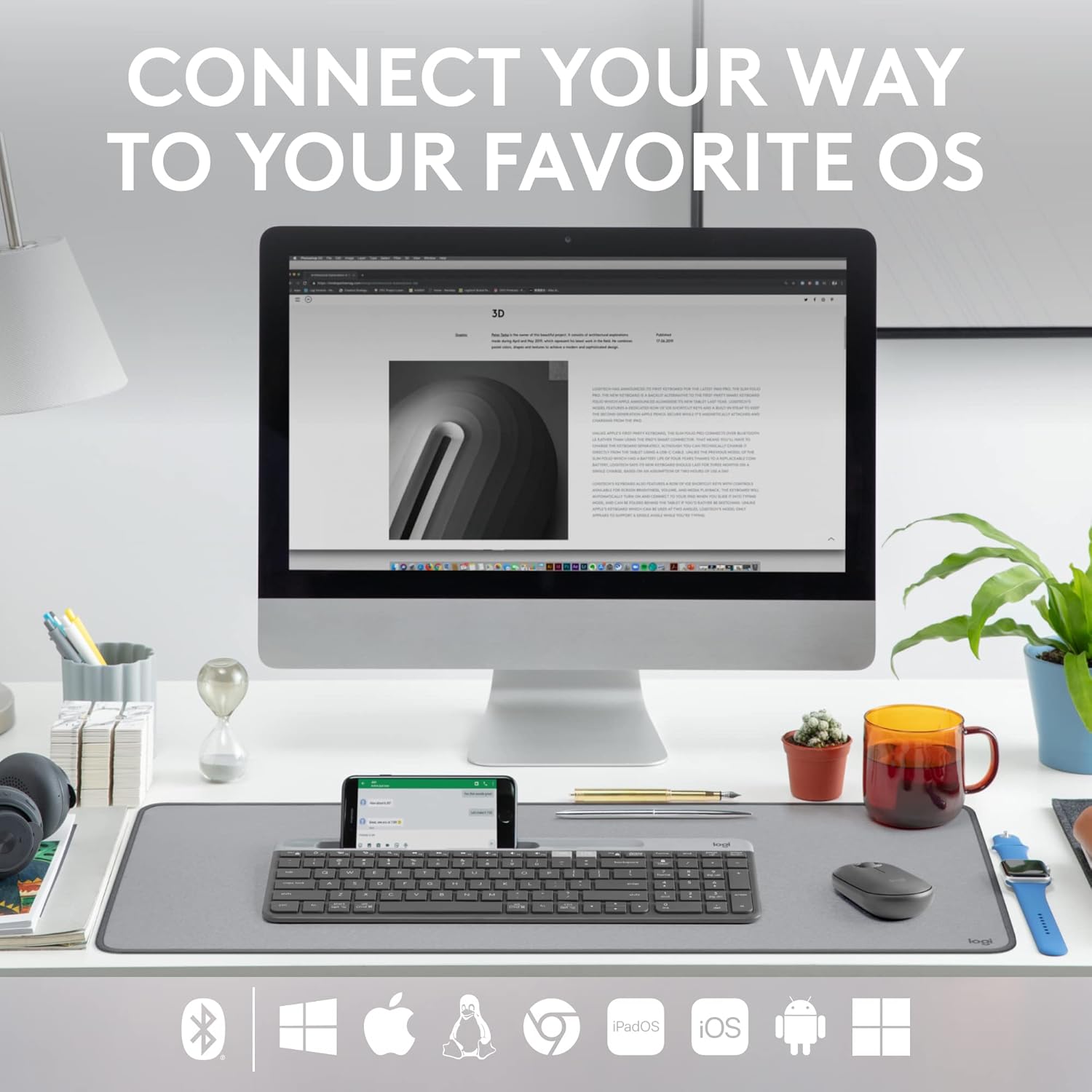
Figure 3: The Logitech K585 supports various operating systems including Windows, macOS, iOS, iPadOS, Android, and ChromeOS.
Klavyenin Kullanımı
1. Kolay Geçiş Fonksiyonu
The K585 keyboard allows you to seamlessly switch between up to three connected devices:
- Press the Easy-Switch key (1, 2, or 3) corresponding to the device you wish to use. The LED light above the selected key will briefly illuminate to confirm the switch.
- This feature enables quick transitions between typing on your computer, tablet, or smartphone.
2. Built-in Phone Cradle
The integrated cradle at the top of the keyboard is designed to hold your smartphone or tablet, providing an optimal viewing angle for multitasking.

Figure 4: The K585 keyboard with a smartphone positioned in the integrated cradle for enhanced multitasking.
3. FN Keys and Shortcuts
The keyboard features 12 FN keys that provide easy access to media controls and other shortcuts. These keys can be customized using Logi Options+ Software for enhanced productivity.
- Medya Kontrolleri: Play/pause, volume up/down, mute.
- Fonksiyon Tuşları: F1-F12, often used for specific software functions.
- Özelleştirme: Download and install Logi Options+ Software from the official Logitech website to personalize FN key assignments.
4. Çoklu İşletim Sistemi Uyumluluğu
The keyboard layout is optimized for both Windows and Mac OS commands, ensuring a familiar typing experience regardless of your operating system. It also supports iOS, iPadOS, Android, and ChromeOS devices.

Figure 5: Universal compatibility of the Logitech K585 keyboard across different platforms.
Bakım
1. Battery Life and Management
The Logitech K585 keyboard offers an extended battery life of up to 24 months, thanks to its efficient design and an auto-sleep feature that activates when the keyboard is not in use. Battery life may vary based on user and computing conditions.

Figure 6: The K585 keyboard boasts a long-lasting 24-month battery life.
To maximize battery life, ensure the keyboard is switched off when not in use for extended periods.
2. Klavyeyi Temizleme
Klavyenin görünümünü ve işlevselliğini korumak için:
- Use a soft, lint-free cloth to wipe down the surface.
- İnatçı kirler için hafifçeampBezi suyla veya yumuşak, aşındırıcı olmayan bir temizleyiciyle silin.
- Sıvıların doğrudan klavyeye püskürtülmesinden kaçının.
- Do not use harsh chemicals or abrasive materials, as these can damage the finish.
Sorun giderme
If you encounter issues with your Logitech K585 keyboard, consider the following common solutions:
- Bağlantı yok:
- Klavyenin açık olduğundan emin olun.
- Pil seviyelerini kontrol edin ve gerekiyorsa değiştirin.
- For USB receiver connection, try plugging the receiver into a different USB port.
- For Bluetooth connection, ensure Bluetooth is enabled on your device and try re-pairing the keyboard.
- Lag or Disconnections:
- Move the keyboard closer to the receiver or Bluetooth-enabled device.
- Klavyeyi, parazite neden olabilecek diğer kablosuz cihazların (örneğin, Wi-Fi yönlendiriciler, kablosuz telefonlar) yakınına yerleştirmekten kaçının.
- Cihazınızın işletim sisteminin ve Bluetooth sürücülerinin güncel olduğundan emin olun.
- Tuşlar Yanıt Vermiyor:
- Hasar gören tuşların etrafını temizleyerek kalıntıları giderin.
- Bilgisayarınızı veya cihazınızı yeniden başlatın.
- If using Logi Options+ Software, ensure it is running correctly and not causing conflicts.
For more detailed troubleshooting or persistent issues, refer to the official Logitech support website or the comprehensive user guide available for download.
Özellikler
| Özellik | Detay |
|---|---|
| Marka | Logitech |
| Model Numarası | 920-011479 |
| Bağlantı Teknolojisi | Bluetooth, USB (2.4 GHz Unifying Receiver) |
| Uyumlu Cihazlar | Dizüstü bilgisayar, PC, Akıllı telefon, Tablet |
| İşletim Sistemi Uyumluluğu | Windows, macOS, iOS, iPadOS, Android, ChromeOS |
| Renk | Grafit |
| Ürün Ağırlığı | 1.24 pound (yaklaşık 562g) |
| Ürün Boyutları (UxGxY) | 14.7 x 5.6 x 0.76 inç (yaklaşık 37.3 x 14.2 x 1.9 cm) |
| Pil Ömrü | 24 aya kadar (kullanıma bağlı olarak değişebilir) |
| kablosuz Menzil | 10 m'ye (33 ft) kadar |

Figure 7: Detailed dimensions of the Logitech K585 keyboard.
Garanti ve Destek
Garanti bilgileri, teknik destek ve ek kaynaklar için lütfen resmi Logitech destek sayfasını ziyaret edin. website. You can also find a comprehensive User Guide in PDF format for this product:
İlgili Belgeler - 920-011479
 |
Logitech K780 Çoklu Cihaz Klavyesi: Özellikler, Bağlantı ve Kurulum Kılavuzu Bilgisayarlar, akıllı telefonlar ve tabletler arasında sorunsuz geçiş için tasarlanmış çok yönlü bir klavye olan Logitech K780 Çoklu Cihaz Klavyesini keşfedin. Bu kılavuz, klavyenin özelliklerini, çift bağlantı seçeneklerini (Bluetooth Smart ve Unifying Receiver), gelişmiş işlevlerini ve çeşitli işletim sistemleri için kurulum talimatlarını ayrıntılı olarak açıklamaktadır. |
 |
Tastiera Logitech K780 Çoklu Cihaz: İşlevsellik, Bağlantı ve Düzen Guida completa alla tastiera Logitech K780 Multi-Device, che copre le sue funzionalità, come collegarla a più dispositivi tramite Bluetooth Smart e Unifying, funzioni ottimizzate e doppio layout per diversi sistemi operativi. |
 |
Logitech K380 Klavye ve Pebble Fare Kullanım Kılavuzları Logitech K380 Çoklu Cihaz Bluetooth Klavye ve Logitech Pebble Kablosuz Fare için kurulum, özellikler, kısayollar ve güç yönetimi konularını kapsayan kapsamlı kullanım kılavuzları. Eşleştirme, yazılım yükleme ve temel işlevler için ayrıntılı talimatlar içerir. |
 |
Logitech K780 Çoklu Cihaz Klavyesi: Tüm Cihazlarınız İçin Kusursuz Bağlantı Logitech K780 Çoklu Cihaz Klavyesini keşfedin. Bu çok yönlü klavyeyi bilgisayarınız, tabletiniz ve akıllı telefonunuzla Unifying veya Bluetooth Smart üzerinden nasıl bağlayıp kullanacağınızı öğrenerek verimliliğinizi artırın. Özelliklerini, kurulumunu ve çoklu cihaz eşleştirmesini keşfedin. |
 |
Logitech K780 Çoklu Cihaz Klavyesi: Kablosuz, Bluetooth ve Unifying Bağlantı Kılavuzu Logitech K780 Çoklu Cihaz Klavyesi hakkında kapsamlı bir kılavuz; özellikleri, çift düzeni, PC, Mac, tablet ve telefon arasında kolay geçişi ve Bluetooth Smart ve Unifying alıcısı aracılığıyla bağlantı yöntemlerini ele almaktadır. |
 |
Logitech K580 Slim Çok Cihazlı Kablosuz Klavye Kurulum Kılavuzu Logitech K580 Slim Çoklu Cihaz Kablosuz Klavyesini USB alıcı veya Bluetooth üzerinden nasıl kuracağınızı ve sorunsuz cihaz geçişi için Kolay Geçiş özelliğinden nasıl yararlanacağınızı öğrenin. |