1. Giriş
This manual provides essential information for setting up, operating, and maintaining your Doro Tablet. Designed for ease of use, the Doro Tablet features a simplified Android interface with large icons and clear sound, making it ideal for users seeking a straightforward digital experience. Please read this manual thoroughly to ensure proper use and to maximize your tablet's potential.

Image: The Doro Tablet displaying its simplified home screen with large icons for common functions like Google, Help, Settings, Assistant, Play Store, Video Call, View, Send, Search, and Camera. The tablet rests on its included wooden stand.
2. Genel Güvenlik Bilgileri
- Pil Güvenliği: Do not attempt to replace the battery yourself. Use only Doro-approved chargers and cables.
- Suya Dayanıklılık: The Doro Tablet is not water-resistant. Avoid exposure to liquids.
- Sıcaklık: Operate the tablet within recommended temperature ranges (0°C to 35°C).
- Temizlik: Use a soft, dry cloth for cleaning. Avoid harsh chemicals.
- İşitme Koruması: İşitme hasarını önlemek için yüksek ses seviyelerinde uzun süre dinlemekten kaçının.
3. Kurulum
3.1 Kutudan Çıkarma ve İlk Şarj
Upon unboxing, ensure all components are present: Doro Tablet, USB-C charging cable, power adapter, and wooden stand. Connect the tablet to the power adapter using the USB-C cable and charge it fully before first use. The battery indicator on the screen will show charging status.
3.2 Açma ve Kapatma
- Açmak İçin: Press and hold the power button (located on the side) until the Doro logo appears.
- Kapatmak İçin: Press and hold the power button, then select 'Power off' from the options on the screen.
3.3 İlk Kurulum Sihirbazı
The first time you power on your tablet, a setup wizard will guide you through essential configurations:
- Dil Seçimi: Tercih ettiğiniz dili seçin.
- Wi-Fi Bağlantısı: Select your Wi-Fi network and enter the password. A stable internet connection is required for updates and app downloads.
- Google hesabı: Google hesabınızla oturum açın veya yeni bir hesap oluşturun. Bu, Google Play Store'a ve diğer Google hizmetlerine erişmek için gereklidir.
- Doro Interface Settings: Customize settings for the simplified Doro interface, including text size and icon arrangement.

Image: The Doro Tablet highlighting its user-friendly features, including ease of use, four speakers for clear audio, and an extra bright screen for enhanced readability. Icons indicate adjustable text size, screen brightness, and Bluetooth connectivity.
4. Operating the Doro Tablet
4.1 Simplified User Interface (EVA)
The Doro Tablet features an intuitive EVA user interface with large, clear icons and simplified menus. This design ensures easy navigation and access to core functions.

Image: The Doro Tablet showcasing its 'View' menu, which organizes functions by usage, such as 'My emails', 'My photos and videos', 'My calendar', 'My contacts', 'My notes', and 'My geographical position'. This illustrates Doro's patented, Android-based user interface designed for simplicity.
4.2 Temel Gezinme
- Musluk: Touch an icon or item once to open or select it.
- Tokatlamak: Slide your finger across the screen to scroll through lists or switch between home screens.
- Yakınlaştırmak için sıkıştırma: Fotoğrafları yakınlaştırmak veya uzaklaştırmak için iki parmağınızı kullanın veya web sayfalar.
4.3 İletişim
The Doro Tablet is equipped for easy communication:
- Görüntülü Görüşmeler: Use the 'Video Call' icon to initiate video calls with friends and family. The tablet's cameras (5MP front, 8MP rear) provide clear video.
- Mesajlaşma: Access messaging applications through the 'Send' or 'View' menus to send and receive text messages or emails.
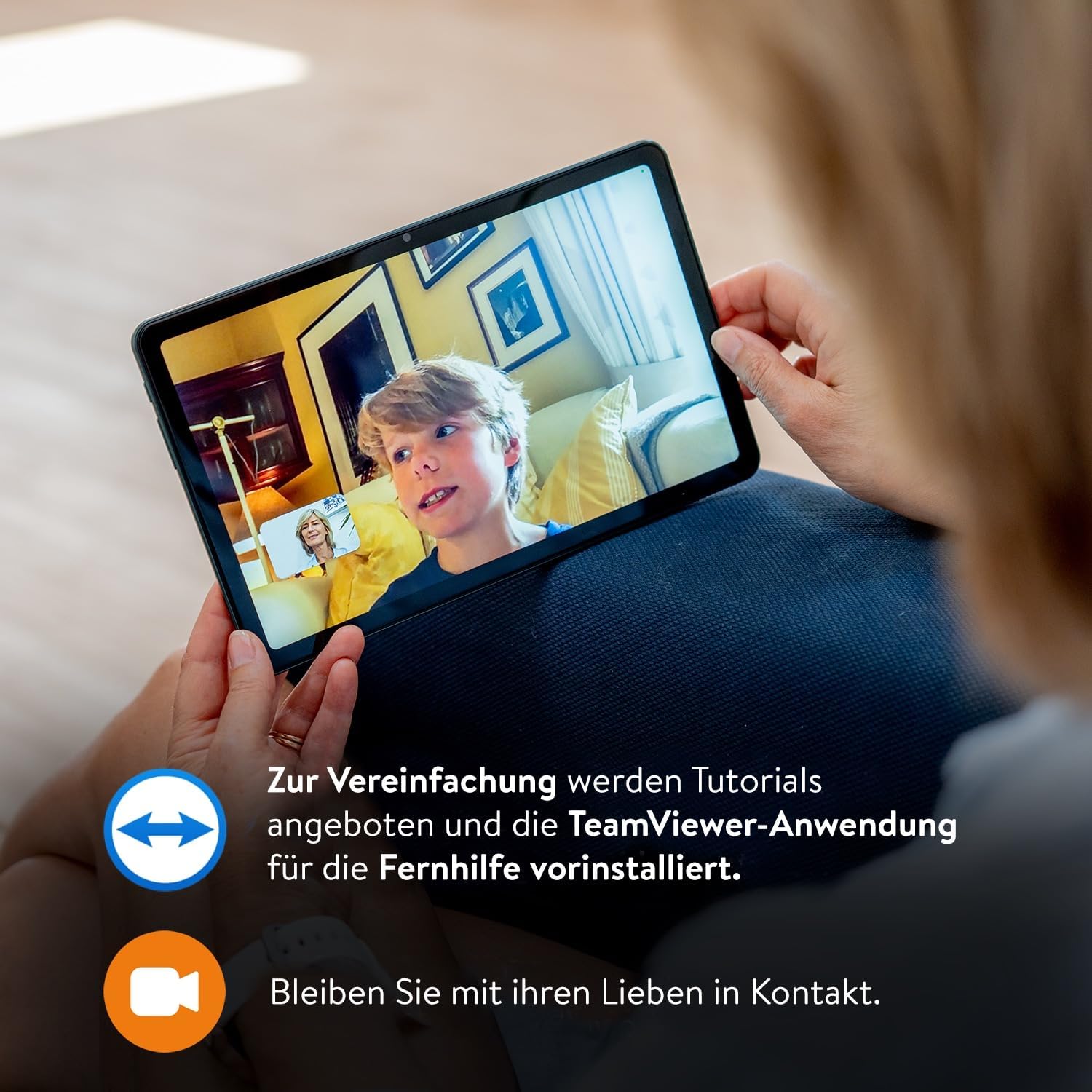
Image: A user engaged in a video call on the Doro Tablet, demonstrating its communication capabilities. The image also notes the availability of tutorials and the pre-installation of TeamViewer for remote assistance, emphasizing connectivity and support.
4.4 Multimedia and Internet
- Viewing Photos & Videos: 'View' menu to access your photos and videos. The 10.4-inch HD screen offers a bright and high-contrast display for comfortable viewIng.
- Net Ses: Enjoy high-quality audio from the tablet's four speakers, perfect for watching videos or making calls.
- İnternet Taraması: The 'Search' icon provides access to internet browsing.

Image: A collage of Doro Tablet features, including its large, bright, and high-contrast screen, pre-installed TeamViewer for remote support, the included wooden stand, the intuitive EVA user interface, and its clear, powerful sound. The 'Search' menu is also depicted, offering options like 'Something on the Internet', 'Around me', and 'An item on my tablet'.
4.5 Using the Wooden Stand
The included wooden stand provides a stable base for your tablet, allowing for hands-free viewing during video calls or media consumption. It features two grooves to accommodate the tablet with or without a protective case.

Resim: Ayrıntılı view of the Doro Tablet's wooden stand, designed to hold the tablet securely for hands-free use.
5. Bakım
- Ekranın Temizlenmesi: Gently wipe the screen with a microfiber cloth. For stubborn smudges, slightly dampBezi suyla veya elektronik cihazlar için özel olarak tasarlanmış bir ekran temizleyiciyle silin.
- Pil Bakım: To prolong battery life, avoid fully discharging the tablet frequently. Charge it when the battery level is low, and avoid leaving it plugged in for extended periods after it's fully charged.
- Yazılım Güncellemeleri: Periodically check for system updates in the 'Settings' menu to ensure your tablet has the latest features and security patches.
- Depolama Yönetimi: Gereksiz olanları düzenli olarak silin fileDepolama alanını boşaltmak ve optimum performansı korumak için uygulamalar ve yazılımlar.
6. Sorun Giderme
If you encounter issues with your Doro Tablet, refer to the following common solutions:
| Sorun | Çözüm |
|---|---|
| Tablet açılmıyor. | Ensure the tablet is charged. Connect it to the charger for at least 30 minutes, then try powering on again. If it still doesn't turn on, perform a forced restart by holding the power button for 10-15 seconds. |
| Ekran tepkisiz. | Tableti yeniden başlatın. Sorun devam ederse, ekranın temiz ve tozdan arındırılmış olduğundan emin olun. |
| Wi-Fi'ye bağlanılamıyor. | Check if Wi-Fi is enabled in 'Settings'. Verify the Wi-Fi password. Restart your Wi-Fi router. |
| Ses bozuk veya çok düşük. | Check the volume settings. Ensure the speakers are not obstructed. Restart the tablet. |
| Uygulamalar yavaş çalışıyor veya çöküyor. | Close unused applications. Clear app caches in 'Settings' > 'Apps'. Ensure sufficient storage space is available. Restart the tablet. |
7. Özellikler
Below are the technical specifications for the Doro Tablet:
- Marka: Doro
- Model Adı: doro tablet
- İşletim Sistemi: Android
- Ekran Boyutu: 10.4 inç
- Ekran Çözünürlüğü: 1920 x 1200 pixels (1080p Full HD)
- İşlemci Markası: Unisoc
- İşlemci Hızı: 1.8 GHz
- VERİ DEPOSU: 4 GB
- Depolama Kapasitesi: 32 GB
- Graphics Chipset Brand: Unisoc (Integrated)
- Bağlantı: Wi-Fi (802.11n), Bluetooth
- Donanım Arayüzü: HDMI
- Uyumlu Çevre Birimleri: Stylus Pen, HDMI compatible external screen, Bluetooth keyboard, Bluetooth headset
- Boyutlar (U x G x Y): 24.6x15.6x0.8 cm
- Ürün Ağırlığı: 477 Gram
- Özel Özellikler: Stereo Hoparlör
- Pil: 1 Lityum iyon (dahil)
8. Garanti ve Destek
For detailed warranty information, please refer to the warranty card included with your Doro Tablet or visit the official Doro website. Doro provides support for its products, and you can typically find contact information for customer service on their website. Information regarding spare parts availability and guaranteed software updates is not explicitly provided in the product details and may vary. Please consult Doro's official channels for the most current information.