1. Giriş
This manual provides detailed instructions for the proper use and maintenance of your Obbug Bluetooth Headset, Model YYK-530. Please read this manual thoroughly before using the product to ensure optimal performance and longevity.
2. Paket İçeriği
Paketinizde tüm öğelerin mevcut olduğundan emin olun:
- 1 x Obbug Bluetooth Headset
- 1 x Şarj Kutusu
- 1 x USB Tip-C Şarj Kablosu
- 1 x Ear Hat (replacement ear tip)
- 1 x Kullanım Kılavuzu
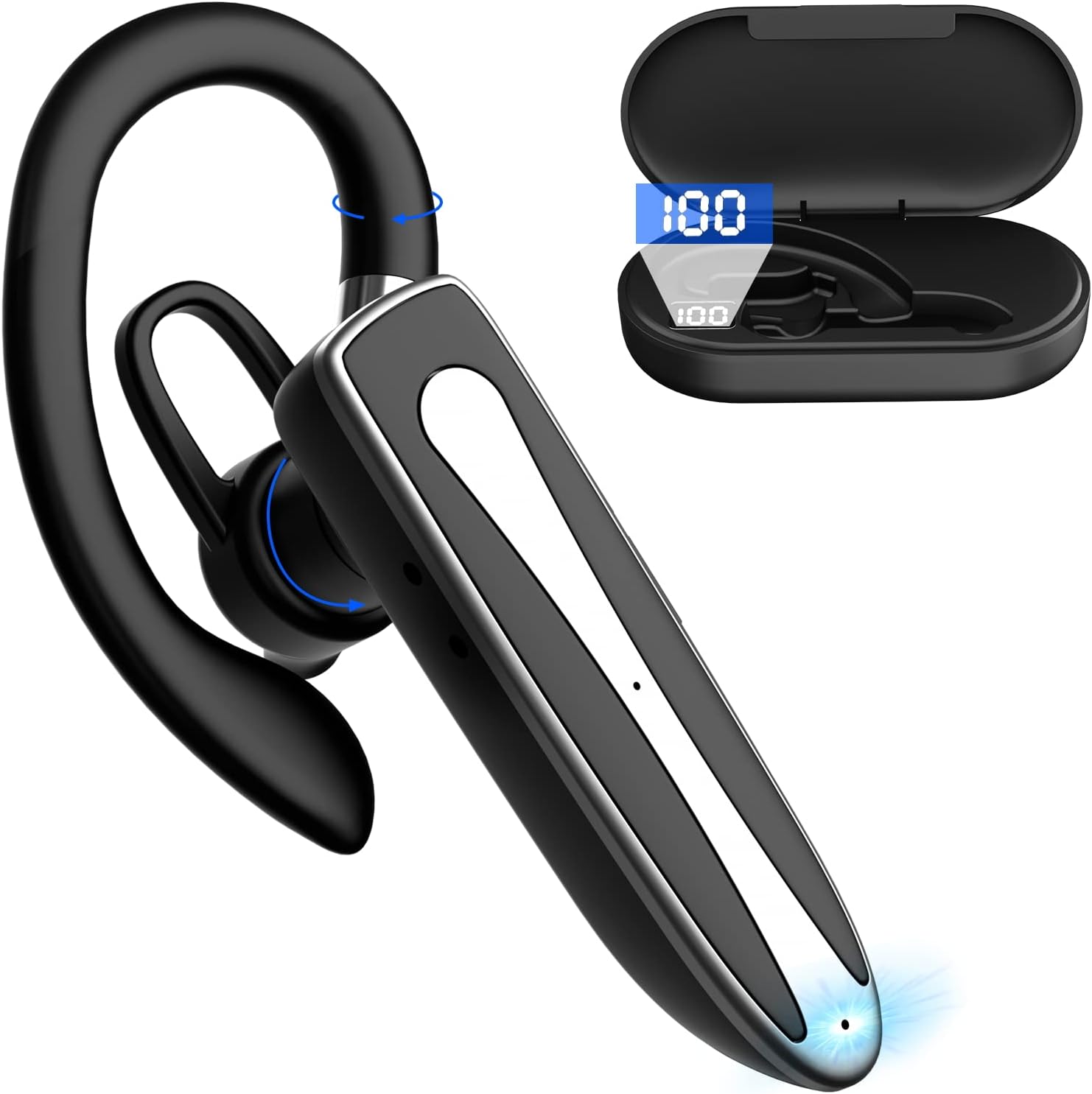
Image 2.1: Obbug Bluetooth Headset YYK-530 and its charging case.
3. Ürün Özellikleri
- Bluetooth 5.1 Teknolojisi: Provides stable connection and clear audio.
- Uzun Pil Ömrü: Up to 80 hours of continuous use with the charging case.
- Rahat ve Ayarlanabilir Tasarım: Flexible earhook and rotatable boom mic for left or right ear wear.
- CVC8.0 Gürültü Azaltma: Arka plan gürültüsünü azaltarak arama netliğini artırır.
- Geniş Uyumluluk: Connects with most Bluetooth-enabled devices including smartphones, tablets, and computers.
- Eller Serbest Arama: Integrated microphone for convenient communication.

Image 3.1: Illustration of CVC8.0 Noise Reduction for clear audio.
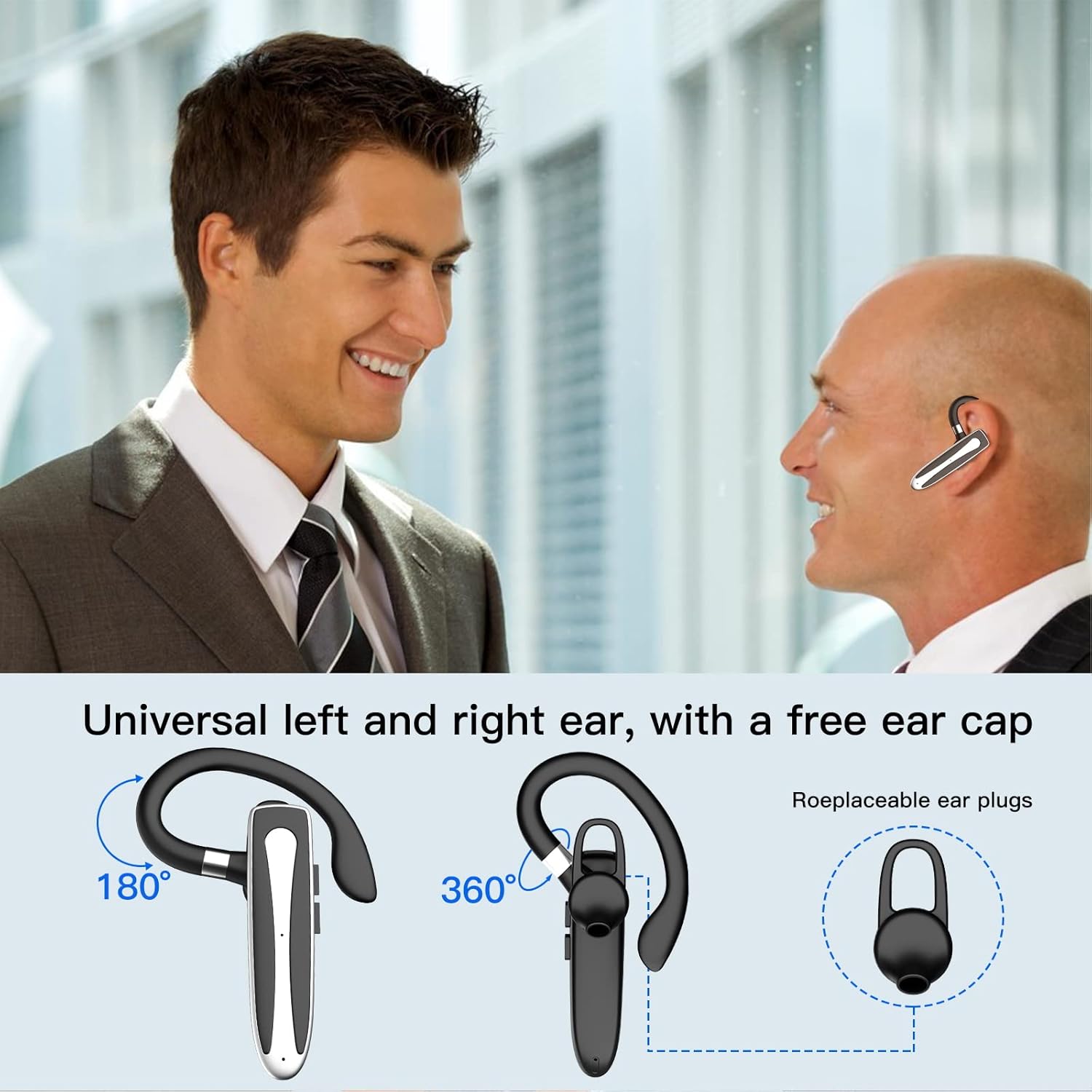
Image 3.2: Diagram illustrating the dual microphone noise reduction processing.
4. Kurulum
4.1 Kulaklığın ve Şarj Kutusunun Şarj Edilmesi
Before first use, fully charge the headset and its charging case.
- Place the headset into the charging case.
- USB Type-C kablosunu kılıf üzerindeki şarj portuna ve bir güç kaynağına (örneğin, USB duvar adaptörü, bilgisayar USB portu) bağlayın.
- The charging indicator on the case will show charging status. A full charge typically takes 1.5 hours.

Image 4.1: The Type-C charging port on the charging case.

Image 4.2: Battery life and charging time information for the headset and case.
4.2 Cihazla Eşleştirme
The headset uses Bluetooth 5.1 for wireless connection.
- Güç Açık: Take the headset out of the charging case, or press and hold the Multi-function Button until the indicator light flashes blue and red, indicating pairing mode.
- Bluetooth'u etkinleştirin: Cihazınızda (akıllı telefon, tablet vb.) Bluetooth ayarlarına gidin ve Bluetooth’u açın.
- Cihaz seç: In the list of available devices, select "YYK-530".
- Bağlantıyı Onayla: Once connected, the headset indicator light will flash blue slowly, and your device will show "Connected".

Image 4.3: Illustration of optimal Bluetooth connection distance (within 10 meters).
4.3 Connecting to Two Devices Simultaneously
The headset supports connecting to two Bluetooth devices at the same time.
- Connect the headset to the first device (e.g., Phone A) as described in Section 4.2.
- Turn off Bluetooth on the first device. The headset will re-enter pairing mode.
- Connect the headset to the second device (e.g., Phone B) as described in Section 4.2.
- Turn on Bluetooth on the first device. The headset should automatically reconnect to both devices.
You can now answer calls or play music from either connected device.

Image 4.4: Step-by-step guide for connecting the headset to two devices.
4.4 Kulaklığın Takılması
The headset is designed for comfortable wear on either the left or right ear.
- The earhook can rotate 360° vertically and 360° horizontally to fit your preferred angle.
- The retractable earhook can be adjusted to fit the shape of your ear.

Image 4.5: The headset's adjustable design for left or right ear wearing.
5. Kullanım Talimatları
5.1 Güç Açma/Kapatma
- Güç Açık: Take the headset out of the charging case, or press and hold the Multi-function Button for approximately 3 seconds until the indicator light flashes blue.
- Kapat: Place the headset back into the charging case, or press and hold the Multi-function Button for approximately 5 seconds until the indicator light flashes red and then turns off.
5.2 Çağrı Yönetimi
- Çağrıyı Cevapla/Sonlandır: Çok Fonksiyonlu Düğmeye bir kez basın.
- Çağrıyı Reddet: Çok fonksiyonlu düğmeye yaklaşık 2 saniye basılı tutun.
- Son Numarayı Tekrar Ara: Çok Fonksiyonlu Düğmeye iki kez basın.
5.3 Müzik Oynatma
- Oynat/Duraklat: Çok Fonksiyonlu Düğmeye bir kez basın.
- Sonraki Parça: Sesi Açma tuşuna basılı tutun.
- Önceki parça: Sesi Azaltma düğmesini basılı tutun.
5.4 Ses Kontrolü
- Sesi arttır: Sesi Açma tuşuna basın.
- Sesi Azalt: Sesi Azalt tuşuna basın.
5.5 Sesli Asistan Aktivasyonu
Activate your device's voice assistant (Siri, Google Assistant) directly from the headset.
- Voice Assistant'ı etkinleştirin: Triple-press the Multi-function Button.

Image 5.1: The headset supports activation of Siri and Google Assistant.
6. Bakım
- Clean the headset and charging case regularly with a soft, dry cloth.
- Cihazı aşırı sıcaklıklara, neme veya aşındırıcı maddelere maruz bırakmaktan kaçının.
- Store the headset in its charging case when not in use to protect it and keep it charged.
- Cihazı kendiniz sökmeye veya onarmaya çalışmayın. Yardım için müşteri hizmetleriyle iletişime geçin.
7. Sorun Giderme
7.1 Headset Not Powering On
- Ensure the headset is fully charged. Place it in the charging case and connect the case to a power source.
- Press and hold the Multi-function Button for 3-5 seconds to power on.
7.2 Cihazla Eşleştirme Yapılamıyor
- Ensure the headset is in pairing mode (indicator flashes blue and red).
- Cihazınızın Bluetooth özelliğini kapatın ve tekrar açın.
- Ensure the headset is within 10 meters of your device and there are no significant obstacles.
- Cihazınızdaki Bluetooth eşleştirme listesini temizleyin ve tekrar eşleştirmeyi deneyin.
7.3 Ses Yok veya Ses Kalitesi Düşük
- Hem kulaklığınızın hem de bağlı cihazınızın ses seviyesini ayarlayın.
- Kulaklığın cihazınıza doğru şekilde bağlı olduğundan emin olun.
- Move closer to your device to ensure you are within Bluetooth range.
- Diğer kablosuz cihazlardan kaynaklanan herhangi bir parazit olup olmadığını kontrol edin.
8. Özellikler
| Özellik | Şartname |
|---|---|
| Model Adı | YYK-530 |
| Marka | obbug |
| Bağlantı Teknolojisi | Kablosuz (Bluetooth) |
| Bluetooth Sürümü | 5.1 |
| Bluetooth Menzili | 33 Feet'e (10 metre) kadar |
| Gürültü Kontrolü | Sound Isolation (CVC8.0 Noise Reduction) |
| Kulaklık Şekli | Kulak Kancası |
| Pil Ömrü (Kulaklık) | 5 Saat (yaklaşık) |
| Pil Ömrü (Şarj Kutusuyla) | Up to 80 Hours (approx.) |
| Şarj Süresi | 1.5 Saat |
| Şarj Portu | USB Tip-C |
| Su Direnç Seviyesi | Su geçirmez |
| Ürün Ağırlığı | 4.9 ons (0.14 Kilogram) |
| Frekans Aralığı | 20Hz - 20,000Hz |
| Uyumlu Cihazlar | Cellphones, Desktops, Laptops, Telephones |

Image 8.1: The headset is compatible with a wide range of Bluetooth-enabled devices.
9. Garanti ve Müşteri Desteği
The Obbug Bluetooth Headset comes with a 1-month replacement warranty.
For any questions, issues, or support needs, please contact our customer service. We offer 24-hour customer service to assist you.
Lütfen iletişim bilgileri için satın alma belgelerinize bakın.


