1. Giriş
Welcome to the user manual for your boAt Airdopes 190 True Wireless Stereo (TWS) Earbuds. These earbuds are designed to provide a high-quality audio experience with features tailored for gaming and everyday use. This manual will guide you through the setup, operation, maintenance, and troubleshooting of your device.

Image: boAt Airdopes 190 TWS Earbuds in black and white, highlighting features such as Breathing LEDs, Quad Mics with ENx Technology, BEAST Mode for low latency, 40 hours total playback, and 10 minutes ASAP Charge for 180 minutes playtime.
2. Kurulum
2.1. Kutudan Çıkarma ve Paket İçeriği
Paketi açtığınızda tüm bileşenlerin mevcut olduğundan emin olun:
- 1 x boAt Airdopes 190 TWS Earbuds
- 1 x Şarj Kutusu
- 2 x Additional Earbuds (pairs of different sizes)
- 1 x USB Tip-C Şarj Kablosu
- 1 x Kullanım Kılavuzu (bu belge)
2.2. İlk Şarj
Before first use, fully charge the earbuds and the charging case. Connect the provided USB Type-C cable to the charging port on the case and to a power source. The LEDs on the case will indicate charging status.
- ASAP Ücreti: A 10-minute charge provides up to 180 minutes of playtime.
- Full charging time for the case is approximately 120 minutes.

Image: The boAt Airdopes 190 charging case open with earbuds, illustrating the 40 hours total playback time (10 hours per charge + 30 hours from case) and the ASAP Charge feature, providing 180 minutes of playback from a 10-minute charge.
2.3. Bir Cihazla Eşleştirme
- Instant Connect (IWP™ Tech): Şarj kutusunun kapağını açın. Kulaklıklar otomatik olarak açılacak ve eşleştirme moduna girecektir.
- Cihazınızda (akıllı telefon, tablet, dizüstü bilgisayar) Bluetooth'u etkinleştirin.
- Arama available Bluetooth devices and select "Airdopes 190" from the list.
- Once connected, you will hear an audio prompt, and the earbud LEDs will indicate a successful connection.
- The earbuds utilize Bluetooth v5.3 for a stable and seamless connection.
3. Operasyon
3.1. Dokunmatik Kontroller
The Airdopes 190 features intuitive touch controls on each earbud for managing playback, calls, and voice assistant activation.
| İşlev | Aksiyon |
|---|---|
| Oynat/Duraklat | Her iki kulaklığa da tek dokunuş |
| Sonraki Parça | Sağ kulaklığa iki kez dokunun. |
| Önceki Parça | Sol kulaklığa iki kez dokunun. |
| Cevapla/Çağrıyı Sonlandır | Her iki kulaklığa da tek dokunuş |
| Çağrıyı Reddet | Kulaklıklardan birine uzun basın |
| Sesli Asistanı Etkinleştir | Her iki kulaklığa da üç kez dokunun |
| Toggle BEAST Mode | Long press on the right earbud (specific gesture may vary, refer to quick start guide) |

Image: A visual representation of key features including IPX4 splash and sweat resistance, easy touch controls on the earbuds, a Type-C charging interface, and one-touch access to voice assistants like Google Assistant and Siri.
3.2. BEAST Mode (Low Latency)
For an enhanced gaming and entertainment experience, activate BEAST Mode. This mode reduces audio latency to 50ms, ensuring synchronized audio and visuals during fast-paced activities. Refer to the touch control table for activation.
3.3. ENx™ Technology (Quad Mics)
The Airdopes 190 features quad microphones with ENx™ Technology. This technology helps to cancel out unwanted background noise during calls, ensuring your voice is heard clearly by the recipient.
3.4. Breathing LEDs
The earbuds and charging case are equipped with breathing LEDs that provide visual feedback and add to the aesthetic, especially during gaming sessions. These lights typically activate for a few seconds when the case is opened or closed.

Image: The boAt Airdopes 190 charging case and earbuds, showcasing the "Fancy Breathing LED Lights" which illuminate in blue, designed to enhance the gaming experience.
3.5. boAt Signature Sound
Experience immersive audio with the boAt Signature Sound, delivered by powerful 10mm audio drivers within the earbuds.
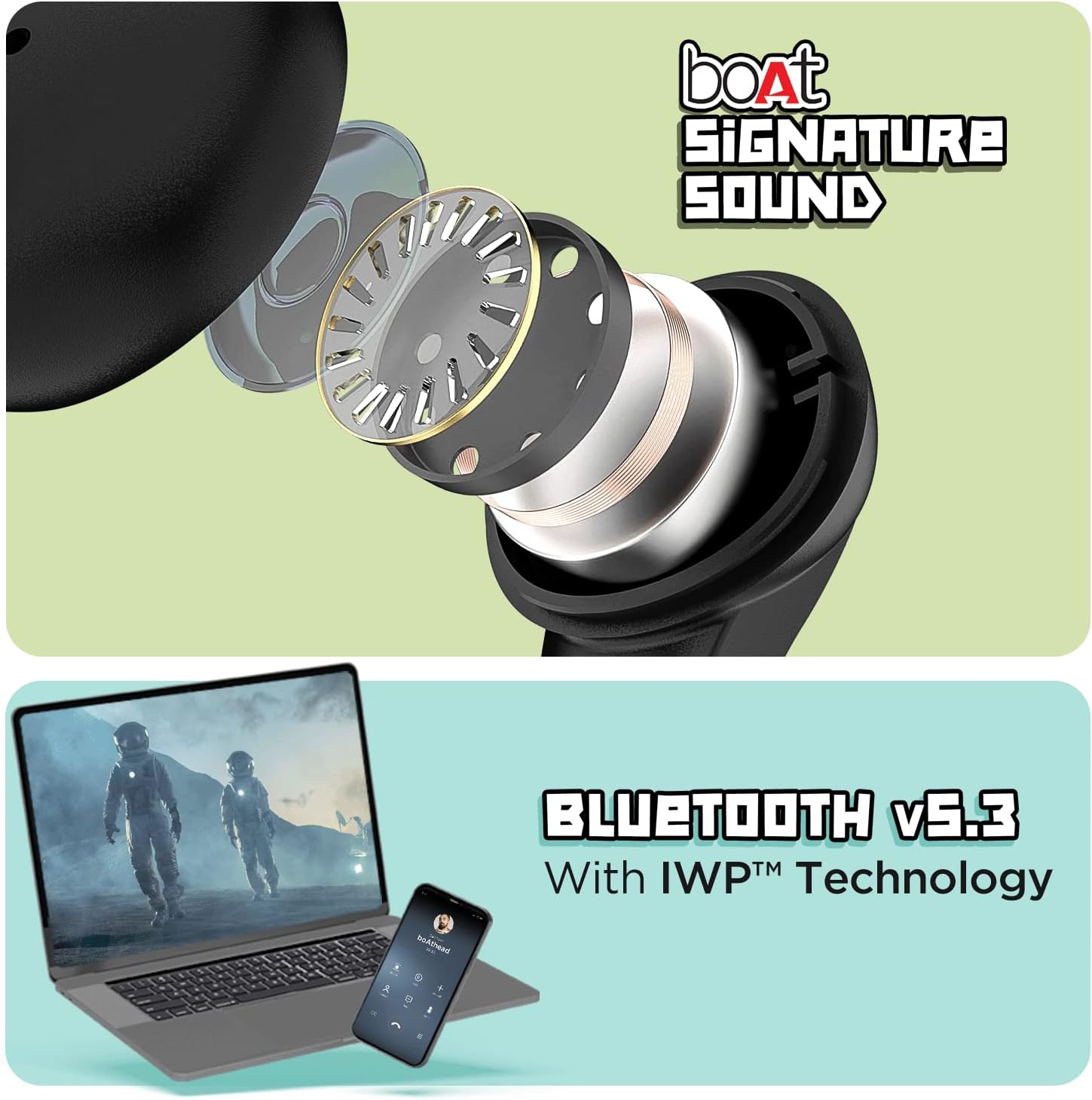
Image: The top section displays an exploded view of an earbud, illustrating the internal components responsible for delivering boAt Signature Sound. The bottom section shows a laptop and a mobile phone, symbolizing the seamless connectivity provided by Bluetooth v5.3 with IWP™ Technology.
4. Bakım
4.1. Temizlik
- Kulaklıklarınızı ve şarj kutusunu yumuşak, kuru ve tiftiksiz bir bezle hafifçe silin.
- Sert kimyasallar, temizleme solventleri veya güçlü deterjanlar kullanmayın.
- Remove ear tips and clean them separately with water if necessary, ensuring they are completely dry before reattaching.
4.2. Depolama
Kullanmadığınız zamanlarda kulaklıklarınızı tozdan, hasardan korumak ve şarjlı halde tutmak için şarj kutusunda saklayın.
4.3. Suya Dayanıklılık
The Airdopes 190 earbuds are marked with an IPX4 su geçirmezlik derecesi. This means they are resistant to splashes and sweat, making them suitable for workouts and light rain. They are not designed for submersion in water or exposure to pressurized water jets.
5. Sorun Giderme
5.1. Kulaklıklar Eşleşmiyor
- Kulaklıkların şarj edildiğinden emin olun.
- Her iki kulaklığı da şarj kutusuna geri yerleştirin, kapağı kapatın, birkaç saniye bekleyin, ardından eşleştirme modunu yeniden başlatmak için kapağı tekrar açın.
- Cihazınızın Bluetooth özelliğini kapatıp açın.
- Forget "Airdopes 190" from your device's Bluetooth list and try pairing again.
5.2. Ses Yok veya Düşük Ses
- Hem cihazınızın hem de kulaklığınızın ses seviyesini kontrol edin.
- Kulaklıkların kulağınıza tam oturduğundan emin olun.
- Kulaklık uçlarından ve ağızlıklarından kalıntıları temizleyin.
- Kulaklıkları cihazınıza yeniden bağlayın.
5.3. Şarj Sorunları
- Şarj kablosunun hem kasaya hem de güç kaynağına güvenli bir şekilde bağlandığından emin olun.
- Farklı bir USB Type-C kablosu ve güç adaptörü deneyin.
- Kulaklıkların ve kutunun içindeki şarj temas noktalarının temiz ve engelsiz olduğundan emin olun.
6. Özellikler
| Özellik | Detay |
|---|---|
| Model Adı | hava yastıkları 190 |
| Bağlantı Teknolojisi | Kablosuz (Bluetooth v5.3) |
| Düşük Gecikme | 50ms (BEAST Mode) |
| Toplam Oynanma Süresi | 40 Saate Kadar |
| Playtime Per Earbud | 10 Saate Kadar |
| en kısa sürede şarj | 10 dakika şarj = 180 dakika oyun süresi |
| Mikrofonlar | Quad Mics with ENx™ Technology |
| Sürücüler | 10 mm Ses Sürücüleri |
| Suya Dayanıklılık | IPX4 (Splash & Sweat Resistant) |
| Kontrol Yöntemi | Dokunma, Ses |
| Şarj Arayüzü | USB Tip-C |
| Ürün Ağırlığı | 42 Gram |
| Ürün Boyutları | 7x5x2 cm |
| Malzeme | Plastik |
| Üretici | Imagine Marketing Ltd |
| Menşei ülke | China or India |
7. Garanti ve Destek
For warranty information, technical support, or service inquiries, please refer to the official boAt webSite üzerinden satın alabilir veya müşteri hizmetleriyle iletişime geçebilirsiniz. Garanti talepleriniz için satın alma belgenizi saklayın.


