giriiş
The MXR M233 Micro Amp+ is an advanced guitar and bass effects pedal designed to boost and enhance your instrument's tone. Building upon the classic Micro Amp circuit, this pedal features added EQ controls (Bass and Treble), low-noise operational amplifiers, and true bypass switching for superior signal integrity. It provides up to +26dB of clean boost, allowing you to drive your amplifier harder or increase your signal level for solos.
Güvenlik Bilgileri
- Use only the specified 9V DC power supply (center-negative). Incorrect power supplies can damage the unit and void the warranty.
- Do not expose the pedal to extreme temperatures, humidity, or direct sunlight.
- Pedala aniden basmaktan veya sert darbelere maruz bırakmaktan kaçının.
- Do not attempt to open the pedal enclosure or modify its internal components. Refer all servicing to qualified personnel.
- Çocukların erişemeyeceği yerde saklayınız.
Paket İçeriği
Your MXR M233 Micro Amp+ bundle includes:
- MXR M233 Micro Amp+ Pedal
- 9V DC Power Supply (not explicitly listed in product data, but implied by 'PSU' in model number and standard pedal operation)
- Two (2) Instrument Cables
- Two (2) Patch Cables
- Kullanım Kılavuzu (bu belge)
Ürün Bittiview
The MXR M233 Micro Amp+ features intuitive controls for precise tone shaping and signal boosting.
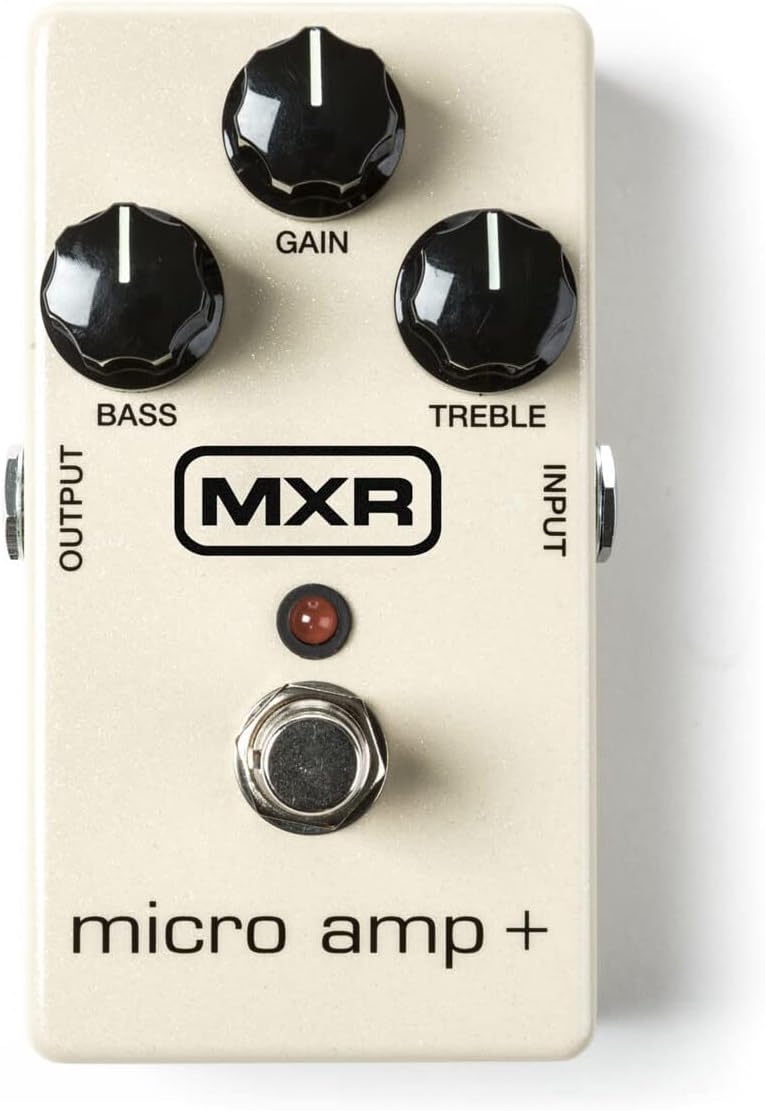
Şekil 1: Ön view of the MXR M233 Micro Amp+ pedal, showing the Gain, Bass, and Treble control knobs, the footswitch, and the Input/Output jacks.
Controls and Jacks:
- KAZANÇ Düğmesi: Adjusts the amount of boost applied to your signal, from unity gain up to +26dB.
- BAS Düğmesi: Controls the low-frequency response of the boosted signal. Turn clockwise for more bass, counter-clockwise for less.
- TİZ Düğmesi: Controls the high-frequency response of the boosted signal. Turn clockwise for more treble, counter-clockwise for less.
- Giriş jakı: Connect your instrument or the output of another effects pedal here.
- ÇIKIŞ Jakı: Bunu şunlara bağlayın: amplifier's input or the input of the next pedal in your signal chain.
- AYAK PEDALI: Toggles the effect on and off. The LED illuminates when the effect is active.
- 9V DC Girişi: Connect a 9V DC (center-negative) power adapter here.
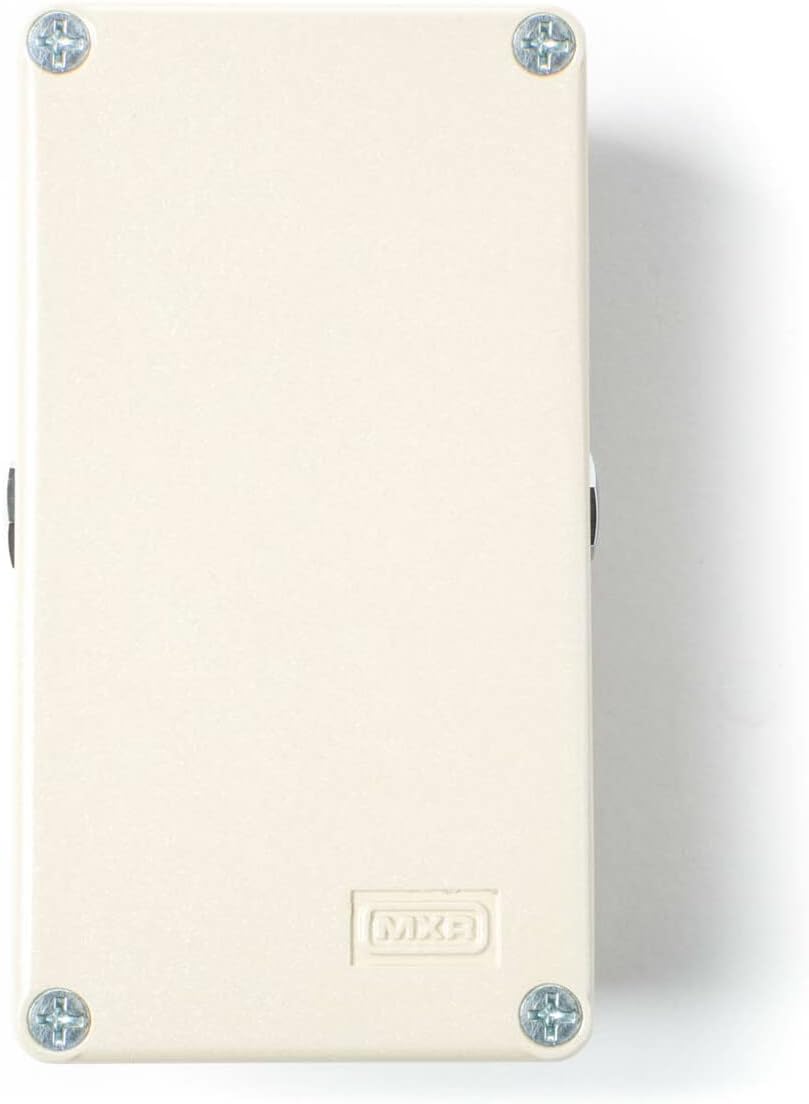
Şekil 2: Arka view of the MXR Micro Amp+ pedal, highlighting the 9V DC power input jack.
Kurmak
Follow these steps to connect your MXR M233 Micro Amp+ pedal:
- Güç Bağlantısı: Connect a 9V DC (center-negative) power adapter to the 9V DC input jack on the pedal. Ensure the power adapter is compatible to prevent damage.
- Enstrüman Bağlantısı: Use one of the provided instrument cables to connect your guitar or bass to the GİRİŞ jack of the Micro Amp+.
- Amplifier Bağlantısı: Use another instrument cable to connect the ÇIKTI jack of the Micro Amp+ to your amplifier'in girdisi.
- Signal Chain Integration (Optional): If integrating into an existing pedalboard, use the provided patch cables to connect the Micro Amp+ between other effects pedals. The Micro Amp+ is typically placed early in the signal chain to boost the instrument's signal before other effects, or later to boost the overall signal for solos.
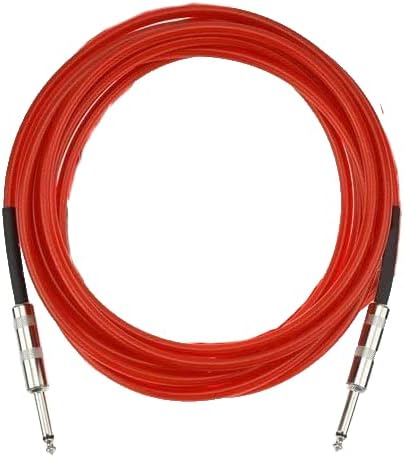
Şekil 3: Example of an instrument cable included in the bundle.

Şekil 4: Example of a patch cable included in the bundle.
Kullanım Talimatları
Once connected, operate your MXR M233 Micro Amp+ as follows:
- Activate the Pedal: Press the footswitch to engage the effect. The LED will light up, indicating the pedal is active. Press again to bypass the effect (true bypass).
- Kazancı Ayarlayın: Çevir KAZANMAK knob clockwise to increase the boost level. Start with the knob at a lower setting and gradually increase to achieve the desired volume and drive.
- Shape Tone with EQ:
- BAS: Ayarla BAS knob to add or cut low frequencies. For a classic Micro Amp sound, set this knob to the 12 o'clock (noon) position.
- TİZ: Ayarla TİZ knob to add or cut high frequencies. For a classic Micro Amp sound, set this knob to the 12 o'clock (noon) position.
- Deney: The optimal settings will vary depending on your instrument, amplifier, and other pedals. Experiment with different knob positions to find the sound that best suits your needs.
Bakım
To ensure the longevity and optimal performance of your MXR M233 Micro Amp+:
- Temizlik: Wipe the pedal with a soft, dry cloth. Do not use abrasive cleaners or solvents.
- Depolamak: Kullanılmadığı zamanlarda pedalı serin, kuru ve doğrudan güneş ışığından ve aşırı sıcaklıklardan uzak bir yerde saklayın.
- Kablo Bakımı: Handle instrument and patch cables carefully. Avoid sharp bends or kinks that can damage the internal wiring.
- Güç Kaynağı: Pedal uzun süre kullanılmadığında daima güç kaynağının bağlantısını kesin.
Sorun giderme
| Sorun | Olası Neden | Çözüm |
|---|---|---|
| No sound when pedal is active. | Incorrect power supply, faulty cables, incorrect connections, pedal bypassed. | Verify 9V DC (center-negative) power supply. Check all cable connections. Ensure footswitch LED is illuminated. Test cables with another device. |
| Excessive noise or hum. | Topraklama döngüsü, arızalı güç kaynağı, diğer elektronik cihazlardan kaynaklanan parazit. | Use a high-quality isolated power supply. Try a different power outlet. Move pedal away from other electronic devices. Check for faulty cables. |
| LED yanmıyor. | No power, faulty power supply, pedal not engaged. | Ensure power supply is connected and functional. Press the footswitch to engage the effect. |
| Boost level is too low/high. | GAIN knob setting. | Adjust the GAIN knob to the desired level. |
If you continue to experience issues, please contact customer support.
Özellikler
| Özellik | Detay |
|---|---|
| Örnek | M233 Micro Amp+ |
| Sinyal Biçimi | Analog |
| Ses Çıkışı Efektleri | Önamp / Boost |
| Maksimum Kazanç | +26 dB |
| Güç Kaynağı | Kablolu Elektrikli (9V DC, merkez negatif) |
| Cilttage | 9 Volt |
| Geçiş | Gerçek baypas |
| Ürün Ağırlığı | 1.68 pounds (pedal and bundle accessories) |
| Paket Boyutları | 11.3 x 9.96 x 2.99 inç |
| Renk | Beyaz |
Garanti ve Destek
This product is covered by a manufacturer's warranty against defects in materials and workmanship. For specific warranty terms and conditions, please refer to the documentation provided with your purchase or visit the official MXR website. For technical support, troubleshooting assistance, or warranty claims, please contact the retailer where the product was purchased or the manufacturer's customer service department.
For additional resources and product information, you may visit the official MXR webalan: www.jimdunlop.com/mxr/


