1. Giriş
The Sennheiser MB Pro 2 is an on-ear wireless Bluetooth headset designed for business and communication. This manual provides instructions for setting up, operating, maintaining, and troubleshooting your headset to ensure optimal performance.
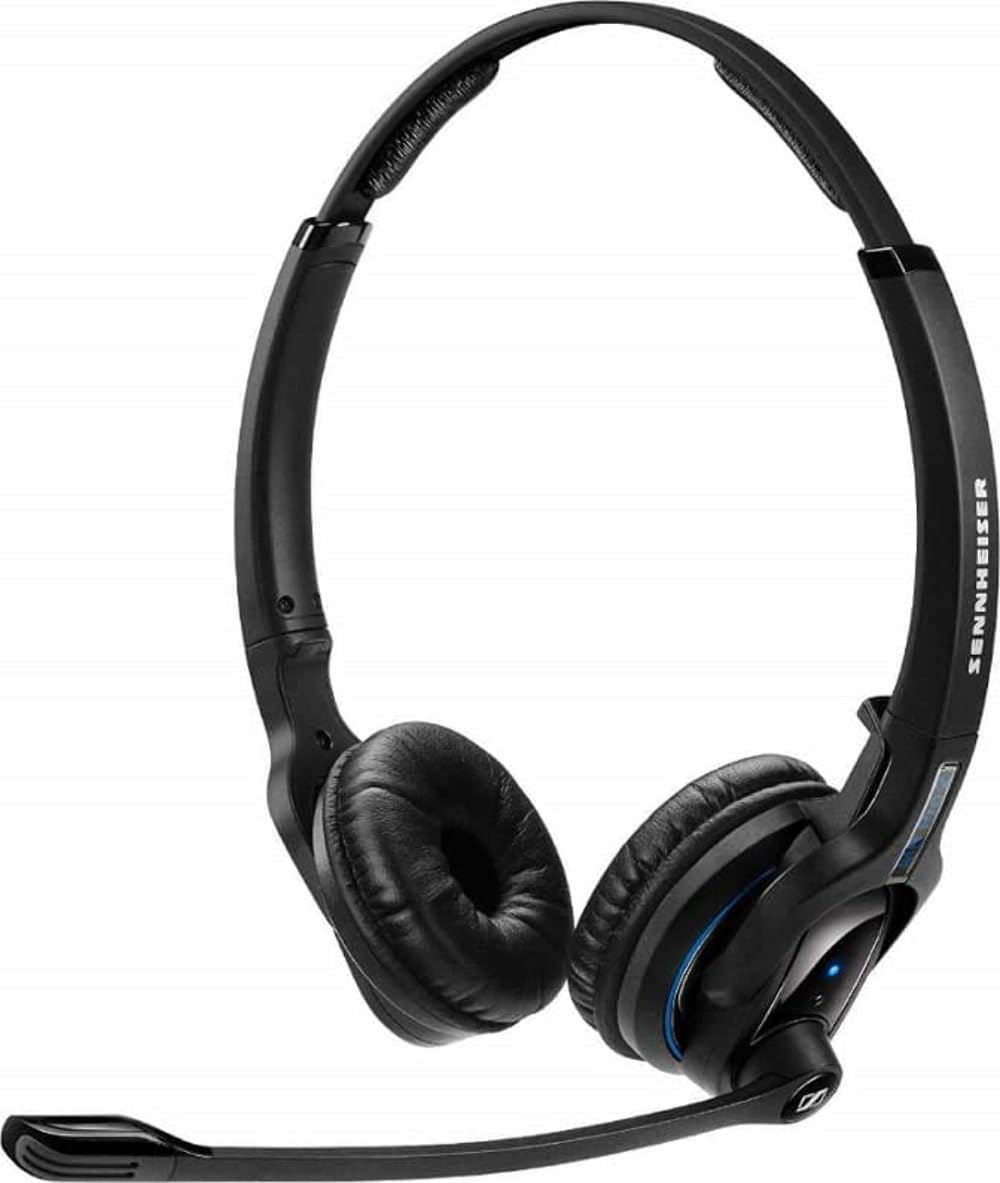
An image showing the Sennheiser MB Pro 2 on-ear Bluetooth headset, typically black, with earcups designed to rest on the ears and an adjustable headband.
2. Kurulum
2.1 Kulaklığın Şarj Edilmesi
Before initial use, fully charge the headset. Connect the provided charging cable to the headset's charging port and to a compatible USB power source. The LED indicator on the headset will show the charging status. A full charge typically takes approximately 2-3 hours.
2.2 Bluetooth Cihazıyla Eşleştirme
- Kulaklığın kapalı olduğundan emin olun.
- Press and hold the power button on the headset until the LED indicator flashes blue and red, indicating pairing mode.
- On your device (cellphone, desktop, laptop, or tablet), enable Bluetooth and search for available devices.
- Select "Sennheiser MB Pro 2" from the list of found devices.
- If prompted, enter "0000" as the PIN.
- Eşleştirme işlemi tamamlandıktan sonra, LED göstergesi periyodik olarak mavi renkte yanıp sönecektir.
Not: A Bluetooth dongle is not included with this version of the headset and may be required for some desktop or laptop connections if your device does not have built-in Bluetooth.
3. Kulaklığın Kullanımı
3.1 Güç Açma/Kapatma
- To power on: Press and hold the power button until the LED flashes blue.
- To power off: Press and hold the power button until the LED flashes red and then turns off.
3.2 Çağrı Yönetimi
- Çağrıyı Cevapla/Sonlandır: Çok işlevli düğmeye bir kez basın.
- Çağrıyı Reddet: Çok işlevli düğmeyi 2 saniye basılı tutun.
- Son Numarayı Tekrar Ara: Çok fonksiyonlu düğmeye iki kez basın.
3.3 Ses Kontrolü
Use the volume up (+) and volume down (-) buttons located on the headset to adjust the audio level during calls or media playback.
3.4 Medya Kontrolü
The headset supports basic media control functions when connected to a compatible device:
- Oynat/Duraklat: Çok işlevli düğmeye bir kez basın.
- Sonraki Parça: Çok fonksiyonlu düğmeye iki kez basın.
- Önceki parça: Çok fonksiyonlu düğmeye üç kez basın.
4. Bakım
4.1 Temizlik
- Kulaklığın yüzeylerini yumuşak, kuru ve tüy bırakmayan bir bezle silin.
- Do not use liquid cleaners, solvents, or abrasive materials.
- Şarj portunu toz ve kalıntılardan uzak tutun.
4.2 Pil Bakımı
- Kulaklığı aşırı sıcaklıklara maruz bırakmaktan kaçının.
- Kullanmadığınız zamanlarda kulaklığınızı serin ve kuru bir yerde saklayın.
- For long-term storage, charge the battery to approximately 50% every few months to preserve battery life.
4.3 Depolama
When not in use, store the headset in a protective case or a safe location to prevent damage from drops or pressure.
5. Sorun Giderme
- Güç Yok: Ensure the headset is charged. Connect it to a power source using the charging cable.
- Eşleştirilemiyor: Ensure the headset is in pairing mode (flashing blue/red). Turn off and on your device's Bluetooth. Move the headset closer to your device.
- Ses Yok: Check the volume levels on both the headset and your connected device. Ensure the headset is properly paired and connected.
- Kötü Ses Kalitesi: Move closer to your connected device to reduce interference. Ensure no physical obstructions are between the headset and the device.
- Headset Disconnects Frequently: Ensure the headset is within the Bluetooth range (up to 50 feet). Check for other devices causing interference.
6. Özellikler
| Model Adı | FBA_506044 |
| Marka | Sennheiser |
| Bağlantı Teknolojisi | Bluetooth |
| Bluetooth Sürümü | 4.0 |
| Bluetooth Menzili | 50 Feet'e Kadar |
| Kulak Yerleşimi | Kulakta |
| Ürün Ağırlığı | 82 Gram (2.89 ons) |
| Ürün Boyutları | 6.69 x 8.27 x 2.36 inç |
| Pil | 1 Lityum İyon pil gerekli |
| Uyumlu Cihazlar | Cep telefonları, Masaüstü bilgisayarlar, Dizüstü bilgisayarlar, Tabletler |
| Dahil Bileşenler | Şarj kablosu |
| Kontrol Türü | Media Control, Remote, Button |
7. Garanti ve Destek
This Sennheiser MB Pro 2 headset is a renewed product. Renewed products are typically backed by a specific guarantee from the seller or platform where purchased. Please refer to the terms and conditions of the "Amazon Renewed Guarantee" for details regarding replacement or refund eligibility.
For technical support or further assistance, please consult the Sennheiser official website or contact their customer service. Keep your purchase documentation handy when seeking support.


