giriiş
This manual provides instructions for the safe and efficient operation of your Alecto Smartbaby5 WiFi Baby Monitor. Please read this manual thoroughly before use and retain it for future reference.

The Alecto Smartbaby5 baby monitor, shown next to a smartphone displaying its live video feed.
Güvenlik Bilgileri
- Ensure the device is placed out of reach of children.
- Yalnızca verilen güç adaptörünü kullanın.
- Cihazı suya veya aşırı neme maruz bırakmayın.
- Cihazı ısı kaynaklarının veya doğrudan güneş ışığının yakınına yerleştirmekten kaçının.
- The camera requires a 2.4 GHz Wi-Fi connection for operation.
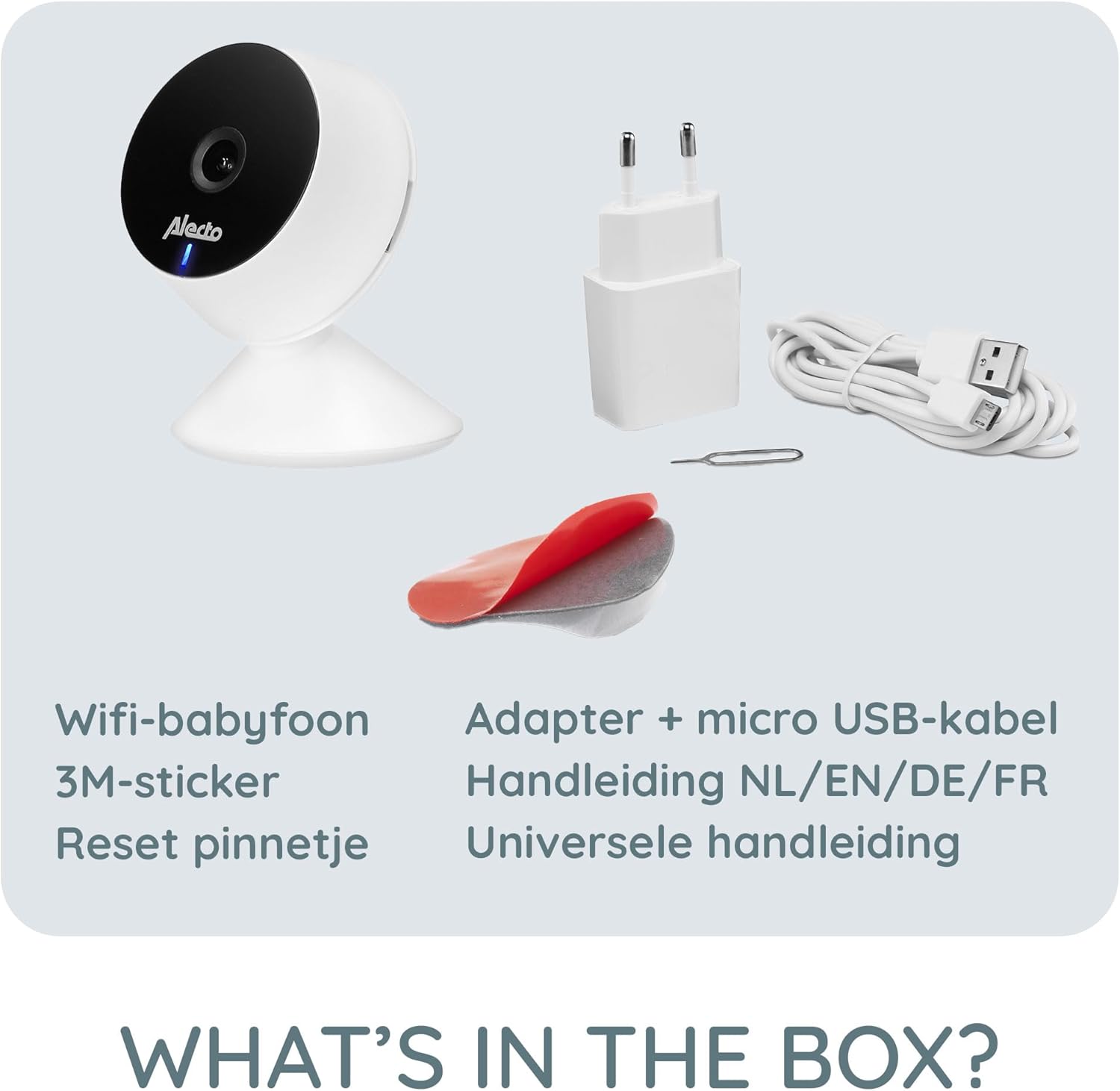
Paket İçeriği
Paketin içinde tüm öğelerin mevcut olduğundan emin olun:
- Alecto Smartbaby5 WiFi Baby Monitor Camera
- Güç Adaptörü
- Mikro USB Kablosu
- 3M Yapışkanlı Etiket
- PIN'i Sıfırla
- Kullanım Kılavuzu (çok dilli)

An illustration of the items included in the Alecto Smartbaby5 product box.
Kurmak
1. Kamerayı Güçlendirme
- Mikro USB kablosunu kameranın güç girişine bağlayın.
- Güç adaptörünü duvar prizine takın.
- Kamera, bir LED ışığıyla belirtildiği gibi açılacaktır.
2. Uygulama Kurulumu ve Bağlantısı
The Alecto Smartbaby5 operates via the Smart Life application.
- İndir Akıllı Hayat App Store (iOS) veya Google Play Store (Android) uygulamasını indirin.
- Bir hesap oluşturun veya zaten bir hesabınız varsa giriş yapın.
- Follow the in-app instructions to add a new device. Ensure your smartphone is connected to a 2.4 GHz Kablosuz ağ.
- The camera will guide you through the pairing process.

The Alecto Smartbaby5 requires a 2.4 GHz Wi-Fi connection for proper functionality.
3. Kamera Yerleşimi
Kamerayı net bir görüş sağlayan bir yere yerleştirin. view of the desired area (e.g., crib). The camera can be placed on a flat surface or mounted.
- Yüzey Yerleşimi: Kamerayı sabit, düz bir yüzeye yerleştirin.
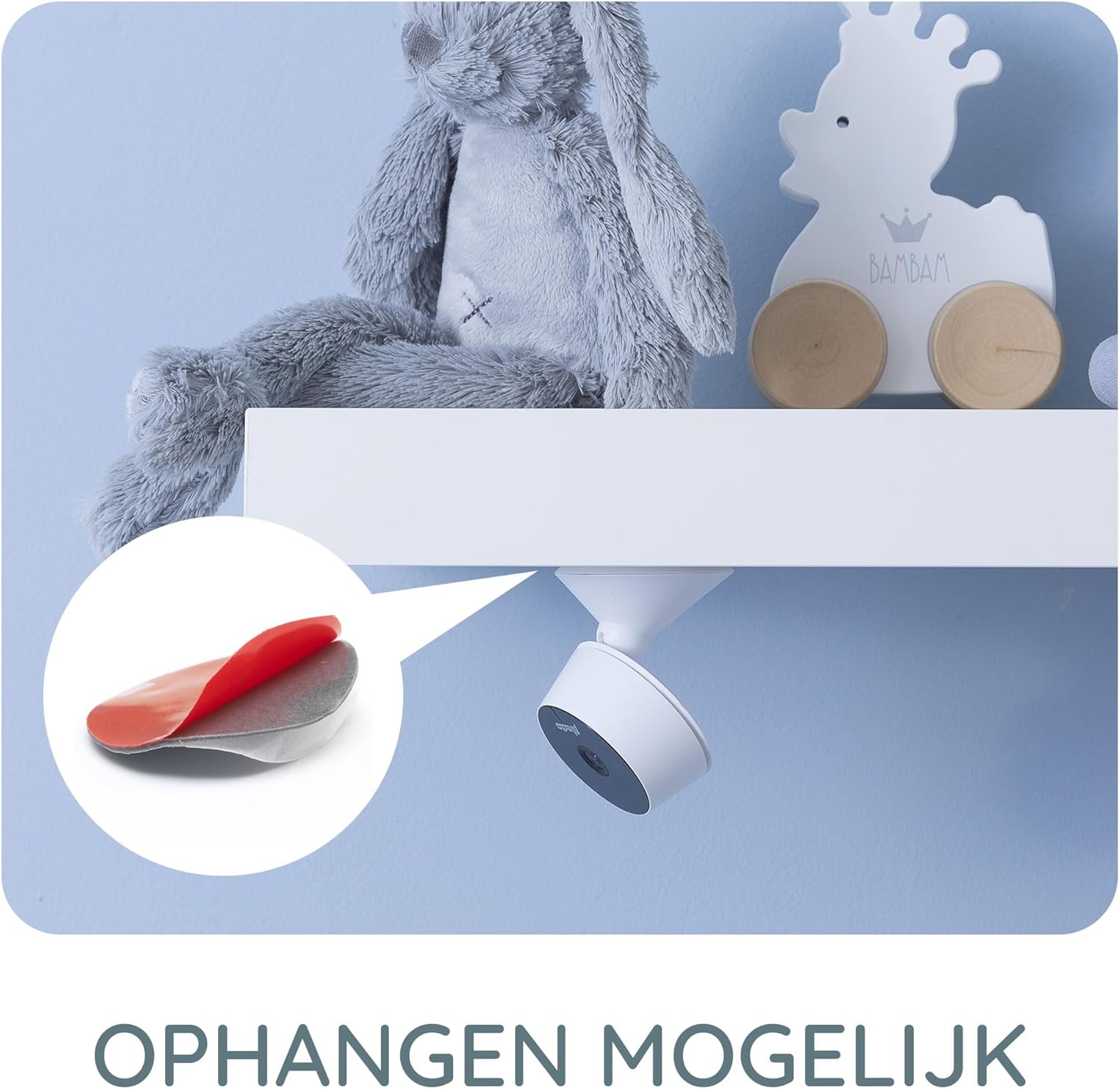
- Wall/Shelf Mounting: Use the provided 3M adhesive sticker to securely attach the camera to a wall or under a shelf. Ensure the surface is clean and dry before applying the adhesive.

The camera can be mounted under a shelf using the included 3M adhesive for optimal viewaçıları.
Kullanım Talimatları
Canlı View ve İzleme
Once connected, open the Smart Life app on your smartphone or tablet to access the live video feed from the camera. The app provides a secure connection, ensuring only authorized users can view besleme.
The Smart Life app interface showing various features like push notifications, recording, and MicroSD storage options.
Key Features via Smart Life App
- HD Çözünürlük: View live video in 1920 x 1080p HD resolution.
- Kızılötesi Gece Görüşü: The camera automatically switches to infrared night vision in low-light conditions, providing clear images in the dark.
- Hareket ve Ses Algılama: Receive push notifications on your smartphone when movement or sound is detected in the monitored area.
- Two-Way Intercom Function: Use the built-in speaker and microphone to listen to and speak with your child remotely through the app.
- Kayıt: Record images and videos directly to your smartphone or optionally to a MicroSD card (not included).
- Mobile Internet Access: Monitor your child via mobile internet (5G, 4G, or 3G) when away from your home Wi-Fi network.

The two-way intercom function allows remote communication with your child.
Bakım
- Temizlik: Fotoğraf makinesinin objektifini ve gövdesini temizlemek için yumuşak, kuru bir bez kullanın. Sıvı temizleyiciler veya aerosoller kullanmayın.
- Depolamak: Cihazınızı uzun süre saklayacaksanız, güç bağlantısını kesin ve serin ve kuru bir yerde saklayın.
- Yazılım Güncellemeleri: Regularly check the Smart Life app for available firmware updates for the camera to ensure optimal performance and security.
Sorun giderme
| Sorun | Olası Neden | Çözüm |
|---|---|---|
| Kamera Wi-Fi'ye bağlanmıyor. | Incorrect Wi-Fi band (not 2.4 GHz), weak signal, incorrect password. | Ensure your router is broadcasting a 2.4 GHz signal. Move the camera closer to the router. Re-enter Wi-Fi password carefully. |
| Uygulamada video yayını yok. | Camera is offline, app issue, internet connectivity problem. | Check if the camera is powered on and connected to Wi-Fi. Restart the app. Verify your smartphone's internet connection. |
| Motion/Sound detection not working. | Settings not enabled in the app, app notifications disabled. | Go to the camera settings in the Smart Life app and enable motion/sound detection. Check your phone's notification settings for the Smart Life app. |
| Intercom function not working. | Microphone/speaker issues, app permissions. | Ensure the app has microphone permissions on your phone. Check volume settings in the app. |
| Camera falls off mounting surface. | Adhesive not strong enough, surface not clean. | Ensure the mounting surface is clean, dry, and smooth. Use a stronger adhesive if necessary, or consider screw mounting if available. |
Özellikler
- Model Numarası: SMARTBABY5
- Ana Malzeme: Plastik
- Özel Özellikler: Motion Detector, Infrared Night Vision, Two-Way Intercom
- Cihaz Uyumluluğu: Akıllı telefon (iOS, Android)
- Kablosuz İletişim: Wi-Fi (sadece 2.4 GHz)
- Güç Türü: Adaptörle çalışır
- Gerekli Piller: HAYIR
- Video Çözünürlüğü: 1920 x 1080p (HD)
- Boyutlar (U x G x Y): 8x6x7.2 cm
- Ağırlık: 143 gram
- Üretici: commaxx
Physical dimensions of the Alecto Smartbaby5 baby monitor camera.
Garanti ve Destek
For warranty information and technical support, please refer to the documentation provided with your product or visit the official Alecto website. Alecto Baby is committed to providing high-quality products and support.
Üretici: commaxx


