giriiş
This manual provides essential information for the proper installation, operation, and maintenance of your Nextbase 322GW Dash Cam. Please read this manual thoroughly before using the device to ensure optimal performance and longevity.
Kutuda Neler Var?
Verify that all components are present before proceeding with the installation.
- Nextbase 322GW Araç Kamerası
- Click&Go PRO GPS Mount
- 12-24V Power Cable (4m)
- USB kablosu
- Spare Window Mount
- Power Cable Fitting Tool
- Hızlı Başlangıç Kılavuzu
- Hafıza Kartı (32 GB Micro SD Kart)
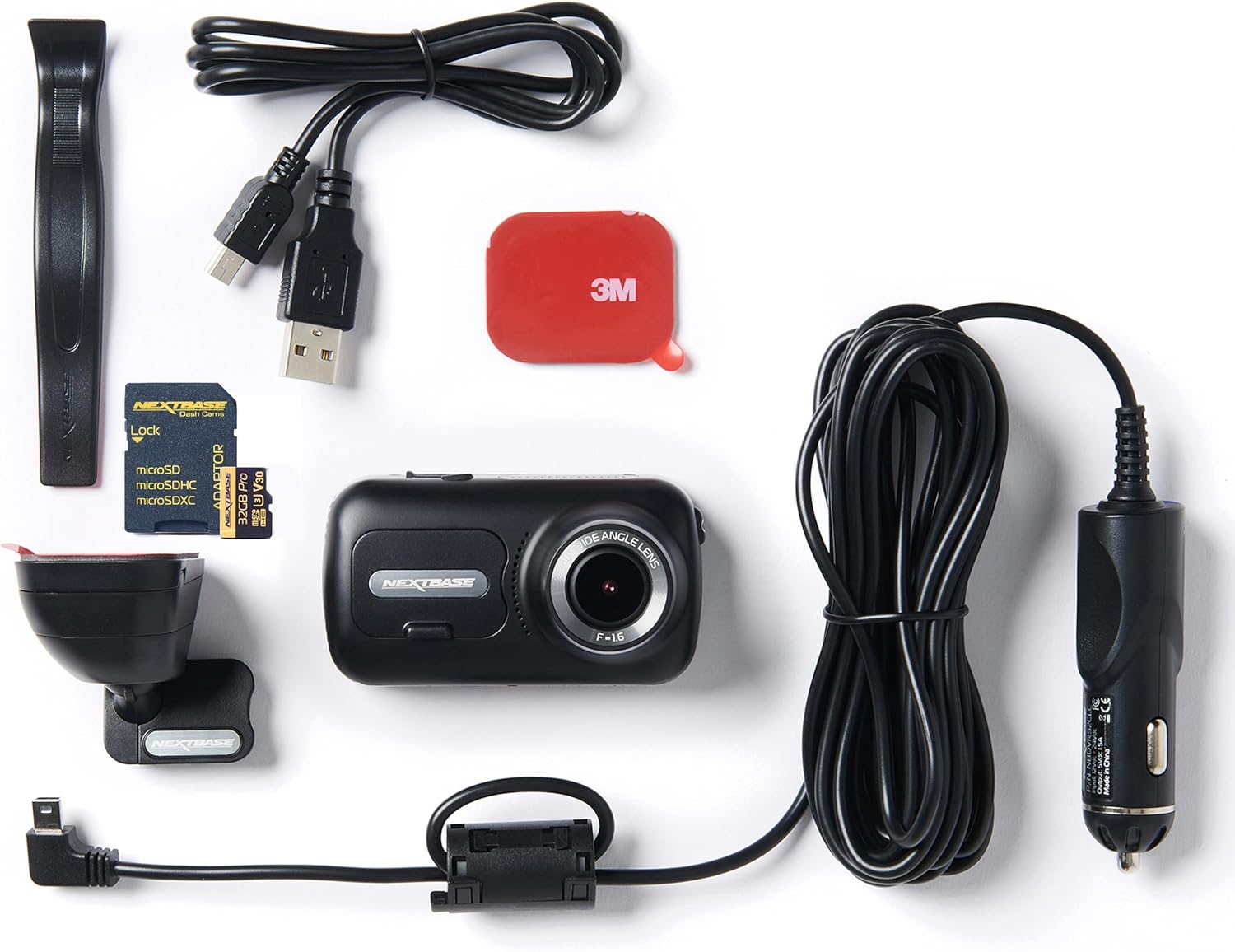
Image: Contents of the Nextbase 322GW Dash Cam package, including the dash cam, mount, cables, and memory card.
Temel Özellikler
- Full HD Recording: Records in 1080p/30fps and 720p/60fps with a 140-degree wide angle lens.
- Acil SOS: Automatically alerts emergency services with your location and medical data in case of an incident.
- High-Resolution Touch Screen: Features a 2.5-inch IPS touch screen for easy menu navigation and playback.
- Akıllı Park Modu: Automatically records any physical movement or bump to your vehicle when parked.
- Arka Kamera Uyumluluğu: Genişletin viewing area with an optional rear camera.
- Wi-Fi, GPS, Bluetooth: For seamless connectivity, file sharing, and location tracking.
- Polarizing Filter: Reduces glare and improves video quality.
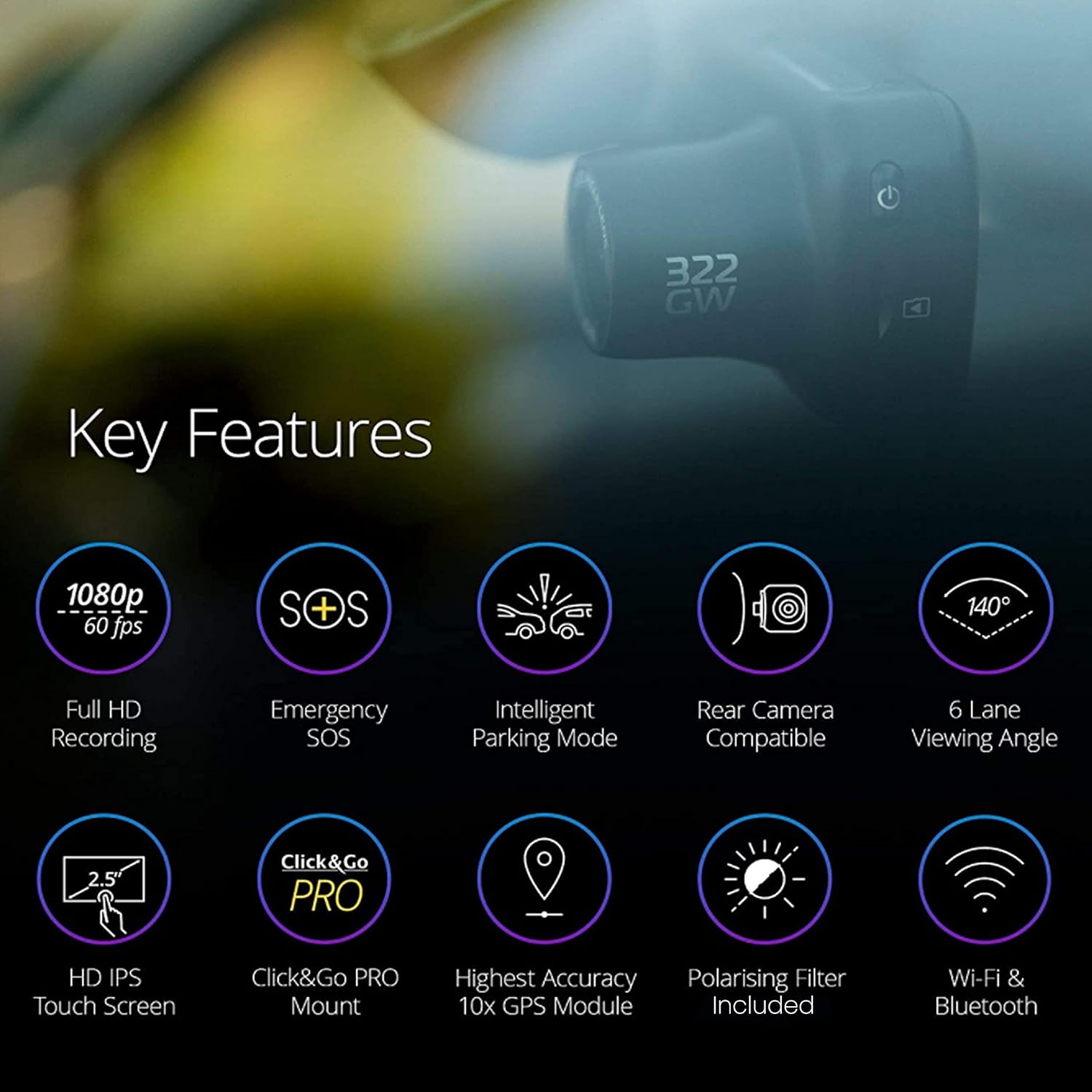
Image: Visual representation of the Nextbase 322GW's key features, including Full HD Recording, Emergency SOS, Intelligent Parking Mode, Rear Camera Compatibility, 6 Lane Viewing Angle, HD IPS Touch Screen, Click&Go PRO Mount, Highest Accuracy 10x GPS Module, Polarising Filter Included, and Wi-Fi & Bluetooth.
Kurmak
1. Dash Cam'in Montajı
The Nextbase 322GW uses a Click&Go PRO GPS Mount for easy installation and removal. The mount is designed to be placed high on the windscreen, minimizing obstruction. Use the provided 3M adhesive pad for a secure attachment to the windshield.
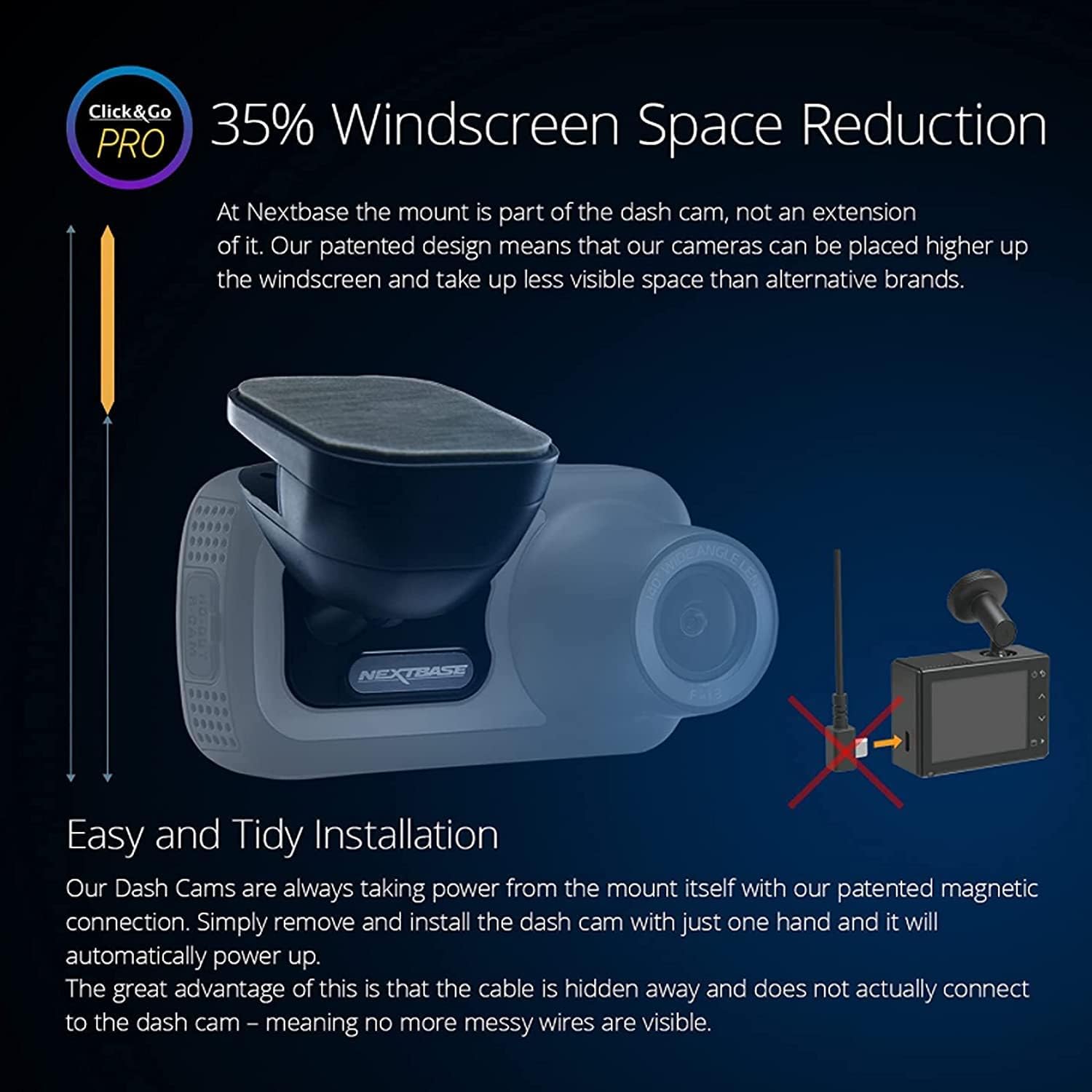
Image: Illustration demonstrating the 35% windscreen space reduction achieved by the Click&Go PRO mount, showing how the dash cam integrates closely with the windshield.

Image: A Nextbase 322GW Dash Cam is shown mounted on the upper part of a car's windshield, providing a clear view Önümüzdeki yolun.
2. Micro SD Kartın Takılması
The dash cam requires a compatible Micro SD card (U3 class recommended) for recording. A 32GB Micro SD card is included in this bundle. Insert the card into the designated slot on the side of the dash cam.
Image: A Nextbase branded 32GB Micro SD card with an adapter, highlighting its compatibility and high-quality recording capabilities.
3. Güç Bağlantısı
Connect the provided 12-24V power cable to your vehicle's cigarette lighter socket and to the dash cam mount. The cable is designed to be discreetly routed around the windshield for a tidy installation.
Araç Kamerasını Çalıştırma
1. İlk Açılış ve Ayarlar
Once connected to power, the dash cam will automatically turn on. Use the 2.5-inch IPS touch screen to navigate through the initial setup, including language, time, and date settings. Ensure the dash cam is charged for at least 2 hours indoors before first use to retain settings.
2. Kayıt Modları
The 322GW records continuously in Full HD (1080p/30fps or 720p/60fps). The loop recording feature ensures that older, unprotected files are overwritten when the SD card is full. Critical footage can be protected from overwriting manually or automatically via the G-Sensor.

Image: A table detailing the approximate loop recording times in hours for various SD card sizes (32GB, 64GB, 128GB, 256GB) and resolutions (1080p, 1440p, 4K), for both front-only and front & rear camera setups.
3. Intelligent Parking Mode
When your vehicle is parked and the ignition is off, the Intelligent Parking Mode activates. If any physical movement or bump is detected, the dash cam will automatically record to protect your vehicle.

Image: A split image illustrating 'Intelligent Parking Mode' on the left, showing a car in a parking lot with motion detection icons. The right side depicts 'Nextbase Emergency SOS' with an image of a car accident and a smartphone screen showing 'Emergency SOS Sent Successfully'.
4. Acil Durum SOS
In the event of a serious accident where the driver is unresponsive, the Emergency SOS feature will automatically alert emergency services to your precise GPS location. It can also send crucial medical data to aid efficient treatment.
5. Connectivity (Wi-Fi, GPS, Bluetooth)
The 322GW features built-in Wi-Fi, GPS, and Bluetooth. Use the MyNextbase Connect app on your smartphone (Android or iPhone) to view, düzenleyin ve foo'nuzu paylaşıntage. The MyNextbase Player software is also available for PC and Mac.
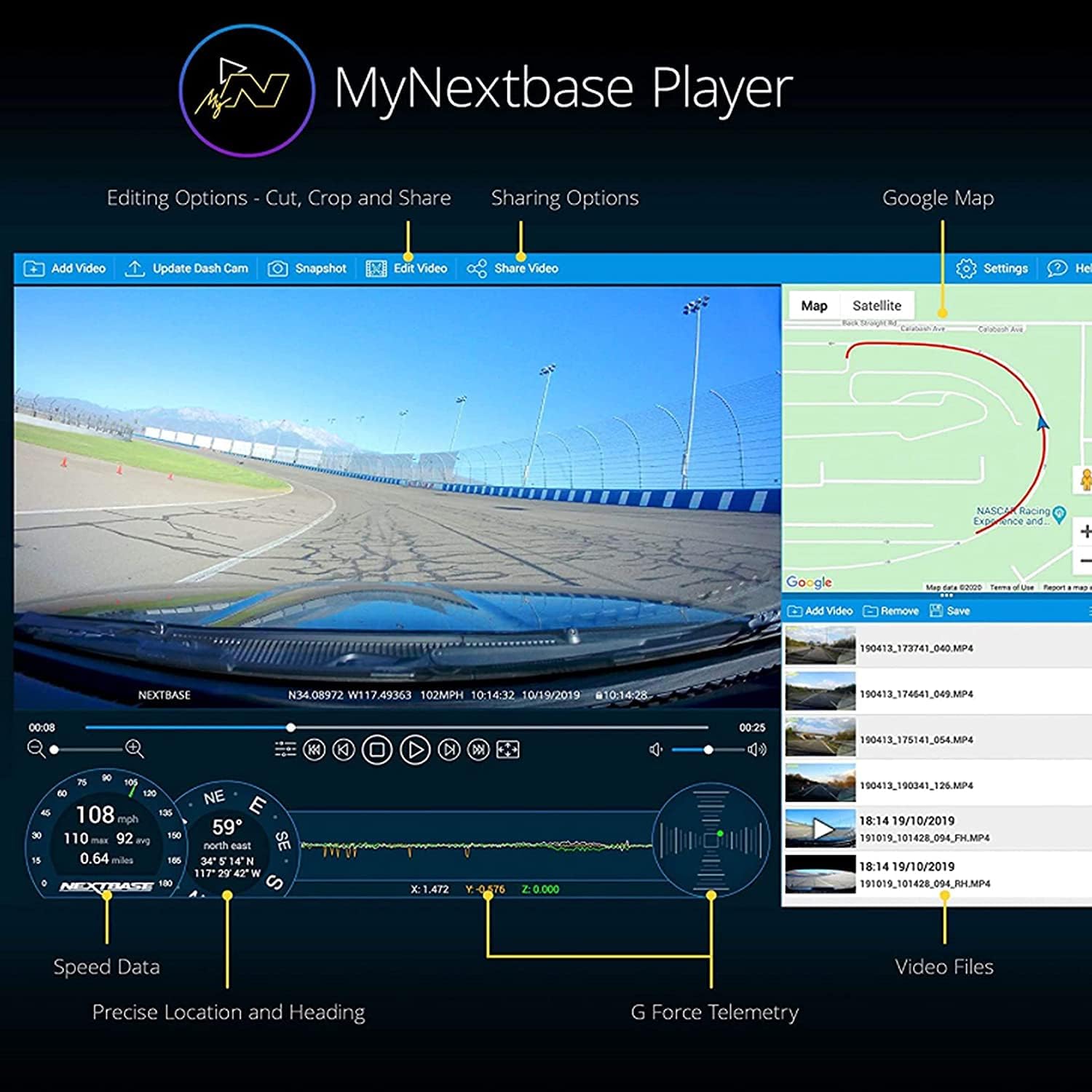
Image: A screenshot of the MyNextbase Player software interface, displaying video footage, speed data, precise location and heading, G-Force telemetry, and video files, along with editing and sharing options.
6. Night Vision and Image Quality
The dash cam's sensors improve picture clarity for night-time driving by adjusting contrast and brightness. The 140-degree wide-angle lens captures details across six lanes, ensuring clear road signs and license plates.

Image: A split image comparing 'Image Quality' and 'Night Vision'. The left side shows daytime footage with clear license plates and 1440p 30fps recording. The right side shows enhanced night vision with multiple resolution settings in a low-light driving scenario.
Bakım
Regular maintenance ensures the optimal performance of your dash cam.
- Lensi temizleyin: Regularly clean the dash cam lens with a soft, lint-free cloth to ensure clear recordings.
- SD Kart Bakımı: Format your Micro SD card regularly (e.g., monthly) using the dash cam's menu to prevent data corruption and ensure smooth recording. Using a Nextbase U3 SD card is recommended for reliable performance. Non-compatible SD cards may cause freezing or malfunction.
- Donanım Yazılımı Güncellemeleri: Check the Nextbase webAraç kameranızın en yeni özelliklere ve hata düzeltmelerine sahip olduğundan emin olmak için, lütfen siteyi düzenli olarak kontrol ederek ürün yazılımı güncellemelerini indirin.
Sorun giderme
If you encounter issues with your Nextbase 322GW Dash Cam, refer to the following common solutions:
- Araç içi kamera açılmıyor: Ensure the power cable is securely connected to both the dash cam mount and the vehicle's power outlet. Check the vehicle's power outlet for functionality. Ensure the dash cam battery is charged for at least 2 hours before use.
- Recording Issues (Freezing/Malfunction): This is often caused by an incompatible or corrupted Micro SD card. Use a Nextbase U3 SD card and format it regularly. Try a different compatible SD card if issues persist.
- Kötü Video Kalitesi: Clean the lens. Ensure the protective film has been removed. Check the resolution settings in the dash cam menu. A polarizing filter can help reduce glare.
- GPS/Wi-Fi/Bluetooth Connectivity Problems: Ensure your smartphone app is up-to-date. Restart both the dash cam and your smartphone. Check for any obstructions that might interfere with GPS signal reception.
- Montaj Yerinde Durmuyor: Ensure the windshield surface is clean and dry before applying the adhesive mount. Apply firm pressure for secure attachment.
Özellikler
| Ürün Boyutları | 1.9 x 1.8 x 3.4 inç |
| Ürün Ağırlığı | 1.12 pound |
| Piller | 1 Lityum İyon pil gerekli |
| Bağlantı Teknolojileri | Bluetooth, Wi-Fi |
| Özel Özellikler | Emergency SOS, Built-In GPS, Intelligent Parking Mode |
| Video Yakalama Çözünürlüğü | 1080p |
| Dahil Bileşenler | Hafıza Kartı (32 GB Micro SD Kart) |
| Montaj Tipi | Ön Cam Bağlantısı |
| Alanı View | 140 Derece |
| Üretici | sonraki üs |
| İlk Mevcut Tarih | 6 Temmuz 2022 |
Garanti
Specific warranty details are not provided in the product data. Please refer to the official Nextbase website or contact Nextbase customer support for detailed warranty information.
Destek
For further assistance, FAQs, and additional support, please visit the official Nextbase webalan: Nextbase Store on Amazon.
You can also download the MyNextbase Connect app for additional functionality and file sharing, available on the Play Store and App Store.


