1. Giriş
This manual provides detailed instructions for the Vanja USB-C SD Card Reader, Model 430C. This device is designed for high-speed data transfer between various memory cards and USB-C enabled devices. Please read this manual thoroughly to ensure proper usage and optimal performance.
2. Ürün Bittiview
The Vanja USB-C SD Card Reader (Model 430C) is a compact and efficient tool for managing data from various memory card formats. It features a USB-C interface for broad compatibility and high-speed data transfer.
Temel Özellikler:
- USB 3.2 Gen 1 Arayüzü: Supports data transfer speeds up to 5 Gbps, enabling quick transfer of large files.
- Universal Card Compatibility: Reads SD, MicroSD, SDXC, SDHC, MMC, and UHS-I cards up to 2TB capacity.
- Geniş Cihaz Desteği: Compatible with iPhone 15/16 series, MacBook Pro, iPad, Mac desktops, Windows laptops, and USB-C Android devices.
- Kablolu Bağlantı: Ensures stable and reliable data transfer without wireless interference or battery concerns.
- Tak ve Çalıştır: No drivers or complex setup required for most operating systems (iOS, iPadOS, macOS, Windows, Android).
- Kompakt ve Dayanıklı Tasarım: Features an aluminum shell for heat dissipation and a nylon cable for enhanced durability.
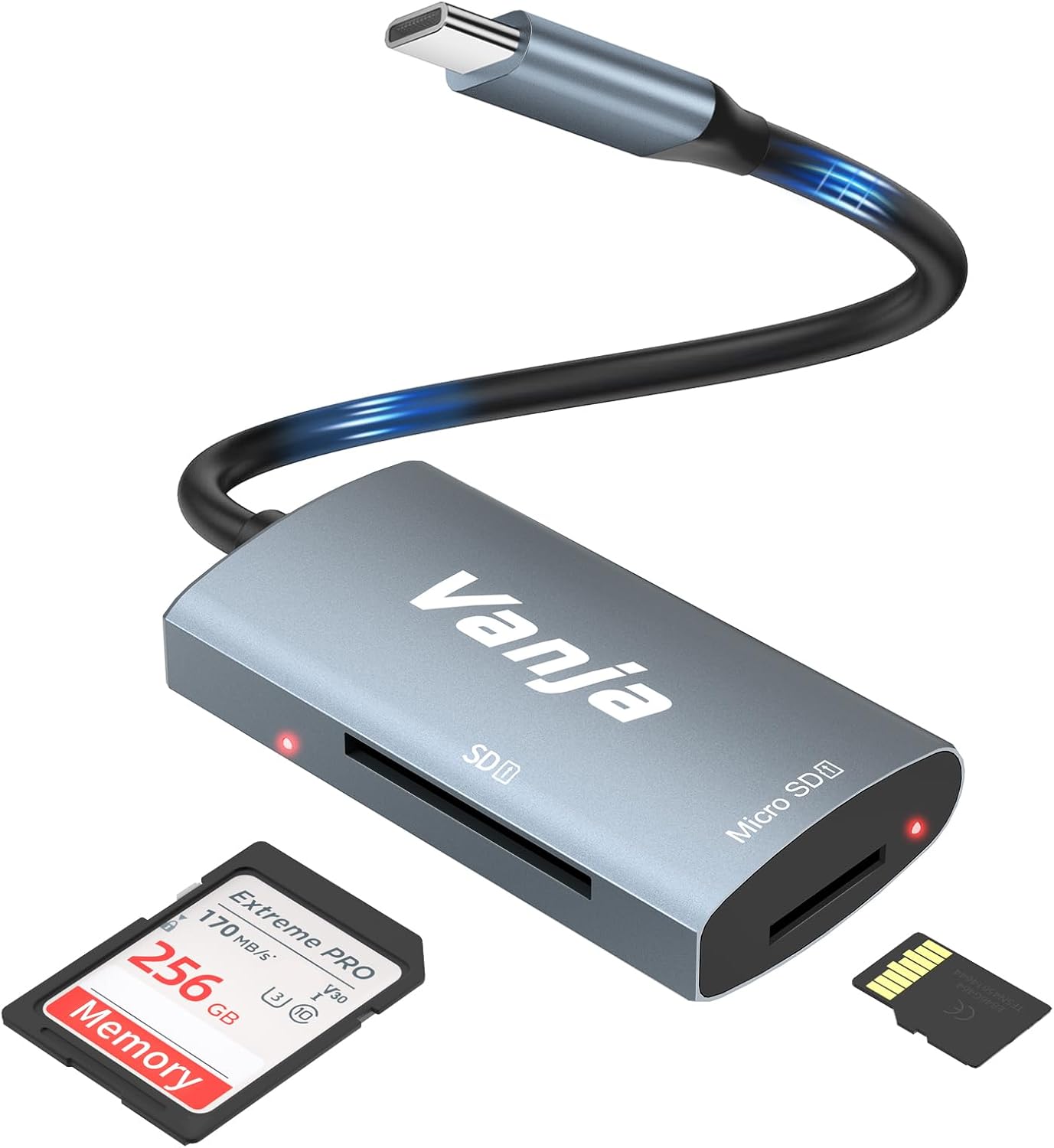
Figure 1: The Vanja USB-C SD Card Reader, showing its USB-C connector, SD card slot, and MicroSD card slot, alongside an SD card and a MicroSD card.
3. Kurulum Talimatları
The Vanja USB-C SD Card Reader is designed for simple plug-and-play operation. No software installation or drivers are typically required.
- Hafıza Kartını Takın: Gently insert your SD card into the SD slot or your MicroSD card into the MicroSD slot on the card reader. Ensure the card is inserted correctly with the contacts facing down. A slight click indicates it is securely in place.
- Cihaza Bağlan: Plug the USB-C connector of the card reader into an available USB-C port on your compatible device (e.g., iPhone 15/16, MacBook, iPad, Windows laptop, Android phone).
- Erişim Files: Your device should automatically detect the card reader and the inserted memory card. You can then access the files through your device's file manager or photo application.
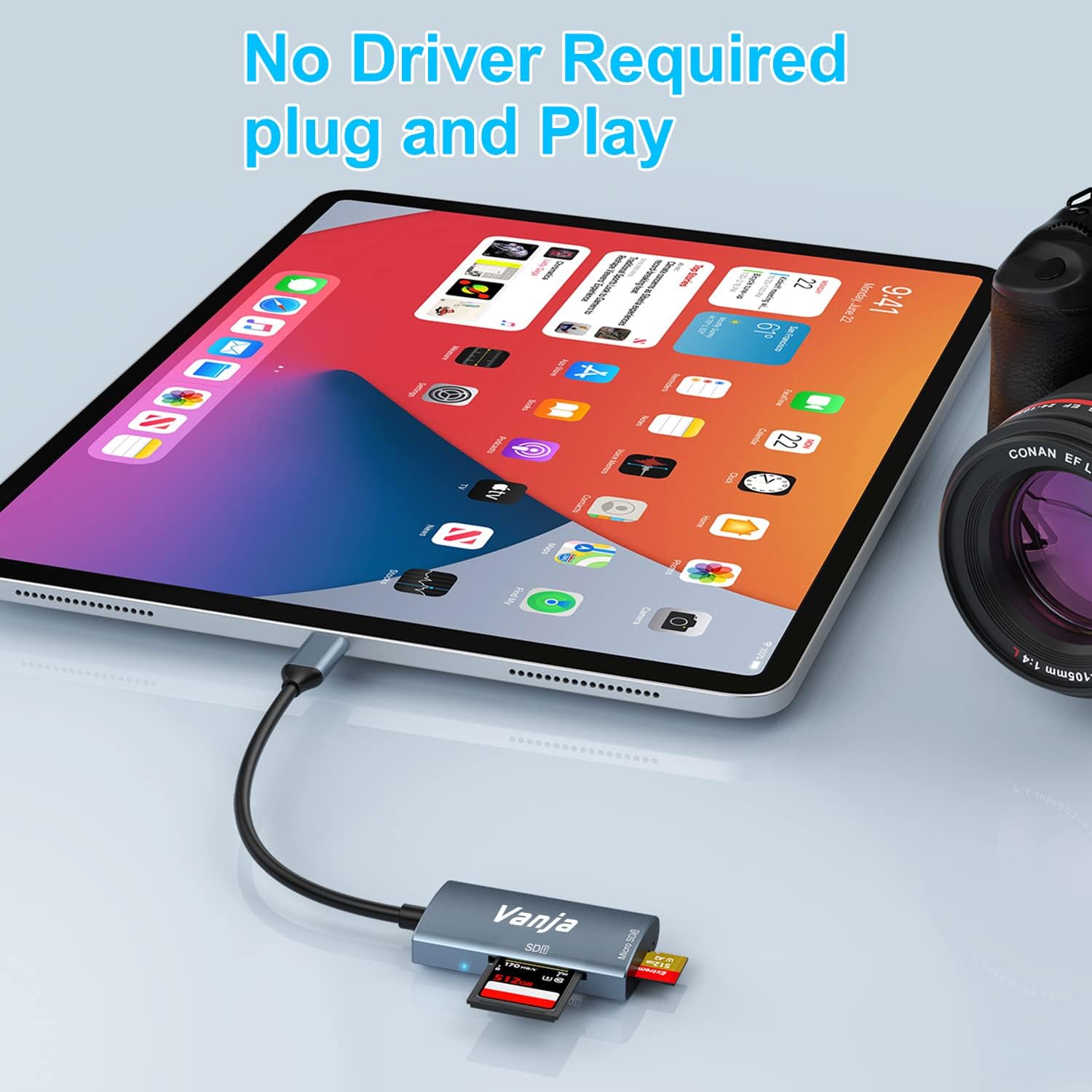
Figure 2: The card reader connected to an iPad Pro, demonstrating the plug-and-play functionality with a MicroSD card inserted.
4. Kullanım Talimatları
Once connected, the card reader functions like any external storage device.
Veri Transferi:
- Locate Drive: On Windows, the card will appear as a removable drive under "This PC." On macOS, it will appear on the desktop or in Finder. On iOS/iPadOS, access it via the "Files" app. On Android, use your device's file müdür.
- Kopyala/Taşı Files: Sürükle ve bırak files between the memory card and your device's internal storage, or use the copy/paste functions provided by your operating system.
- Güvenli Şekilde Çıkarın: Always safely eject the memory card or card reader from your operating system before physically disconnecting it to prevent data corruption.

Figure 3: The card reader connected to a laptop, illustrating high-speed data transfer (5 Gbps) between a memory card and the computer.
5. Uyumluluk
Desteklenen Hafıza Kartı Türleri:
- SD Kart
- MicroSD Card (TF Card)
- SDHC
- SDXC
- MMC
- UHS-I Kartları
- Supports capacities up to 2TB.
Compatible Devices and Operating Systems:
- Apple Cihazları: iPhone 15/16 series (USB-C models), MacBook Pro, iPad (USB-C models), Mac desktops.
- Windows Cihazları: Laptops and desktops with USB-C ports.
- Android Cihazlar: Samsung Galaxy smartphones and other USB-C enabled Android phones/tablets.
- İşletim Sistemleri: iOS, iPadOS, macOS, Windows, Android, Linux, Chrome OS.

Figure 4: Visual representation of the universal compatibility of the card reader with different memory card formats and USB-C enabled devices.
6. Özellikler
| Marka | Vanja |
| Model Numarası | 430C |
| Bağlantı Teknolojisi | USB Type C (USB 3.2 Gen 1) |
| Veri Aktarım Hızı | 5 Gbps'ye kadar |
| Desteklenen Ortam Türleri | SD Card, SDHC, SDXC, microSD, microSDHC, MMC, UHS-I |
| Desteklenen Maksimum Kapasite | 2TB (depending on card type) |
| İşletim Sistemi Uyumluluğu | Android, iOS, Linux, Mac OS, Windows |
| Ürün Ağırlığı | 1.13 ons (yaklaşık 32 gram) |
| Paket Boyutları | 5.35 x 3.35 x 0.55 inç (yaklaşık 13.6 x 8.5 x 1.4 cm) |
| Renk | Blue-Gray |
| Özel Özellikler | Compact, Easy Setup, Plug & Play, Aluminum Housing, Nylon Cable |
7. Sorun Giderme
If you encounter issues with your Vanja USB-C SD Card Reader, try the following solutions:
- Cihaz tanınmadı:
- Ensure the card reader is firmly plugged into the USB-C port of your device.
- Try a different USB-C port on your device, if available.
- Bilgisayarınızı veya cihazınızı yeniden başlatın.
- Hafıza kartının kart okuyucusuna düzgün bir şekilde takılıp takılmadığını kontrol edin.
- Test the card reader with a different memory card to rule out card issues.
- Cihazınızın işletim sisteminin güncel olduğundan emin olun.
- Yavaş Veri Aktarımı:
- Verify that your device's USB-C port supports USB 3.0/3.1/3.2 speeds. Older USB 2.0 ports will result in slower transfers.
- Ensure your memory card is a high-speed card (e.g., UHS-I or faster).
- Çok sayıda küçük parçayı transfer etmekten kaçının fileAynı anda birden fazla veri işlenebilir; bu verileri bir arşiv haline sıkıştırmak bazen hızı artırabilir.
- Sistem kaynaklarını tüketebilecek diğer uygulamaları kapatın.
- Memory Card Not Reading:
- Check if the memory card is damaged or corrupted. Try it in another device if possible.
- Ensure the memory card is inserted in the correct orientation.
- Clean the contacts on the memory card with a soft, dry cloth.
8. Bakım
To ensure the longevity and optimal performance of your Vanja USB-C SD Card Reader, follow these maintenance guidelines:
- Temiz tut: Use a soft, dry cloth to clean the exterior of the card reader. Avoid using liquid cleaners or solvents.
- Limanları Koru: Keep the card slots and USB-C connector free from dust and debris. Use compressed air if necessary, but gently.
- Uygun Şekilde Saklayın: When not in use, store the card reader in a cool, dry place, away from direct sunlight and extreme temperatures.
- Dikkatli Kullanın: Cihazınızı düşürmekten veya sert darbelere maruz bırakmaktan kaçının. Hafıza kartlarını yuvalara zorla takmayın.
9. Garanti ve Destek
For warranty information, technical support, or further assistance with your Vanja USB-C SD Card Reader, please refer to the official Vanja websiteye gidin veya doğrudan müşteri hizmetleriyle iletişime geçin.
You can visit the official Vanja store for more product information and support resources: Vanja Store on Amazon.


