1. Giriş
This manual provides detailed instructions for the setup, operation, and maintenance of your TOMLOV DM10 10.1" Digital Microscope. Please read this manual thoroughly before using the device to ensure proper functionality and to maximize your viewDeneyim.
2. Paket İçeriği
Aşağıda listelenen tüm ürünlerin paketinizde mevcut olduğundan emin olun. Eksik veya hasarlı bir ürün varsa, lütfen müşteri hizmetleriyle iletişime geçin.
- 10.1-Inch Digital Microscope (1)
- Height Adjustable Stand (1)
- 32GB Micro SD Card (1) - Pre-installed in the microscope's Micro SD card slot.
- Uzaktan Kumanda (1)
- USB Kablosu (2)

Image: Components included in the TOMLOV DM10 Digital Microscope package.
3. Kurulum Talimatları
3.1 Montaj
- Attach the microscope unit to the height-adjustable stand. Secure it using the provided knob.
- Place the base plate on a stable, flat surface.
- Connect the flexible gooseneck side lights to the base plate, ensuring they are securely fastened.
3.2 Açma
The microscope is equipped with a 3000mAh rechargeable battery. To power on the device, press and hold the power button located on the front panel below the screen. The device can also be powered via USB cable.
3.3 İlk Ayarlamalar
- Yüksekliği Ayarlama: Use the knob on the stand to raise or lower the microscope unit, setting the initial distance between the lens and the object.
- Ekran Döndürme: The 10.1" IPS screen can be rotated 90 degrees for optimal viewaçıları.
- Odaklanma: Rotate the focus wheel on the microscope body to achieve a clear image of your object on the screen.
- Aydınlatma: Adjust the brightness of the 8 LED lights around the lens and the 2 flexible gooseneck side lights independently using their respective controls.

Image: A user observing a coin using the TOMLOV DM10 Digital Microscope, highlighting the large 10.1-inch screen.
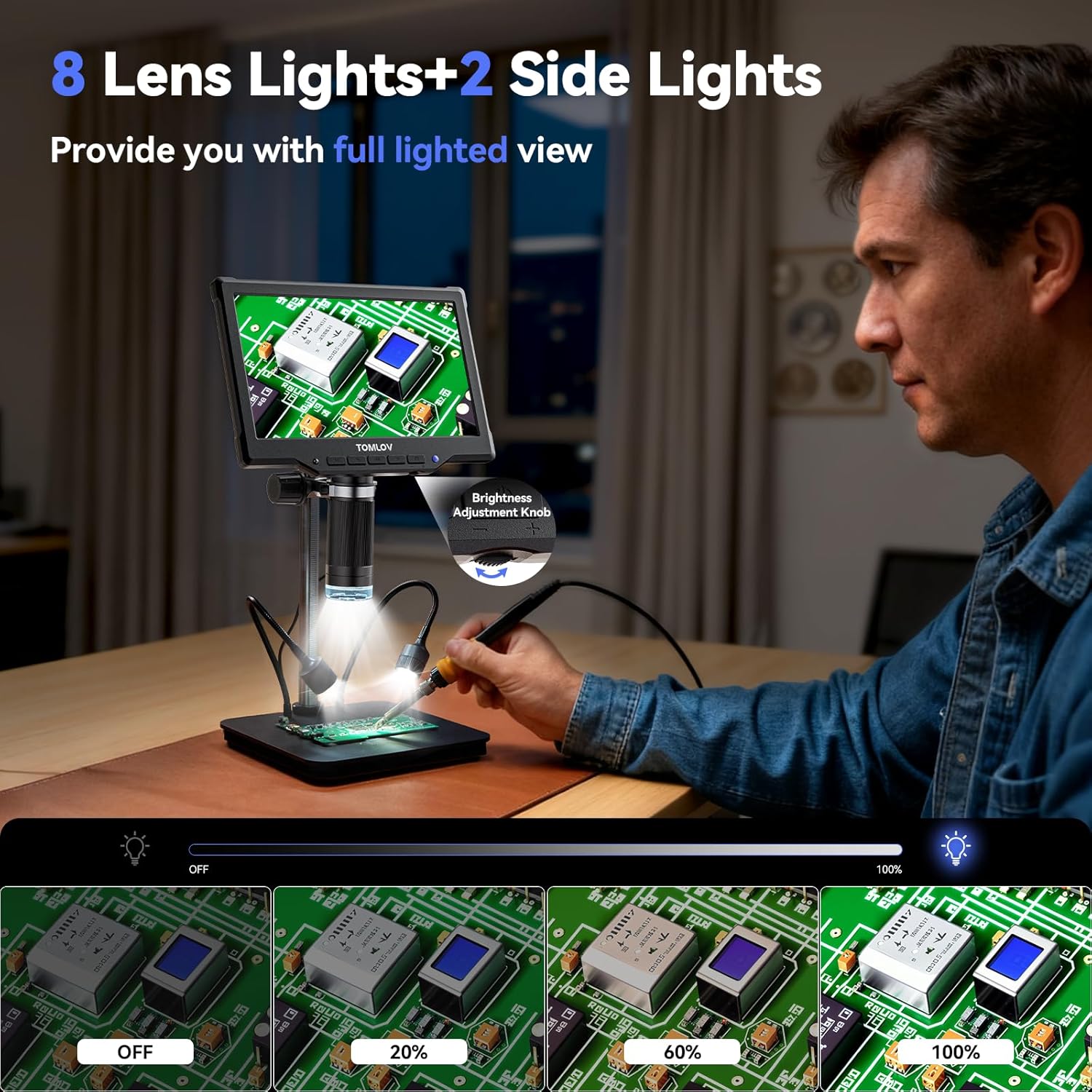
Image: The TOMLOV DM10 Digital Microscope with its 8 lens lights and 2 adjustable side lights providing full illumination for detailed observation.
4. Kullanım Talimatları
4.1 Büyütme
The TOMLOV DM10 offers a magnification range from 5X to 1200X. Adjust the height of the microscope and rotate the focus wheel to achieve the desired magnification and clarity for your observation.
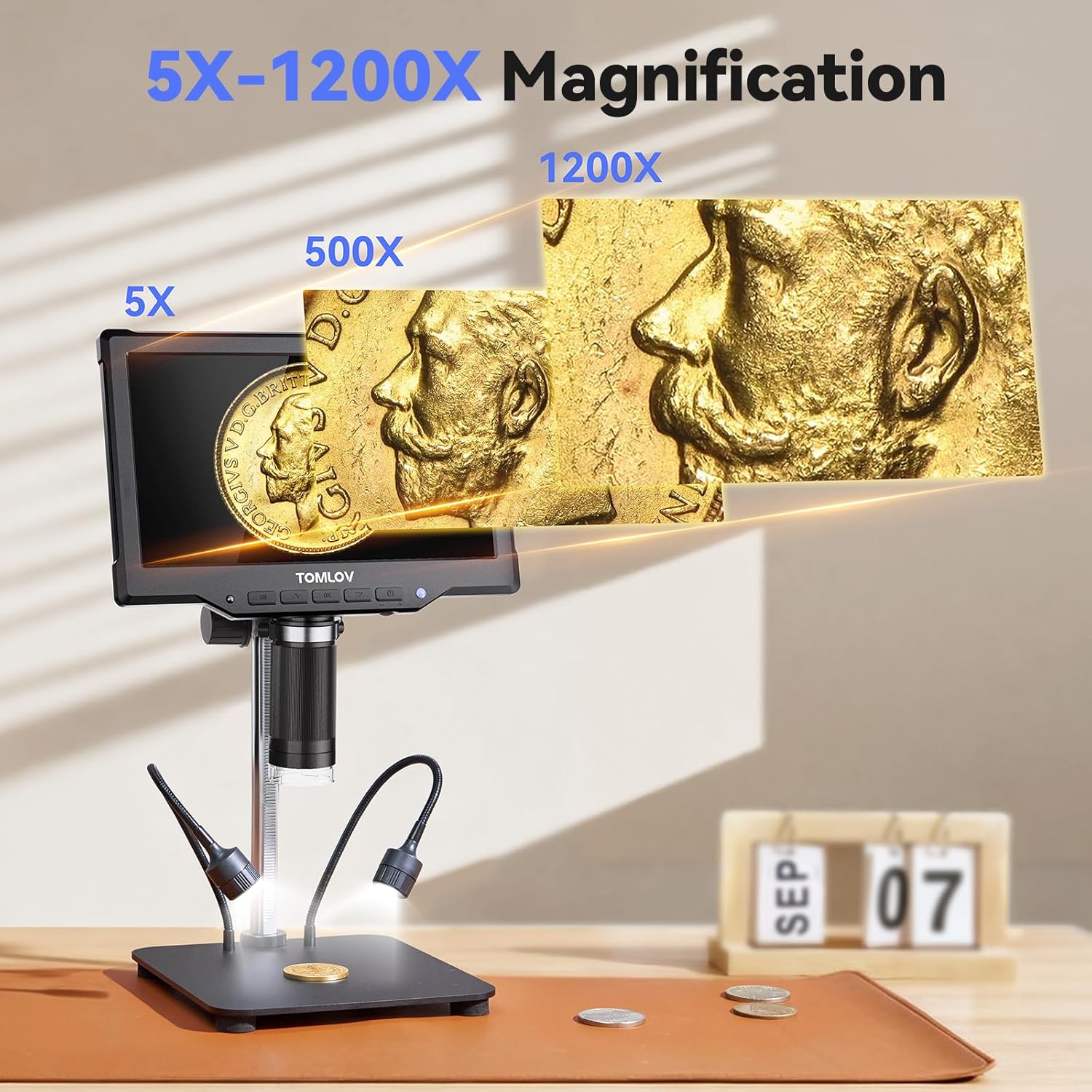
Image: Visual representation of the 5X to 1200X magnification capabilities of the TOMLOV DM10 Digital Microscope, showing a coin at different zoom levels.
4.2 Fotoğraf ve Video Çekimi
The microscope supports one-touch photo capture and video recording. The pre-installed 32GB Micro SD card provides ample storage for your observations.
- Fotoğraf Çözünürlüğü: 16MP (4608*3456), 12MP (4032*3024), 10MP (3648*2736), 8MP (3264*2448), 5MP (2592*1944), 3MP (2048*1536), 2MP (1920*1080).
- Video Çözünürlüğü: 1080FHD (1920*1080), 1080P (1440X1080), 720P (1280*720).
4.3 Uzaktan Kumanda İşlemi
Use the included wireless remote control to capture photos, record videos, and navigate menus. This minimizes device shake and disturbance to the sample during observation.
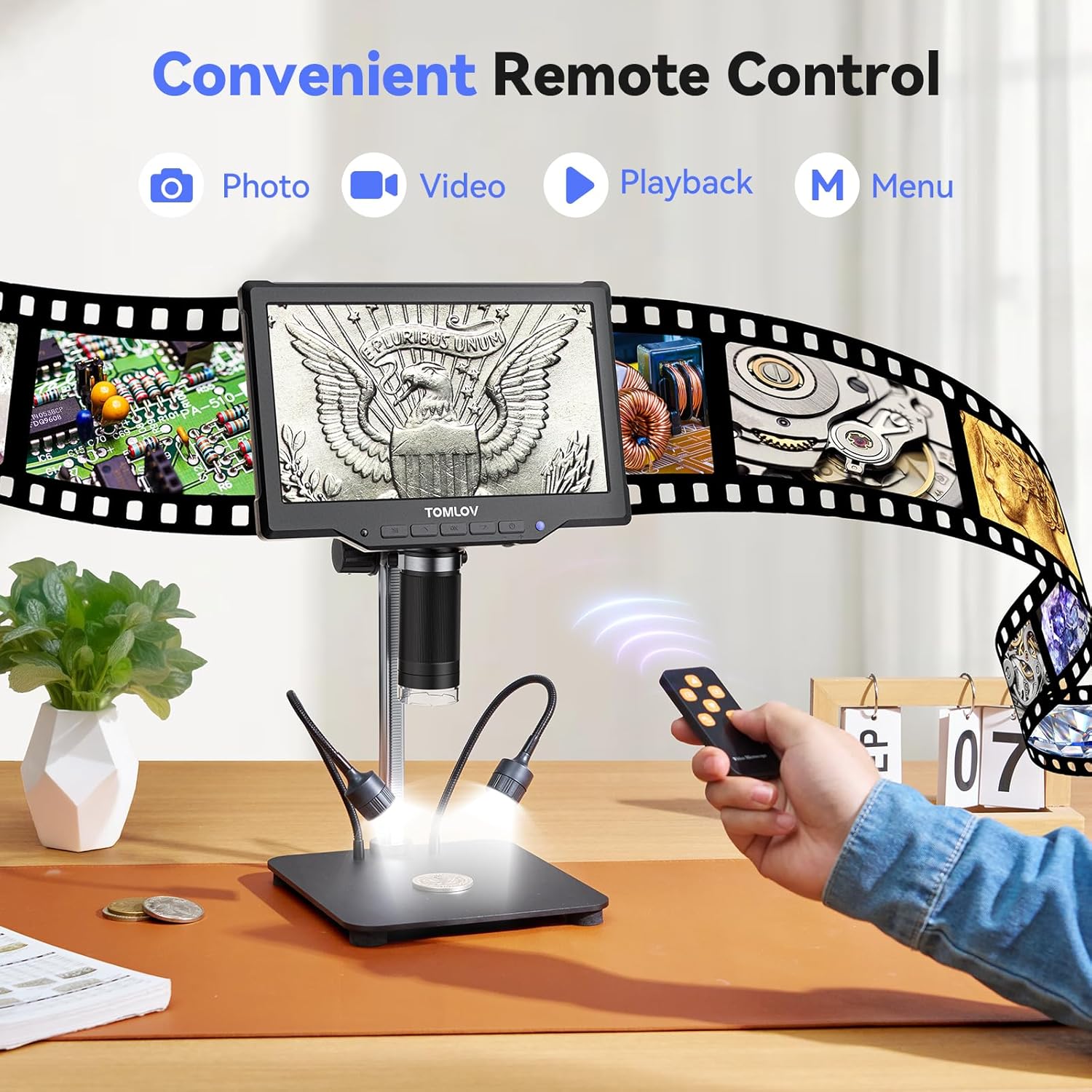
Image: A user operating the TOMLOV DM10 Digital Microscope using the convenient wireless remote control for photo, video, and menu functions.
4.4 PC Connection (USB Output)
Connect the microscope to your computer via USB for a real-time, larger view of your observations. This feature is useful for detailed analysis and sharing with others.

Image: The TOMLOV DM10 Digital Microscope connected to a laptop, displaying a circuit board on both the microscope screen and the computer monitor for an enhanced viewDeneyim.
4.5 Uygulamalar
The TOMLOV DM10 Digital Microscope is a versatile tool suitable for various tasks, including:
- Coin collection and error coin examination.
- Soldering PCB boards and inspecting SMD components.
- Watch and jewelry repair.
- Plant and insect inspection.
- General scientific exploration and education.

Image: Various applications of the TOMLOV DM10 Digital Microscope, including coin collection, soldering PCB boards, watch repair, and plant inspection.
Video: An official product video demonstrating the features and usage of the TOMLOV DM10 10.1" Digital Microscope, including its illumination, adjustable height, screen rotation, focusing, and remote control capabilities, as well as its application in soldering.
5. Bakım
- Temizlik: Mikroskop gövdesini ve ekranını temizlemek için yumuşak, kuru bir bez kullanın. Mercek için özel bir mercek temizleme bezi ve solüsyonu kullanın. Aşındırıcı malzemelerden veya sert kimyasallardan kaçının.
- Depolamak: Mikroskobu kullanılmadığı zamanlarda kuru ve tozsuz bir ortamda saklayın.
- Pil Bakım: Pil ömrünü uzatmak için, pili sık sık tamamen boşaltmaktan kaçının. Özellikle uzun süre saklanacaksa, cihazı düzenli olarak şarj edin.
6. Sorun Giderme
- Güç Yok: Ensure the battery is charged or the device is connected to a power source via USB. Check the power button for proper engagement.
- Bulanık Görüntü: Adjust the height of the microscope and rotate the focus wheel until the image is clear. Ensure the object is within the working distance of the lens.
- Screen Not Displaying: Check power connection. If connected to PC, ensure the correct display mode is selected on the microscope or computer.
- SD Kart Tanınmadı: Ensure the 32GB Micro SD card is properly inserted into the slot. If issues persist, try reformatting the card (this will erase all data) or using a different compatible SD card.
- Uzaktan Kumanda Çalışmıyor: Check the battery in the remote control. Ensure there are no obstructions between the remote and the microscope's IR receiver.
7. Özellikler
| Özellik | Şartname |
|---|---|
| Model Adı | DM10 |
| Ekran Boyutu | 10.1 inç IPS |
| Büyütme | 5X - 1200X |
| Fotoğraf Çözünürlüğü | Up to 16MP (4608*3456) |
| Video Çözünürlüğü | Up to 1080FHD (1920*1080) |
| Pil Kapasitesi | 3000mAh Lityum İyon |
| Işık kaynağı | 8 Lens LEDs + 2 Side Gooseneck LEDs |
| Depolamak | 32GB Mikro SD Kart (dahil) |
| Çıktı | USB for PC View |
| Malzeme | Alüminyum Alaşımı |
| Ürün Boyutları | 12.4 x 11.2 x 3.9 inç |
| Ürün Ağırlığı | 3.31 pound (1500 Gram) |
8. Garanti ve Destek
Your TOMLOV DM10 Digital Microscope comes with a manufacturer's warranty. For detailed warranty information, product support, or to inquire about replacement parts, please refer to the warranty card included in your package or visit the official TOMLOV website. Contact information for customer service is typically provided on the product packaging or the manufacturer's webalan.


