giriiş
Thank you for choosing the TCL S522W 2.1 Channel Soundbar with Wireless Subwoofer. This manual provides comprehensive instructions for the setup, operation, and maintenance of your soundbar system. Please read this manual thoroughly before use and retain it for future reference.
Temel Özellikler
- 2.1 Channel Audio System with Wireless Subwoofer
- 200W Maximum Audio Power Output
- Dolby Ses Desteği
- Wireless Music Playback via Bluetooth
- Multiple Audio Modes: Movie, Music, News
- Connectivity Options: HDMI ARC, USB, Optical, 3.5mm AUX
- Slim and Elegant Design
- Wall Mount Kit Included
Paket İçeriği
Carefully unpack your soundbar system and ensure all items listed below are present and in good condition. If any item is missing or damaged, please contact your retailer.
- TCL S522W Soundbar
- Kablosuz Subwoofer
- Uzaktan kumanda
- Güç Kablosu (Soundbar için)
- Güç Kablosu (Subwoofer için)
- 3.5mm to 3.5mm Audio Cable (AUX Cable)
- Wall Mounting Kit (brackets, screws, template)
- Hızlı Başlangıç Kılavuzu
- Garanti Bilgileri
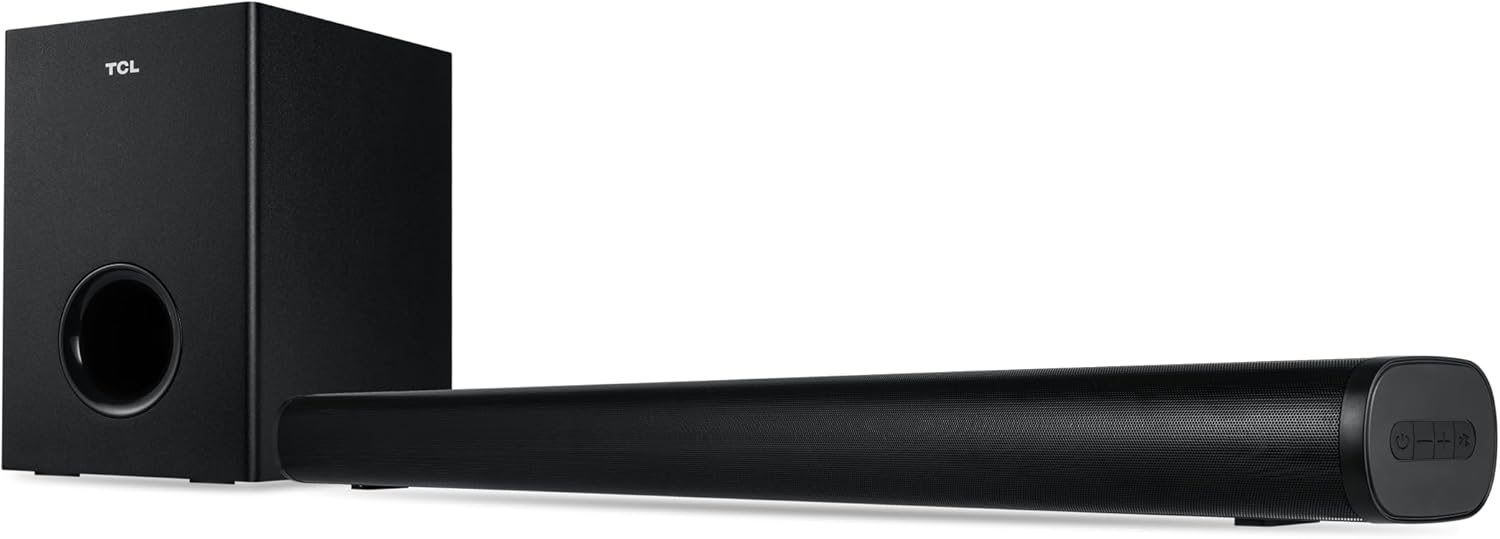
Image: The TCL S522W soundbar and its wireless subwoofer, both in black, shown together. The soundbar is a long, slender unit, and the subwoofer is a compact rectangular box.
Kurmak
1. Yerleşim
The TCL S522W soundbar system offers flexible placement options:
- Masaüstü Yerleşimi: Place the soundbar on a stable, flat surface directly in front of your TV. Ensure there are no obstructions in front of the soundbar to allow for optimal sound projection. The wireless subwoofer can be placed anywhere in the room, ideally within 5-10 meters of the soundbar, for best bass performance.
- Duvara Montaj: Use the included wall mounting kit to attach the soundbar to the wall below your TV. Refer to the wall mounting template for proper screw placement. Ensure the wall can support the weight of the soundbar.

Image: The TCL S522W soundbar and its wireless subwoofer positioned on a TV cabinet beneath a television, demonstrating tabletop placement.
2. Bağlantılar
Connect the soundbar to your TV or other audio sources using one of the following methods:
- HDMI ARC (Önerilir): Connect one end of an HDMI cable (not included) to the HDMI ARC port on your soundbar and the other end to the HDMI ARC port on your TV. This connection allows for high-quality audio transmission and control of the soundbar volume using your TV remote.
- Optik: Connect an optical cable (not included) from the OPTICAL OUT port on your TV to the OPTICAL IN port on your soundbar.
- AUX (3.5mm Audio Cable): Connect the supplied 3.5mm audio cable from the AUX OUT port on your TV or audio device to the AUX IN port on your soundbar.
- USB BAĞLANTI: Ses dosyaları içeren bir USB bellek takın. files into the USB port on the soundbar for direct playback.
Güç Bağlantısı: Connect the power cables to the soundbar and the wireless subwoofer, then plug them into a power outlet. The subwoofer will automatically pair with the soundbar when both are powered on.
Kullanım Talimatları
1. Güç Açma/Kapatma
- Basın Güç Cihazı açmak veya kapatmak için uzaktan kumandadaki veya ses çubuğundaki düğmeyi kullanın.
- The soundbar will automatically enter standby mode after a period of inactivity.
2. Giriş Kaynağını Seçme
Basın Kaynak button on the remote control or on the soundbar to cycle through available input sources (HDMI ARC, Optical, AUX, Bluetooth, USB).
3. Sesi Ayarlama
- Basın Cilt + or Hacim - buttons on the remote control or on the soundbar to adjust the master volume.
- Basın Sesini kapatmak Sesi geçici olarak susturmak için kullanılan düğme.
4. Ses Modları
The soundbar features three optimized audio modes for different content types:
- Film Modu: Enhances cinematic sound effects and dialogue for an immersive movie experience.
- Müzik Modu: Optimizes audio for music playback, providing balanced sound across frequencies.
- Haber Modu: Clarifies dialogue and vocals, making spoken content easier to understand.
Press the corresponding mode button (Movie, Music, News) on the remote control to select your desired audio mode.

Image: The TCL S522W soundbar and its wireless subwoofer are depicted with concentric circles emanating from them, symbolizing sound waves and the immersive audio experience.
5. Bluetooth Eşleştirme
To connect a Bluetooth device to your soundbar:
- Turn on the soundbar and select the Bluetooth input source. The soundbar's indicator light will flash, indicating it is in pairing mode.
- Akıllı cihazınızda (akıllı telefon, tablet vb.) Bluetooth'u etkinleştirin ve kullanılabilir cihazları arayın.
- Select "TCL S522W" from the list of devices.
- Once paired, the indicator light on the soundbar will stop flashing and remain solid. You can now play audio from your device through the soundbar.
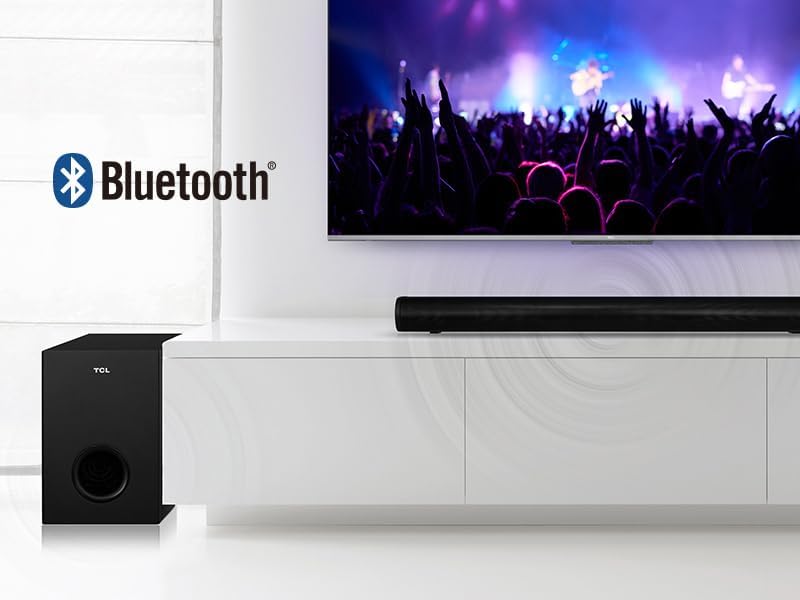
Image: The TCL S522W soundbar and subwoofer are shown next to a TV displaying a concert, with the Bluetooth logo indicating wireless connectivity.
6. USB Oynatma
Insert a USB flash drive into the USB port on the soundbar. The soundbar will automatically switch to USB input and begin playing compatible audio files. Use the remote control to navigate tracks and control playback.
Bakım
To ensure the longevity and optimal performance of your TCL S522W soundbar system, follow these maintenance guidelines:
- Temizlik: Use a soft, dry cloth to wipe the surfaces of the soundbar and subwoofer. Do not use liquid cleaners, abrasive materials, or solvents, as these can damage the finish.
- Havalandırma: Soundbar ve subwoofer'daki havalandırma deliklerinin kapalı olmadığından emin olun. Doğru hava akışı aşırı ısınmayı önler.
- Çevre: Cihazı doğrudan güneş ışığına, ısı kaynaklarının yakınına veya yüksek nemli ya da tozlu alanlara yerleştirmekten kaçının.
- Güç: Disconnect the power cables from the wall outlet if the unit will not be used for an extended period.
Sorun giderme
If you encounter any issues with your TCL S522W soundbar, refer to the table below for common problems and solutions. If the problem persists, please contact customer support.
| Sorun | Olası Neden | Çözüm |
|---|---|---|
| Güç yok | Güç kablosu bağlı değil; Güç çıkışı aktif değil. | Ensure power cables are securely connected to the soundbar, subwoofer, and a working power outlet. |
| Ses yok | Incorrect input source selected; Volume too low; Mute function active; Incorrect cable connection. | Select the correct input source; Increase volume; Deactivate mute; Check all audio cable connections. |
| Subwoofer eşleşmiyor | Subwoofer too far from soundbar; Interference. | Ensure subwoofer is within range (5-10 meters) and free from obstructions. Power cycle both units. |
| Bluetooth bağlantı sorunları | Device not in pairing mode; Soundbar not in Bluetooth mode; Interference. | Ensure both devices are in pairing mode; Select Bluetooth input on soundbar; Move devices closer. |
| Uzaktan kumanda çalışmıyor | Piller bitmiş; Kumanda ile soundbar arasında engel var. | Replace remote control batteries; Ensure clear line of sight to the soundbar's IR receiver. |
| Audio delay/sync issues | TV audio settings; Specific connection type. | Check your TV's audio output settings for any delay adjustments. Try a different connection method (e.g., HDMI ARC instead of Optical). |
Özellikler
Detailed technical specifications for the TCL S522W Soundbar system:
| Model Adı | S522WE |
| Marka | TCL |
| Ses Kanalı Yapılandırması | 2.1 Kanal |
| Maksimum Ses Gücü Çıkışı | 200 Watt |
| Bağlantı Teknolojisi | Bluetooth, HDMI ARC, USB |
| Kablosuz İletişim Teknolojisi | Bluetooth |
| Uyumlu Cihazlar | TVs, Smartphones, Tablets, USB Drives |
| Kontrol Yöntemi | Uzaktan kumanda |
| Güç Kaynağı | Kablolu Elektrik |
| Ürün Boyutları (Soundbar) | 80 cm (L) x 7 cm (H) x 9.9 cm (D) |
| Ürün Ağırlığı | 3.6 Kilograms (Total system) |
| Renk | Siyah |
| Malzeme | Plastik/Metal |
| Montaj Tipi | Masaüstü, Duvara Monte |
Garanti ve Destek
TCL products are designed and manufactured to the highest quality standards. For detailed warranty information, please refer to the warranty card included in your package or visit the official TCL website for your region. For technical support, troubleshooting assistance, or service inquiries, please contact TCL customer support through the contact information provided in your warranty documentation or on the official TCL webalan.


