giriiş
This manual provides essential instructions for the safe and efficient use of your iHome IHQI1006W-OD Airpad 10-Watt Qi Ultra Slim Wireless Charging Pad. Please read this manual thoroughly before operating the device and retain it for future reference.
Güvenlik Bilgileri
- Do not expose the charging pad to liquids, moisture, or extreme temperatures.
- Avoid placing metal objects, credit cards, or other foreign materials on the charging pad during operation, as this may interfere with charging or cause damage.
- Do not disassemble, modify, or attempt to repair the device yourself. Contact qualified service personnel for assistance.
- Ensure the power adapter used is compatible with the charging pad's specifications (e.g., 9V input).
- Keep the charging pad away from strong magnetic fields.
- Bu ürün yalnızca iç mekanda kullanılmak üzere tasarlanmıştır.
Paket İçeriği
Paketinizde tüm öğelerin mevcut olduğundan emin olun:
- iHome IHQI1006W-OD Airpad Wireless Charging Pad
- Kullanıcı Kılavuzu
- USB Cable (Power Adapter not included)
Kurulum Talimatları
- Şarj Pedi'ni bağlayın: Plug the provided USB cable into the charging pad's input port.
- Güce Bağlanın: Connect the other end of the USB cable to a compatible USB power adapter (not included) and then plug the adapter into a wall outlet. Ensure the power adapter supports 9V input for optimal performance.
- Atama: Place the charging pad on a flat, stable surface, free from obstructions.
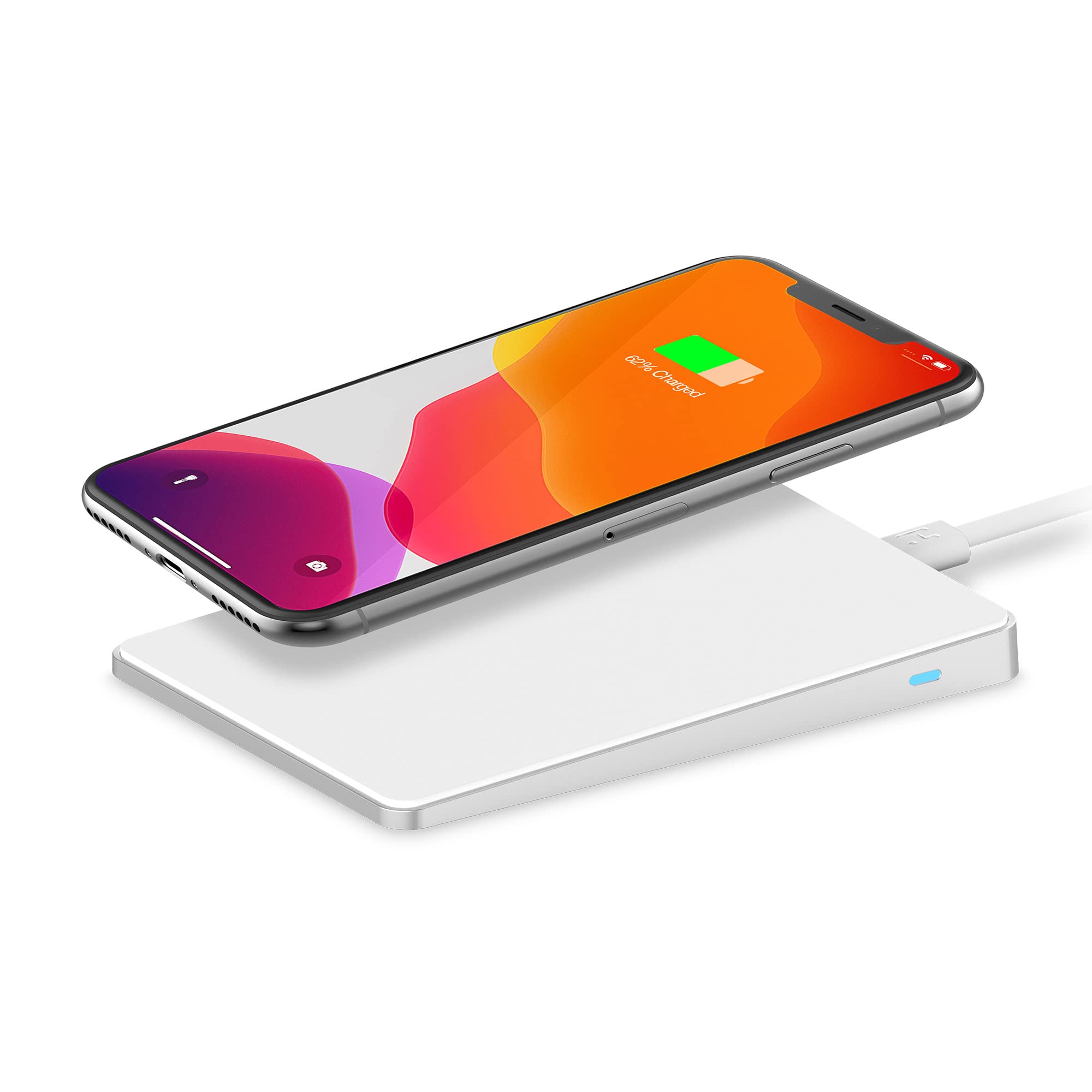
The image above illustrates the iHome Airpad wireless charging pad with a smartphone placed on its surface. The charging pad is connected via a white USB cable to a power source, indicating readiness for operation. The smartphone screen displays a charging icon and "62% Charged," confirming active wireless power transfer. A white keyboard and mouse are visible in the background, suggesting a typical desktop setup.
Kullanım Talimatları
- Cihazı Yerleştir: Carefully place your Qi-compatible smartphone or other device onto the center of the charging pad. The anti-slip surface helps keep your device secure.
- Şarjı Onayla: Your device should indicate that it is charging (e.g., a charging icon on the screen, an LED indicator on the phone). The charging pad may also have an indicator light to confirm active charging.
- Optimum Şarj: For iPhones, the pad adjusts to 7.5 watts for optimal charging speed without overheating. For other compatible devices, it provides up to 10 watts.
- Cihazı Kaldır: Once your device is fully charged or you wish to stop charging, simply lift it from the pad.

Bu görüntü daha yakından bir bakış sunuyor. view of a smartphone resting on the iHome Airpad wireless charger. The phone's screen clearly shows "62% Charged" and a battery icon, confirming that the device is receiving power wirelessly. The slim design of the charging pad is evident, and the white charging cable is connected to the pad. This visual demonstrates the product's primary function of wirelessly charging compatible devices.
Bakım
- Temizlik: Disconnect the charging pad from the power source before cleaning. Use a soft, dry cloth to wipe the surface. Do not use abrasive cleaners or solvents.
- Depolamak: When not in use, store the charging pad in a cool, dry place, away from direct sunlight and extreme temperatures.
Sorun giderme
| Sorun | Olası Neden | Çözüm |
|---|---|---|
| Cihaz şarj olmuyor. |
|
|
| Yavaş şarj. |
|
|
| Aşırı ısınma. |
|
|
Özellikler
| Model Numarası | IHQI1006W-OD |
| Marka | iEv |
| Giriş Voltage | 9 Volt (DC) |
| Çıkış Watttage | Up to 10 Watts (7.5W for iPhone) |
| Bağlayıcı Türü | Wireless (Qi standard) |
| Uyumlu Cihazlar | Qi-compatible smartphones and devices |
| Özel Özellikler | Fast Charging, Anti-slip, Overheat protection, Minimalist design |
| Ürün Boyutları | 10.52x10.52x0.36 cm |
| Ürün Ağırlığı | 155 gr |
| Renk | Beyaz |
Garanti Bilgileri
iHome products are designed and manufactured to the highest quality standards. For specific warranty terms and conditions, please refer to the warranty card included with your purchase or visit the official iHome webBu garanti genellikle normal kullanım koşullarında malzeme ve işçilik kusurlarını kapsar.
Müşteri Desteği
If you encounter any issues or have questions regarding your iHome IHQI1006W-OD Airpad, please contact iHome customer support:
- Webalan: Visit the official iHome webSSS, destek kaynakları ve iletişim bilgileri için site.
- E-posta/Telefon: iHome'a bakın. website or your product packaging for specific email addresses or phone numbers for technical support.


