Ürün Bittiview
The Baseus 9-in-1 USB-C Docking Station is a versatile multi-port adapter designed to expand the connectivity of your USB-C enabled devices. It provides a comprehensive solution for connecting external displays, network cables, USB peripherals, and memory cards, all while delivering power to your host device.

Image: The Baseus 9-in-1 USB-C Docking Station, showcasing its compact design and multiple ports including USB-A, HDMI, Ethernet, and card reader slots, with connected cables and memory cards.
Temel Özellikler:
- Çift Monitör Çıkışı: Supports up to 4K@120Hz for single display and dual 4K@30Hz for extended or mirrored displays via two HDMI ports.
- Gigabit-Ethernet: Provides a stable and fast 1000Mbps wired network connection.
- Güç Dağıtımı (PD): Offers up to 85W power passthrough to charge your laptop while using the hub (requires a 100W power adapter, as the hub consumes 15W).
- Yüksek Hızlı Veri Aktarımı: Equipped with two USB 3.0 ports (up to 5Gbps) and one USB 2.0 port (up to 60MB/s) for connecting various peripherals.
- SD/TF Kart Okuyucu: Integrated slots for SD and TF cards with data transfer speeds up to 104MB/s.

Image: A detailed diagram illustrating the various ports of the Baseus 9-in-1 docking station, including PD (100W), HDMI 1 (4K@120Hz), HDMI 2 (4K@30Hz), TF (104MB/s), SD (104MB/s), USB 2.0 (60MB/s), and two USB 3.0 (500MB/s) ports.
Kurulum Kılavuzu
- Ana Bilgisayara Bağlan: Plug the integrated USB-C cable of the docking station into the USB-C port of your laptop, tablet, or smartphone. Ensure your device's USB-C port supports video output (DisplayPort Alternate Mode) and Power Delivery for full functionality.
- Güç Bağlantısı (İsteğe bağlı ancak önerilir): For stable operation and to charge your host device, connect a USB-C power adapter (up to 100W recommended) to the PD (Power Delivery) port on the docking station. The hub itself consumes 15W, so an 85W output will be delivered to your device with a 100W input.
- Harici Ekranları Bağlayın:
- For single display, connect an HDMI cable from your monitor to HDMI 1 port for up to 4K@120Hz resolution.
- For dual displays, connect two HDMI cables from your monitors to both HDMI 1 and HDMI 2 ports. Resolutions will vary based on your host device's capabilities (e.g., dual 4K@30Hz).

Image: A laptop connected to the Baseus docking station, which in turn is connected to two external monitors, demonstrating the dual monitor 4K output capability.
- Kablolu Ağa Bağlan: Insert an Ethernet cable into the RJ45 port on the docking station for a stable 1000Mbps wired internet connection.

Image: The Baseus docking station connected to a laptop, with an Ethernet cable plugged into the hub, illustrating the stable Gigabit Ethernet connection.
- USB çevre birimlerini bağlayın: Plug your USB devices (e.g., keyboard, mouse, external hard drive, USB flash drive) into the available USB 3.0 or USB 2.0 ports.
- Hafıza Kartlarını Takın: Insert your SD or TF (MicroSD) cards into the corresponding slots for data transfer.
Kullanım Talimatları
Once connected, the Baseus 9-in-1 USB-C Docking Station operates largely plug-and-play. Your operating system should automatically detect and configure the connected devices.
Ekran Yapılandırması:
- Pencereler: Right-click on your desktop, select "Display settings," and arrange your monitors. You can choose to extend, duplicate, or show only on one display.
- MacOS: Go to "System Preferences" > "Displays" > "Arrangement" to configure your external monitors.
Güç Dağıtım Fonksiyonu:
The PD port allows your laptop to receive power through the docking station. Ensure your power adapter is connected to the PD port on the hub and is of sufficient wattage (e.g., 100W) to provide 85W to your laptop after the hub's self-consumption.

Image: An illustration demonstrating the power delivery function of the Baseus docking station, showing a 100W input from a power adapter and an 85W output to the connected laptop, with a note about the hub's 15W self-consumption.
Veri Transferi:
Utilize the USB 3.0 ports for high-speed data transfer (up to 5Gbps) for devices like external hard drives. The USB 2.0 port is suitable for lower-speed peripherals such as keyboards and mice. The SD/TF card reader supports fast transfers up to 104MB/s.
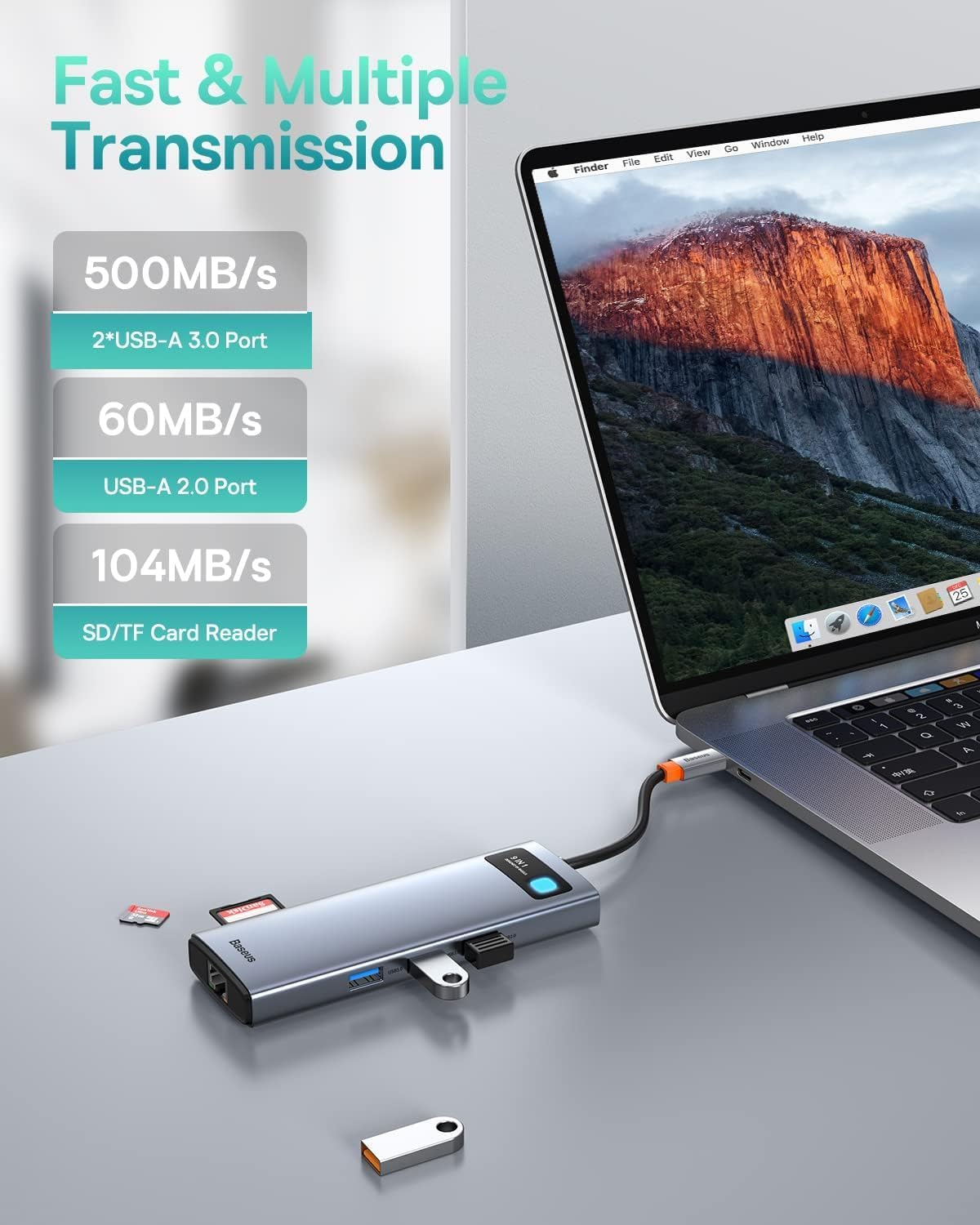
Image: The Baseus docking station connected to a laptop, with various USB devices and an SD card inserted, highlighting the fast and multiple transmission capabilities of the USB-A ports and SD/TF card reader.
Bakım
- Temizlik: Yerleştirme istasyonunun yüzeyini temizlemek için yumuşak ve kuru bir bez kullanın. Sıvı temizleyiciler veya aerosoller kullanmaktan kaçının.
- Depolamak: Cihazı serin, kuru ve doğrudan güneş ışığından ve aşırı sıcaklıklardan uzak bir yerde saklayın.
- İşleme: Avoid dropping or subjecting the docking station to strong impacts. Do not attempt to disassemble or modify the device.
- Kablo yönetimi: Ensure cables are not excessively bent or tangled to prevent damage to the ports or internal wiring.
Sorun giderme
| Sorun | Olası Neden | Çözüm |
|---|---|---|
| Harici monitörde görüntü yok. |
|
|
| Ethernet üzerinden internet bağlantısı yok. |
|
|
| USB aygıtları tanınmıyor. |
|
|
| Yavaş veri aktarım hızları. |
|
|
Özellikler
| Özellik | Detay |
|---|---|
| Örnek | 9-in-1 USB-C Docking Station (B0B1PT5FVM) |
| Marka | Bazus |
| Ürün Boyutları | 5.31 x 1.93 x 0.63 inç |
| Ürün Ağırlığı | 5.3 ons |
| Donanım Arayüzü | MicroSD, USB Type C, Ethernet, HDMI, USB 3.0, USB 2.0, Secure Digital Card |
| HDMI Çıkışı 1 | Up to 4K@120Hz (Single Display) |
| HDMI Çıkışı 2 | Up to 4K@30Hz (Single Display) |
| Çift HDMI Çıkışı | Up to 4K@30Hz + 4K@30Hz (Dependent on host device capabilities) |
| Ethernet Bağlantı Noktası | 1000Mbps Gigabit Ethernet |
| USB-C PD Bağlantı Noktası | Max 85W Power Delivery (100W input required, 15W for hub self-consumption) |
| USB 3.0 Bağlantı Noktaları | 2 ports, up to 5Gbps data transfer speed |
| USB 2.0 Bağlantı Noktası | 1 port, up to 60MB/s data transfer speed |
| SD/TF Kart Okuyucu | Supports up to 104MB/s data transfer speed |
| Uyumlu Cihazlar | iPhone 15 Series, ASUS ROG Ally, Steam Deck, MacBook, MacBook Pro (2018-2021), MacBook Air (2018-2020), Mac mini (2018-2020), iPad Pro/Air (2018/2020), iPad mini 6, Dell XPS, Dell Latitude, Lenovo Yoga, Thinkpad, Microsoft Surface series, Samsung Galaxy phones/tablets, HP Spectre, Elitebook, Envy, ASUS Zenbook, Acer Aspire. |
Garanti ve Destek
Ayrıntılı garanti bilgileri ve müşteri desteği için lütfen resmi Baseus web sitesine bakın. webSite üzerinden satın alabilir veya doğrudan müşteri hizmetleriyle iletişime geçebilirsiniz. Garanti talepleriniz için satın alma fişinizi saklayın.
Baseus Official Webalan: www.baseus.com


