1. Giriş
This manual provides comprehensive instructions for the setup, operation, maintenance, and troubleshooting of your SteelSeries Arctis Nova 3 Multi-Platform Gaming Headset. Please read this manual thoroughly before using the product to ensure optimal performance and longevity.
The Arctis Nova 3 headset features the custom-designed Nova Acoustic System with High Fidelity Drivers, 360° Spatial Audio, and a 10-band Parametric EQ. It includes an AI-powered noise-cancelling ClearCast Gen 2 microphone and dynamic RGB lighting. Designed for multi-platform compatibility, it connects via USB-C to PC, PlayStation, Xbox Series X|S, Switch, and mobile devices.
2. Ürün Bittiview
2.1 Paket İçeriği
- SteelSeries Arctis Nova 3 Oyuncu Kulaklığı
- USB-C'den USB-C'ye Kablo
- USB-C - USB-A Adaptör Kablosu
- USB-C - 3.5 mm Ses Kablosu
- Belgeler (bu kılavuz)
2.2 Kulaklık Bileşenleri
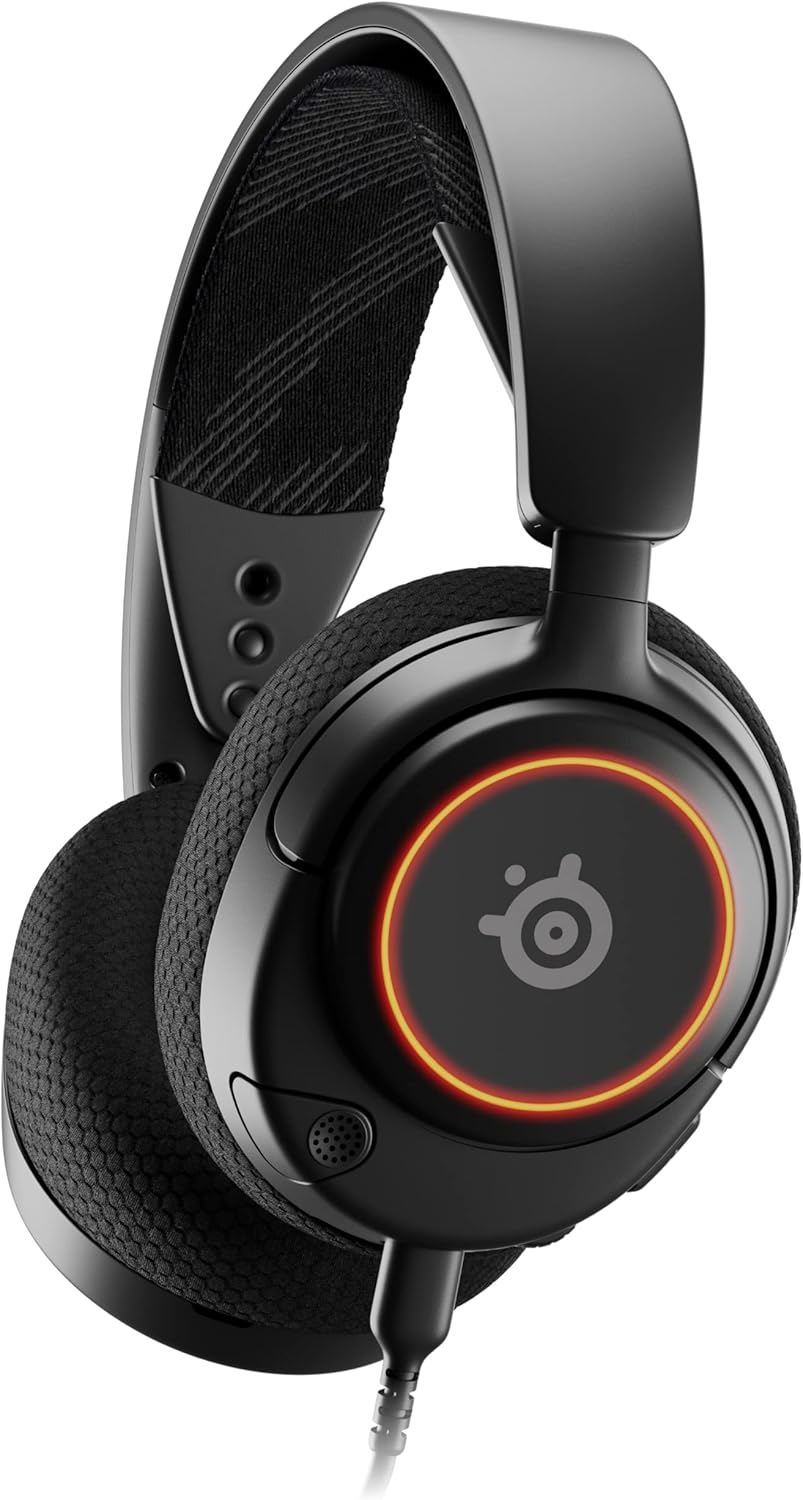
Şekil 1: Ön view of the Arctis Nova 3 headset.

Şekil 2: Key features of the Arctis Nova 3, including ComfortMAX System, 360° Spatial Audio, Dual-Zone RGB, Nova Acoustic System, ClearCast Gen 2 AI-Powered Noise-Cancelling Mic, and Multi-Platform Support.
- ComfortMAX Sistemi: Features height-adjusting, rotating earcups with AirWeave Memory Foam cushions and a stretchy band for comfortable wear.
- ClearCast Gen 2 Mic: AI-powered noise-cancelling microphone, fully retractable into the earcup.
- Dual-Zone RGB Lighting: Customizable 16.8 million color options on the earcups.
- Nova Acoustic System: Custom-designed with High Fidelity Drivers for superior sound.
- Kontroller: Volume wheel and microphone mute switch located on the earcup.
- Bağlantı Noktası: USB-C port for various cable connections.
3. Kurulum
3.1 Kulaklığın Bağlanması
Arctis Nova 3 çok yönlü bağlantı seçenekleri sunuyor:
- USB-C Bağlantısı: Use the provided USB-C to USB-C cable to connect directly to devices with a USB-C port (e.g., PC, PlayStation 5, Nintendo Switch, mobile devices).
- USB-A Bağlantısı: For devices with only USB-A ports, use the USB-C to USB-A adapter cable. Connect the USB-C end to the headset and the USB-A end to your device.
- 3.5 mm Ses Bağlantısı: For devices requiring a 3.5mm audio jack (e.g., Xbox controllers, older consoles, some mobile devices), use the USB-C to 3.5mm audio cable. Connect the USB-C end to the headset and the 3.5mm jack to your device.
Video 1: Ürün Bittiview demonstrating various connectivity options and features of the Arctis Nova 3 headset.
Video 2: 360 derecelik bir view of the Arctis Nova 3 Black headset, showcasinTasarımı ve özellikleri her açıdan incelenebiliyor.
3.2 Uygunluğun Ayarlanması
The ComfortMAX System allows for personalized fit:
- Kafa Bandı Ayarı: The elastic suspension band can be adjusted to different lengths using the three holes on each side of the headband, ensuring a comfortable fit that distributes weight evenly.
- Kulaklık Döndürme: The earcups can rotate 90 degrees, allowing the headset to lay flat for storage or comfortable resting around the neck.

Şekil 3: The adjustable headband and rotating earcups of the Arctis Nova 3 for a personalized and comfortable fit.

Şekil 4: The super lightweight design (253g) of the Arctis Nova 3 with memory foam earcup cushions for extended comfort.
4. Kullanım Talimatları
4.1 Ses Kontrolleri
- Hacim Tekerleği: Rotate the wheel on the left earcup up or down to adjust the headset's audio volume.
- Mikrofon Sessiz Anahtarı: Slide the switch on the left earcup to mute or unmute the ClearCast Gen 2 microphone. An orange indicator will be visible when muted.
4.2 Mikrofon Kullanımı
- Uzat/Geri Çek: The ClearCast Gen 2 microphone is fully retractable. Gently pull it out from the left earcup for use and push it back in for storage.
- Konumlandırma: En iyi ses netliği için mikrofonu ağzınızdan yaklaşık 1-2 cm uzağa yerleştirin.

Şekil 5: The ClearCast Gen 2 mic, which silences background noise and fully retracts into the earcup.
4.3 RGB Lighting Customization (PC Only)
Dynamic RGB lighting can be customized via the SteelSeries Engine software on PC. This allows for 16.8 million color options and reactive lighting effects.

Şekil 6: Customizable PrismSync RGB lighting with 16.8 million colors on the Arctis Nova 3 headset.
5. Bakım
- Temizlik: Kulaklığınızı temizlemek için yumuşak ve kuru bir bez kullanın. Aşındırıcı temizleyiciler veya çözücülerden kaçının.
- Depolamak: Kulaklığınızı serin, kuru ve doğrudan güneş ışığından ve aşırı sıcaklıklardan uzak bir yerde saklayın.
- Kablo Bakımı: Kabloların hasar görmesini önlemek için keskin kıvrımlardan veya aşırı çekmeden kaçının.
6. Sorun Giderme
| Sorun | Olası Neden | Çözüm |
|---|---|---|
| Kulaklıktan ses gelmiyor | Incorrect connection, low volume, muted device. | Ensure cables are securely connected. Check headset volume wheel and device audio settings. Confirm device is not muted. |
| Mikrofon çalışmıyor | Microphone muted, incorrect input device selected, mic not extended. | Check microphone mute switch (orange indicator means muted). Ensure microphone is fully extended. Verify correct input device is selected in your system's sound settings. |
| RGB lighting not working (PC) | Software issue, incorrect USB connection. | Ensure SteelSeries Engine software is installed and updated. Confirm headset is connected via USB-C or USB-A (RGB not supported via 3.5mm). |
| Kullanım sırasında rahatsızlık | Uygunsuz uyum. | Adjust the elastic headband and earcup positions for optimal comfort. |
7. Özellikler
| Özellik | Detay |
|---|---|
| Model Adı | SteelSeries Arctis Nova 3 Multi-Platform Gaming Headset |
| Model Numarası | 61631 |
| Bağlantı Teknolojisi | USB-C (includes USB-A and 3.5mm adapters) |
| Ses Sürücüsü Türü | Dynamic Driver (Nova Acoustic System) |
| Frekans Tepkisi | 20-22000 Hz |
| Empedans | 36 Ohm |
| Mikrofon | ClearCast Gen 2 AI-Powered Noise-Cancelling, Retractable |
| Mekansal Ses | 360° Uzamsal Ses (PS5 için Tempest 3D Ses / Microsoft Uzamsal Ses ile uyumlu) |
| Ağırlık | 8.3 ons (yaklaşık 235g) |
| Boyutlar (UxGxY) | 7.32 x 6.82 x 3.47 inç |
| Malzeme | Foam, Aluminum |
| RGB Aydınlatma | Dynamic 16.8 million color options (PrismSync RGB) |
| Uyumlu Cihazlar | PC, PlayStation 5|4, Xbox Series X|S, Switch, Mobile |
8. Garanti ve Destek
Garanti bilgileri ve teknik destek için lütfen resmi SteelSeries web sitesini ziyaret edin. webSiteyi ziyaret edin veya müşteri hizmetleriyle iletişime geçin. Satın alma belgenizi garanti talepleriniz için saklayın.
Resmi SteelSeries Webalan: Amazon'daki SteelSeries Mağazası