1. Üzeriview
The FIFINE K669PRO2 is a USB condenser microphone designed for various applications including podcasting, gaming, streaming, voice-overs, and online meetings. It features RGB lighting, a tap-to-mute function, a gain control knob, and a cardioid pickup pattern for clear audio capture. This manual provides instructions for setting up, operating, and maintaining your microphone.
2. Paket İçeriği
Lütfen paket içeriğini kontrol ederek tüm öğelerin mevcut olduğundan emin olun:
- FIFINE K669PRO2 USB Condenser Microphone with Pop Filter
- USB-C to USB-A Cable (6.5ft / 2m)
- tripod Standı
- Kullanıcı Kılavuzu

Figure 2.1: Package Contents. Includes the microphone with pop filter, USB cable, tripod stand, and user manual.
3. Kurulum Kılavuzu
Follow these steps to set up your FIFINE K669PRO2 microphone:
3.1 Fiziksel Montaj
- Attach the Tripod Stand: Screw the microphone onto the included tripod stand. Ensure it is firmly attached and stable on your desk.
- Pop filtreyi takın: Attach the pop filter to the microphone's shock mount. This helps reduce plosive sounds for clearer audio.

Figure 3.1: Plug and Play setup. The microphone connects directly to your computer via the provided USB cable.
3.2 Cihazınıza Bağlanma
- USB Kablosunu bağlayın: Plug the USB-C end of the cable into the microphone and the USB-A end into an available USB port on your computer (PC/Mac) or gaming console (PS4/PS5).
- Sistem Tanıma: Your operating system should automatically detect and install the necessary drivers. The microphone is plug-and-play, requiring no additional software installation.
- Giriş Aygıtı Olarak Seçin:
- Pencereler: Şuraya git: Ses Ayarları > Giriş and select "FIFINE K669PRO2" as your input device.
- MacOS: Şuraya git: Sistem Tercihleri > Ses > Giriş and select "FIFINE K669PRO2".
- PS4/PS5: Şuraya git: Ayarlar > Cihazlar > Ses Aygıtları and select "FIFINE K669PRO2" as your input device.
4. Kullanım Talimatları
4.1 Kazanç Kontrolü
The microphone features a gain control knob on the front. Rotate the knob to adjust the microphone's input sensitivity. Turn clockwise to increase gain and counter-clockwise to decrease it. Adjust the gain to achieve optimal audio levels without distortion.

Figure 4.1: Front panel controls, including the gain knob for volume adjustment.
4.2 Sessize Alma İşlevi
Tap the mute button on the front of the microphone to instantly mute or unmute your audio. The LED indicator will change color to show the mute status (e.g., green for active, red for muted), providing a visual reminder.
Figure 4.2: Front panel controls, highlighting the tap-to-mute button.
4.3 RGB Aydınlatma Kontrolü
The microphone features customizable RGB lighting. Use the RGB control key on the back of the microphone to cycle through different lighting modes and colors. There are three lighting modes and over nine color options available.

Figure 4.3: RGB lighting in action, showcasing dynamic solid-color, dynamic multi-color, and static solid color modes.

Şekil 4.4: Arka view of the microphone, indicating the RGB control button.
4.4 Kardioid Alım Deseni
The K669PRO2 utilizes a cardioid polar pattern. This means the microphone primarily picks up sound from the front, reducing unwanted noise from the sides and rear. Position the microphone directly towards the sound source (e.g., your mouth) for optimal voice capture.
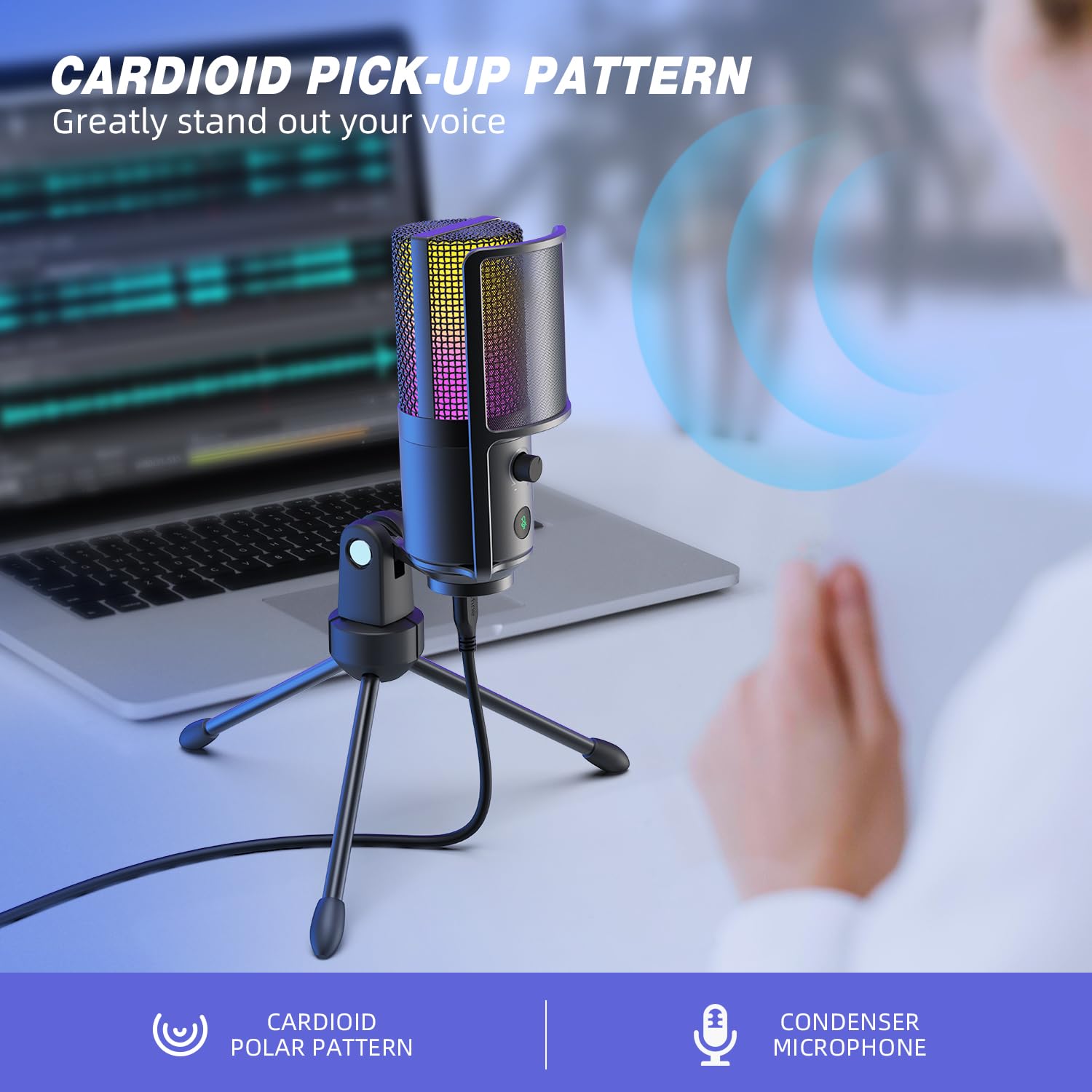
Figure 4.5: Cardioid pickup pattern illustration, demonstrating focused sound capture.
5. Bakım
- Temizlik: Use a soft, dry cloth to clean the microphone's exterior. Avoid using liquid cleaners or solvents, as they may damage the device.
- Depolamak: Kullanılmadığı zamanlarda mikrofonu kuru ve tozsuz bir ortamda saklayın.
- İşleme: Mikrofonu dikkatli kullanın. Düşürmekten veya sert darbelere maruz bırakmaktan kaçının, çünkü bu performansını etkileyebilir.
6. Sorun Giderme
| Sorun | Olası Neden | Çözüm |
|---|---|---|
| Mikrofondan ses çıkışı yok. |
|
|
| Low volume or weak audio. |
|
|
| Bozuk veya net olmayan ses. |
|
|
| RGB aydınlatma çalışmıyor. |
|
|
7. Özellikler
| Örnek | K669PRO2 |
| Kutup Deseni | Tek Yönlü (Kardioid) |
| Bağlantı Teknolojisi | USB |
| Bağlayıcı Türü | USB-C (on mic), USB-A (on cable) |
| Uyumlu Cihazlar | Bilgisayar, Mac, PS4, PS5 |
| Malzeme | Metal |
| Frekans Tepkisi | 20 Hz - 20 kHz |
| Sinyal-Gürültü Oranı | 70 dB |
| Güç Kaynağı | Kablolu Elektrik (USB ile Çalışan) |
| Ürün Ağırlığı | 508 gr |
| Dahil Bileşenler | Microphone, USB Cable, Tripod Stand, Pop Filter |
8. Garanti ve Destek
For warranty information, technical support, or customer service inquiries, please refer to the official FIFINE website or contact their customer support directly. Details can typically be found on the product packaging or the manufacturer's official online channels.
You can visit the FIFINE store for more information: FIFINE Official Store


