giriiş
This user manual provides essential information for setting up, operating, and maintaining your Samsung 43-inch 4K Ultra HD Smart LED TV, model UA43BU8000KLXL. Please read this manual thoroughly to ensure safe and efficient use of your television.
The Samsung UA43BU8000KLXL features a 4K Ultra HD LED panel, powered by the Crystal Processor 4K, delivering vibrant visuals with Dynamic Crystal Color. Its AirSlim design offers a sleek profile, and the Tizen operating system provides access to a wide range of smart features via the Smart Hub.
Temel Özelliklerview

Resim: Üzeriview of key features including Dynamic Crystal Color, Crystal Processor 4K, AirSlim design, OTS Lite, Adaptive Sound, Voice Assistant, Smart Hub, and TV Plus.
- Dinamik Kristal Renk: Experience a wide spectrum of colors for vivid picture quality.
- Crystal Processor 4K: Powerful upscaling ensures you get up to 4K resolution for the content you love.
- AirSlim Design: An ultra-thin profile that blends seamlessly with your interior.
- Akıllı Merkez: Centralized access to streaming services, apps, and connected devices.
- Uyarlanabilir Ses: Audio optimization based on content type and room environment.
- Sesli Asistan: Integrated support for voice commands (Alexa & Bixby).
Kurulum Kılavuzu
1. Ambalajın Açılması ve Bileşen Kontrolü
Televizyonu ve tüm parçalarını ambalajından dikkatlice çıkarın. Aşağıda listelenen tüm öğelerin mevcut olduğundan emin olun:
- 1 LED Televizyon
- 1 Güç Kablosu
- 1 Uzaktan Kumanda
- 2 Stand-Top (for table-top installation)
2. Stand Installation (Table-Top)
If you plan to place the TV on a table or cabinet, attach the included stand-top components. Ensure the stand is securely fastened to prevent the TV from tipping.
- Çizilmeleri önlemek için televizyonu ekranı aşağı bakacak şekilde yumuşak ve düz bir yüzeye yerleştirin.
- Stand tabanlarını televizyonun alt kısmındaki ilgili yuvalara hizalayın.
- Secure the stands using the provided screws. Refer to the diagram for correct orientation.

Image: Dimensions of the Samsung 43-inch TV, illustrating height with stand (59.9 cm) and without stand (55.99 cm), and width (96.55 cm).
3. Duvara Montaj (Opsiyonel)
For wall mounting, a compatible VESA wall mount kit (sold separately) is required. Consult a professional for installation to ensure safety and proper mounting.
Not: The TV supports both wall mount and table mount configurations.
4. Harici Cihazları Bağlama
Your Samsung TV offers multiple connectivity options for various devices.
Resim: Arka view of the TV's connectivity panel, highlighting HDMI (3 ports), USB (2 ports), LAN, and Digital Audio Out (Optical) ports.
- HDMI Bağlantı Noktaları (3): Set üstü kutuları, Blu-ray oynatıcıları, oyun konsollarını veya HDMI özellikli diğer cihazları bağlayın.
- USB Bağlantı Noktaları (2): Medya oynatma veya diğer USB çevre birimleri için USB depolama aygıtlarını bağlayın.
- LAN Bağlantı Noktası: Kablolu internet bağlantısı için.
- Dijital Ses Çıkışı (Optik): Daha iyi ses deneyimi için bir soundbar veya ev sinema sistemine bağlayın.
- Anten/Kablo Girişi: Anteninizi veya kablolu TV bağlantınızı bağlayın.
5. Güç Bağlantısı
Connect the power cord to the TV's power input and then plug it into a wall outlet. The TV will enter standby mode.
6. İlk Kurulum
Televizyon ilk açıldığında, sizi ilk kurulum sürecinde yönlendirecektir. Bu genellikle şunları içerir:
- Dil Seçimi: Tercih ettiğiniz dili seçin.
- Ağ bağlantısı: Wi-Fi ağınıza bağlanın veya kablolu Ethernet bağlantısı kullanın.
- Akıllı Merkez Kurulumu: Log in to your Samsung account or create a new one to access smart features and apps.
- Kanal Tarama: Yayınlanabilir kanalları tarayın.
Operating Your Samsung Smart TV
1. Uzaktan Kumanda İşlevleri
The included remote control provides access to all TV functions, including smart features and voice commands.

Image: The Samsung Smart Remote, highlighting the Voice Assistant button for Alexa and Bixby, and dedicated hotkeys for Netflix, Prime Video, Disney+ Hotstar, and Samsung TV Plus.
- Güç Düğmesi: Televizyonu açar veya kapatır.
- Sesli Asistan Düğmesi: Activates voice commands (Alexa, Bixby).
- Navigasyon Pedi: Use to navigate menus and select items.
- Sesi Aç/Kapat: TV'nin ses düzeyini ayarlar.
- Kanal Yukarı/Aşağı: TV kanallarını değiştirir.
- Akıllı Hub Düğmesi: Accesses the Smart Hub interface.
- Hotkey Buttons: Dedicated buttons for quick access to popular streaming services like Netflix, Prime Video, and Disney+ Hotstar.
2. Smart Hub and Applications
The Smart Hub is your gateway to a world of entertainment and smart features. It provides access to streaming apps, live TV, and connected devices.

Image: The Smart Hub interface on the Samsung TV, showing popular movies and shows, and icons for streaming apps such as YouTube, Netflix, Prime Video, Google Play Movies & TV, YuppTV, Zee5, Disney+ Hotstar, Apple TV, Spotify, SonyLIV, Voot, Eros Now, BIGFLIX, and ALTBalaji.
- Accessing Smart Hub: Press the Smart Hub button on your remote.
- Navigating Apps: Use the navigation pad to browse and select applications.
- Uygulama Mağazası: Download and install additional apps from the Samsung App Store.
3. Akıllı TV Özellikleri
- Mobile to TV Mirroring (Screen Mirroring): Share content from your smartphone or tablet to the TV screen.
- DLNA: Medyaya erişim fileEv ağınızdaki uyumlu cihazlardan gelen veriler.
- Musluk View: Quickly mirror your phone's screen by tapping it against the TV.
- Bluetooth Düşük Enerji: Connect compatible Bluetooth devices like headphones or speakers.
- WiFi Direct: Connect devices directly to the TV without a router.
- TV Sound to Mobile: Listen to TV audio on your mobile device.
- Ses Yansıtma: Mirror audio from your mobile device to the TV.
- Wireless Dex: Extend your Samsung smartphone experience to the TV.
- Otomatik Oyun Modu (ALLM): Oyunlar için ayarları otomatik olarak optimize ederek giriş gecikmesini azaltır.
Ekran ve Ses Özellikleri
1. Ekran Teknolojisi
- 4K Ultra HD Çözünürlük (3840 x 2160): Delivers four times the pixels of Full HD for incredible detail and clarity.
- Dinamik Kristal Renk: Provides a wider color gamut, resulting in richer, more lifelike images.
- Certified HDR 10+: Enhances contrast and color accuracy, revealing more detail in both bright and dark scenes.
- Crystal Processor 4K: An advanced processor that optimizes picture quality, upscales content to 4K, and fine-tunes color and contrast.
- UHD Dimming: Divides the screen into small blocks to optimize sharpness, color, and contrast levels.
- Hareket Hızlandırıcı: Provides clear picture with smooth performance by automatically estimating and compensating frames for the content source.

Image: A lush, colorful scene demonstrating the vividness of Dynamic Crystal Color.

Image: A visual representation of the Samsung Crystal UHD Processor 4K, indicating its role in enhancing picture quality.

Image: A motorcycle race scene illustrating the smooth motion provided by Motion Xcelerator technology.
2. Ses Özellikleri
- 20 Watts Output - 2 Channel: Delivers clear and powerful stereo sound.
- Dolby Dijital Artı: Provides immersive surround sound experience.
- Uyarlanabilir Ses: Analyzes the content and adjusts the sound settings to provide the best audio experience for movies, sports, or news.

Image: Visual representation of sound waves, depicting the Adaptive Sound feature that optimizes audio based on content.
Bakım
1. Televizyonunuzu Temizleme
To maintain the clarity and longevity of your screen, follow these cleaning guidelines:
- Televizyonu temizlemeden önce mutlaka fişini çekin.
- Use a soft, lint-free microfiber cloth.
- For screen cleaning, gently wipe the screen to remove dust. For stubborn marks, lightly dampen the cloth with distilled water or a specialized screen cleaner (ensure it's safe for LED screens) and wipe gently. Do not spray liquid directly onto the screen.
- For the frame and stand, use a dry, soft cloth.
- Aşındırıcı temizleyiciler, alkol, benzen veya tiner kullanmaktan kaçının, çünkü bunlar televizyonun yüzeyine zarar verebilir.
2. Yazılım Güncellemeleri
En iyi performansı, güvenliği ve yeni özelliklere erişimi sağlamak için televizyonunuzun yazılımını düzenli olarak güncelleyin.
- Televizyonunuzun internete bağlı olduğundan emin olun.
- Şuraya git: Ayarlar > Destek > Yazılım Güncellemesi.
- Seçme Şimdi Güncelle Mevcut güncellemeleri kontrol etmek ve yüklemek için.
- Ayrıca etkinleştirebilirsiniz. Otomatik Güncelleme for automatic background updates.
Sorun giderme
Televizyonunuzla ilgili sorunlarla karşılaşırsanız, müşteri desteğiyle iletişime geçmeden önce aşağıdaki yaygın çözümlere göz atın.
1. Güç yok
- Güç kablosunun hem televizyona hem de çalışan bir duvar prizine güvenli bir şekilde takılı olduğundan emin olun.
- Başka bir cihaz takarak duvar prizinin çalışıp çalışmadığını kontrol edin.
- Press the power button on the TV itself (usually located on the bottom or back) to rule out a remote control issue.
2. No Picture / Distorted Picture
- Doğru giriş kaynağının seçildiğinden emin olun (örneğin, HDMI 1, HDMI 2).
- Check all cable connections (HDMI, antenna) between the TV and external devices. Ensure they are firmly seated.
- If using a set-top box or other device, ensure it is powered on and functioning correctly.
- Televizyonu ve ona bağlı tüm cihazları yeniden başlatmayı deneyin.
3. No Sound / Distorted Sound
- Televizyonun ses seviyesini kontrol edin ve sessiz modda olmadığından emin olun.
- If using external speakers or a soundbar, ensure they are powered on and correctly connected. Check their volume levels.
- Verify the audio output setting on the TV (e.g., TV Speaker, Optical, HDMI ARC).
- If using an external device, check its audio output settings.
4. Uzaktan Kumanda Çalışmıyor
- Ensure there are no obstructions between the remote and the TV's remote sensor.
- Uzaktan kumandanın pillerini kontrol edin ve gerekiyorsa değiştirin.
- If it's a Smart Remote, try re-pairing it with the TV (refer to the TV's on-screen guide for pairing instructions).
5. Ağ Bağlantısı Sorunları
- Wi-Fi yönlendiricinizin açık ve çalışır durumda olduğundan emin olun.
- Yönlendiricinizi ve modeminizi yeniden başlatın.
- Git Settings > General > Network > Network Status to diagnose the connection.
- Try connecting the TV to the internet via an Ethernet cable if Wi-Fi issues persist.
6. Fabrika Ayarlarına Sıfırlama
Sorunlar devam ederse, fabrika ayarlarına sıfırlama birçok yazılım sorununu çözebilir. Uyarı: This will erase all your settings and installed apps.
- Şuraya git: Ayarlar > Genel > Sıfırla.
- Enter your PIN (default is 0000).
- Confirm the reset. The TV will restart and go through the initial setup process again.
Özellikler
| Özellik | Detay |
|---|---|
| Marka | SAMSUNG |
| Model Numarası | UA43BU8000KLXL |
| Ekran Boyutu | 43 İnç (108 cm) |
| Ekran Teknolojisi | NEDEN OLMUŞ |
| Çözünürlük | 4K Ultra HD (3840x2160) |
| Yenileme Hızı | 50 Hertz |
| İşletim Sistemi | Tizen |
| Grafik Eş İşlemcisi | Kristal İşlemci 4K |
| HDMI Bağlantı Noktaları | 3 |
| USB Bağlantı Noktaları | 2 |
| Bağlantı Teknolojisi | Ethernet, HDMI, USB, Wi-Fi, Bluetooth |
| Ses Çıkışı | 20 Watts, 2 Channel |
| Hoparlör Yapılandırması | Dolby Dijital Artı |
| Ürün Boyutları (standlı) | 96.6 x 20.6 x 59.9 cm (UxGxY) |
| Ürün Ağırlığı | 8.4 kilo |
| Güç Kaynağı | AC (125 Volt) |
Garanti ve Destek
1. Garanti Bilgileri
Your Samsung TV comes with a 2 yıl kapsamlı garanti on the product. This includes a 1-year standard warranty and an additional 1-year extended warranty provided by Samsung from the date of purchase.
Garanti hizmetlerinden yararlanabilmeniz için lütfen satın alma faturanızı saklayınız.
2. Installation Service
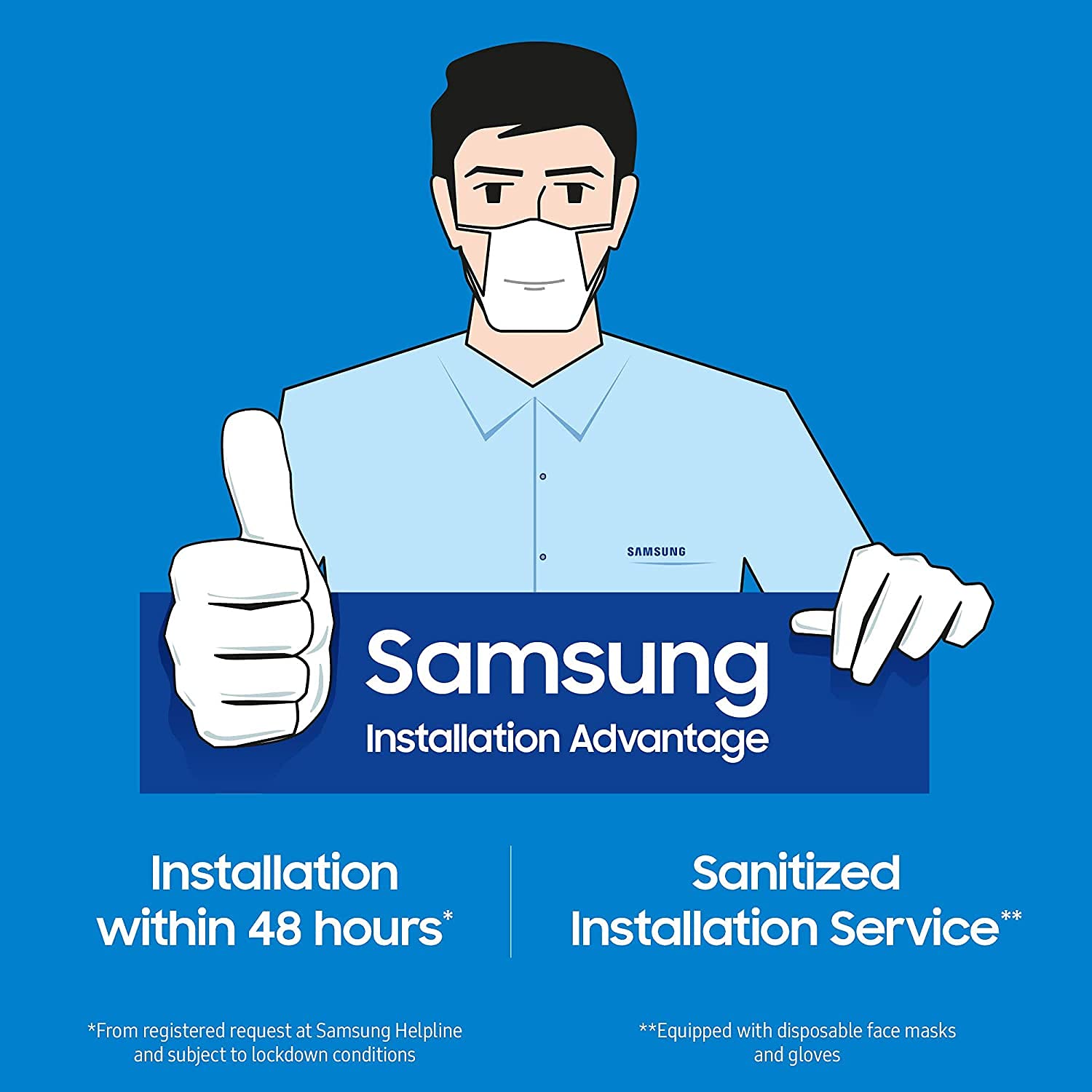
Samsung offers an installation advantage service, which includes installation within 48 hours of a registered request at the Samsung Helpline. This service also includes a sanitized installation process, with technicians equipped with disposable face masks and gloves.

Image: Samsung Installation Advantage service, highlighting installation within 48 hours and a sanitized service by technicians wearing masks and gloves.
3. Müşteri Desteği
For further assistance, technical support, or to register an installation request, please contact Samsung customer service. Refer to your purchase documentation or the official Samsung webEn güncel iletişim bilgileri için sitemizi ziyaret edin.
You can also access the user manual and product details section on the brand's webalan.


