FLITI Galaxy Projector Instruction Manual
Model: galaxy projector-1
Önemli Güvenlik Bilgileri
Please read all safety instructions carefully before operating this product. Failure to follow these instructions may result in injury or damage to the product.
- Yetişkin Denetimi: Do not allow children to operate this product alone.
- Kullanım Amacı: This product is designed for indoor use in night or dark environments. Outdoor use, or use in daylight or strong light conditions, will significantly affect the projection effect.
- Suya Dayanıklılık: The product has an IP20 waterproof rating, meaning it is suitable for dry environments only. Avoid exposure to water or damp koşullar.
- Çalışma Sıcaklığı: The recommended operating temperature range is 0-45°C (32-113°F). Operation outside this range, especially in excessively high or low temperatures, may cause the product to malfunction or the laser to not illuminate.
- Güç Adaptörü: Use only a DC5V/2A power adapter with this product. Using an adapter with incorrect voltage or current may damage the laser module and shorten the product's service life.
- Fiziksel İşleme: Avoid dropping or subjecting the device to strong impacts, as this may damage the internal laser module.
- Normal Operation Noise: A slight noise may be heard when the internal motor rotates. This is normal and does not indicate a quality defect.

Ürün Bittiview
The FLITI Galaxy Projector creates a captivating visual experience with its nebula and galaxy projections. It features a wide coverage area, integrated Bluetooth speaker, white noise functions, and various lighting modes to enhance any room.

Temel Özellikler:
- Dynamic Galaxy & Nebula Projections: Projects sci-fi nebula shapes and dreamy galaxy patterns.
- Geniş Kapsam: Designed to illuminate an entire room, not just the ceiling.
- Entegre Bluetooth Hoparlör: Connect your device to play music.
- White Noise Functionality: Provides soothing sounds for relaxation.
- Ayarlanabilir Ayarlar: Includes timing, brightness adjustment, and various lighting modes.
- Uzaktan kumanda: Uzaktan rahat kullanım.

Kurmak
- Paketin açılması: Carefully remove the galaxy projector and its accessories from the packaging. Ensure all components, including the projection lamp and base, are present.
- Atama: Place the projector on a stable, flat surface. For optimal projection, position it in the center of the room or at a desired angle to cover the intended area. The projector's base allows for adjustable light direction.
- Güç Bağlantısı: Connect the provided DC5V/2A power adapter to the projector's power input port. Plug the adapter into a standard electrical outlet.
- İlk Güç Açma: Cihazı açmak için projektördeki veya uzaktan kumandadaki güç düğmesine basın.
Kullanım Talimatları
Basic Controls (via Projector Buttons or Remote Control):
- Güç Açma/Kapatma: Projektörü açmak veya kapatmak için güç düğmesine basın.
- Işık Modları: Cycle through various galaxy and nebula projection modes.
- Parlaklık Ayarı: Adjust the intensity of the projected light.
- Dönme Hızı: Control the speed of the galaxy/nebula rotation.
- Zamanlayıcı Fonksiyonu: Set an automatic shut-off timer (e.g., 1H/2H/4H options may be available).

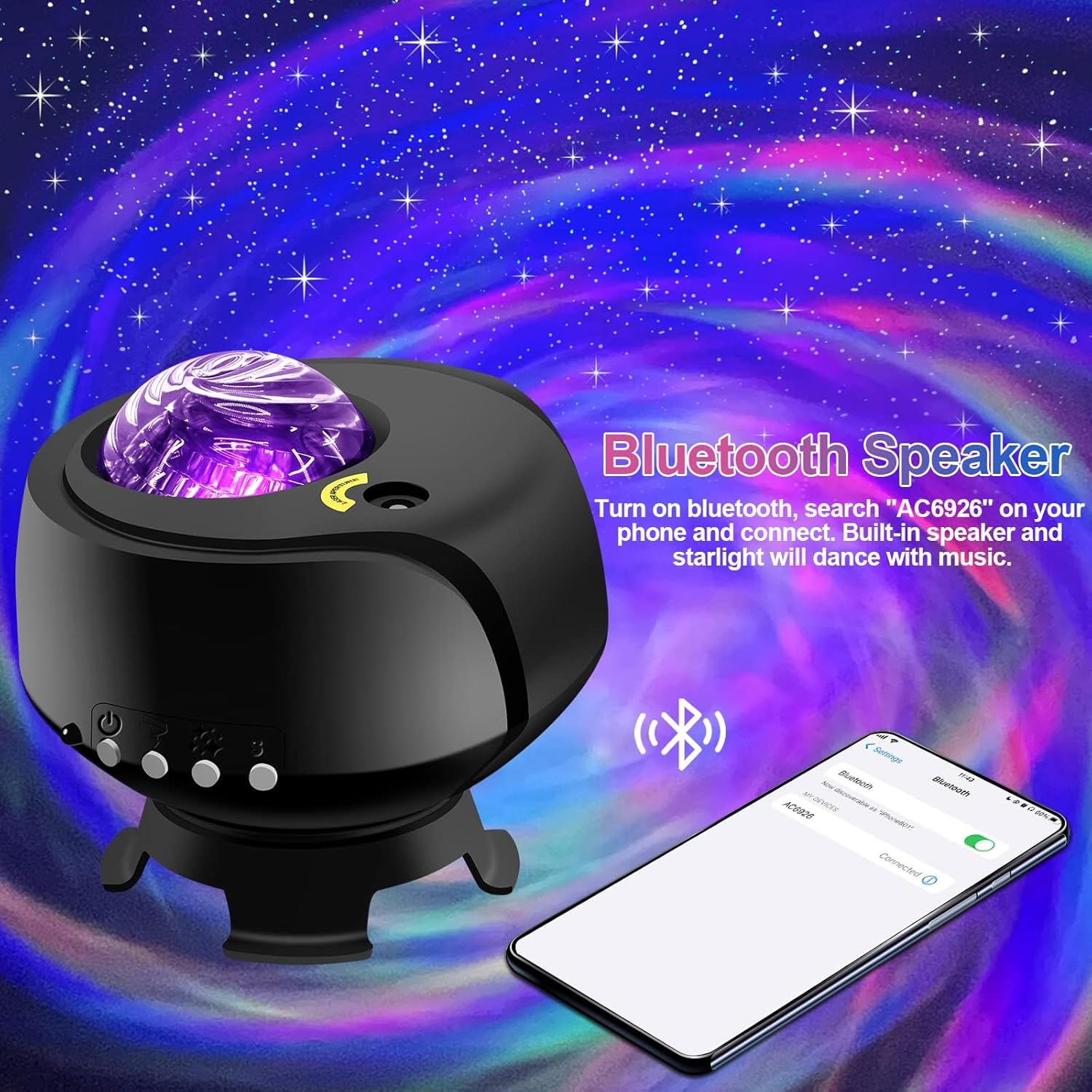
Bluetooth Hoparlör İşlevi:
- Projektörün açık olduğundan emin olun.
- Mobil cihazınızda Bluetooth'u etkinleştirin ve mevcut cihazları arayın.
- Select the device named "AC6926" to pair.
- Once connected, you can play audio through the projector's built-in speaker. The projected starlight can synchronize with the music.
White Noise Function:
The projector includes a white noise feature to aid relaxation or sleep. Refer to the remote control or projector buttons for specific controls to activate and select white noise sounds.
Bakım
- Temizlik: Disconnect the power before cleaning. Use a soft, dry cloth to wipe the exterior of the projector. Do not use abrasive cleaners, solvents, or excessive moisture, as these can damage the finish or internal components.
- Lens Bakımı: Gently wipe the projection lens with a soft, lint-free cloth to ensure clear projection.
- Depolamak: When not in use for extended periods, store the projector in a cool, dry place, away from direct sunlight and extreme temperatures. Keep it in its original packaging if possible to protect it from dust and impacts.
Sorun giderme
- Projector Does Not Turn On:
- Güç adaptörünün hem projektöre hem de çalışan bir elektrik prizine güvenli bir şekilde bağlı olduğundan emin olun.
- Verify that you are using the correct DC5V/2A power adapter.
- Check if the power button on the projector or remote control is functioning.
- No Projection / Dim Projection:
- Ensure the room is sufficiently dark. The product is designed for optimal performance in low-light conditions.
- Adjust the brightness settings using the remote control or projector buttons.
- Check if the projection lens is clean and free from obstructions.
- Verify the ambient temperature is within the recommended 0-45°C range.
- Bluetooth Bağlantı Sorunları:
- Ensure the projector is powered on and in Bluetooth pairing mode.
- Mobil cihazınızın Bluetooth özelliğinin etkinleştirildiğinden ve kapsama alanı içinde olduğundan emin olun.
- Cihazın eşleştirmesini kaldırıp yeniden eşleştirmeyi deneyin.
- Hem projektörü hem de mobil cihazınızı yeniden başlatın.
- Motor Gürültüsü:
- A slight noise during motor rotation is normal and not a defect. If the noise is excessive or unusual, contact customer support.
Özellikler
| Özellik | Şartname |
|---|---|
| Model Numarası | galaksi projektörü-1 |
| Marka | UÇAK |
| Renk | Siyah |
| Şekil | Yıldız |
| Malzeme | Plastik |
| Bitiş Türü | Projektör |
| Işık Kaynağı Türü | NEDEN OLMUŞ |
| Güç Kaynağı | Kablolu Elektrik |
| Cilttage | 240 Volt |
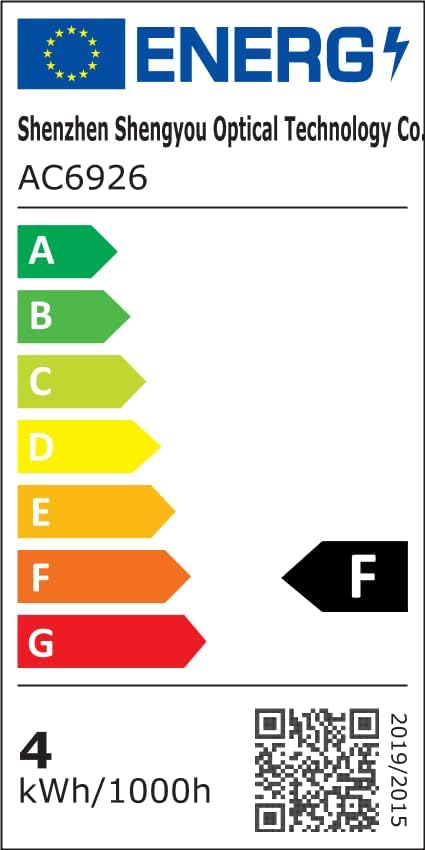
| Netage | 4 watt |
| Ürün Boyutları | 5.5"U x 4"G x 5.1"Y |
| Ürün Ağırlığı | 13.1 ons (370 Gram) |
| Dahil Bileşenler | Projeksiyon Lamp, Temel |
| Özel Özellikler | Renk Değiştirme |
| Anahtar Stili | Uzak |
| UPC | 199284591172 |
Enerji Verimliliği Bilgileri:
Garanti ve Destek
FLITI is committed to providing high-quality products and customer satisfaction. For any questions, concerns, or support needs regarding your Galaxy Projector, please contact the manufacturer directly.
- Üretici: UÇAK
- Koruma Planları: Extended protection plans are available for purchase separately. Please refer to your retailer for details on 3-Year or 4-Year protection plans.
- İade: Bu ürün 30 günlük iade/değişim politikası kapsamındadır.


