1. Giriş
The My Arcade Gamer V Classic is a portable gaming system designed for on-the-go entertainment. This device comes preloaded with 220 classic video games, offering a wide variety of genres including entertainment, sports, and adventure. Its compact size and 2.5-inch color display make it suitable for use at home, during travel, or at social gatherings. This manual provides essential information for setting up, operating, maintaining, and troubleshooting your Gamer V Classic.
2. Kutuda Neler Var?
- Gamer V Classic Portable Gaming System
- Kullanım Kılavuzu (bu belge)
3. Ürün Özellikleri
- Çocuk Dostu Tasarım: No console or controllers required.
- Excellent Gaming Experience: Perfect for travel, birthday parties, gifts, and more.
- Rich Collection of Classic Games: Includes 220 preloaded video games including various types such as entertainment, sports, and adventure.
- Uygun: 2.5" color display, suitable for playing portable games outdoors.
- Ses Kontrolü: Integrated volume control for adjustable audio.
- Küçük ve Hafif: Kolay taşınabilirlik için tasarlanmıştır.
- Güç Kaynağı: 3 adet AAA pil ile çalışır (piller dahil değildir).
4. Kurulum
4.1 Pil Kurulumu
- Locate the battery compartment on the back of the Gamer V Classic unit.
- Pil bölmesinin kapağını açın.
- Bölmenin içinde belirtildiği gibi kutupların doğruluğunu (+/-) sağlayarak 3 adet yeni AAA pil takın.
- Pil bölmesi kapağını sıkıca kapatın.
Not: Batteries are not included. Alternatively, the unit can be powered via a USB-C cable (not included) connected to a 5V power source.
4.2 Açma
Press and hold the power button (usually located on the top left of the device) for a few seconds until the screen illuminates and the My Arcade logo appears.

Image: The Gamer V Classic in use, showing its compact design and screen.
5. Kullanım Talimatları
5.1 Kontrollerview
- D-Pad (Yön Tuşu): Located on the left, used for movement and menu navigation.
- A/B Düğmeleri: Action buttons located on the right, used for jumping, firing, selecting, etc.
- Başlat Düğmesi: Oyunları başlatır ve oyun oynama işlemini duraklatır.
- Sıfırlama Düğmesi: Returns to the main menu or restarts the current game.
- Ana menü tuşu: Returns to the game selection screen.
- Ses Kontrolü: Adjusts the audio level of the device.
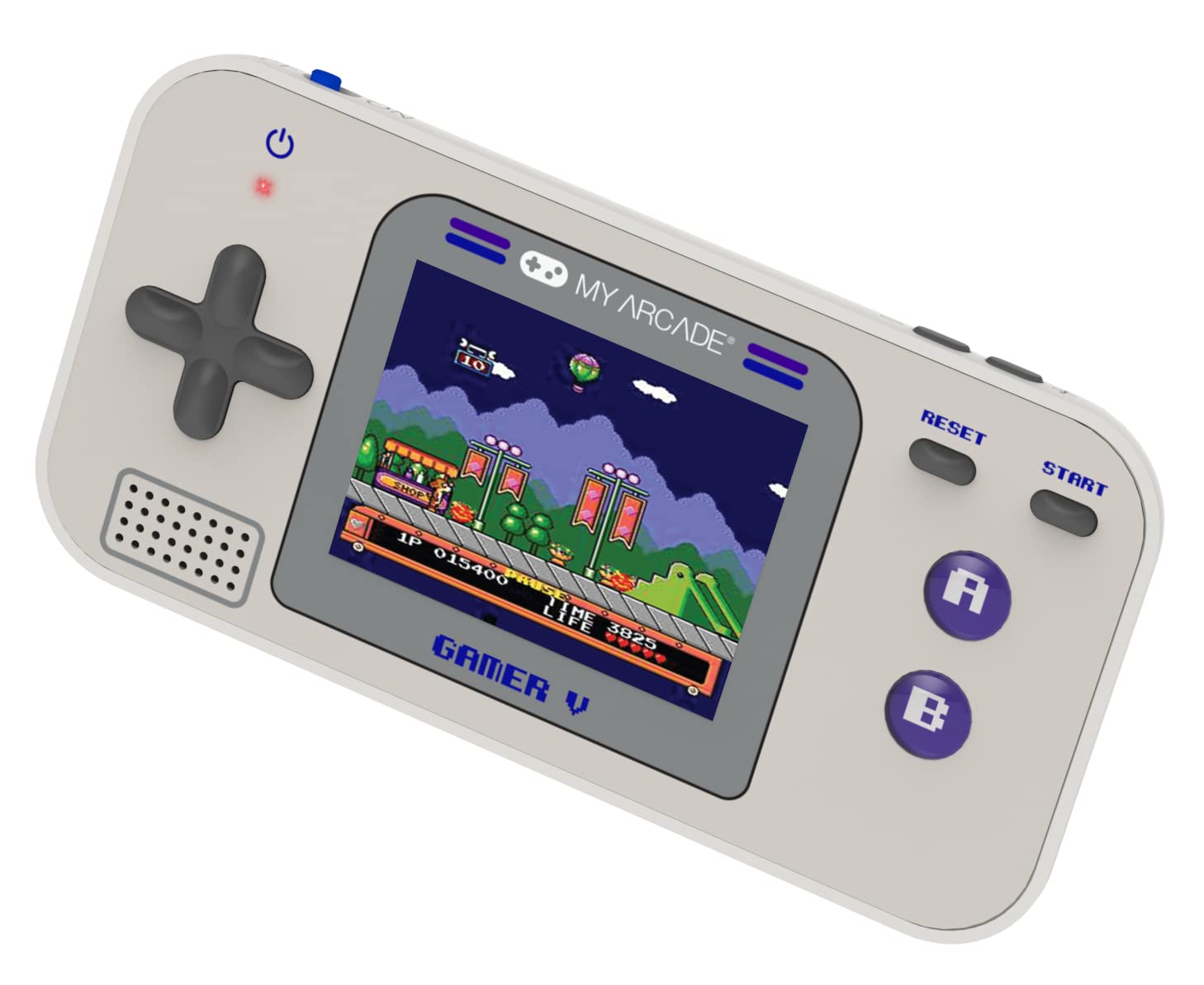
Resim: Ayrıntılı view of the Gamer V Classic controls.
5.2 Oyun Seçimi ve Oynanışı
- After powering on, the device will display the main game selection menu.
- Mevcut oyunlar listesinde gezinmek için yön tuşlarını kullanın.
- Press the 'A' button or 'Start' button to select and launch a game.
- Follow on-screen instructions for specific game controls.
- To return to the game selection menu, press the 'Home' button.
5.3 Sesi Ayarlama
Use the dedicated volume control buttons or switch (location may vary slightly by unit) to increase or decrease the sound output.
6. Bakım
- Temizlik: Cihazı temizlemek için yumuşak ve kuru bir bez kullanın. Sıvı temizleyiciler veya aerosoller kullanmayın.
- Depolamak: Store the device in a cool, dry place away from direct sunlight and extreme temperatures. If storing for an extended period, remove the batteries.
- Pil Bakım: Replace all batteries at the same time. Do not mix old and new batteries or different types of batteries. Dispose of used batteries responsibly.
- Etkiden Kaçının: Do not drop or subject the device to strong impacts, as this may damage internal components or the screen.
7. Sorun Giderme
| Sorun | Olası Neden | Çözüm |
|---|---|---|
| Cihaz açılmıyor. | Pillerin zayıf veya bitmiş olması. Pilin yanlış takılması. | Replace batteries with new ones, ensuring correct polarity. Try powering via USB-C cable. |
| Ekran boş veya bozuk. | Low battery power. Device malfunction. | Replace batteries or connect to USB-C power. If problem persists, contact customer support. |
| Ses yok veya ses seviyesi düşük. | Volume set too low. Mute function activated. | Adjust volume using the volume controls. Ensure no external headphones are connected if not intended. |
| Düğmeler yanıt vermiyor. | Device frozen. Low battery power. | Try pressing the 'Reset' button. Replace batteries. Power cycle the device (turn off and on). |
8. Özellikler
- Ürün Ölçüleri: 5"U x 2.5"G x 0.75"Y
- Denetleyici Tipi: Düğme Kontrolü
- Ürün Ağırlığı: 0.15 Kilogram (5.3 ons)
- Ekran Boyutu: 2.5 inç
- Güç Kaynağı: Pil ile çalışır (3 adet AAA pil gereklidir, pil dahil değildir)
- Donanım Arayüzü: Internal with removable media
- Yaş Aralığı (Açıklama): Kid, Teen
- Görüntüleme Türü: LCD veya LED
- Malzeme: Plastik
- Form Faktörü: Elde taşınabilir
- Ürün Model Numarası: DGUN-3920
- Üretici: Benim Oyun Salonum
9. Garanti ve Destek
Garanti bilgileri ve müşteri desteği için lütfen resmi My Arcade web sitesine bakın. webSite üzerinden veya müşteri hizmetleri departmanıyla iletişime geçin. Satın alma belgenizi saklayın.


